
This is the technical support forum for WPML - the multilingual WordPress plugin.
Everyone can read, but only WPML clients can post here. WPML team is replying on the forum 6 days per week, 22 hours per day.
This topic contains 14 replies, has 1 voice.
Last updated by isiM 3 weeks, 1 day ago.
Assisted by: Bobby.
| Author | Posts |
|---|---|
| March 24, 2026 at 8:36 am #17920411 | |
 isiM |
I am not able to do translation on the website, most likely because the status is showing as inactive. Please help |
| March 24, 2026 at 11:03 am #17921402 | |
|
isiM |
This has not been resolved still even after deleting and reinstalling the website key |
| March 24, 2026 at 6:01 pm #17923705 | |
 Bobby WPML Supporter since 04/2015 Languages: English (English ) Timezone: America/Los_Angeles (GMT-07:00) |
Hi there, If possible please share more information with me so I can better undestand the issue you are experiencing. With WPML installed and activated on your site, what is the error you are receiving or road block when you attempt to translate? You mentioned it says innactive, would you mind share a screenshot with me on what is inactive? Are you referring to the Translate Everything mode within WPML->Translation Dashboard area? |
| March 24, 2026 at 7:00 pm #17923784 | |
|
isiM |
In the account, it i showing that isimarkets.com s in active. 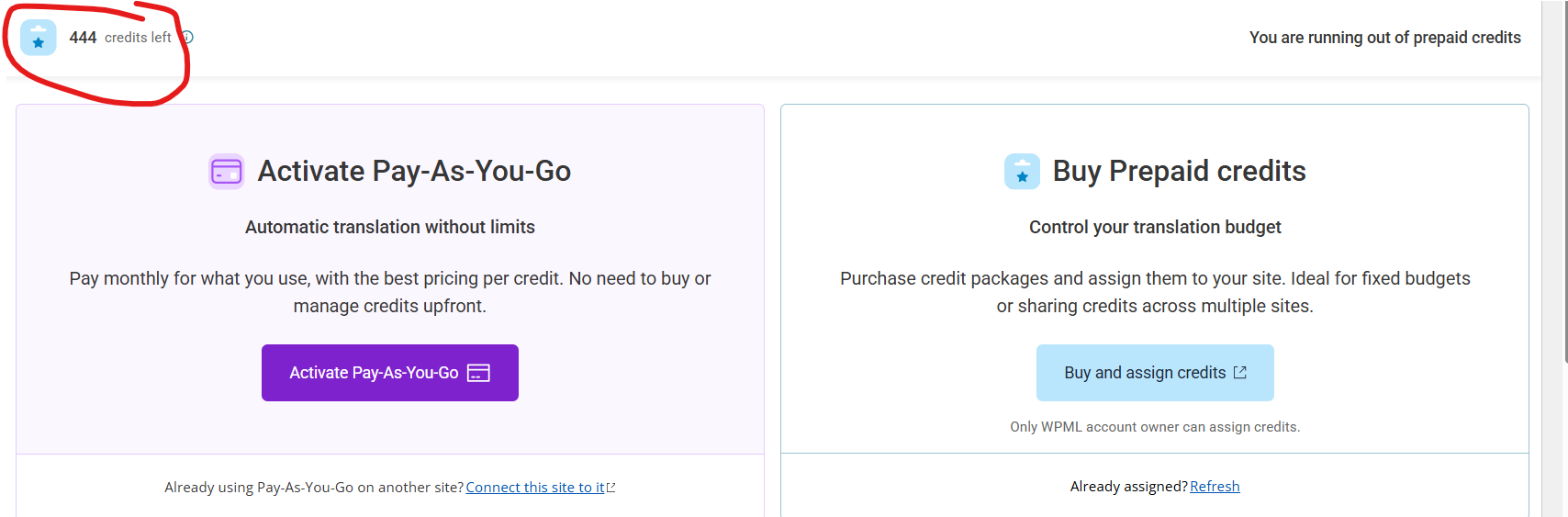 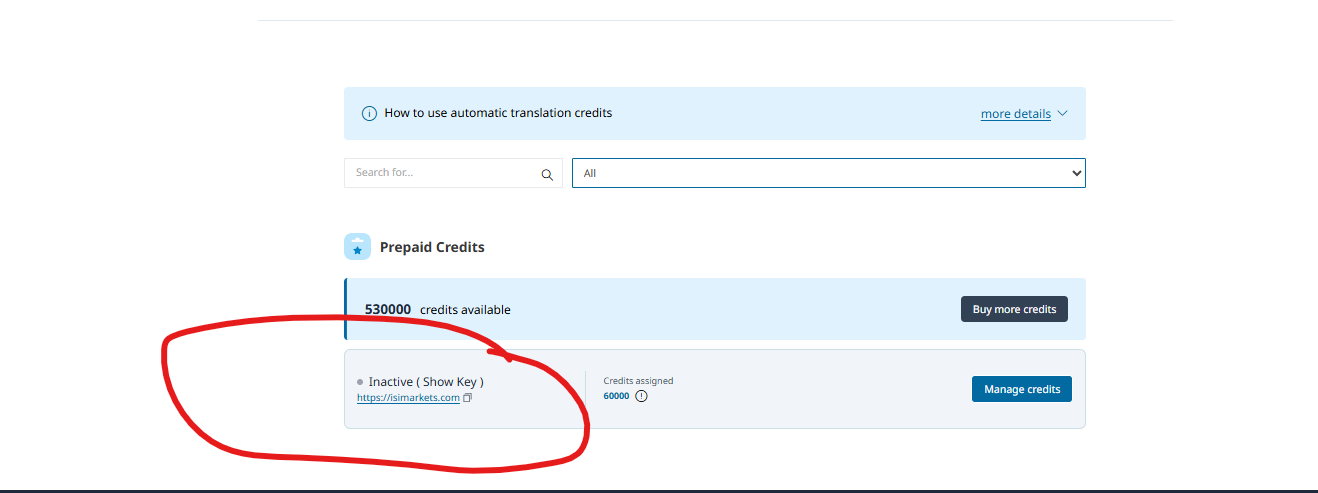 |
| March 25, 2026 at 11:21 am #17925963 | |
|
isiM |
It is taking a really long time to get a response. Can you help here urgently please? |
| March 25, 2026 at 5:52 pm #17927273 | |
|
Bobby WPML Supporter since 04/2015 Languages: English (English ) Timezone: America/Los_Angeles (GMT-07:00) |
You have 530,000 credits in the wpml.org account. In the site there are 444 credits left. and the site key has 60,000 credits assigned. From my side I am not able to control these credits as they are assigned to your actual account, if possible, please click on "manage credits" -> what are the options you see, are you able to move them? Also, go to WPML->Support->Troubleshooting-> at the very top there is an AMS ID, with a red background, can you share that with me. |
| March 25, 2026 at 6:23 pm #17927302 | |
|
isiM |
I am able to assign credit within https://wpml.org/ but it is not reflecting in wordpress |
| March 25, 2026 at 6:27 pm #17927306 | |
|
isiM |
1. I found these error logs (Attached) 2. I Can't see an ID with a red background but I can see this: Your Automatic Translation account id is 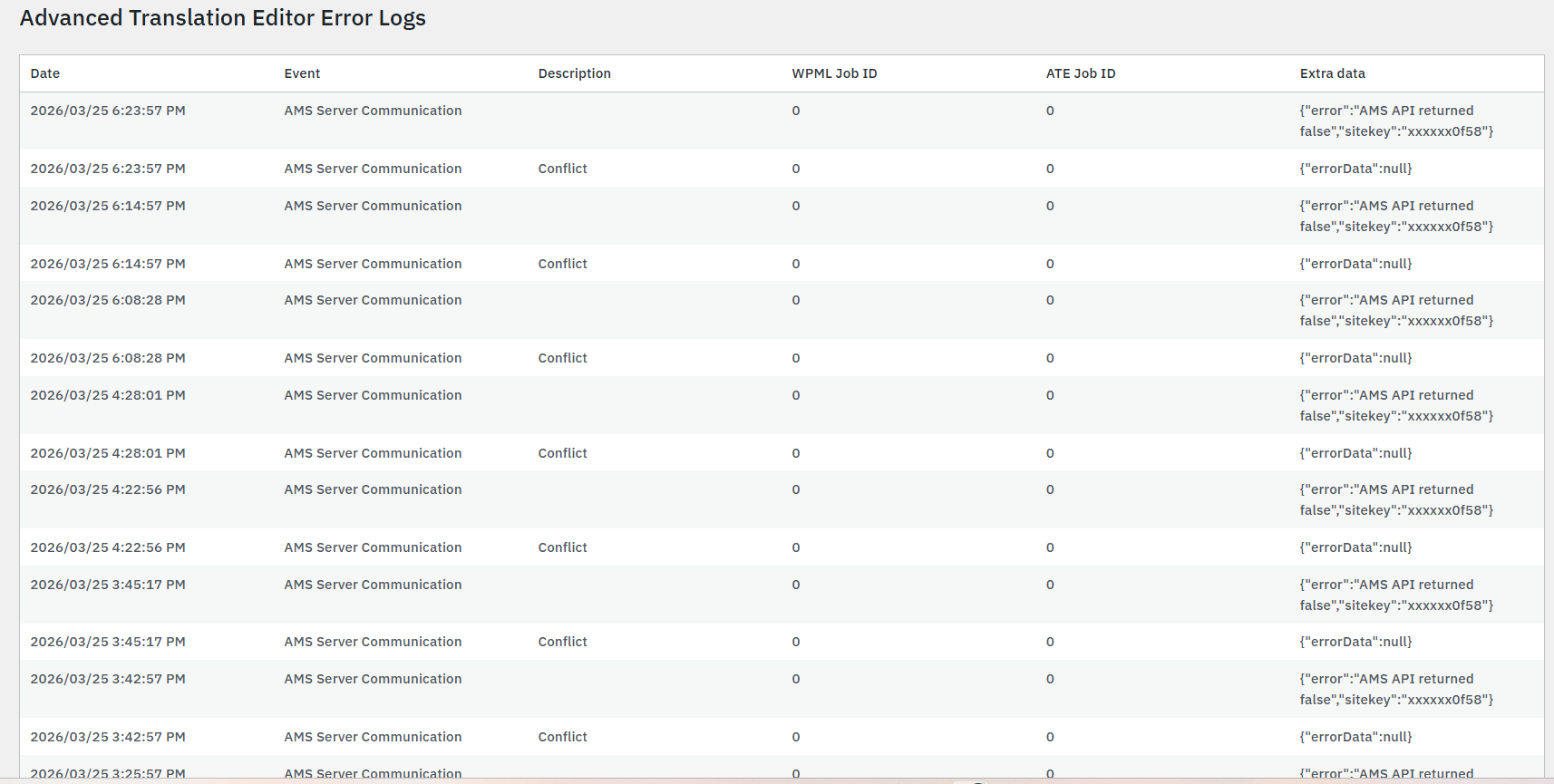 |
| March 25, 2026 at 6:55 pm #17927385 | |
|
Bobby WPML Supporter since 04/2015 Languages: English (English ) Timezone: America/Los_Angeles (GMT-07:00) |
Thank you, that gives me what I need. The site is showing the URL registered for this ID as hidden link However, on your screenshot the one that shows the inactive key is isimarkets.com Can you please verify that URL that you are currently using as your live site. Also, I will enable the private field reply that way I can further help if need be to merge the account from my side now that I have this information. |
| March 25, 2026 at 7:01 pm #17927390 | |
|
isiM |
hidden link is the dev site. The live site is isimarkets.com. |
| March 25, 2026 at 10:08 pm #17927627 | |
|
Bobby WPML Supporter since 04/2015 Languages: English (English ) Timezone: America/Los_Angeles (GMT-07:00) |
The problem is that your site is not registered at all on our cloud system. reffering to isimarkets.com The only URLs that are registered are: There are some ways to force update it. 1. Go to your database and run the following SQL query -> share with me the results. select * 2. Go to WPML->Support->Troubleshooting-> run: - Clear the Cache in WPML Run step 1 and re share the new results with me after running the Troubleshooting actions. |
| March 26, 2026 at 11:53 am #17928849 | |
|
isiM |
Result: |
| March 26, 2026 at 5:37 pm #17930318 | |
|
Bobby WPML Supporter since 04/2015 Languages: English (English ) Timezone: America/Los_Angeles (GMT-07:00) |
The ID 38663462-3462-5035-b239-386432663533 belongs to hidden link If the site URL is isimarkets.com, then this is going to trigger warnings/issues. Go back to the database, run the same SQL query, and delete both of those entries. (Make sure to have a full and recent backup before making any changes to the database please. ONLY delete these 2 entries to avoid irreversible issues) NOTE: DELETING Database records should only be done when a supporter directly works on the ticket with you and AFTER a backup is in place./strong> Once done, update me here please as these records will generate a new ID automatically after they have been deleted. |
| March 27, 2026 at 10:08 am #17931522 | |
|
isiM |
This action has been completed. |
| March 27, 2026 at 11:07 am #17931928 | |
|
isiM |
Its all working now. Thanks you for for the help |






