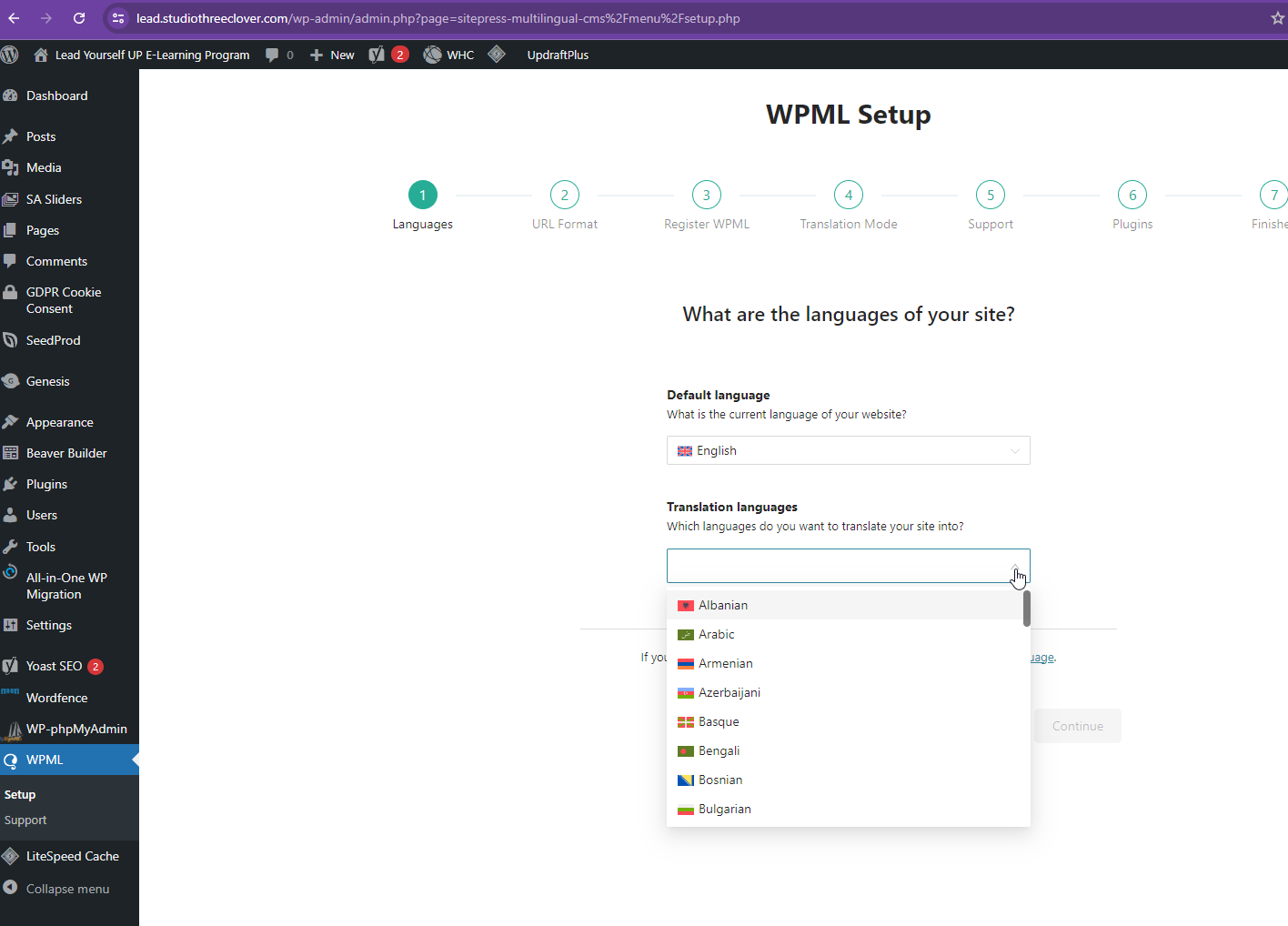
This thread is resolved. Here is a description of the problem and solution.
Problem: The client was experiencing issues with the WP-phpMyAdmin plugin due to some missing table structures. Solution: We resolved the issue by adding the missing table structures. If you're experiencing this issue, we recommend checking your database for similar missing structures and adding them as needed. Once the issue is resolved, you can safely delete the WP-phpMyAdmin plugin.
Please note that this solution might be outdated or not applicable to your case. We highly recommend checking related known issues at https://wpml.org/known-issues/, verifying the version of the permanent fix, and confirming that you have installed the latest versions of themes and plugins. If the problem persists, please open a new support ticket at WPML support forum.
This is the technical support forum for WPML - the multilingual WordPress plugin.
Everyone can read, but only WPML clients can post here. WPML team is replying on the forum 6 days per week, 22 hours per day.
I've just installed WPML on my development site, but when I try to do the WPML setup, there are no languages to setup (it says "No Data").
When I go to the plugin page I get the message "WPML is missing some records in the languages tables and it cannot fully work until this issue is fixed. Please go to the Troubleshooting page and click on "Clear language information and repopulate languages" to fix this problem."
I have tried clicking on that button, and do get the message "DONE", but the problem remains.
I will need to closely examine your website. Therefore, I will require temporary access (WP-Admin and FTP) to a test site where the problem has been replicated, if possible. This will enable me to provide better assistance and determine if any configurations need to be modified.
Please note that it is important to have a backup for security purposes and to prevent any potential data loss. You can use the UpdraftPlus plugin (https://wordpress.org/plugins/updraftplus/) to fulfill your backup requirements.
Your upcoming reply will be treated with confidentiality and will only be visible to you and me.
✙ To resolve the issue, I may need your consent to deactivate and reactivate plugins and the theme, as well as make configuration changes on the site if necessary. This emphasizes the significance of having a backup.
While checking the debug info, I see that the WordPress Memory Limit is below the requirements. The minimum requirements are 128M, but we do recommend 256M and the debug information of your site shows it set to 40M. Please check this link for more details https://wpml.org/home/minimum-requirements/.
You can increase it by adding the following code in your wp-config.php file, right before the /* That’s all, stop editing! Happy publishing. */ line:
Sorry, it looks like I'm unable to execute any SQL query or import tables into your server database using the phpmyadmin plugin. Could you please share the access to your server database?
Could you please reach out to your hosting provider and ask for database access(phpmyadmin)? Tell them that you need to share this information with a plugin author to check on the database. Also, please ask to backup the entire server.
Everything seems to be working fine, but I still get the "WPML is missing some records in the languages tables and it cannot fully work until this issue is fixed" message on my website.
Is that normal? Should it not be fixed by now?
I was able to do the basic setup - but I want to make sure all is set up right before I start translating.