Lucas Vidal de Andrade
WPML Supporter since 11/2023
Languages:
English (English )
Spanish (Español )
German (Deutsch )
Portuguese (Brazil) (Português )
Timezone:
Europe/Vienna (GMT+02:00)
|
Hey there,
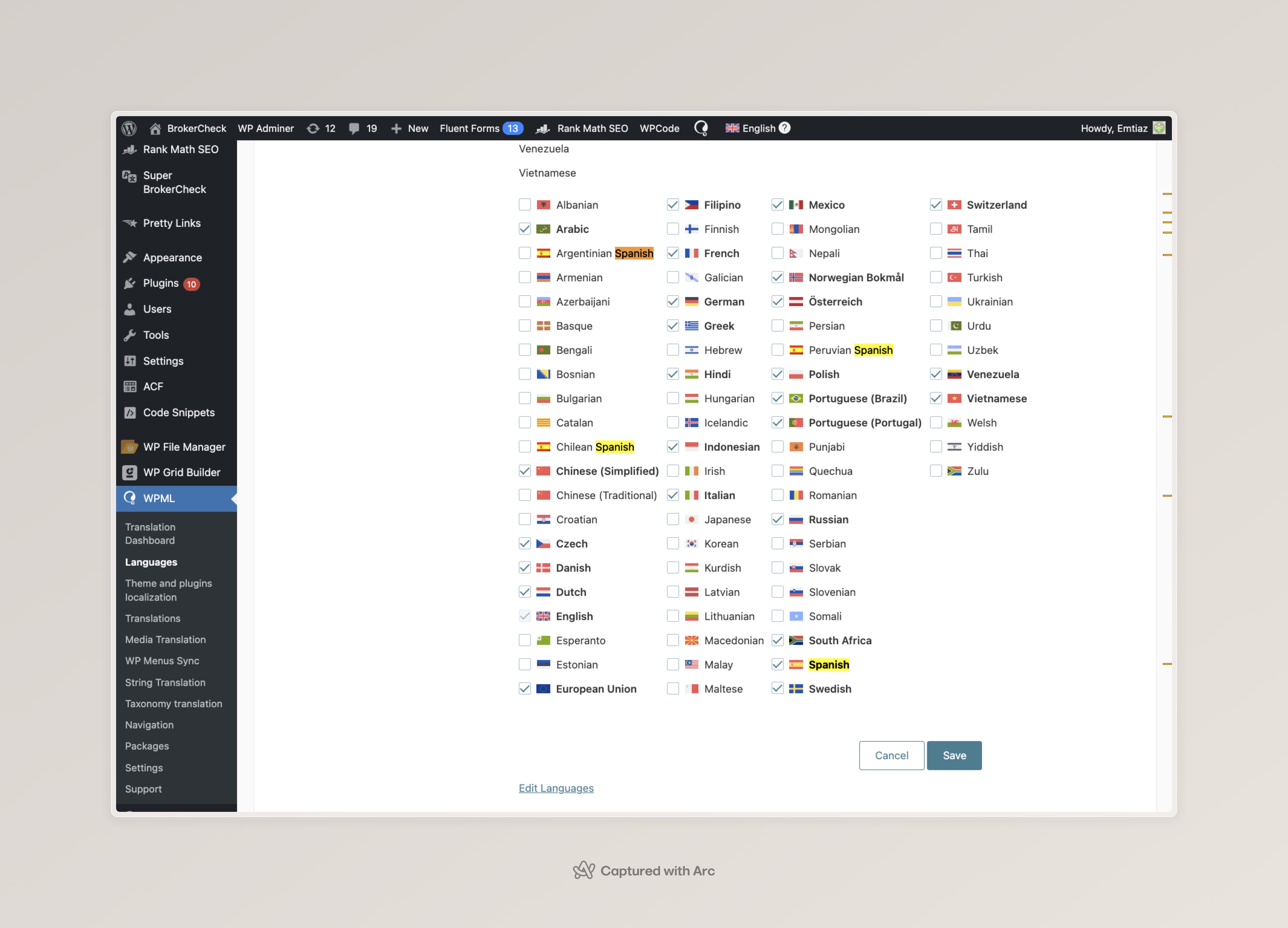
I've received all the access needed, thanks. Ok, so I logged on the website, and the languages were already there - perhaps something worked along the way. In the end, I made no changes at all on it. Check the image.
You can go to WPML > Languages > Add/Remove Languages and activate them.
Please note that you can change the display name of the language, on the "Translation" column, when editing a language. Can you please confirm if they're working as expected?
|
|
florianF-18 |
Thank you so much, Problem solved.. We have added a total of thirty languages for the entire website and I want to automatically translate the entire website into these target languages. Can you please check and let me know how much credit I have in my account to translate the website? I think the number of credits here is very low.And why is the number of credits so low here and if we want to automatically translate the entire website into these 30 languages, do we have to buy credits again and if so, how much?
|
|
florianF-18 |
Language slug is needed after our website URL. Can we add custom languages and what do we need to do this?
We need such URLs for different languages:
Deutschland – brokercheck.de
Schweiz – brokercheck.ch
Österreich – brokercheck.at
European Union – brokercheck.eu
Italia – brokercheck.it
France – brokercheck.fr
Россия – brokercheck.ru
Česká Republika – brokercheck.cz
Polska – brokercheck.pl
Portugal – brokercheck.pt
España – brokercheck.es
Ελλάδα – brokercheck.gr
Norge – brokercheck.no
Sverige – brokercheck.com.se
Danmark – brokercheck.dk
Nederland – brokercheck.co.nl
BrokerCheck – brokercheck.co
South Africa – brokercheck.co.za
Việt Nam – brokercheck.com.vn
Pilipinas – brokercheck.com.ph
شبه الجزيرة العربية – brokercheck.ae
भारत (India) – brokercheck.co.in
中國 (China) – brokercheck.cn
Indonesia – brokercheck.id
Brasil – brokercheck.com.br
Venezuela – brokercheck.co.ve
México – brokercheck.com.mx
Peru – brokercheck.com.pe
Chile – brokercheck.cl
Argentinia – brokercheck.com.ar
|
Lucas Vidal de Andrade
WPML Supporter since 11/2023
Languages:
English (English )
Spanish (Español )
German (Deutsch )
Portuguese (Brazil) (Português )
Timezone:
Europe/Vienna (GMT+02:00)
|
Hey there,
I'm glad I was able to help, and I apologize it look a lot of back and forth to fix it. The issue is indeed complex, and is being caused by something external we still couldn't fully identify. Please let us know if you wish us to keep looking for a permanent fix for it.
Regarding your other inquires, I decided to create new tickets for them, so we can keep things organized and ensure that they will be handled:
https://wpml.org/forums/topic/split-credits-estimate/
https://wpml.org/forums/topic/split-multidomain-questions/
I'll answer you there.
|
|
florianF-18 |
I am facing Assigning WPML automatic translation credits issue to my website.Please check and fix it.There is credit in the WPML account but when I go to translate the website it shows zero credit check the two screenshots
|
|
florianF-18 |
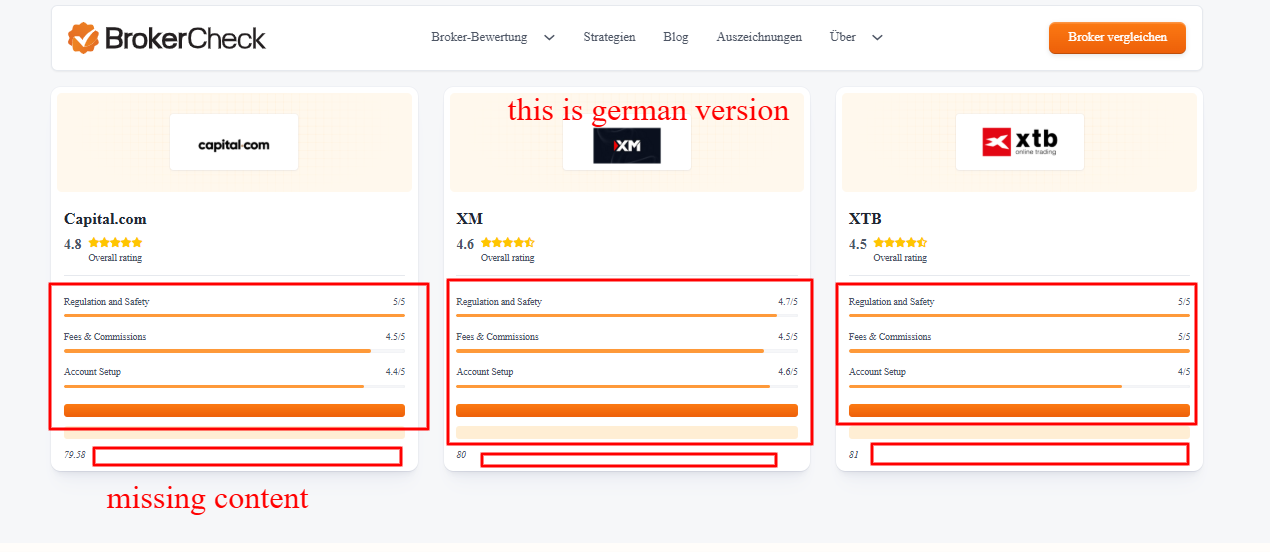
I automatically translated the contents of my desired template from english into german but they were not translated. Later, when I opened it in the editor and tried to translate it manually, the texts were not there, only the fields were shown. This is definitely what the editor should show.
* I tried to make it compatible from the WPML theme plugin localization options, but it still doesn't work.
* The text should have come directly without the field appearing in the editor. I updated the WordPress and PHP versions.But not working. Please check and solve it.
|
Lucas Vidal de Andrade
WPML Supporter since 11/2023
Languages:
English (English )
Spanish (Español )
German (Deutsch )
Portuguese (Brazil) (Português )
Timezone:
Europe/Vienna (GMT+02:00)
|
Hello there,
This is the ticket to address the issue with adding new custom languages. If you are having other issues, please open new tickets in our Forum. It's the same steps you followed to create this ticket in the first place.
Since you've already shared the details here, I'll create new tickets from this one. But please keep in mind that if you have new issues to report or questions to make, you must create new tickets for them, and not send them as messages on existing ones, like it's been done right now.
https://wpml.org/forums/topic/split-credits-question/
https://wpml.org/forums/topic/split-translating-templates/
|