
This thread is resolved. Here is a description of the problem and solution.
Problem:
You've noticed that since the last update, an image that's translated in the Media Translation, when used on a page and then translated in the CTE, isn't translated anymore. Instead, the original image is served on the translated page.
Solution:
We've resolved this issue in the latest version of WPML (4.9.0). Please also update to the new versions of Strings Translation (3.5.0) and Media Translation (3.1.0). If you don't see these new versions on your site, follow these steps:
1. In your site’s admin, go to Plugins → Add New Plugin and click the Commercial tab.
2. Click the Check for updates button.
3. Select WPML 4.9 from the list and click Install.
Before updating our plugins, we strongly recommend making a full site backup (files and DB).
Learn more about WPML 4.9.0 in our post: WPML 4.9.0 Changelog
If this solution does not apply to your case because it might be outdated or not relevant, we highly recommend checking related known issues at WPML Known Issues, verifying the version of the permanent fix, and confirming that you have installed the latest versions of themes and plugins. If issues persist, please open a new support ticket.
This is the technical support forum for WPML - the multilingual WordPress plugin.
Everyone can read, but only WPML clients can post here. WPML team is replying on the forum 6 days per week, 22 hours per day.
Tagged: Bug
This topic contains 16 replies, has 0 voices.
Last updated by Itamar 3 months ago.
Assisted by: Itamar.
| Author | Posts |
|---|---|
| December 3, 2025 at 3:19 pm #17631449 | |
 T4ng |
I notice that, since last update, an image that's translated in the Media Translation, when used in a page, then translated in the CTE won't be translated anymore. The original image is served instead of its translation in the translated page. |
| December 3, 2025 at 11:33 pm #17632359 | |
|
T4ng |
Hi, I did further tests. It appears that the issue persists in a minimal environment. However, it took me some time, but I also noitced that the issue only seem to occur with SVG media files. SVG files, translated in the media translation, aren't translated anymore in the translated posts where they are added. Updating WPML to 4.8.6 doesn't solve it. I hope it helps. |
| December 4, 2025 at 10:24 am #17633450 | |
|
T4ng |
Just so you know. We have a fix, ready to patch. Are you interested? |
| December 4, 2025 at 10:49 am #17633572 | |
 Itamar WPML Supporter since 02/2016 Languages: Hebrew (עברית ) Timezone: Asia/Jerusalem (GMT+03:00) |
Hi, Sure, please share your findings with us. Thanks, |
| December 4, 2025 at 11:43 am #17633853 | |
|
T4ng |
Here is a readme.md explaining how we fixed it. hidden link |
| December 7, 2025 at 5:43 pm #17642261 | |
|
Itamar WPML Supporter since 02/2016 Languages: Hebrew (עברית ) Timezone: Asia/Jerusalem (GMT+03:00) |
Hi, I appreciate very much the detailed documentation you provided, including the problem and its solution. I'm consulting our second-tier supporters about this case, and will keep you updated here. I appreciate your patience. |
| December 8, 2025 at 1:11 pm #17644080 | |
|
T4ng |
Hi Thanks. Best regards, |
| December 8, 2025 at 1:42 pm #17644229 | |
|
Itamar WPML Supporter since 02/2016 Languages: Hebrew (עברית ) Timezone: Asia/Jerusalem (GMT+03:00) |
Hi, We are unsure of the steps to replicate the issue you describe. To investigate this issue, we created a sandbox site and added the Safe SVG plugin. This is because WordPress Media Library doesn't support SVG images. When trying to replicate the problem, we get mixed results. Sometimes it works when replacing an SVG image with the Media translation addon, and sometimes it does not. We have a sandbox site to test this issue. It would be awesome if you could help us and replicate this problem on it. Here is the direct access link. hidden link Thanks, |
| December 8, 2025 at 3:03 pm #17644551 | |
|
T4ng |
We also use the Safe SVG plugin to upload our SVG media. First, I think it would make sense to switch the editor from ATE/automatic translation to CTE, since that’s what we actually use. I’ll let you apply that configuration change. I can now see the issue on the page you created, Itamar: The image has a translated version in the Media Translation tool. On the other hand, I can see that the issue doesn’t occur on the other pages you created. Unfortunately, I don’t know how you translated those pages and media files: From what I’ve observed on our website, an image used in a page wasn’t translated when the page was translated — even though the image was correctly translated in the Media Translation tool. Once I managed to reproduce the issue in a minimal environment — first with one image, then with another, both in a native block and in a custom block using a native block — I assumed there was a bug specifically related to SVGs. I had already spent a significant amount of time investigating this, so I reported it to you and to my developer without digging further. So I’m not aware of cases where the issue occurs or not under specific conditions. All I know is that some of my images stopped being translated, and without the fix, I can consistently reproduce the failure. Still, I ran another test on your sandbox using the following steps: Did you take a look at the README? When I don’t know which specific steps lead to a translated SVG or to the original one, these explanations probably help answer that question. 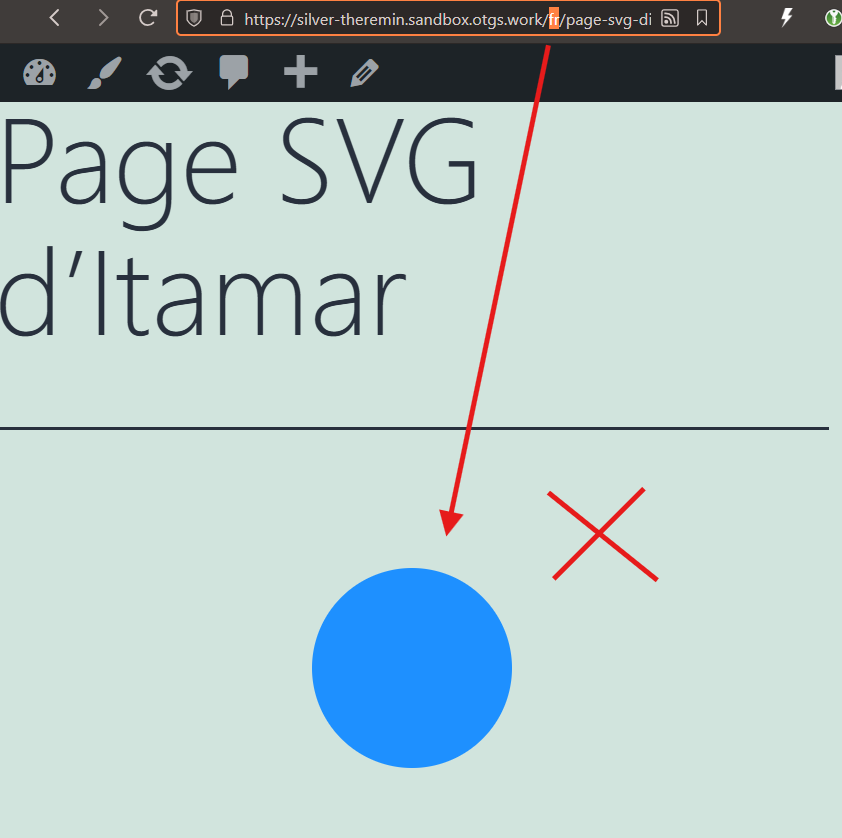 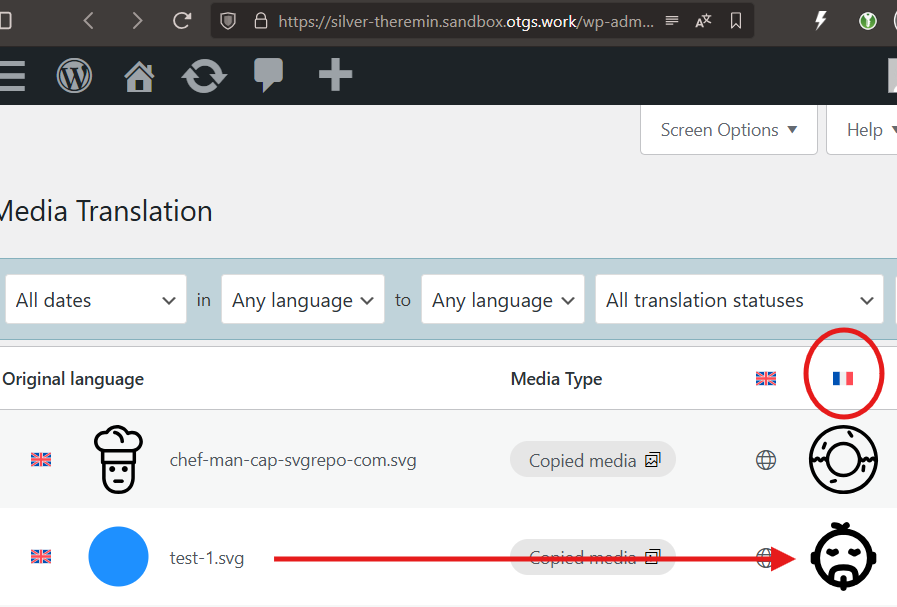 |
| December 9, 2025 at 10:11 am #17646619 | |
|
T4ng |
Hi, The difficulty in reproducing the bug through a user scenario (“click by click”) likely comes from the fact that the problem is structural within the code and related to the nature of SVG files. The issue is not how we create the content, but the fact that your code attempts to handle SVGs as raster images (JPG/PNG) without first checking their format. Here are the specific technical causes (based on our code analysis): Missing dimensions: Your code checks for or requires width and height. However, many valid SVGs do not expose these attributes the same way raster images do, or rely solely on a viewBox. Missing thumbnails: Your logic appears to iterate over image sizes (thumbnails). WordPress does not generate physical size variants for SVGs. As a result, when the code attempts to access size arrays for an SVG, it fails. Missing safety check: There is no condition such as if (mime_type === 'image/svg+xml') { return; } (or appropriate handling) before executing the standard image resizing/verification logic. We feel there is no need to reproduce the bug “visually”; what’s important is to secure the code so it doesn’t fail when the width, height, or sizes properties are missing or null. Overall, the issue we’re seeing seems to come from the fact that SVG handling is still a bit incomplete. There are situations where the code processes SVGs as standard images, which naturally leads to unexpected behavior — especially regarding size management. In addition to this, our analysis also highlights four further points, related more specifically to block handling, which would benefit from some adjustments to ensure fully robust functionality. The code fixes provided are a mix of AI assistance and human brain juice, but they should address the issues we’re encountering. |
| December 9, 2025 at 8:16 pm #17649384 | |
|
Itamar WPML Supporter since 02/2016 Languages: Hebrew (עברית ) Timezone: Asia/Jerusalem (GMT+03:00) |
Thanks! I escalated this issue to our second-tier supporters. Regards, |
| December 10, 2025 at 6:58 pm #17653669 | |
| T4ng |
Another specific issue I noticed, is that the CSS class wp-image-ID don't seem to translate properly, wathever the media format. I did a test on your sandbox: I feel this test is pretty basic, but obviously, something already goes wrong here. New threads created by Itamar and linked to this one are listed below: https://wpml.org/forums/topic/split-css-class-wp-image-id-dont-seem-to-translate-properly/ 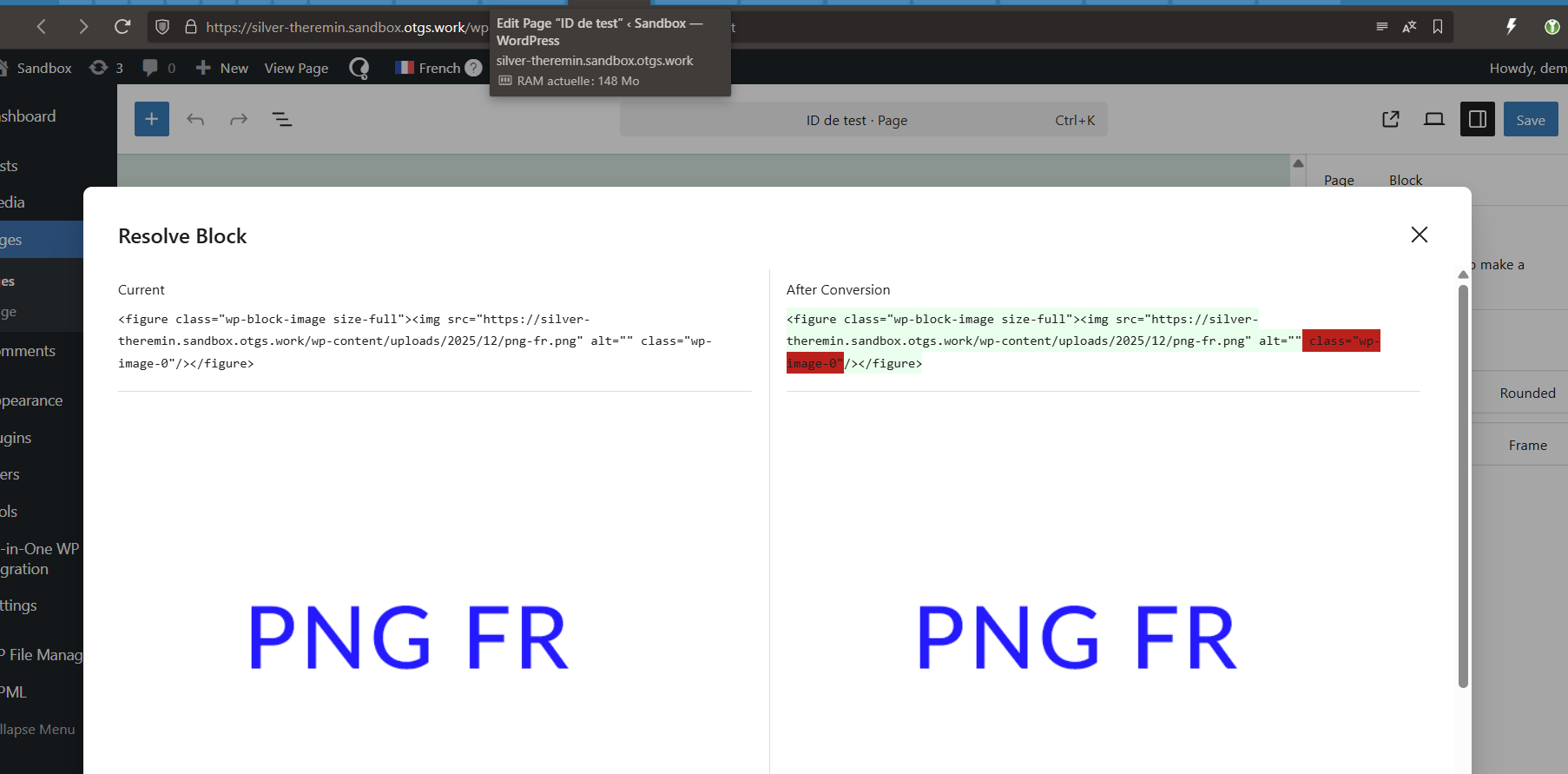 |
| December 11, 2025 at 10:17 am #17655136 | |
|
T4ng |
Currently, the only way I found to get the images I translated (through the media translation) on the frontend, is to manually : Replace > Open Media Library > Select my image > Validate. With this method, the ID class is moved to the right one, and I can swith the size (if needed) without breaking anything. And it seems to be the only way. However, it's not translation anymore: it's all manual! Here, the Media Translation becomes useless, it's just a media library organization tool. Can you please confirm you notice the behaviors I encounter? This is a very annoying issue, since in these conditions, my content translated through your tool (and not edited individually) don't get the translated images they should. Therefore, for now, I can't publish content with translated medias in an organized process, which is what the Media Translation is made for. Regards, |
| December 14, 2025 at 2:38 pm #17662164 | |
|
Itamar WPML Supporter since 02/2016 Languages: Hebrew (עברית ) Timezone: Asia/Jerusalem (GMT+03:00) |
Hi, We’ve identified why SVG images don’t work with Media Translation at the moment. WPML currently keeps an internal list of supported media file types, and SVG is not included, even if SVG uploads are enabled in WordPress. Because of this, SVG files are ignored by Media Translation. Workaround You can enable SVG support by adding svg to WPML’s allowed extensions list in this file: wp-content/plugins/sitepress-multilingual-cms/classes/media-translation/ Inside the function getAllowedExtensionsForFilename(), add 'svg' to the returned array (for example, at the beginning).
	private function getAllowedExtensionsForFilename() {
		return [ 'svg',
Please note that this change will be overwritten on plugin updates, so it may need to be re-applied. Status We’ve escalated this issue to our developers, and they are aware of it. Thanks for your patience, and we’ll keep you updated. We try to focus on one issue per ticket in our technical support forum. Otherwise, tickets can get cluttered and confusing for both users and supporters. I've split the other issue you reported into a new ticket. Please see the new ticket here. https://wpml.org/forums/topic/split-css-class-wp-image-id-dont-seem-to-translate-properly/ Best regards, |
| December 15, 2025 at 10:17 am #17663421 | |
|
T4ng |
Hi. Thanks for your feedback. However, I must admit I don't understand your solution. You were also able to upload SVGs, and translate them on your sandbox How allowing SVG with this modification could correct the size attributes related issues we raised? |






