Home›Support›English Support›[Resolved] Split: after translating a blog post to 100% completion, it still does not show as complete
[Resolved] Split: after translating a blog post to 100% completion, it still does not show as complete
This thread is resolved. Here is a description of the problem and solution.
Problem: The client reported that even after translating a blog post to 100% completion, it still did not show as complete, and the post was not displaying in the translated language. Additionally, there were errors in the Advanced Translate section and issues with ghost entries in the database. Solution: We identified that the issue was related to complex caching and ghost entries in the database. We resolved this by navigating to WPML > Support > Troubleshooting and clearing the ghost entries from the database. This action should ensure that translations are saved correctly and are accessible moving forward. For further details on clearing ghost entries, you can visit WPML Troubleshooting.
If this solution does not resolve your issue or seems irrelevant due to being outdated or not applicable to your case, we highly recommend checking related known issues at https://wpml.org/known-issues/, verifying the version of the permanent fix, and confirming that you have installed the latest versions of themes and plugins. If the problem persists, please do not hesitate to open a new support ticket at WPML support forum.
This is the technical support forum for WPML - the multilingual WordPress plugin.
Everyone can read, but only WPML clients can post here. WPML team is replying on the forum 6 days per week, 22 hours per day.
Thank you so much! You have already solved my registered key activation problem.
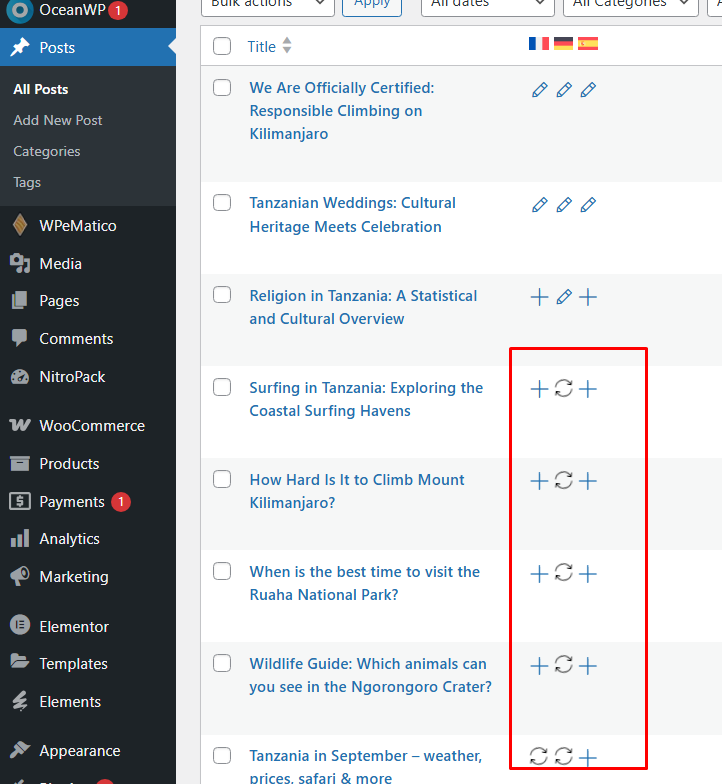
However, my biggest issue is that even after translating a blog post to 100% completion, it still does not show as complete. Also, the post is not displaying in the translated language.
Additionally, in Translate Support > Advanced Translate, it is showing 4 errors.
Please resolve these issues as soon as possible. Thank you very much!
I created this new ticket for the other issue that you reported above.
1. Can you please share an example of a post that is not translated and where the translation has not been published?
2. I would like to kindly request temporary access (wp-admin and FTP) to your site in order to examine the issue thoroughly. The necessary fields can be found below the comment area. When you log in to leave your next reply, please be assured that the information you enter is private and will only be visible to you and me.
Our Debugging Procedures
I will thoroughly review various settings in the backend to determine if the issue can be resolved. While I will not make changes that affect the live site, it is still advisable to back up the site before granting us access. Should further debugging be necessary, I will create a duplicate and work in a separate, local development environment to avoid any impact on the live site.
- Before granting us access, please ensure that the site files and database are backed up.
If you do not see the wp-admin/FTP fields, please refrain from posting your website details, as they will be made public. Kindly request I enable the private box if you do not see the required wp-admin/FTP fields. You can find the private box by following this link: hidden link
My problem is still not solved. My biggest issue is that even after translating a blog post to 100% completion, it still does not show as complete. Also, the post is not displaying in the translated language
Thank you for your incredible patience throughout this process.
It took me longer than I initially anticipated to investigate the issue.
I discovered that there was a more complex caching problem, which required multiple steps to ensure the site's content was accurate and live rather than being served from the cache.
It is possible that this site was migrated from another domain, leading to translation entries that existed as "ghost" entries in the database but were not part of the actual data.
I cleared these ghost entries by navigating to WPML > Support > Troubleshooting > Clear ghost entries from the database: hidden link
Now, everything appears to be functioning properly, and the translation is correctly saved and accessible: hidden link
Additionally, it should work well when you translate new blog posts moving forward.
Thank you so much for fixing the issue with the post. However, when you made some changes, a new issue was created.
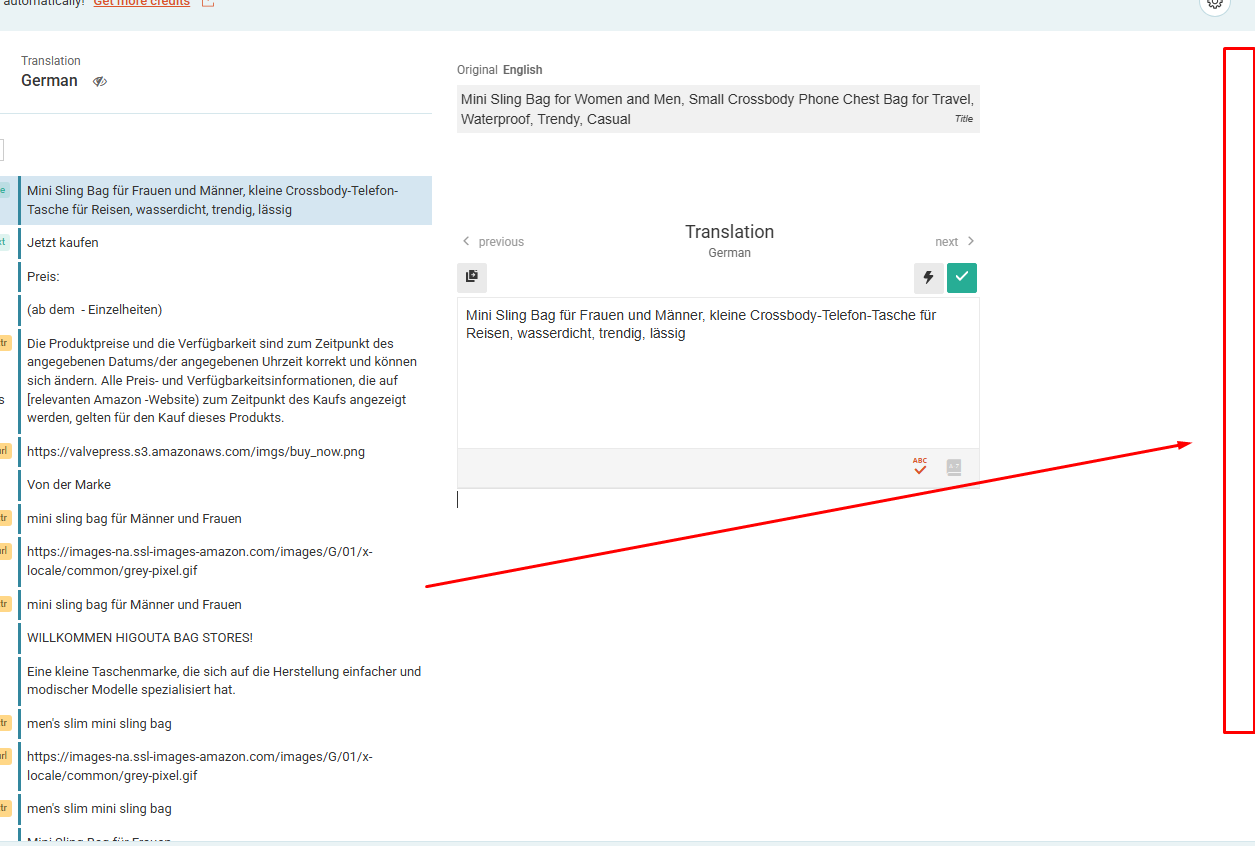
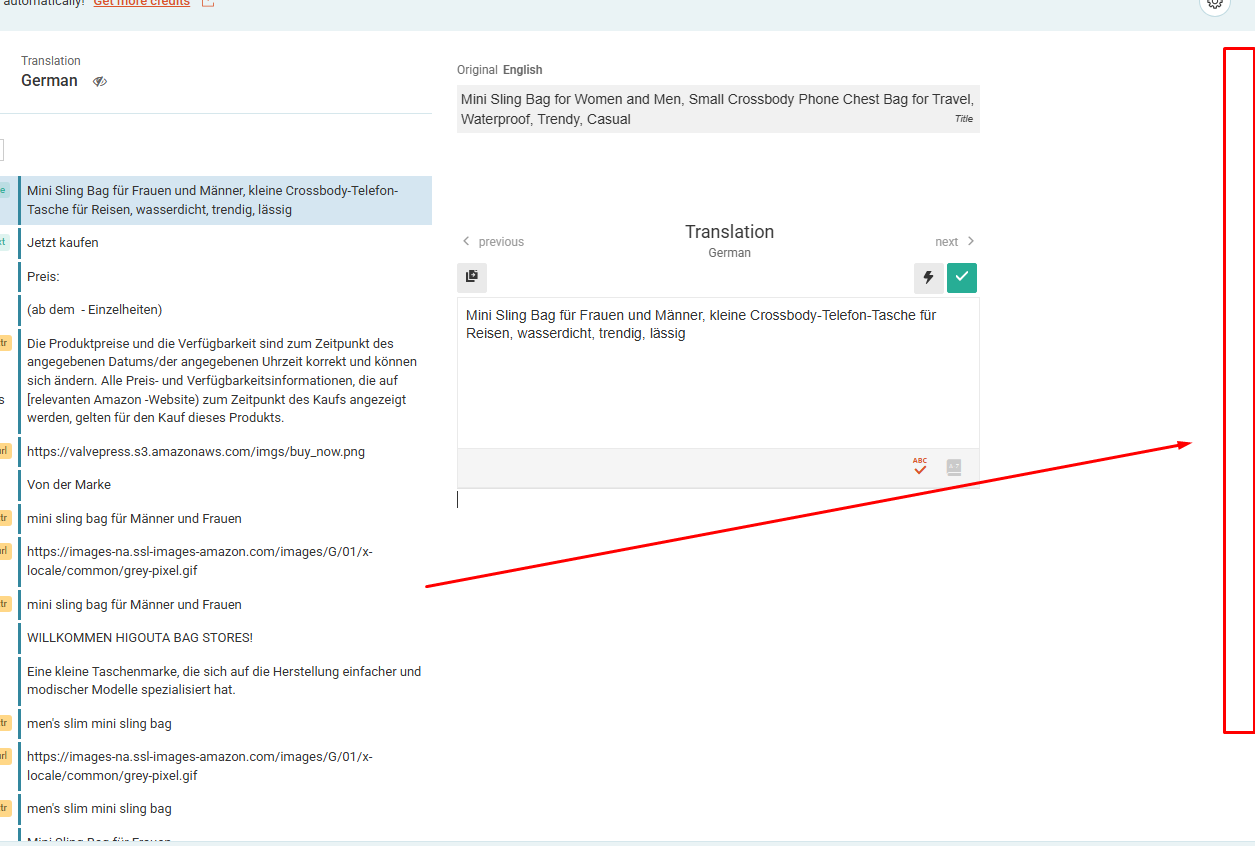
In WPML's translation editor, the side scrolling bar is not showing, so I am unable to manually translate my text. Could you please check and fix this?
New threads created by Mihai Apetrei and linked to this one are listed below:
This is strange and should not be related to removing the ghosted records from the database.
This could be caused by a compatibility issue between WPML and (at least) one of the active plugins or the currently active theme.
Can you please create a full website backup and let me know if the issue is still happening even when only the WPML plugins are active and you are using a default WordPress theme?
Please try the following steps so that we can test for a compatibility-related issue:
- create a full website backup
- disable all plugins except WPML and its add-ons
- check if the issue is happening again
- if it's not, reactivate your plugins one by one, checking every time if the issue shows up again so that you can understand which plugin is causing that issue
If the issue happens even with the non-WPML plugins disabled:
- leave all the non-WPML plugins deactivated
- switch to a default theme like TwentySeventeen
- try to recreate the issue now
If you can, it would be best to do this in a staging (testing) environment.
Please let me know how that goes and if following these steps solved your issue or brought any change.
If it does not bring any change, I will move this new issue into a separate ticket.
Continuing with one issue per ticket helps supporters focus on one problem at a time and enables other users to find solutions to their questions faster.
I followed your instructions and deactivated all my plugins, then reactivated them one by one to check. However, the issue was not resolved.
Even when all the plugins were deactivated, the problem still persisted. Just to clarify, I have successfully translated many products and various site elements without this issue before. This problem has only started since yesterday.
Also, I haven’t installed any new pages or plugins in between. Could you please check and help me fix this?