
This thread is resolved. Here is a description of the problem and solution.
Problem:
You are experiencing issues with updating translations manually in Elementor for multiple pages and languages, and you are concerned about being charged additional fees for translation credits. You also mentioned problems with activating the OTGS plugin and a related issue with base64 encoded content.
Solution:
We are aware of the difficulties you are facing and plan to enhance the functionality in a future release of the Advanced Translation Editor. The specific issue with sending base64 encoded content to translation is also recognized and will be addressed in the upcoming WPML version 4.9.3.
If this solution does not resolve your issue or seems outdated, we recommend checking related known issues at https://wpml.org/known-issues/, verifying the version of the permanent fix, and confirming that you have installed the latest versions of themes and plugins. If further assistance is needed, please open a new support ticket at WPML support forum.
This is the technical support forum for WPML - the multilingual WordPress plugin.
Everyone can read, but only WPML clients can post here. WPML team is replying on the forum 6 days per week, 22 hours per day.
This topic is split from https://wpml.org/forums/topic/wpml-cannot-send-some-fo-the-content-to-translation-5/
Tagged: Known issue
This topic contains 12 replies, has 0 voices.
Last updated by Andrey 2 months ago.
Assisted by: Andrey.
| Author | Posts |
|---|---|
| February 23, 2026 at 8:17 pm #17844357 | |
 stephaneM-28 |
does that mean in Elementor, I go to all pages and on the pages I have to update, I click on each of the arrows going in circle to do the update manually for each pages, which means if I have 6 translations per page (french, italian, german etc.) I need to click on each of them one by one for more than 60 pages? in regards to the 60 + pages, I will be charged €81.63 (I started the updated translation process today only and did not have any fees before that), the translation did not work as all pages are the same, perhaps removing the OTGS plugin and reinstalling it did something to it, by the way I still cannot activate it (Version 3.1.18) after I uploaded the new files (see discussion with AI for this), what should I do? how can I get the credit for this as I need to redo the entire process but now manually and actually I have more than 60 pages to do so for updates I did in the past few weeks? thanks |
| February 23, 2026 at 8:38 pm #17844435 | |
 Andrey WPML Supporter since 06/2013 Languages: English (English ) Russian (Русский ) Timezone: Europe/Kyiv (GMT+03:00) |
You won’t be able to activate the OTGS Installer plugin, and that is expected behavior. It is no longer required as a standalone plugin. Once WPML is installed and activated, the OTGS Installer functionality is handled internally, so the separate OTGS plugin can be safely deleted. Regarding your previous translations: All completed translations are stored in WPML’s Translation Memory. You should not be charged again for content that has already been translated. However, if new content was added or existing content was modified, those changes may generate new translation costs. That said, Translation Memory will still be applied, reducing the cost of repeated or partially matching content. You can read more about how this works here: If I’ve misunderstood anything or if something behaves differently on your site, please provide more details so I can better understand the situation and guide you accordingly. |
| February 23, 2026 at 8:43 pm #17844439 | |
|
stephaneM-28 |
Hi Andrey, thank you for above, I will remove the OTGS plugin then, perhaps your AI should do it as well now. in reference to my first question above, does that mean in Elementor, I go to all pages and on the pages I have to update, I click on each of the arrows going in circle to do the update manually for each pages, which means if I have 6 translations per page (french, italian, german etc.) I need to click on each of them one by one for more than 60 pages? in regards to the payment, I have to assume the additional fees are the translation not done then in this case. I did not add any content as I did the full process for the 60 pages this morning and then the issue happened, so none of the pages added content added to them. thanks |
| February 23, 2026 at 10:53 pm #17844628 | |
|
stephaneM-28 |
in reference to my first question above, does that mean in Elementor, I go to all pages and on the pages I have to update, I click on each of the arrows going in circle to do the update manually for each pages, which means if I have 6 translations per page (french, italian, german etc.) I need to click on each of them one by one for more than 60 pages? |
| February 24, 2026 at 1:32 am #17844707 | |
|
stephaneM-28 |
to complement my message above, I tried this on the pages tab in elementor and when I click on it for Benfica, it send me to the page where there is original (English) on the left side and translation (French as an example) on the right side. on the top right, it mention how many to translate, untranslated (this one as 79) I need to do one by one ..... |
| February 24, 2026 at 9:59 am #17845385 | |
|
Andrey WPML Supporter since 06/2013 Languages: English (English ) Russian (Русский ) Timezone: Europe/Kyiv (GMT+03:00) |
Thank you for your feedback.
At the moment, yes — if the translation is marked as “needs update,” it needs to be reviewed individually. However, if the translations are already complete and displaying correctly on the frontend, you can leave them as they are for now. They will continue to work even if the status shows “needs update.” Once the issue is handled, you can send them for translation from the Translation Dashboard.
You don’t need to translate them one by one manually unless you prefer to. In the Advanced Translation Editor, you can: This significantly speeds up the process.
I would strongly recommend not downgrading. Reverting to an older version may introduce compatibility issues with other plugins, themes, or newer WordPress versions. Instead, it would be better to wait for the upcoming WPML release, which should address the current behavior. While I can’t provide an exact timeline, it is expected in the near future. 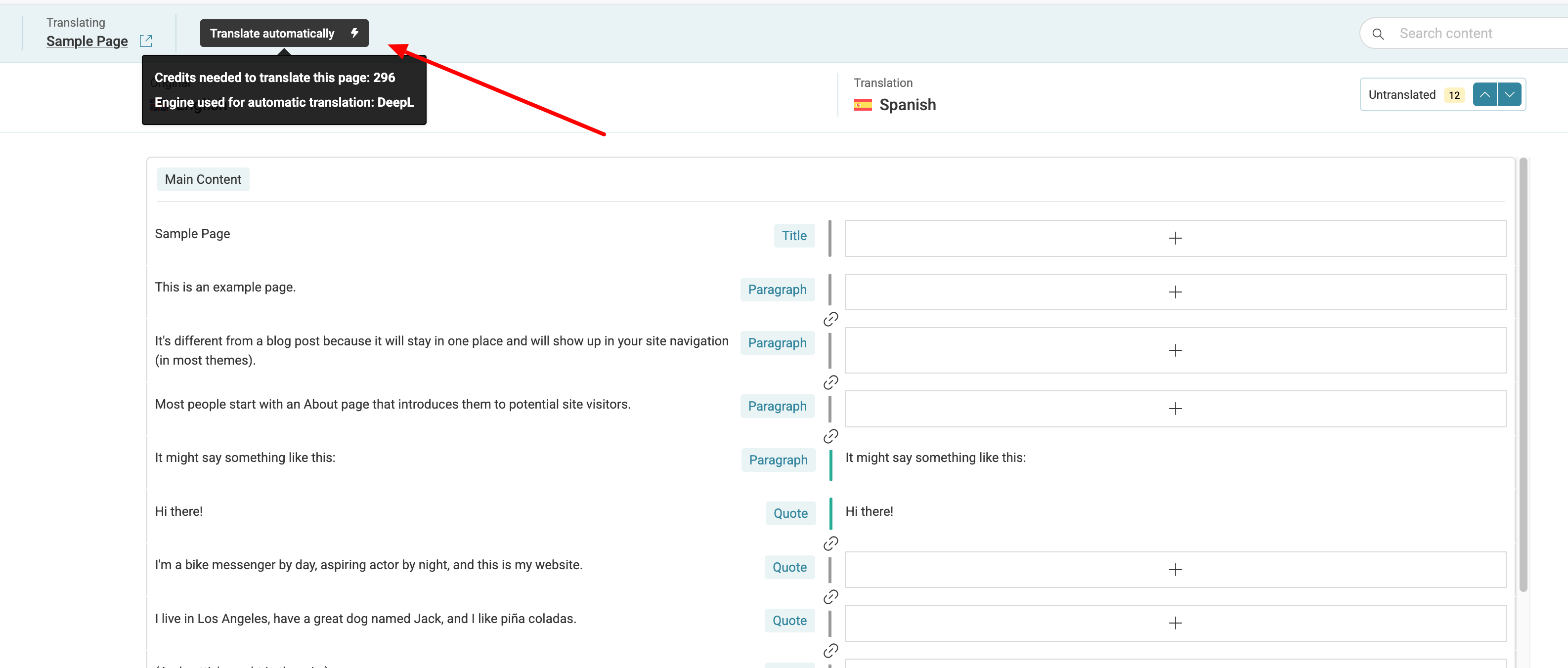 |
| February 24, 2026 at 5:53 pm #17848362 | |
|
stephaneM-28 |
Hi Andrey, OK thanks for this I will process all manually with translate automatically but when I do this there are, most of the time, this in regards probably to style I assume: how can I have this either removed or approved automatically as the automatic translation does not take care of it? for now I have to go on each one of them and remove flag for later which takes lots of time for each translation. thanks |
| February 25, 2026 at 1:25 pm #17851669 | |
|
Andrey WPML Supporter since 06/2013 Languages: English (English ) Russian (Русский ) Timezone: Europe/Kyiv (GMT+03:00) |
Thank you for your feedback. Could you please provide an example: You can find the Job ID in the browser URL when the Advanced Translation Editor (ATE) is open. It usually appears as a parameter in the address bar. Once I have this information, I’ll be able to check. |
| February 25, 2026 at 3:20 pm #17852079 | |
|
stephaneM-28 |
Hi Andrey, this is the job ID with 29 segments from English to French: hidden link this is the link of the live page: hidden link this is only one of the page, most of pages I have to translate manually have the same problem. you can see in the image attached, this is the flagged item in yellow. thanks 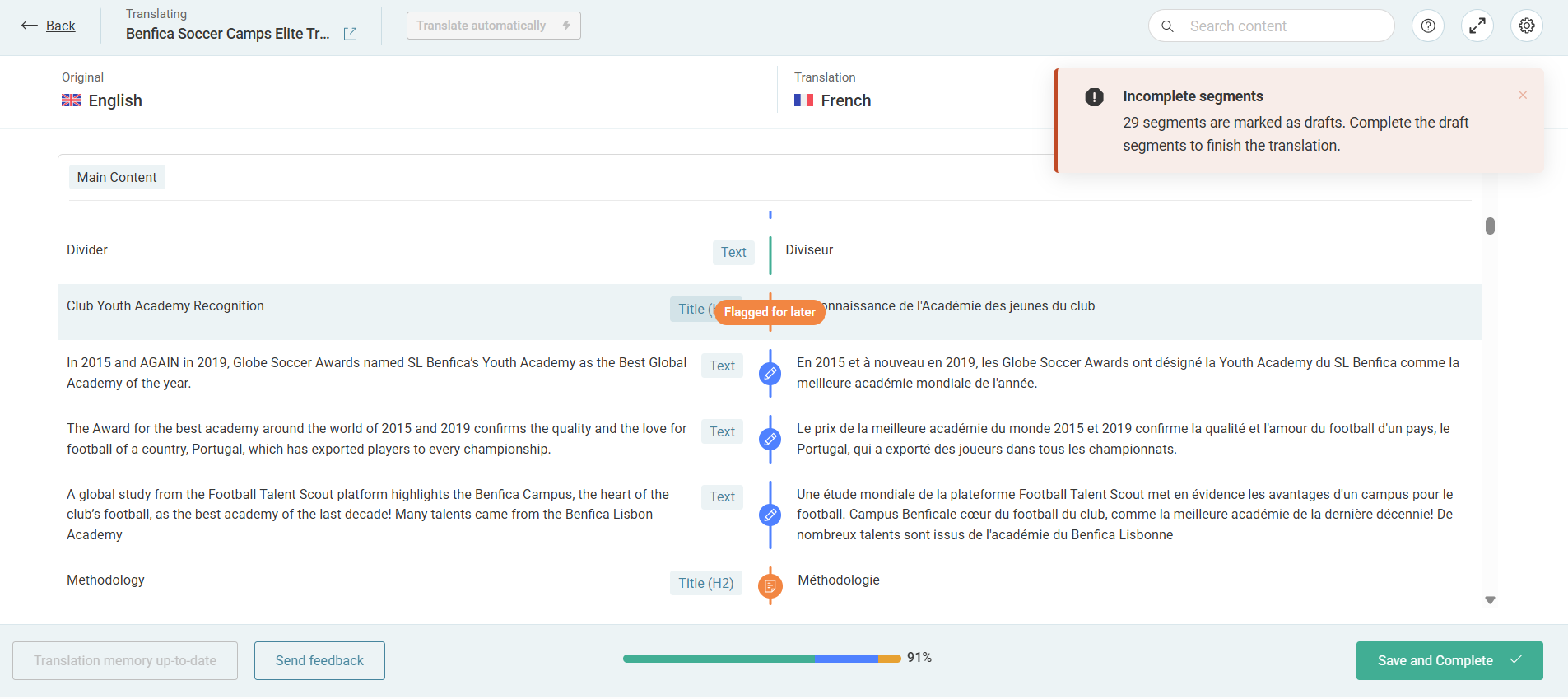 |
| February 25, 2026 at 8:47 pm #17853014 | |
|
Andrey WPML Supporter since 06/2013 Languages: English (English ) Russian (Русский ) Timezone: Europe/Kyiv (GMT+03:00) |
Thank you for providing the information. We'll check this, and I will let you know. |
| February 27, 2026 at 7:12 pm #17861009 | |
|
stephaneM-28 |
Hi Andrey, anything new as I plan on doing other conversion but waiting to see if it is an app issue or if there is a work around it? thanks |
| March 2, 2026 at 11:09 am #17864231 | |
|
Andrey WPML Supporter since 06/2013 Languages: English (English ) Russian (Русский ) Timezone: Europe/Kyiv (GMT+03:00) |
Hi, I appreciate your patience. I have no news yet. I am still checking this with my team. I will update you once I have more information. |
| March 5, 2026 at 7:52 pm #17876252 | |
|
stephaneM-28 |
I did this manually as it took too much time on your side. |
| March 6, 2026 at 2:01 pm #17877977 | |
|
Andrey WPML Supporter since 06/2013 Languages: English (English ) Russian (Русский ) Timezone: Europe/Kyiv (GMT+03:00) |
Thank you for letting me know. I’d like to inform you that the behavior reported in this support ticket is planned to be improved in a future release of the Advanced Translation Editor. Additionally, the issue discussed in your other support ticket As a gesture of appreciation for your patience, we have cleared a debt of 122,346 credits from your current translation credit usage. |





