This thread is resolved. Here is a description of the problem and solution.
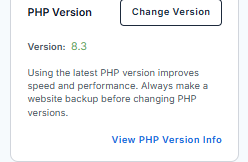
Problem: The client was experiencing an issue where WPML reported 'WPML doesn't manage the translation' when attempting to update translations for previously translated Chinese articles. The problem persisted even after trying features on the WPML troubleshooting page and changing the PHP version. Solution: We advised the client to downgrade the PHP version from 8.5.5 to 8.2 or 8.3 and check if the issue was resolved. After downgrading, the issue seemed to disappear, which might have been aided by the flushing of an outdated cache memory file. If you're experiencing similar issues, we recommend trying the following steps: 1. Downgrade your PHP version to 8.2 or 8.3. 2. Clear your site's cache. 3. Confirm that the issue is resolved.
Please note that this solution might be outdated or not applicable to your specific case. We highly recommend checking related known issues at https://wpml.org/known-issues/, verifying the version of the permanent fix, and confirming that you have installed the latest versions of themes and plugins. If the problem persists, please open a new support ticket at WPML support forum.
This is the technical support forum for WPML - the multilingual WordPress plugin.
Everyone can read, but only WPML clients can post here. WPML team is replying on the forum 6 days per week, 22 hours per day.
I have issue again for the WPML translation. I create multiple chinese articles, and I can translate them at the first try. And then I try to update the translation again for the same article, the WPML report something "WMPM doesn't manage the translation".
I am not sure. This time, when the issue happen, I went to WMPL-->support-->troubleshooting page, and try many feature provided in that page. Still end up not working. If possible, this time when you complete troubleshooting, you can record a video for it?
I'm more than happy to create a video, but I kindly ask you to create a video describing the problem. You can use Loom, Kommodo, or any other tool and share the link here. That will help me understand the problem and find a solution.
Sorry to mention one thing, after you fix my issue last time, I can create Chinese article, translate them to english. But suddendly, everything fail to work.
Before the translation stop working, I don't have special action. I just want to fix some translation after I edit the Chinese version of article.
Thank you very much for your messages and for sharing the video.
Please share the access credentials to the site in your next message, which I have set private, so I can reproduce the issue and take a look at the configuration.
Confirm you have created a full site backup that you can restore if necessary.
Sorry late for response, the whole weekend is super busy. I will ask my provider to downgrade the php version and try. Hope this issue go away and nothing breaks
It is interesting. Yesterday after I switch the PHP version, I tried the translation, the issue still exists. Could you please let me know have you did anything special which let the issue go away?