Home›Support›English Support›[Resolved] Title of Widget Group block in sidebar/widget area displayed with text in original language, not tra...
[Resolved] Title of Widget Group block in sidebar/widget area displayed with text in original language, not tra...
This thread is resolved. Here is a description of the problem and solution.
Problem: The client reported an issue where Widget Group titles were not displaying in the translated language on their multilingual site, despite the content within the Widget Group blocks being correctly translated. The REST API was initially reported as disabled by WPML but later appeared as enabled.
Solution: We resolved this issue in the latest version of WPML (4.9.0). To address this, we recommend updating to WPML 4.9.0 along with the latest versions of Strings Translation (3.5.0), Media Translation (3.1.0), and WCML (5.5.4). Here are the steps to update: 1. Navigate to Plugins → Add New Plugin in your site’s admin panel. 2. Click the Commercial tab. 3. Press the Check for updates button. 4. Select WPML 4.9 from the list and click Install. Please ensure to back up your site fully (both files and database) before proceeding with the update. More details about WPML 4.9.0 can be found here.
If this solution does not apply to your case, or if it seems outdated, we highly recommend checking related known issues at https://wpml.org/known-issues/, verifying the version of the permanent fix, and confirming that you have installed the latest versions of themes and plugins. If issues persist, please open a new support ticket.
This is the technical support forum for WPML - the multilingual WordPress plugin.
Everyone can read, but only WPML clients can post here. WPML team is replying on the forum 6 days per week, 22 hours per day.
<b>Background of the issue: </b>
I have sidebars/widget areas in my theme where I added Widget Group blocks and then translated the blocks. The issue can be seen on this page: hidden link.
REST API is enabled (I checked by viewing hidden link) - I don't know why WPML reports it as disabled. (I also see this issue in a production site that WPML reports the REST API as enabled.)
<b>Edit:</b> WPML > Support now reports the REST API as enabled.
<b>Symptoms: </b>
Widget Group titles are displayed in the original language instead of the translated language, although the Widget Group block content is displayed correctly.
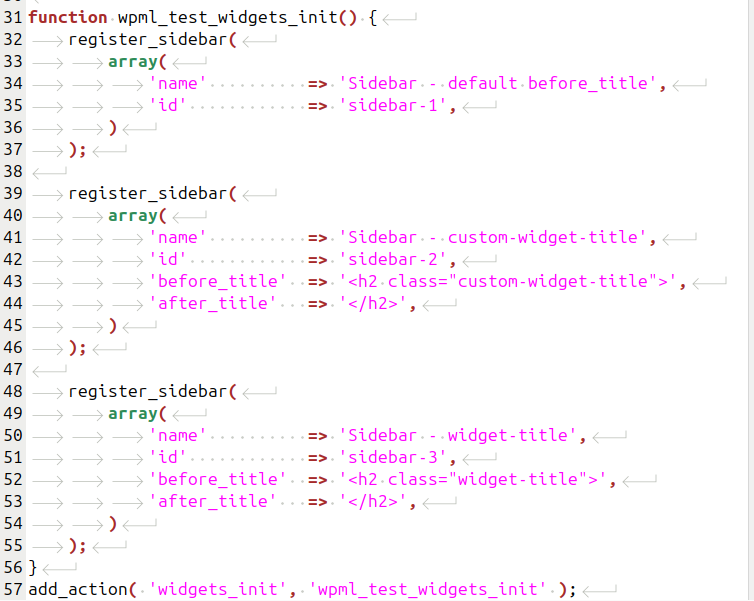
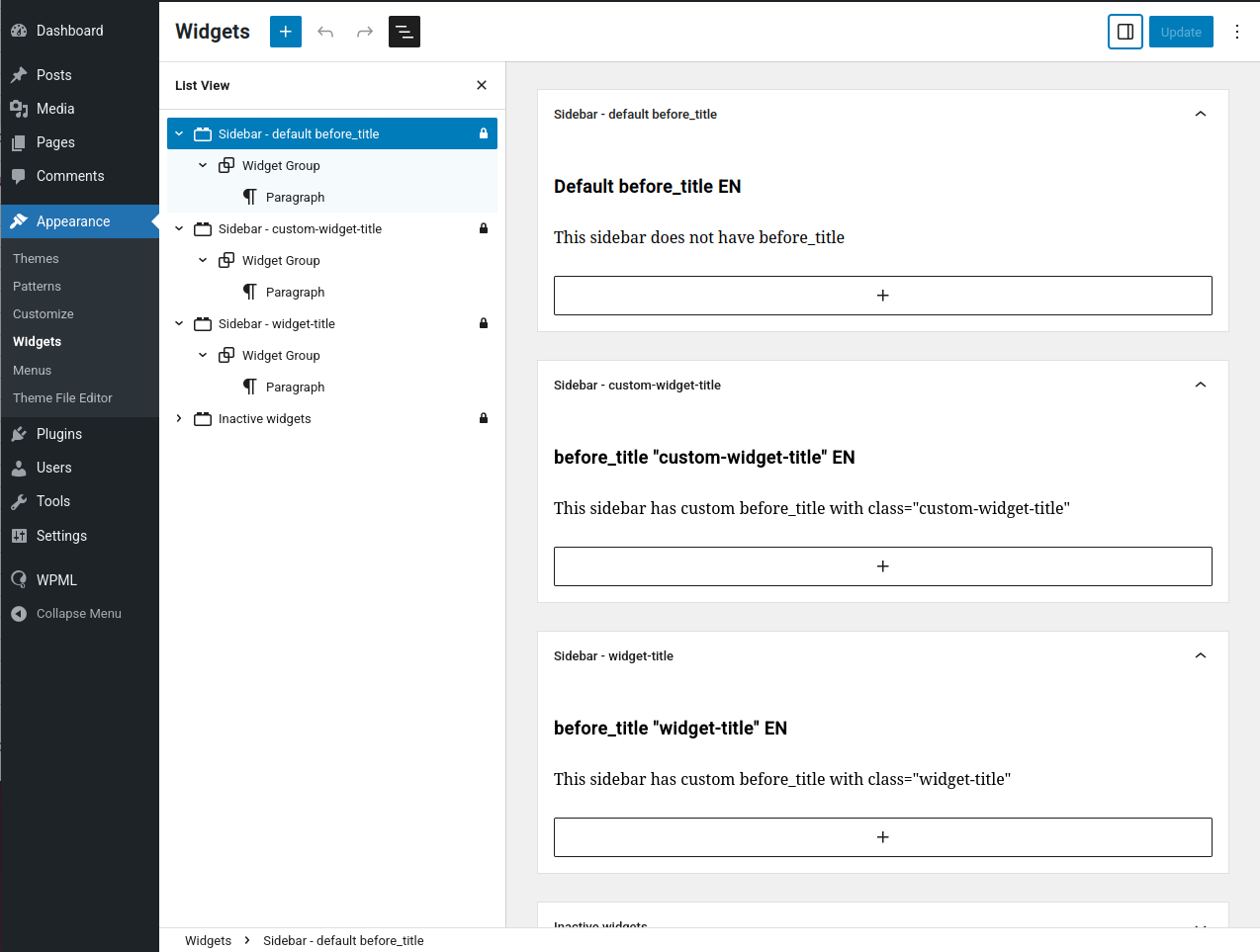
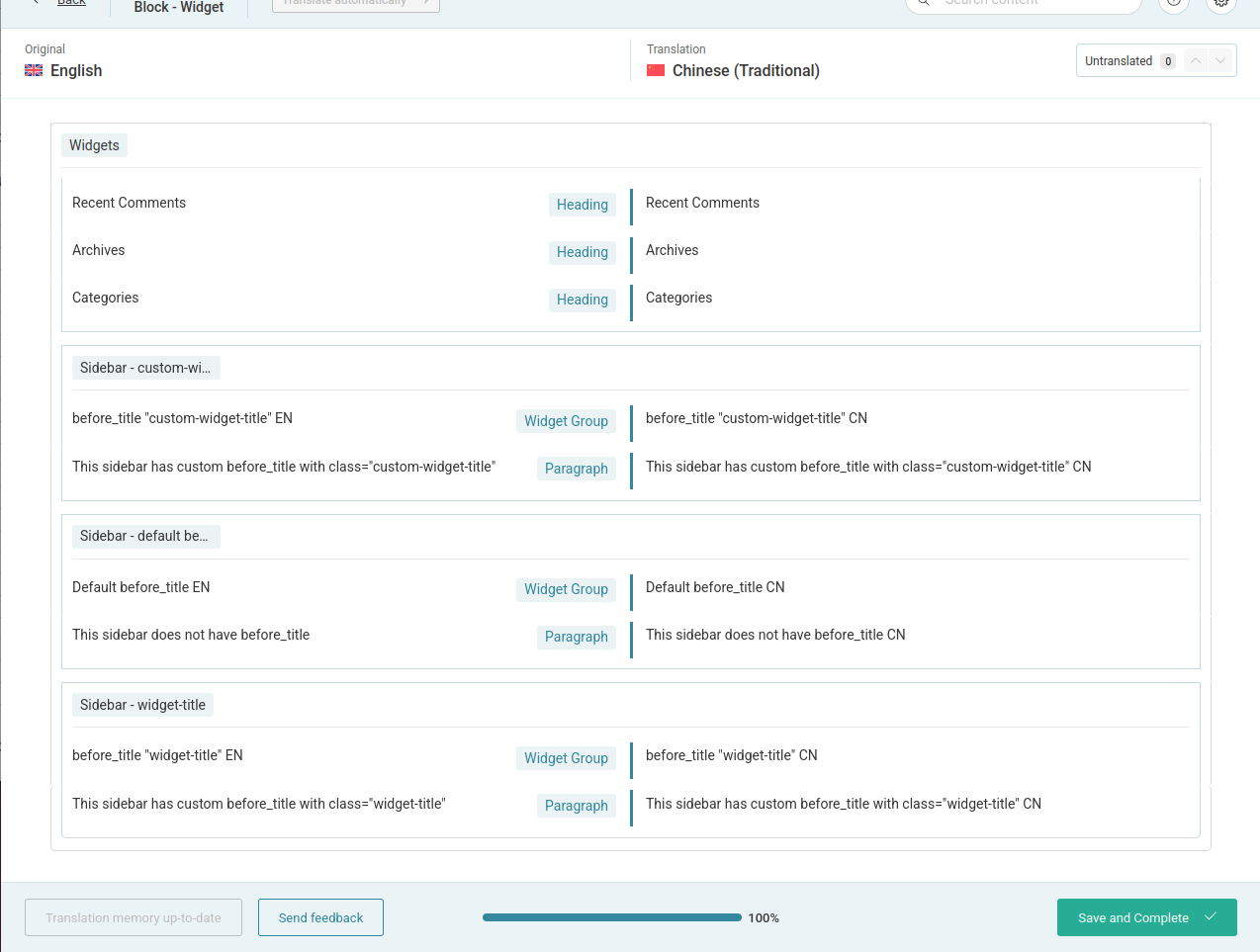
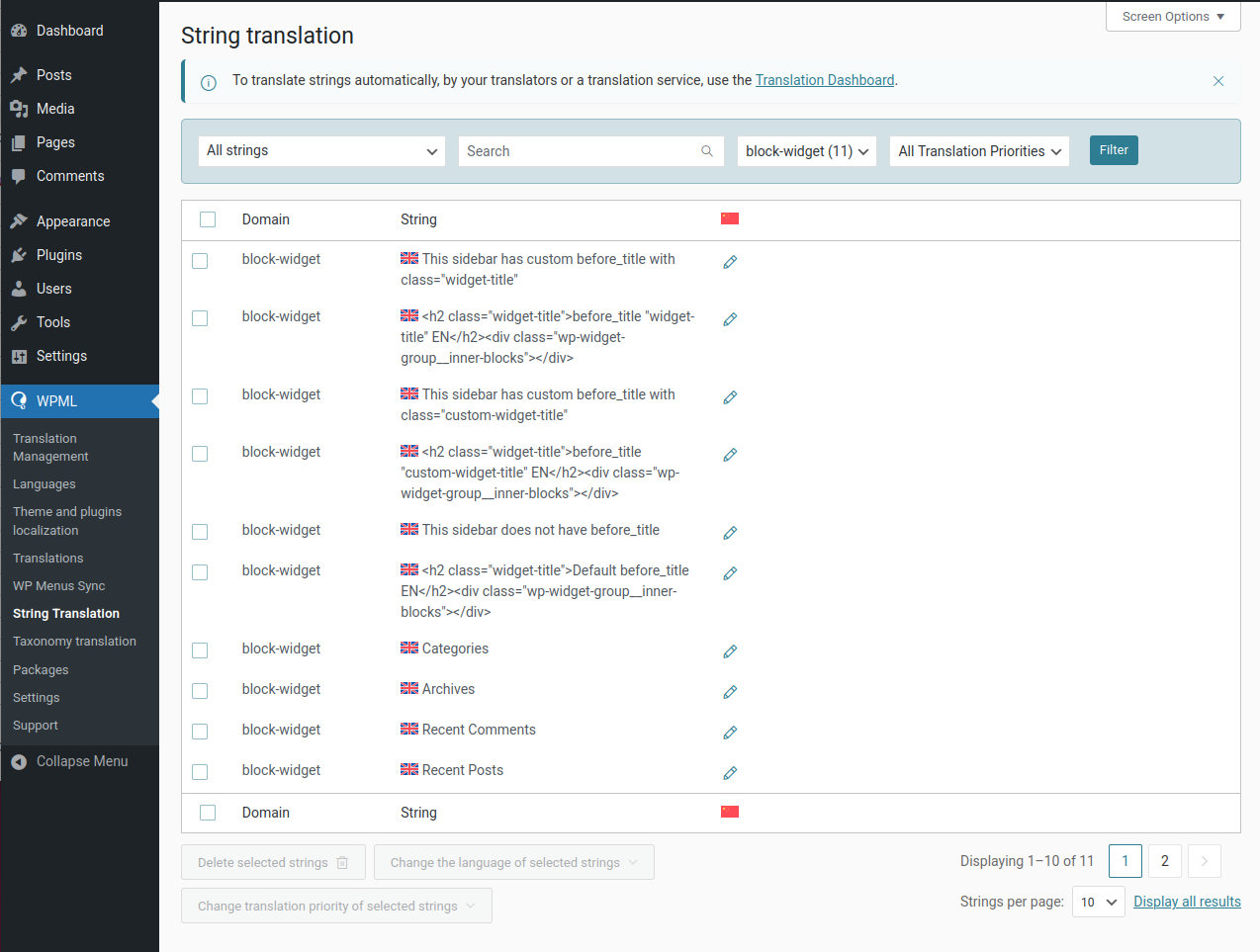
In the screenshots you can see:
1. How each sidebar is registered with the default or a custom before_title value
2. Each widget area has one Widget Group block
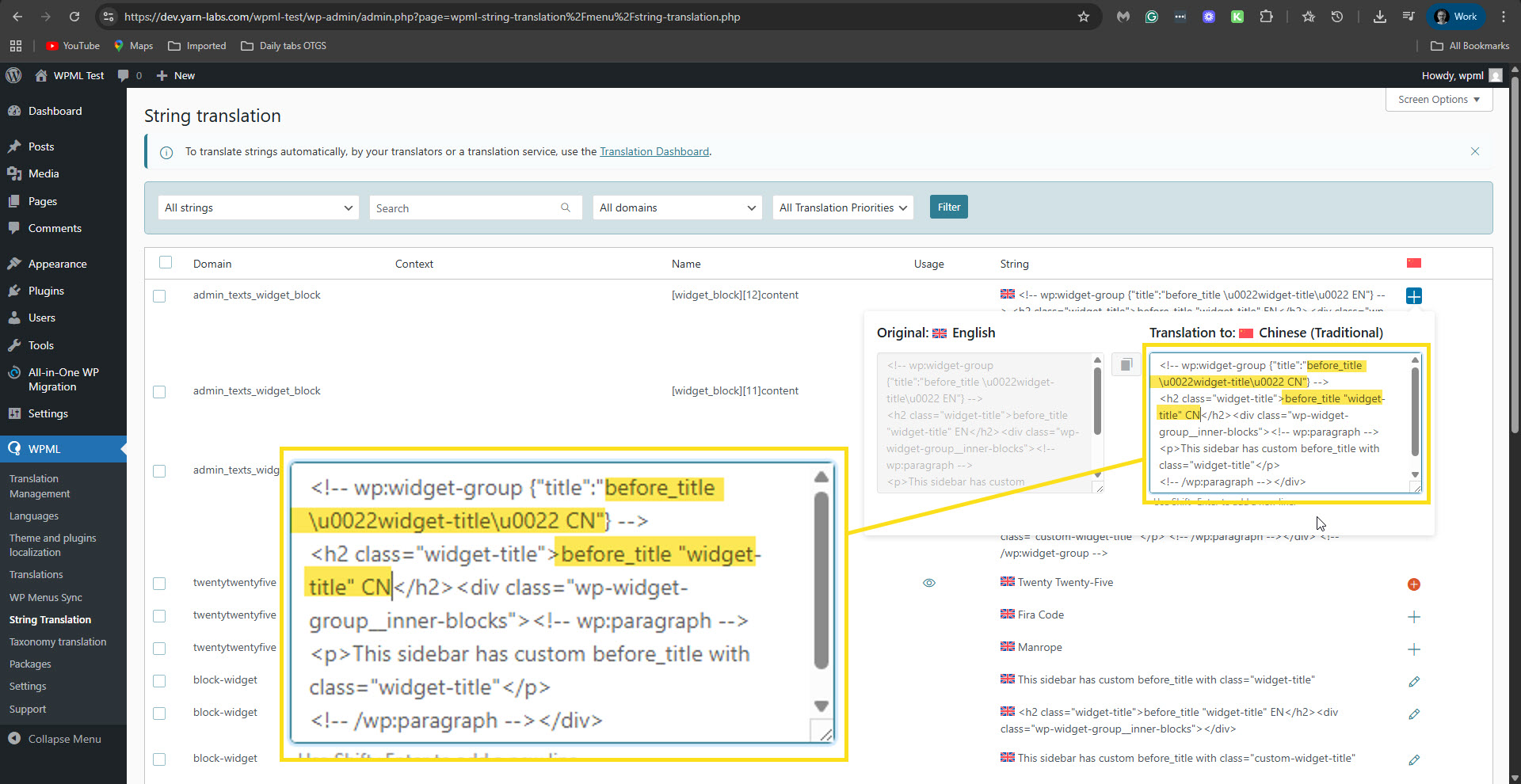
3. Translations are entered in the translation editor
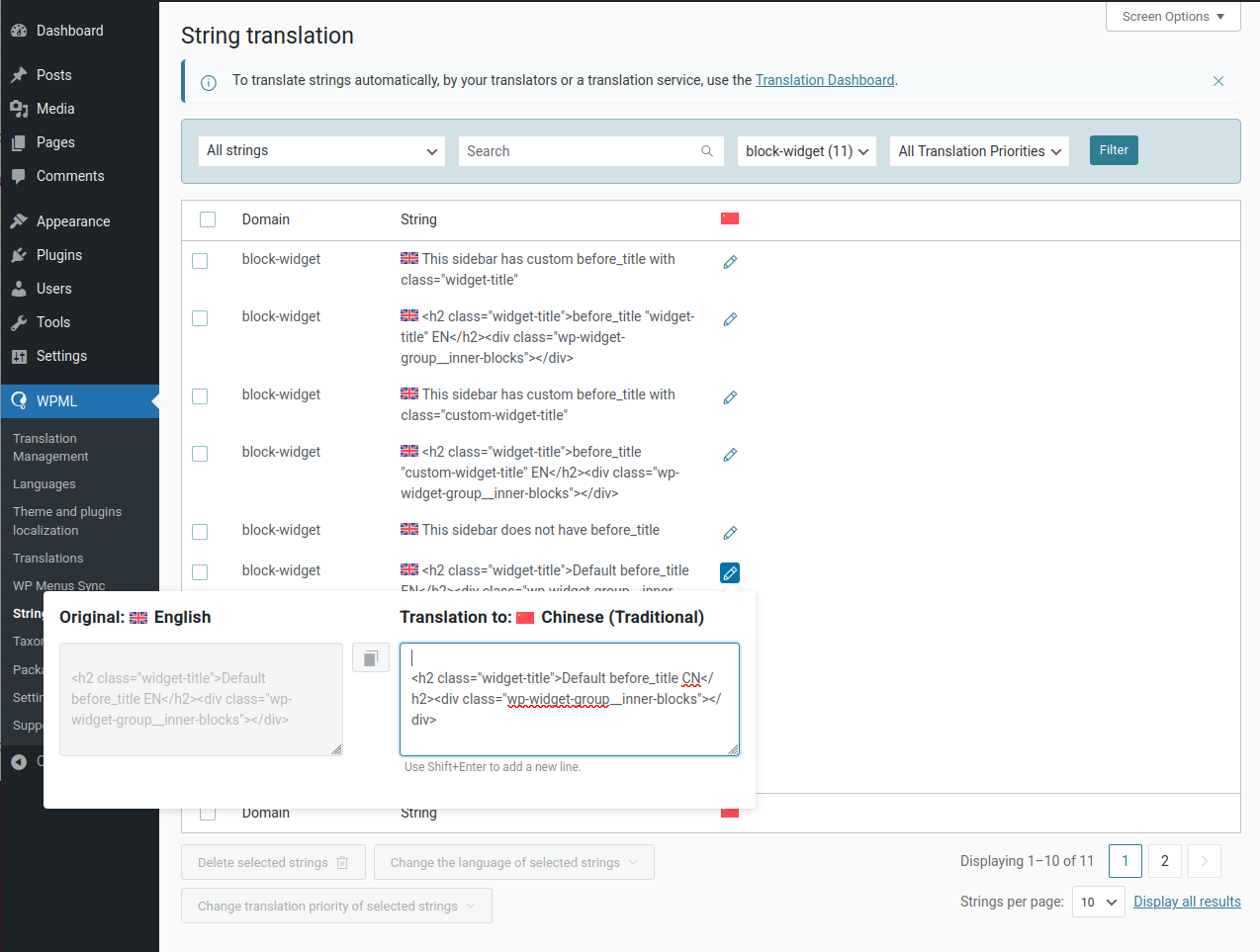
4. String translations for block widgets
5. With the translation of one Widget Block title opened
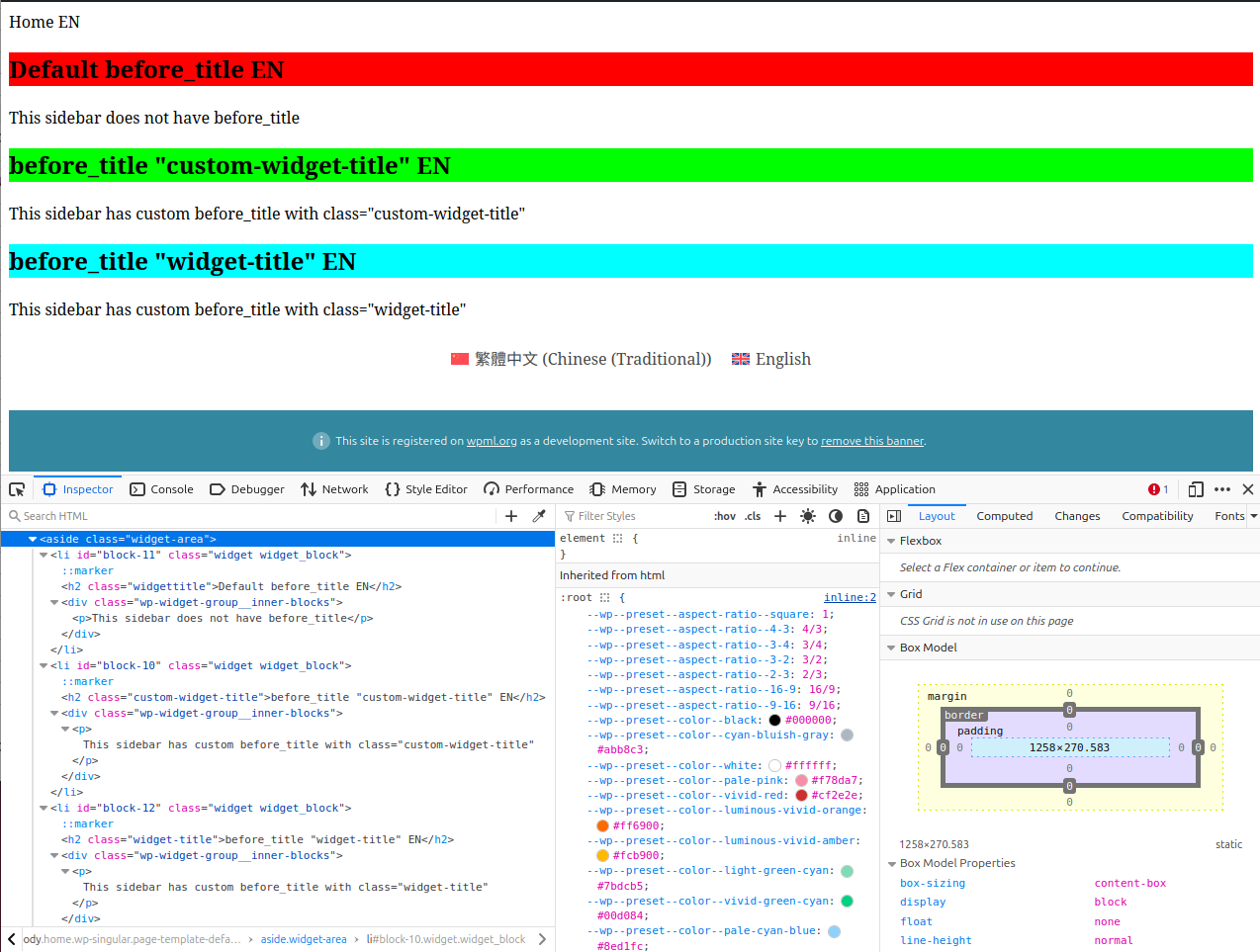
6. English page (each widget title class has a different background color assigned)
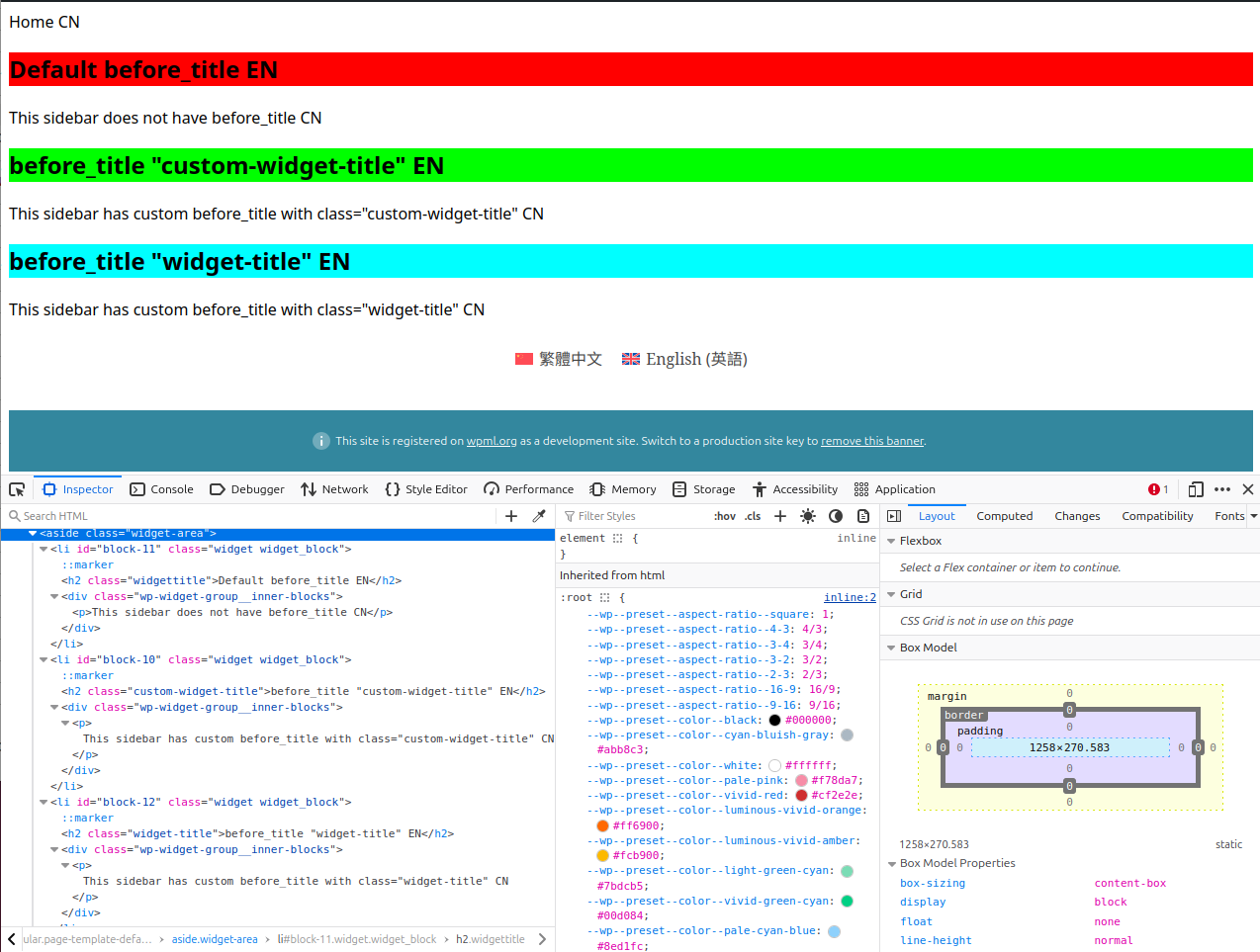
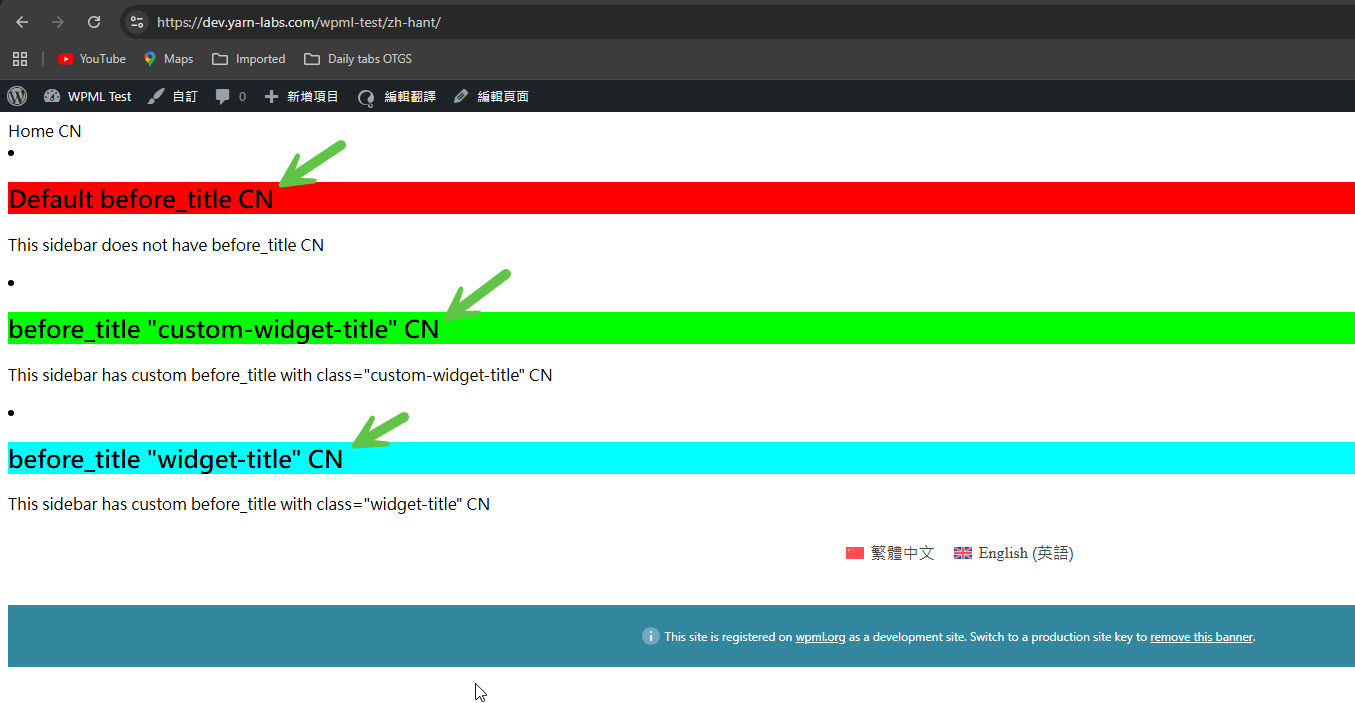
7. Chinese page, where the English titles are displayed and not the translated ones
<b>Questions: </b>
Why are the Widget Group titles not displaying in the translated language?
How can I ensure that the Widget Group titles are translated correctly?
Looking at the string translations, two things stand out to me:
1. No matter what before_title value was used when registering the sidebar, the string value has '<h2 class="widget-title">' instead. (When before_title is not set, the default h2 class name is "widgettitle".)
2. The inner blocks div is closed, i.e. has a </div> tag.
If you need further help with this, please share the access details to your site with me. I'm enabling a private message for the following reply.
Privacy and Security Policy
We have strict policies regarding privacy and access to your information. Please see: https://wpml.org/purchase/support-policy/privacy-and-security-when-providing-debug-information-for-support/ **IMPORTANT**
- - Please backup the site files and database before providing us access. --
-- If you have a staging site where the problem can be reproduced, it is better to share access to the staging site.--
Otherwise, please allow me to take a copy of your site. For this, I must install a plugin like Duplicator or All In One Migration. Please let me know if you agree.
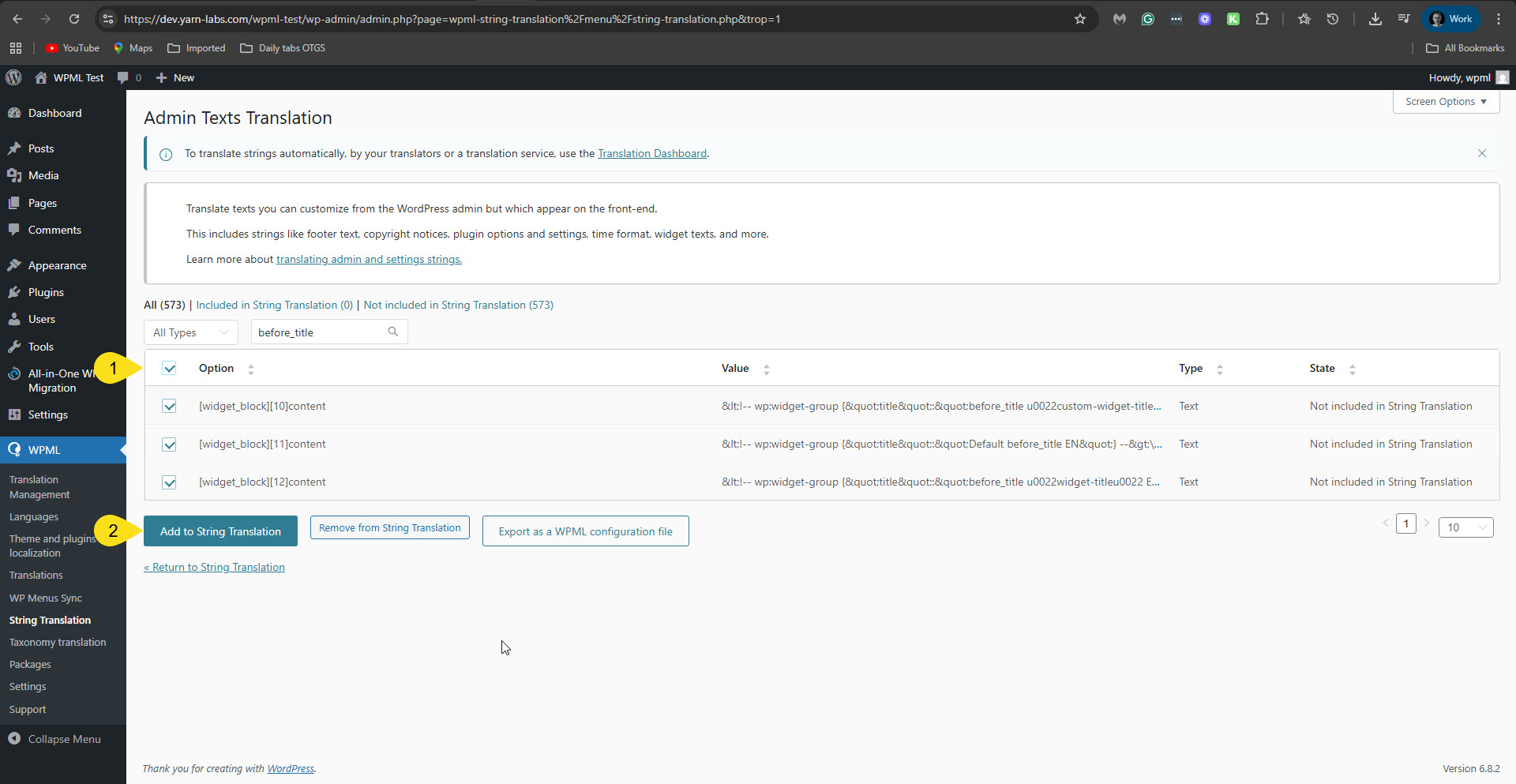
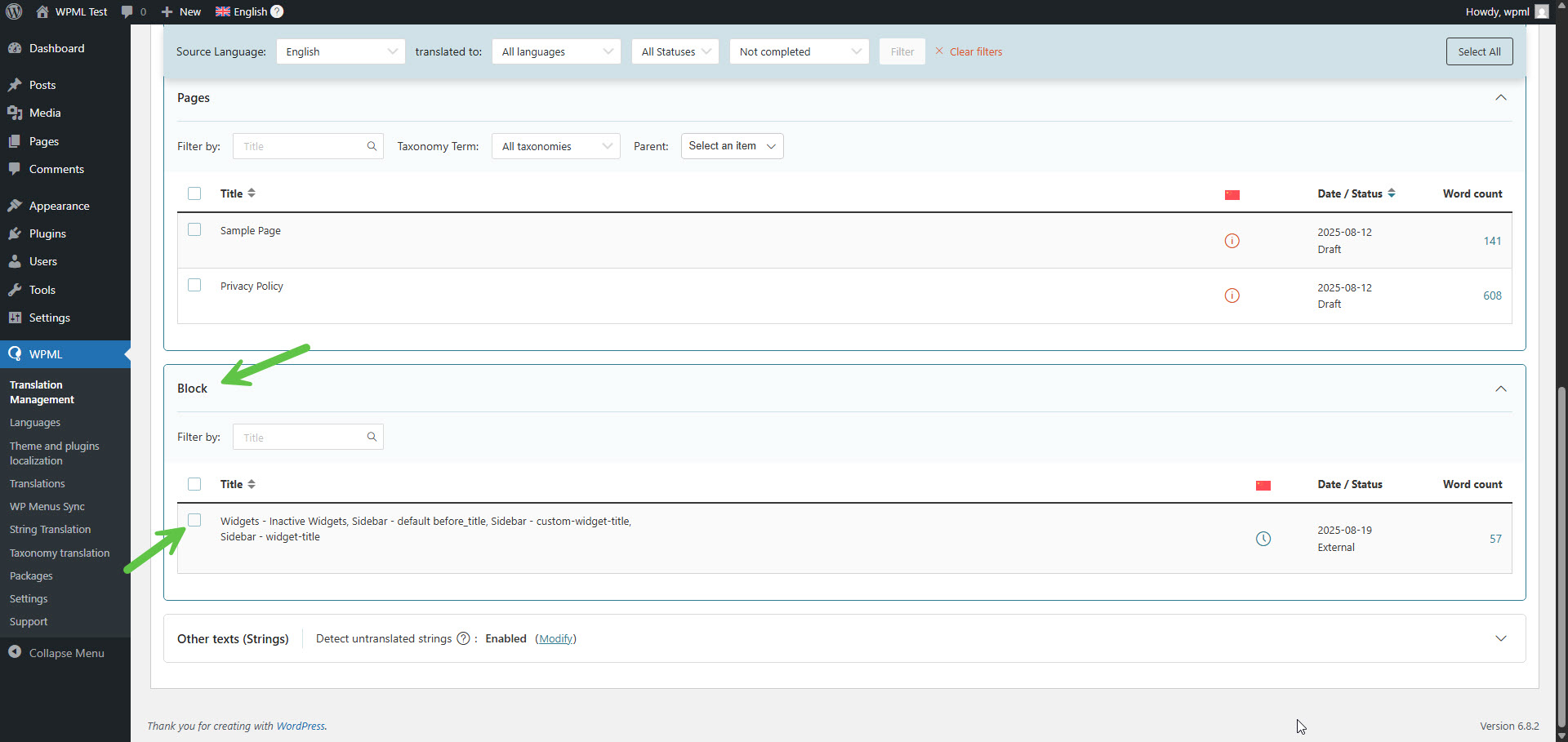
1. In WPML -> Strings Translation -> Admin Text Translation screen, I search for those widgets. In my search, I used "before_title" because it shows in all your widgets.
This is the direct link to this section on your site: hidden link
2. I selected the widget strings and clicked the button "Add to Strings Translation". Please see the attached screenshot add-to-st.jpg.
3. Then, in Strings Translation, I translated those strings. You need to pay attention to what to translate inside those strings. Please see the attached screenshot translate-widget-in-st.jpg.
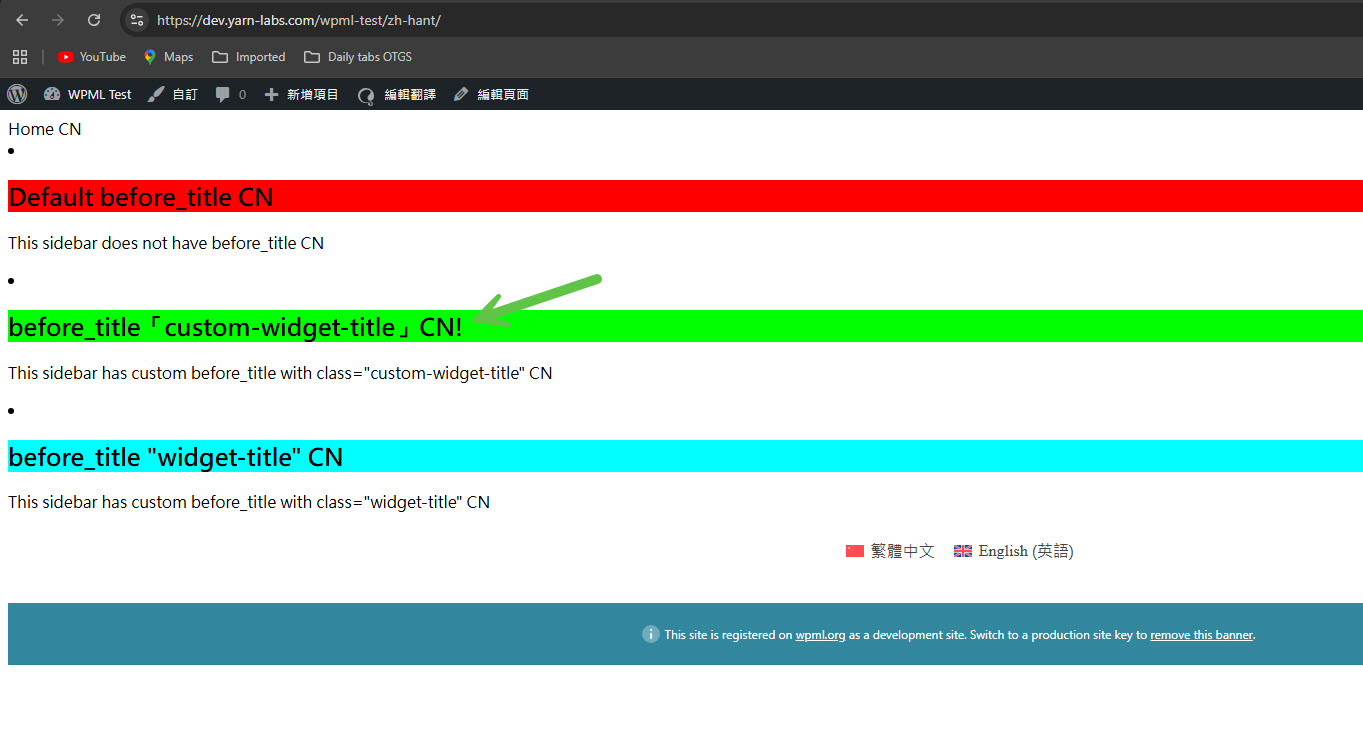
Now, on the frontend, you will see that the problem is fixed. Please see the attached screenshot, fixed-problem.jpg.
I know this is not an ideal solution, so I'm consulting our second-tier supporters to see if we can improve it.
I initially discovered this issue after building a custom theme for a client. I reproduced the issue on a separate, simpler site just for this bug report.
I'm sure the procedure you outlined works, but I can't ask my (non-technical) client to repeat it when they need to change the original and/or translated text, not for a plugin they are paying for.
Due to site design requirements, the Heading block is not a viable workaround (the custom theme needs the HTML structure and class names of the Widget Group block to do some specific styling).
Since the Widget Group block is a built-in, default WordPress block, I would expect WPML to be fully compatible with it.
I hope there can be a better solution for this issue - thanks again for your help.
Our second-tier supporter has reproduced this issue. If needed, he will esclate this issue to our developers. And before that, if possible, he will share a workaround. I'll keep you updated on any news regarding this issue.
This issue has been resolved in the latest version of WPML (4.9.0).
Please also note that we have new versions for Strings Translation (3.5.0), Media translation (3.1.0), and WCML (5.5.4). If you don't see the new versions on your site, please follow this:
1. In your site’s admin, go to Plugins → Add New Plugin and click the Commercial tab.
2. Click the Check for updates button.
3. Select WPML 4.9 from the list and click Install.
Before updating our plugins, please take a backup of your site.
**** Important! Please make a full site backup (files and DB) before you proceed with those steps****