Skip to content Skip to sidebar

This is the technical support forum for WPML - the multilingual WordPress plugin.

Everyone can read, but only WPML clients can post here. WPML team is replying on the forum 6 days per week, 22 hours per day.

Sun Mon Tue Wed Thu Fri Sat
9:00 – 18:00 9:00 – 18:00 9:00 – 18:00 9:00 – 18:00 9:00 – 18:00 - -
- - - - - - -

Supporter timezone: Asia/Yerevan (GMT+04:00)

This topic contains 0 reply, has 0 voices.

Last updated by Christopher Amirian 8 months ago.

Assisted by: Christopher Amirian.

Author Posts
April 12, 2025 at 7:49 pm #16925662

georgiosP-9

Background of the issue:
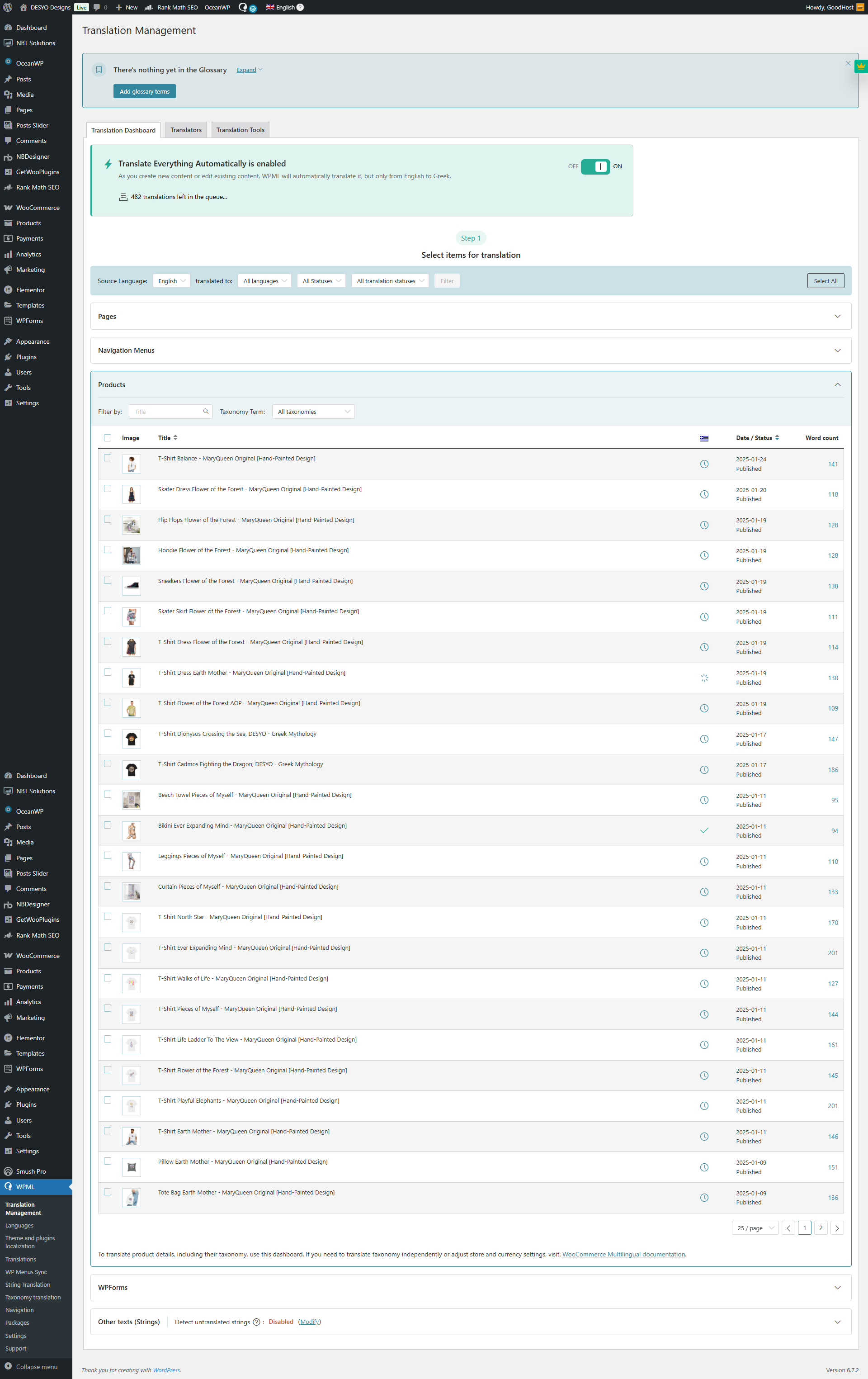
I have enabled 'Translate Everything Automatically' on my site hidden link using WPML. It displays 'Translate Everything Automatically 0 / 482. 0%, 5 min remaining'.

Symptoms:
The translation process won't start despite being enabled.

Questions:
Why is the 'Translate Everything Automatically' feature not starting?
How can you help me resolve this issue?

April 13, 2025 at 2:23 pm #16926503

Christopher Amirian
WPML Supporter since 07/2020

Languages: English (English )

Timezone: Asia/Yerevan (GMT+04:00)

Hi,

Welcome to WPML support. Would you please go to WPML > Support > Advanced Translation Editor Errors and share with us the top of the table error list?

Also, Please go to WPML > Translation Management > Translation Tools and check to see if you have enough credits if you use the credits and not pay as you go.
Thanks.

If the problem persists, I'd appreciate it if you could give me the URL/User/Pass of your WordPress dashboard after you make sure that you have a backup of your website.
It is absolutely important that you give us a guarantee that you have a backup so if something happens you will have a point of restore.

Make sure you set the next reply as private.

April 15, 2025 at 10:00 am #16933009

Christopher Amirian
WPML Supporter since 07/2020

Languages: English (English )

Timezone: Asia/Yerevan (GMT+04:00)

Hi,

Thank you for login information. I disabled the automatic translation and tried to send a sample product to translation and then go to WPML > translations to take it and it gave me the error below:

"There has been a critical error on this website."

I suggest that you follow the steps below, to see if the issue happens on a minimal installation or not:

- IMPORTANT STEP! Create a backup of your website. Or better approach will be to test this on a copy/staging version of the website to avoid any disruption of a live website.
- Switch to the default theme such as "TwentyTwenty" by going to "WordPress Dashboard > Appearance > themes".
- Go to "WordPress Dashboard > Plugins" and deactivate all plugins except WPML and its add-ons.
- Check if you can still recreate the issue.
- If not, re-activate your plugins one by one and check the issue each time to find out the plugin that causes the problem.

If the issue persists, I'd appreciate it if you could enable the debug mode so I can see what is tehj real under the hood PHP error:

Would you please access your website files and edit the "wp-config.php" file on the root folder of your WordPress installation and add the code below into the file:

define( 'WP_DEBUG', true );
define( 'WP_DEBUG_LOG', true );
define( 'WP_DEBUG_DISPLAY', true );

Please add the code above the line below:

/* That's all, stop editing! Happy blogging. */

For more information:
https://wpml.org/documentation/support/debugging-wpml/

Thanks.

April 16, 2025 at 4:35 pm #16940350

georgiosP-9

Hello,
DEBUG is on

April 17, 2025 at 1:21 pm #16944147

Christopher Amirian
WPML Supporter since 07/2020

Languages: English (English )

Timezone: Asia/Yerevan (GMT+04:00)

Hi,

Thank you. You did not mention what the result was after checking the conflict.

Also now that the debug info is enabled for some reason, the admin page does not show at all.

Do you have a staging/copy version of the website so that we can login without the fear of ruining a live website?

Thanks.

April 17, 2025 at 4:04 pm #16945131

georgiosP-9

Yes.
Login here
staging.desyodesigns.eu

April 18, 2025 at 4:45 pm #16947855

Christopher Amirian
WPML Supporter since 07/2020

Languages: English (English )

Timezone: Asia/Yerevan (GMT+04:00)

Ok,

Thank you for the login information. I connected that website so I could access to the aitomatic translation.

Now I have found that the problem is that you ran out of the Credits. You have only 2.

You can go to WPML > Translation Management > Translation Tools to see the number of credits.

If you have credits on wpml.org you can assign to the websit using the method below:

https://wpml.org/documentation/automatic-translation/how-to-assign-automatic-translation-credits-to-your-sites/

Thanks.

The topic ‘[Closed] Translate Everything Automatically, won’t start.’ is closed to new replies.