This thread is resolved. Here is a description of the problem and solution.
Problem: If you're unable to translate HTML messages set in WPForms Locker addon or other WPForms addon message fields, and you've checked for the string without success, you might consider modifying the XML configuration. Solution: We recommend following these steps: 1. Edit the
wpml-config.xml
file. 2. Add the following code:
<property>form_locker_user_message</property>
underneath this line:
<property>form_pages_footer</property>
3. Update the form. 4. Send the form to translation. These steps resolved the issue in our sandbox testing environment.
If this solution does not apply because it might be outdated or not suitable for your case, we highly recommend checking related known issues at https://wpml.org/known-issues/, verifying the version of the permanent fix, and confirming that you have installed the latest versions of themes and plugins. If the issue persists, please open a new support ticket at WPML support forum.
This is the technical support forum for WPML - the multilingual WordPress plugin.
Everyone can read, but only WPML clients can post here. WPML team is replying on the forum 6 days per week, 22 hours per day.
From the home page, on the right, you can see menu and language selector.
I've added a submenu to home page that open a test page where I've inserter WPForm test.
All field has been translated.
Initial passwor is "1234".
I can open Form Page (EN): hidden link
But... how may I open Form Page (IT) in italian?
I've translated SLUG in WPForms "Form Page" addon from test-form to modulo-test
If I try to open: hidden link
wordpress can't find the page.
Thanks for replicating the issue. You can access the form using this URL. (hidden link)
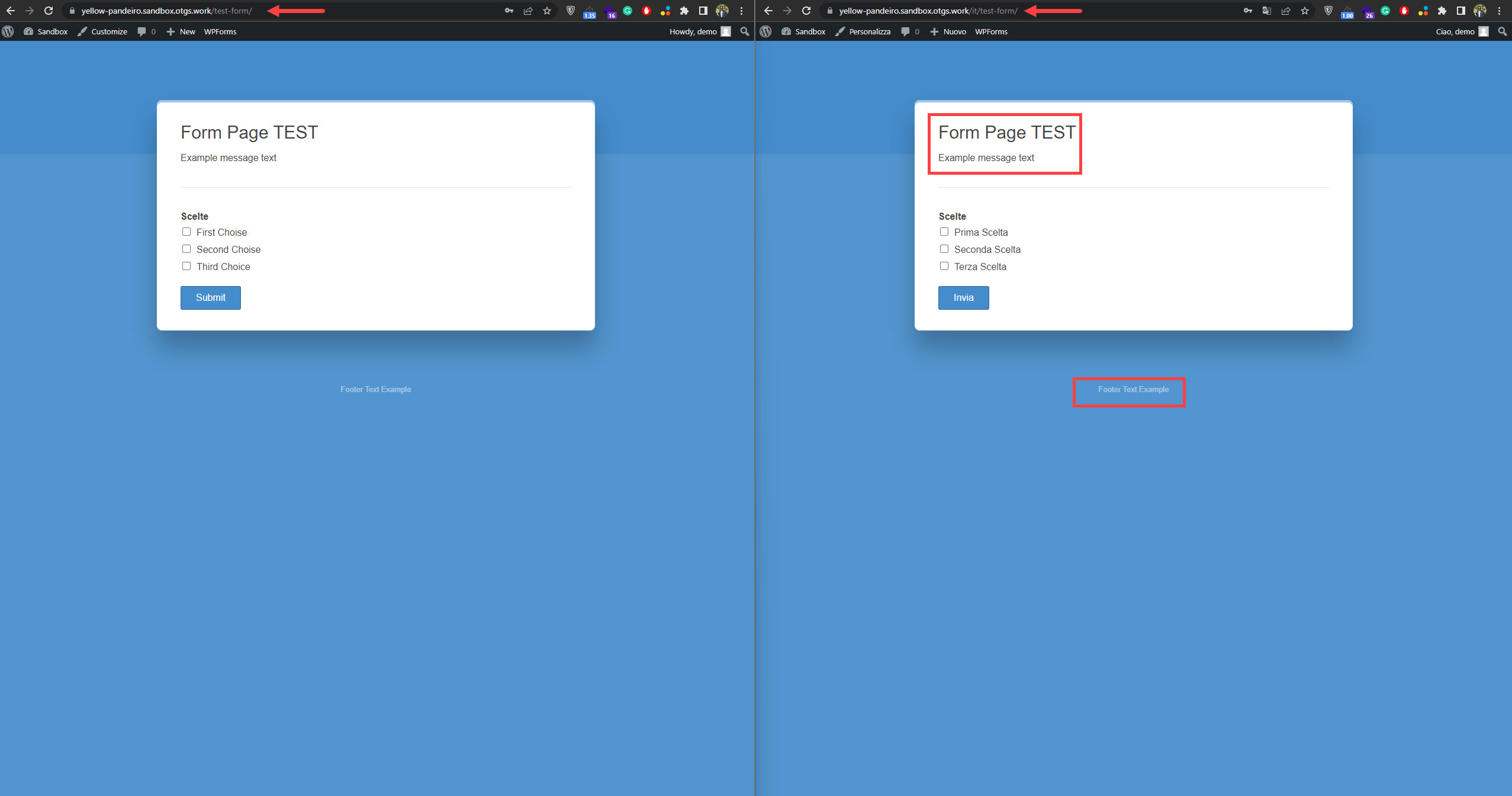
I've noticed that the settings coming from (form_pages_*) are not translated on the front end even though they are translated in the translation editor. (Kindly check the attached screenshot)
Would you please check if the other settings are translated correctly? Kindly let me know which settings are not translated, so I can consult our compatibility team.
Hi Osama, I've checked... all other translations seem works fine, but (as in your image), some fields coming from (form_pages_*):
- form_pages_title
- form_pages_description
- form_pages_footer
are not translated on the front from English to Italian.
I've also tried to translate slug to: it/test-form (but without success).
Hi Osama, thanks for Your answer and support.
I've update line 89, but slug doesn't works and I can't check Form Pages translation.
I'm going to ask to WPForms about this as you suggest.
I would need to take a closer look at your site. So I would need to request temporary access (WP-Admin and FTP)
– preferably to a test site where the problem has been replicated if possible –
in order to be of better help and check if some configurations might need to be changed
Your next answer will be private, which means only you and I have access to it.
❌ Please backup your database and website ❌
✙ I would need your permission to de-activate and re-activate Plugins and the Theme and change configurations on the site. This is also a reason the backup is critical.
✙ I also need your permission to take a local copy of your site to debug the issue without affecting your live site.
Thanks for the access details. I've checked the form and run WPML troubleshooting functions with no luck.
Also, I've deactivated the plugin except for the active plugins on the sandbox site, but that didn't help.
As a testing step, I changed the language URL format from "Different languages in directories" to "Language name added as a parameter ". After that, the form opened correctly using this URL. (hidden link)
So the issue is caused by the language URL format, so please check your installation and server configuration. Also, please check your .htaccess file.
Hi Osama, thanks a lot for you support.
I had an .htaccess on the root, but my hosting uses the newer Nginx web server instead of Apache, so I don't need to have an .htaccess file and I've disabled it from staging site.
I've also seen language URL as "Language name added as a parameter ", and seems it works!
It's great to hear that the "Language name added as a parameter " language URL format is working. Please let me know if you need further assistance regarding the issue.
There is something wrong with your installation/server configuration because WP Forms should work with "Different languages in directories" as it works on the sandbox site. (hidden link)
In my opinion, it could be one of the following reasons:
1- Multisite configuration (Because the sandbox is not multisite)
2- Server configuration
3- WordPress installation (Check if you can replicate the issue on a clean multisite installation)
Kindly check the above possible reasons for the issue, and that could help identify the real reason to know how to fix the problem.