
This is the technical support forum for WPML - the multilingual WordPress plugin.
Everyone can read, but only WPML clients can post here. WPML team is replying on the forum 6 days per week, 22 hours per day.
| Sun | Mon | Tue | Wed | Thu | Fri | Sat |
|---|---|---|---|---|---|---|
| 10:00 – 14:00 | 10:00 – 14:00 | 10:00 – 14:00 | 10:00 – 14:00 | 10:00 – 14:00 | - | - |
| 16:00 – 20:00 | 16:00 – 20:00 | 16:00 – 20:00 | 16:00 – 20:00 | 16:00 – 20:00 | - | - |
Supporter timezone: Asia/Jerusalem (GMT+03:00)
Tagged: ATE
This topic contains 46 replies, has 1 voice.
Last updated by Itamar 2 months ago.
Assisted by: Itamar.
| Author | Posts |
|---|---|
| January 26, 2026 at 9:36 am #17761587 | |
 Itamar WPML Supporter since 02/2016 Languages: Hebrew (עברית ) Timezone: Asia/Jerusalem (GMT+03:00) |
Hi, Thanks for trying to find out how to set up a staging site. If you have a hosting plan that allows you to control the server's settings, please set the PHP Memory Limit to 512 MB. If you don't know how to do that, please ask for help from your hosting service's support team. Then edit the wp-config.php file of your WordPress installation and add the following constants.
/** Memory Limit */
define('WP_MEMORY_LIMIT', '256M');
define( 'WP_MAX_MEMORY_LIMIT', '256M' );
Add it before this line: /* That's all, stop editing! Happy blogging. */ For the record, I want to remind you that the problem we are trying to solve is the translation of the text in the three boxes under the headline "Three Ways I Help You Transform" on your site's homepage. I suggested removing the link from the text and updating the translation. But on your live site, we are unable to complete the translations. I'm enabling a private message for the following reply so you can share access to your staging site with us. Regards, |
| January 29, 2026 at 6:15 am #17772271 | |
 stephanM-24 |
Please do not yet close this thread, as the problem has not been resolved. Concerning: "I suggested removing the link from the text and updating the translation." Also, the memory has already previously been set, and the config file already contains what you seggestd. Also, WPML is not able to translate the three boxes on this page hidden link, but it successfully translates them on this page hidden link, even with the link in the text. So, the problem is not the three boxes themselves, but a weird inconsistency built into WPML. |
| January 29, 2026 at 1:24 pm #17773803 | |
|
Itamar WPML Supporter since 02/2016 Languages: Hebrew (עברית ) Timezone: Asia/Jerusalem (GMT+03:00) |
Hi, The PHP memory limit is no longer an issue, as I can see it has been raised to 256M. Now we want to focus on why it is not possible to complete the translation of the homepage from English into German. When this is fixed, we will be able to check the issue with the three boxes. We will be waiting for your response and will not close this ticket. I'm enabling a private message for the following reply for you to share access to the staging site. Regards, |
| February 8, 2026 at 3:35 pm #17803169 | |
|
stephanM-24 |
I would prefer to wait until the upcoming WPML 4.9 update is available for me. Setting up a staging website is proving difficult at the moment. I tried to do this using online instructions and plugins such as Duplicator. I ended up with a lot of error messages. None of the plugins were able to complete the process. Duplicator even destroyed my current website. It took me a whole day to get it working again. I would also like to reiterate that WPML cannot translate the three boxes on this page: hidden link. However, it can successfully translate identical boxes on this page: hidden link, even with the link in the text. Therefore, the problem lies not with the three boxes themselves, but with a strange inconsistency built into WPML. |
| February 8, 2026 at 4:19 pm #17803191 | |
|
Itamar WPML Supporter since 02/2016 Languages: Hebrew (עברית ) Timezone: Asia/Jerusalem (GMT+03:00) |
Hi, WPML (4.9.0) has been released. Please also note that we have new versions for Strings Translation (3.5.0), Media translation (3.1.0), and WCML (5.5.4). The new versions are already available for update on your site. When you are ready and have a backup of your site, please update our plugins and let us know. We'll then access your site and continue investigating this problem further.
Yes, I understand this. However, we need to resolve the issue preventing us from completing the homepage translation. Hopefully, after resolving this problem, the translation of the three boxes will also be solved. Regards, |
| February 8, 2026 at 8:12 pm #17803434 | |
|
stephanM-24 |
The WPML upate is obviously not possible:  |
| February 9, 2026 at 9:51 am #17804266 | |
|
Itamar WPML Supporter since 02/2016 Languages: Hebrew (עברית ) Timezone: Asia/Jerusalem (GMT+03:00) |
Hi and thanks for trying to update our plugins. The reason for the updating failure is unclear to me. I wanted to check it myself and possibly manually update our plugins on your site by uploading them. However, I now get this message when I try your site: "Diese Website ist aufgrund planmäßiger Wartungsarbeiten vorübergehend nicht verfügbar. Bitte versuche es in wenigen Minuten erneut." Please see the attached screenshot. I'm going to check the site a little bit later today and check if I can update our plugins. I appreciate your patience. 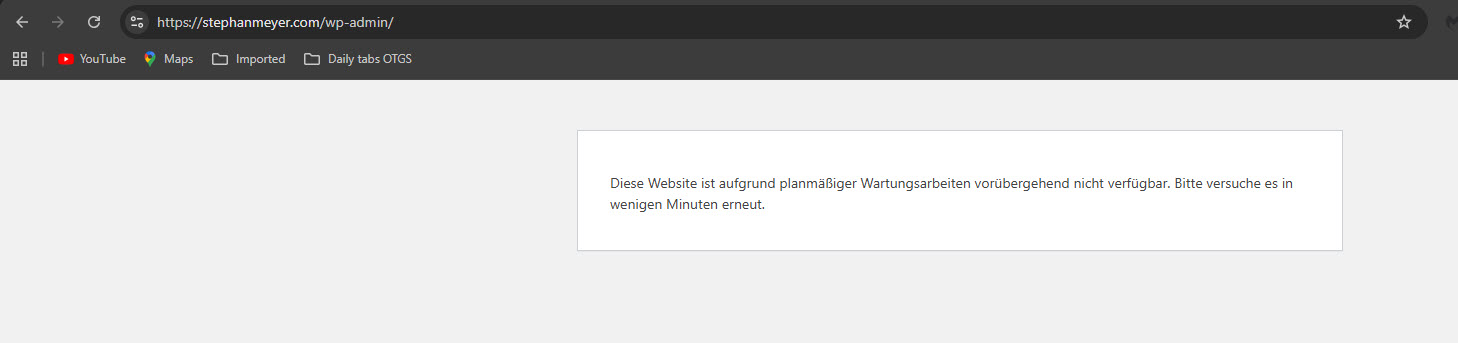 |
| February 9, 2026 at 1:00 pm #17805134 | |
|
Itamar WPML Supporter since 02/2016 Languages: Hebrew (עברית ) Timezone: Asia/Jerusalem (GMT+03:00) |
Hi, Evantauly I was able to update Strings Translation, but updating WPMl Multilingual CMS keeps failing. Please see the attached screenshot. I would like to ask for your permission to deactivate and delete WPML 4.8.6, then manually upload and install WPML 4.9.0. Do you allow me to proceed? Thanks, 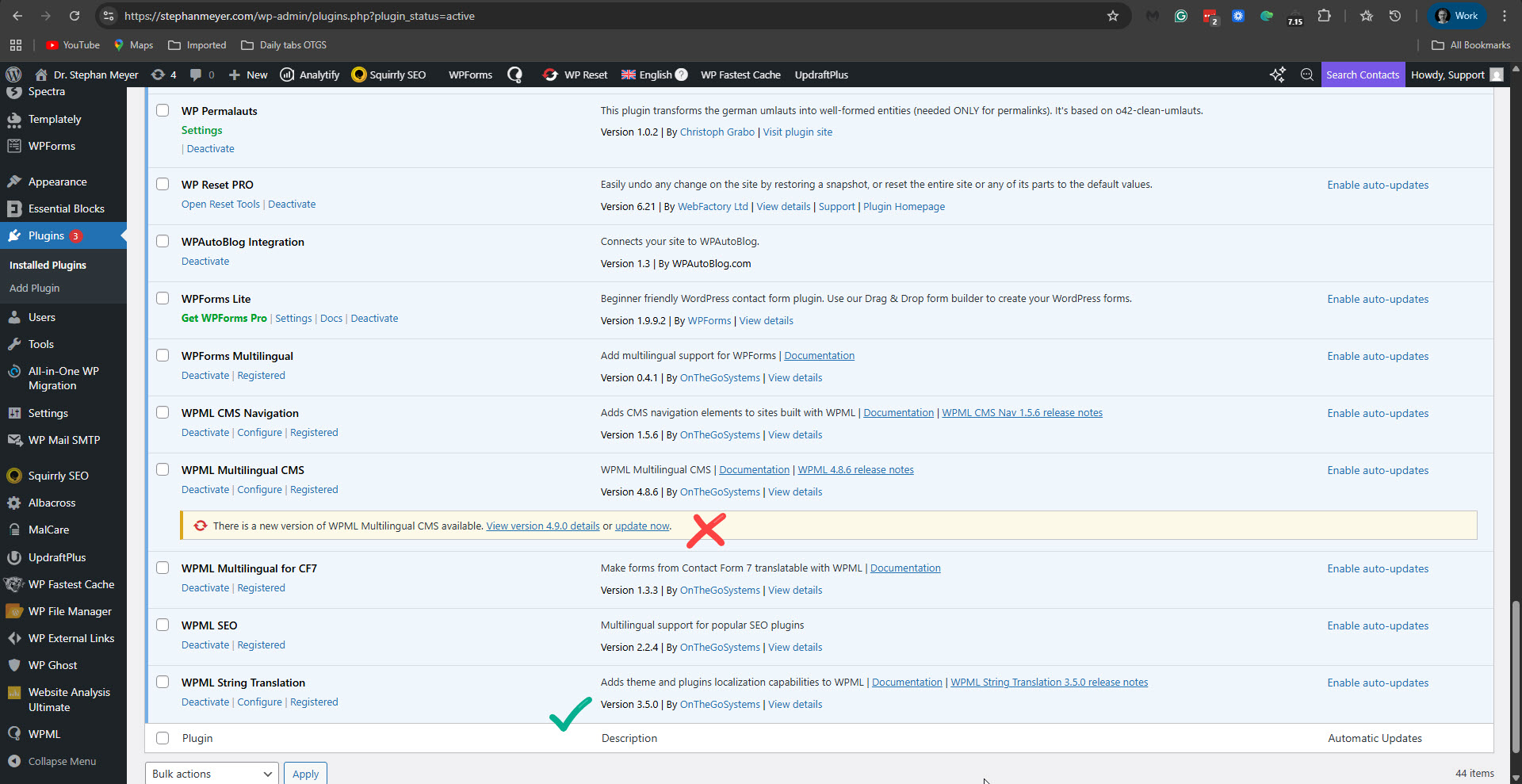 |
| February 11, 2026 at 2:56 pm #17813310 | |
|
stephanM-24 |
I made a backup with Updraft. Please proceed. |
| February 11, 2026 at 9:22 pm #17814411 | |
|
Itamar WPML Supporter since 02/2016 Languages: Hebrew (עברית ) Timezone: Asia/Jerusalem (GMT+03:00) |
Thanks. I was able to install WPML version 4.9.0. I've asked our second-tier supporter to continue to check the issue. Regards, |
| February 12, 2026 at 12:23 pm #17816919 | |
|
Itamar WPML Supporter since 02/2016 Languages: Hebrew (עברית ) Timezone: Asia/Jerusalem (GMT+03:00) |
Hi, Thank you for your patience while we continued investigating this. We have now identified the root cause of the issue. When trying to calculate the word count before sending the homepage for translation, the request fails with a 500 Internal Server Error. After checking the server logs, we found the following error:
[12-Feb-2026 08:33:25 UTC] PHP Fatal error:  Allowed memory size of 268435456 bytes exhausted (tried to allocate 741376 bytes) in /homepages/33/d76981521/htdocs/stephanmeyer/wp-includes/class-wpdb.php on line 2357
[12-Feb-2026 08:33:25 UTC] WordPress database error Commands out of sync; you can't run this command now for query
        SELECT

      s.id,
      s.language,
      s.context,
      s.name,
      s.value,
      s.status,
      s.word_count as wordCount

        FROM wp02_icl_strings s
        WHERE s.string_package_id = 3
     made by shutdown_action_hook, do_action('shutdown'), WP_Hook->do_action, WP_Hook->apply_filters, WPML\UserInterface\Web\Infrastructure\WordPress\CompositionRoot\Config\Event\Item\WordCount\Events->WPML\UserInterface\Web\Infrastructure\WordPress\CompositionRoot\Config\Event\Item\WordCount\{closure}, WPML\UserInterface\Web\Infrastructure\WordPress\Events\Item\WordCount\OnStringRegisteredInPackageListener->recalculatePackages, WPML\Core\Component\Post\Application\WordCount\ItemWordCountService->calculatePackage, WPML\Core\Component\Post\Domain\WordCount\ItemContentCalculator\PackageCalculator->calculate, WPML\Infrastructure\WordPress\Component\String\Domain\Repository\Repository->getBelongingToPackage, WPML\Infrastructure\WordPress\Port\Persistence\QueryHandler->query, QM_DB->query
This means your server has reached its maximum allowed PHP memory limit (currently 256MB), and it cannot allocate additional memory required to process the translation job. Because the server itself only allows 256MB, increasing the memory values in wp-config.php will not help. The limit must be increased directly at the server level by your hosting provider. At this point, we kindly recommend contacting your hosting support and asking them to increase the PHP memory limit to at least 512MB (doubling the current limit). (You can send them the link to this reply, or copy what we wrote here.) This is a reasonably common requirement for more complex WordPress sites. Once the server memory is increased, the word count calculation and translation sending process should complete normally. Please let us know once the hosting provider has adjusted the memory limit, and we will be happy to verify everything again on your side. Kind regards, |
| February 15, 2026 at 6:08 pm #17823749 | |
|
stephanM-24 |
I need to find the time to talk to them about this. |
| February 15, 2026 at 7:44 pm #17823839 | |
|
Itamar WPML Supporter since 02/2016 Languages: Hebrew (עברית ) Timezone: Asia/Jerusalem (GMT+03:00) |
Hi, OK, I'll escalate this ticket to our second-tier support team. This way, it will not get closed automatically by our system. Regards, |
| February 16, 2026 at 12:33 pm #17825649 | |
|
stephanM-24 |
I just talked to the hosting support. max_input_vars = 5000; |
| February 16, 2026 at 3:11 pm #17826248 | |
|
Itamar WPML Supporter since 02/2016 Languages: Hebrew (עברית ) Timezone: Asia/Jerusalem (GMT+03:00) |
Hi, Unfortunately, the problem persists, and we can see that the memory_limit has not been raised to 1024M as your hosting support says. You can check it yourself in Tools -> Site Health -> Server. The PHP memory limit is still 256M. Please see the attached screenshot. Please show that to the hosting support and ask them to raise this value, as they said they would. Thanks, 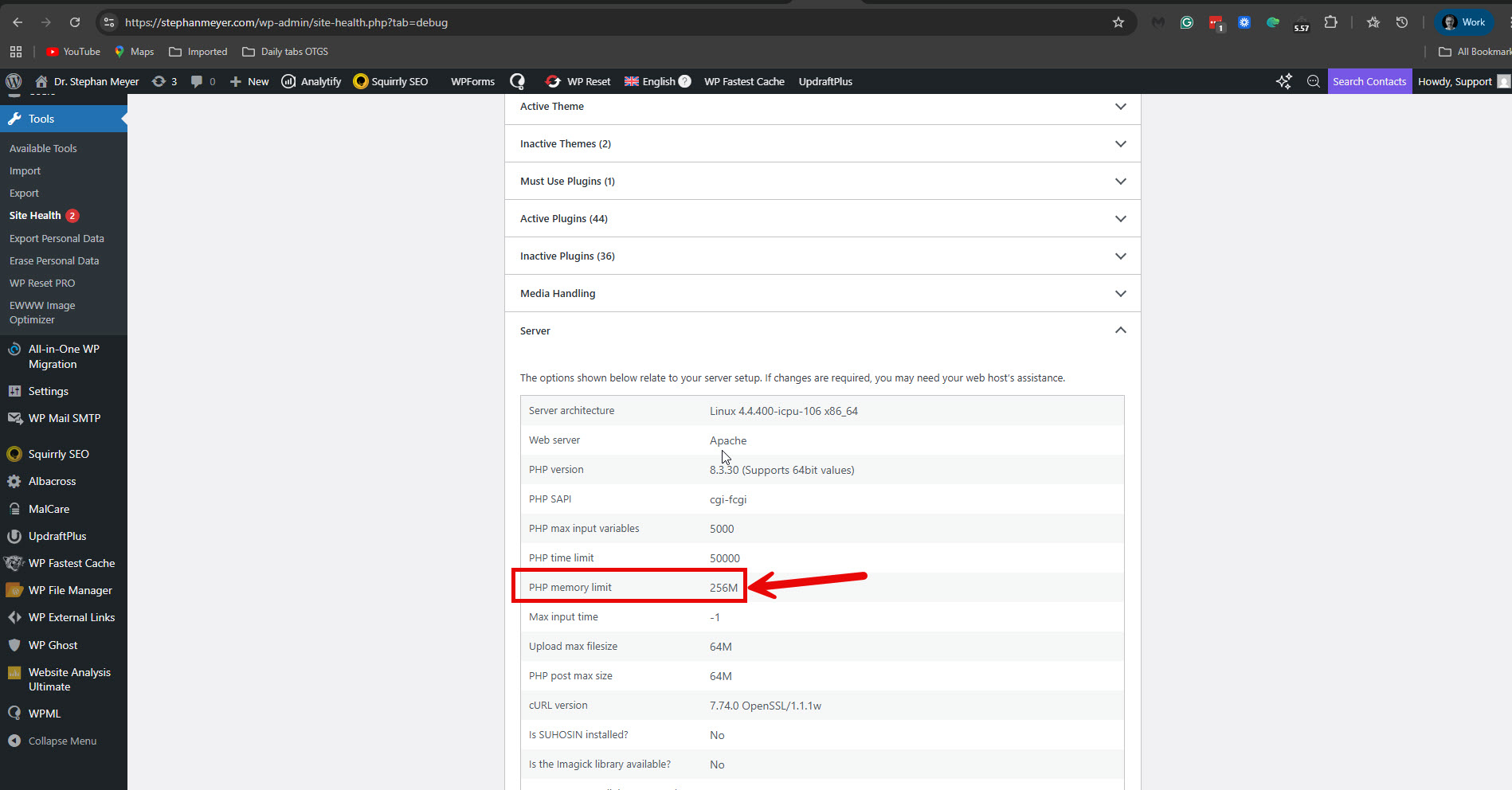 |






