
This is the technical support forum for WPML - the multilingual WordPress plugin.
Everyone can read, but only WPML clients can post here. WPML team is replying on the forum 6 days per week, 22 hours per day.
Tagged: Bug
This topic contains 11 replies, has 0 voices.
Last updated by rustumT 9 hours, 54 minutes ago.
Assisted by: Ashraf Hesham.
| Author | Posts |
|---|---|
| March 16, 2026 at 10:00 am #17899351 | |
 rustumT |
I have translated my LayerSlider via the Other texts (Strings) section on the Translation Dashboard. The issue is the slider text was translated successfully, but the links on the LayerSlider were not translated. |
| March 16, 2026 at 12:32 pm #17900268 | |
 Ashraf Hesham WPML Supporter since 12/2025 |
Hi, I'm Ashraf from the WPML Dev team, I'm here to try to help you resolve your issue. I would like to ask you please for access to your site's admin panel so that can start looking into the issue more closely and try to understand and fix it. I've marked your next message to be "private" to secure the login credentials you're going to share. Looking forward to your reply, Regards! |
| March 16, 2026 at 1:24 pm #17900505 | |
|
Ashraf Hesham WPML Supporter since 12/2025 |
Thanks! We'll look into it and get back to you once we have an answer or a solution for it. Regards. |
| March 18, 2026 at 12:36 pm #17908050 | |
|
Ashraf Hesham WPML Supporter since 12/2025 |
Hi again! Thank you for your patience. I've investigated the issue you mentioned here about the link translating inside LayerSlider layers. It appeared that the author of the plugin is not including link URLs in their compatibility layer, so we are recommending that you communicate with the author of the plugin and make a request to add links translation compatibility with WPML from their side. From our side we'll communicate with the author too. As for now, I can assist you with a workaround that you can use to translate links for your Sliders until the feature is supported in LayerSlider plugin, the workaround is as follows: 1. You need to register the URL strings to WPML string translation and translate them To do that you need to:
foreach ( $slide['sublayers'] as $index => $sublayer ) {
  if ( ! empty( $sublayer['url'] ) ) {
    $string_name = "slider-{$sliderID}-sublayer_link-{$sublayer['url']}";
    do_action( 'wpml_register_single_string', 'LayerSlider Sliders', $string_name, $sublayer['url'] );
  }
}
- This way you're registering each URL string added into a slide sub-layer to WPML's string translation 2. You need to edit and re-save the slider 3. You need to translate the registered strings 4. You need to change how the URL is going to be rendered on frontend
// Add layers
if(!empty($slide['layers']) && is_array($slide['layers'])) {
...
Add the following code block:
if( ! empty( $layer['props']['url'] ) ) {
  $layer['props']['url'] = apply_filters( 'wpml_translate_single_string', $layer['props']['url'], 'LayerSlider Sliders', "slider-{$id}-sublayer_link-{$layer['props']['url']}");
}
5. Test on frontend If you need any further help please don't hesitate t ask. |
| March 18, 2026 at 1:30 pm #17908234 | |
|
rustumT |
Hi Ashraf, Thanks for this. I will contact the plugin developers on this as noted. *Just one question before I add in your workaround code as above directly to the plugin. > I know it is more likely a question for the plugin developers, but is there a way to 'override' /wp-content/themes/enfold/config-layerslider/LayerSlider/assets/wp/actions.php in my child theme instead of editing the plugin file directly? Once you confirm, I will test this all out and translate the strings for the URLs as needed. Thanks. |
| March 18, 2026 at 1:43 pm #17908305 | |
|
Ashraf Hesham WPML Supporter since 12/2025 |
Hi! Well for the code inside "actions.php" the string registration hook fires when the slider is saved in the admin, I think you can replicate this in "functions.php" of your child theme by hooking into LayerSlider's save action:
// In enfold-child/functions.php
add_action('layerslider_pre_parse_data', function($sliderID, $data) {
    if (!empty($data['layers'])) {
        foreach ($data['layers'] as $slide) {
            if (!empty($slide['sublayers']) && is_array($slide['sublayers'])) {
                foreach ($slide['sublayers'] as $sublayer) {
                    if (!empty($sublayer['url'])) {
                        $string_name = "slider-{$sliderID}-sublayer_link-{$sublayer['url']}";
                        do_action('wpml_register_single_string', 'LayerSlider Sliders', $string_name, $sublayer['url']);
                    }
                }
            }
        }
    }
}, 10, 2);
But for the edits in "slider_markup_html.php" it would be hard, it requires a direct edit to slider_markup_html.php because LayerSlider doesn't provide a filter hook at the point where layer URLs are rendered. This means the slider_markup_html.php change will need to be re-applied after each LayerSlider update. In the end I think it's better to ask the plugin's author to provide the most relevant and safe way to apply the workaround. Regards! |
| March 19, 2026 at 11:34 am #17910842 | |
|
rustumT |
Perfect. Thanks. I will update these and let you know. |
| March 23, 2026 at 12:59 pm #17918594 | |
|
rustumT |
Hi there, This works. Thank you. However I noticed it only works for direct links to pages. For example, I have a page with UTM tags in the URL and it doesn't work, even if I have added the UTM tags or query strings etc in the URL in the string translation, and I can see it correctly translated in the database, but not on the Slider itself in the frontend. Please advise if you have an additional workaround for this. |
| March 24, 2026 at 10:57 am #17921362 | |
|
Ashraf Hesham WPML Supporter since 12/2025 |
Hi! I'm glad that the workaround worked fine for you. Regarding the UTM tags, I see that in String Translation there are URLs that aren't translated yet, and there's also one URL "hidden link" which is translated to Portuguese but the translated URL still contains UTM tags referring to "EN". I've tried the same scenario locally and all I needed to do is: Refer to the attached "screenshot-from-client-site.png" to see untranslated links on your site. I hope this helps, regards! 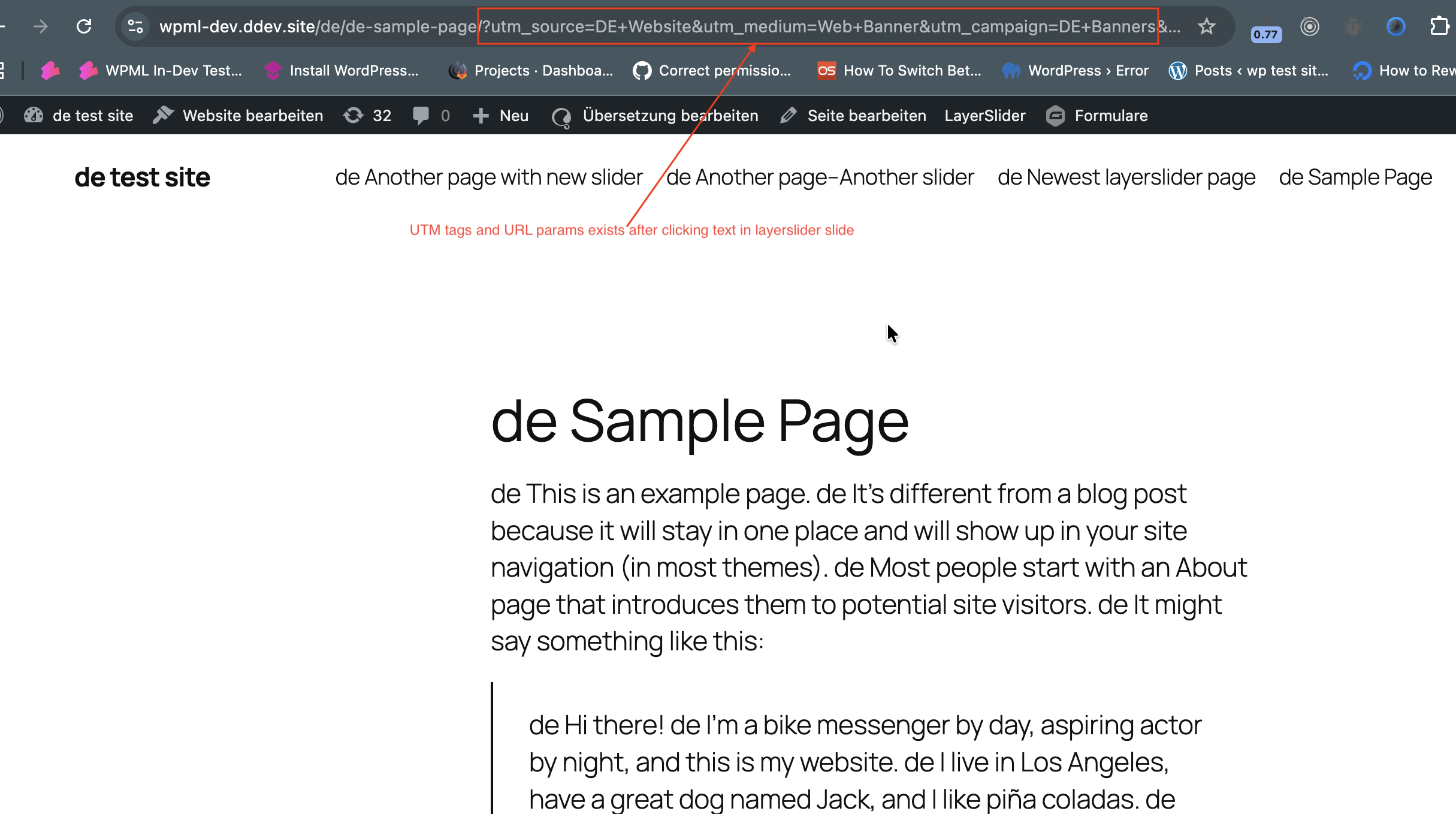 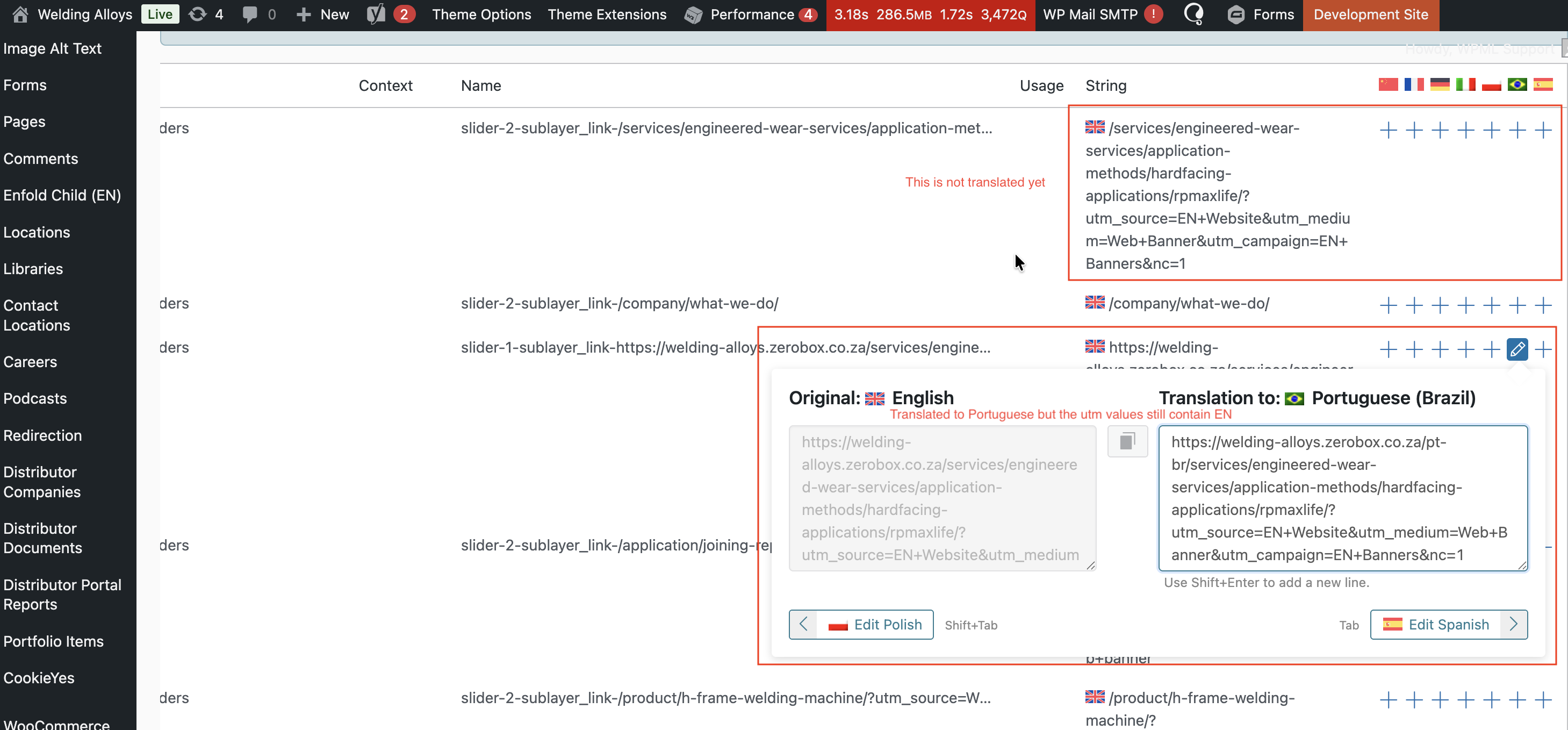 |
| March 24, 2026 at 11:19 am #17921429 | |
|
rustumT |
Hi, Thanks for this. I have double checked this and updated the string translations now. But the issue is still there. Please see the slider on the homepage: hidden link As per my previous message, only the first link (without utm tags) is translated as per the string translation, the other links are not translated. Please advise. |
| March 24, 2026 at 12:43 pm #17922008 | |
|
Ashraf Hesham WPML Supporter since 12/2025 |
I tried to check on your site and make it work, I also checked how the code is added in the "slider_markup_html.php", as far as I can see everything looks fine. I also tried to make modification to the link in the LayerSlider and I can see it affects the translation in String Translation which means they're correctly connected, but still it doesn't apply correctly on frontend, however I tried many times on my local site and it works fine. So, I think it would be better to contact the authotr of the LayerSlider plugin about this case, maybe the fact that the LayerSlider on your site is embedded in Enflod theme makes things works different than my site. Other than that, if you want to go further with what we did here, we can do the following: define( 'WP_DEBUG', true ); define( 'WP_DEBUG_LOG', true ); define( 'WP_DEBUG_DISPLAY', false ); 2. Go to the "slider_markup_html.php" and replace the custom code block we added with:
if(!empty($layer['props']['url'])){
// Logs the slider ID
error_log("LS WPML Debug - Slider ID: {$id}");

// Logs the original URL
error_log("LS WPML Debug - Original URL: {$layer['props']['url']}");

// Logs the string name
error_log("LS WPML Debug - String name: slider-{$id}-sublayer_link-{$layer['props']['url']}");

$layer['props']['url'] = apply_filters( 'wpml_translate_single_string', $layer['props']['url'], 'LayerSlider Sliders', "slider-{$id}-sublayer_link-{$layer['props']['url']}");

// Logs the URL after apply_filters
error_log("LS WPML Debug - Modified URL: {$layer['props']['url']}");
}
3. make small modification to the slider URL and save |
| March 24, 2026 at 12:48 pm #17922043 | |
|
rustumT |
Thanks, I will check on this again from tomorrow. It is indeed strange that the correctly translated URL is in the String Translation table but does not reflect on the frontend, specifically when the link has additional parameters like UTM tags etc. I also have a ticket opened with Enfold, so I am awaiting a response there as well. I will get back to you with some feedback by tomorrow, just so I can get a workaround for now while LayerSlider via Enfold resolve this. |