Home›Support›English Support›[Resolved] Translation issues when more than 10 alt+ 1 words and cannot link links to a word when translating
[Resolved] Translation issues when more than 10 alt+ 1 words and cannot link links to a word when translating
This thread is resolved. Here is a description of the problem and solution.
Problem:
The client was experiencing issues with translating content using WPML on their website. Specific problems included difficulties with using ALT+10 and higher for HTML formatting in translations, linking words, and locating categories in ACF for translation.
Solution:
We advised the client on how to handle HTML formatting in translations using the Advanced Translation Editor (ATE). For instance, to apply formatting:
Select the text needing formatting.
Use the ALT key combinations to apply HTML tags.
e.g..

ALT + 1 for <span></span>

ALT + 2 for <strong></strong>
We also updated the ATE server to ensure the ALT button appears only for the
<strong></strong>
tag, improving the interface for entering HTML tags in translations.
Additionally, we made a backend adjustment on the German version of the homepage to refresh the translation settings, which resolved the issues with homepage translation.
If this solution does not resolve your issue, or if it seems outdated or irrelevant to your case, we highly recommend checking related known issues at https://wpml.org/known-issues/, verifying the version of the permanent fix, and confirming that you have installed the latest versions of themes and plugins. If problems persist, please open a new support ticket.
This is the technical support forum for WPML - the multilingual WordPress plugin.
Everyone can read, but only WPML clients can post here. WPML team is replying on the forum 6 days per week, 22 hours per day.
Background of the issue:
I am experiencing translation issues on my site hidden link. I am trying to translate content using WPML, but I encounter problems when there are more than 10 alt+1 words. Additionally, I cannot link links to a word when translating. I also cannot find the categories created on my ACF to translate them to English.
Symptoms:
Translation issues with more than 10 alt+1 words, inability to link links to a word during translation, and missing categories in ACF for translation.
Questions:
How can I resolve translation issues when there are more than 10 alt+1 words?
Why can't I link links to a word when translating?
How do I find and translate categories created in ACF to English?
Thank you for the updates. When using the Advanced Translation Editor, if the source text contains HTML tags (e.g., formatting tags such as
<span>, <strong>, or <em>
), you must apply the same tags to the translated text.
To do this, select the corresponding text in the translation box and apply the appropriate HTML markers shown in the editor. This ensures that the formatting matches the original content.
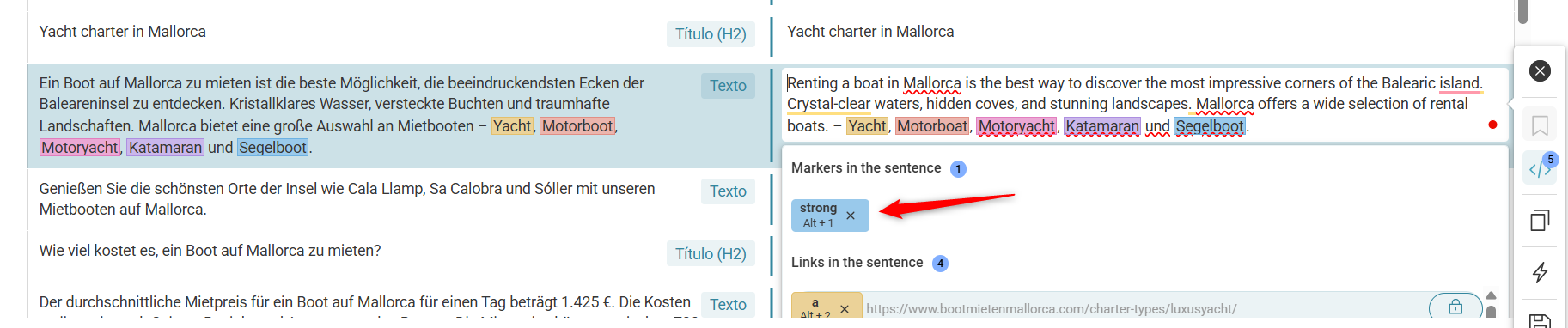
For example, to format *Yachts* in the translation:
- First, select the text (Super Yachts).
- Then click span (ALT + 1).
- After that, click strong (ALT + 2).
To format Motorboot in the translation, you need to use ALT + 3 and ALT + 4.
Thank you for the updates. We have a couple of requests to track the issue.
1) Please let us know the exact steps to reproduce the issue on your site (especially the post or page having the problem)
2) Please fill the private details fields after a full site backup. I would like to access the admin area of your site for further checking. Refer to the following links for more details about our private information sharing policies.
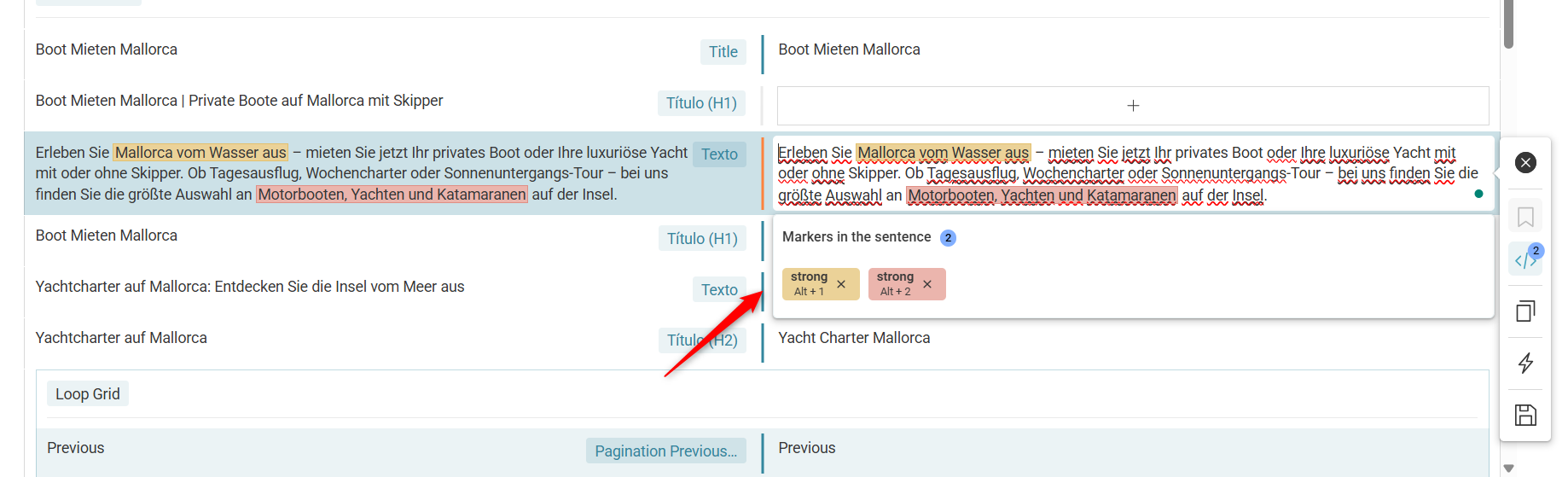
We have made some improvements to the ATE server. Now onwards, the ALT button will appear only for the
<strong>
tag.
The homepage translation is now showing the expected results. To refresh the translation settings, I made a small change in the German version of the homepage (added a button and then removed it).
Please check the attached images for more details and let us know your feedback.