Home›Support›English Support›[Resolved] Translation remains in progress and translated product has different layout
[Resolved] Translation remains in progress and translated product has different layout
This thread is resolved. Here is a description of the problem and solution.
Problem: If you're experiencing issues where your product translations remain in progress even after completion and the translated product has a different layout than the original, it might be due to a plugin conflict. Solution: We recommend deactivating the CMS Masters Importer plugin to resolve these issues. This plugin, often used for importing demo content, can interfere with the translation process. If you need to use this plugin for importing content, you can activate it temporarily as needed. For further details, you can refer to a similar case discussed here.
Please note that this solution might be outdated or not applicable to your specific case. We highly recommend checking the related known issues, verifying the version of the permanent fix, and confirming that you have installed the latest versions of themes and plugins. If the problem persists, please open a new support ticket.
This is the technical support forum for WPML - the multilingual WordPress plugin.
Everyone can read, but only WPML clients can post here. WPML team is replying on the forum 6 days per week, 22 hours per day.
Languages: English (English )Spanish (Español )Italian (Italiano )
Timezone: Europe/Madrid (GMT+02:00)
I can confirm that the issue appears to be related to the theme. When switching to a default theme, everything works as expected.
As a workaround, please go to the English version of the product, click on Edit Product, and then click Update without making any changes. After that, the product title should appear correctly.
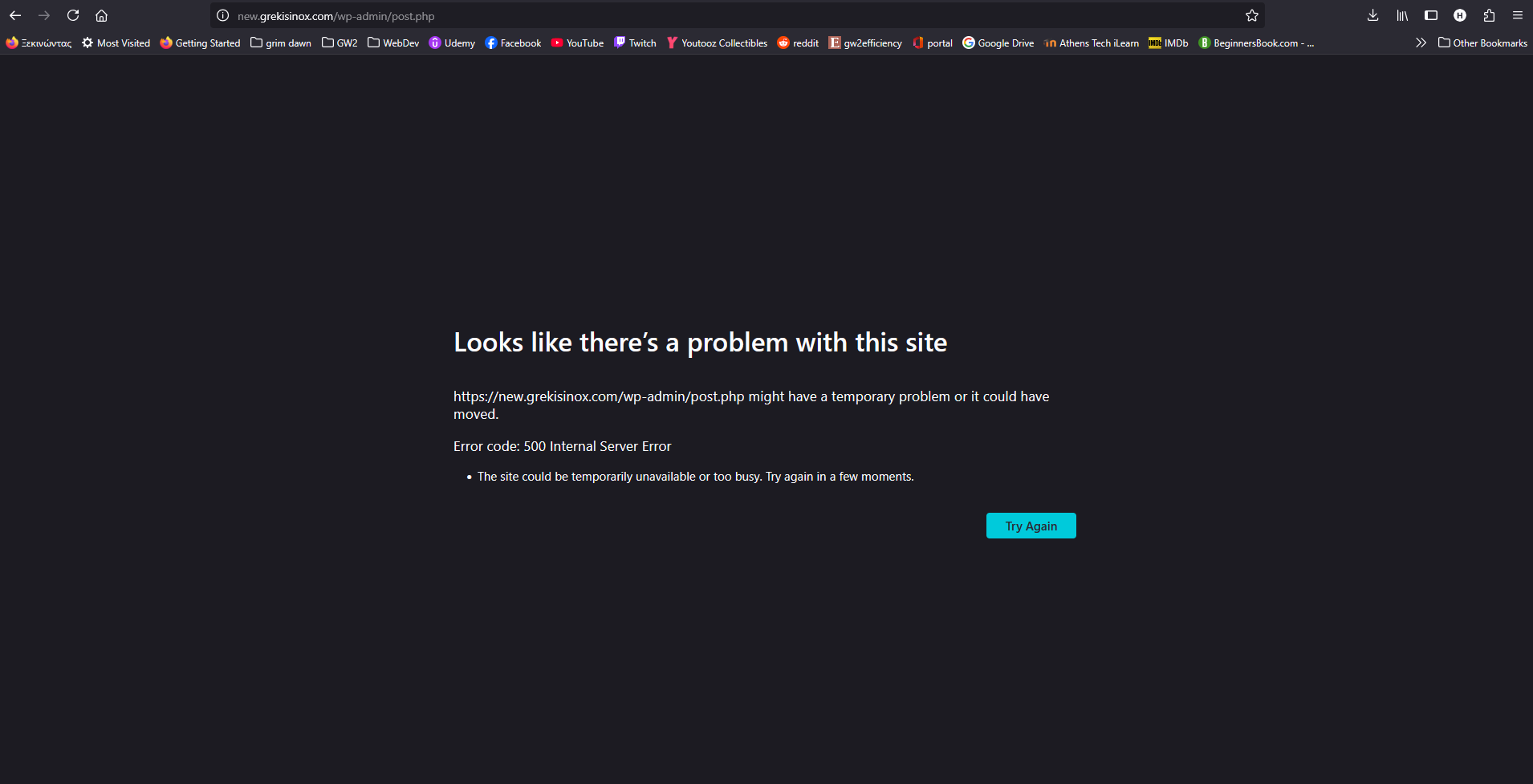
When I go at the edit page of the translated product and click Update then this error appears (screenshot). This only happens on the translated product page, on the original language the update works fine.
These CMSMasters plugins are necessary for the theme to work properly. I mean we can't have them deactivated otherwise the layouts breaks.
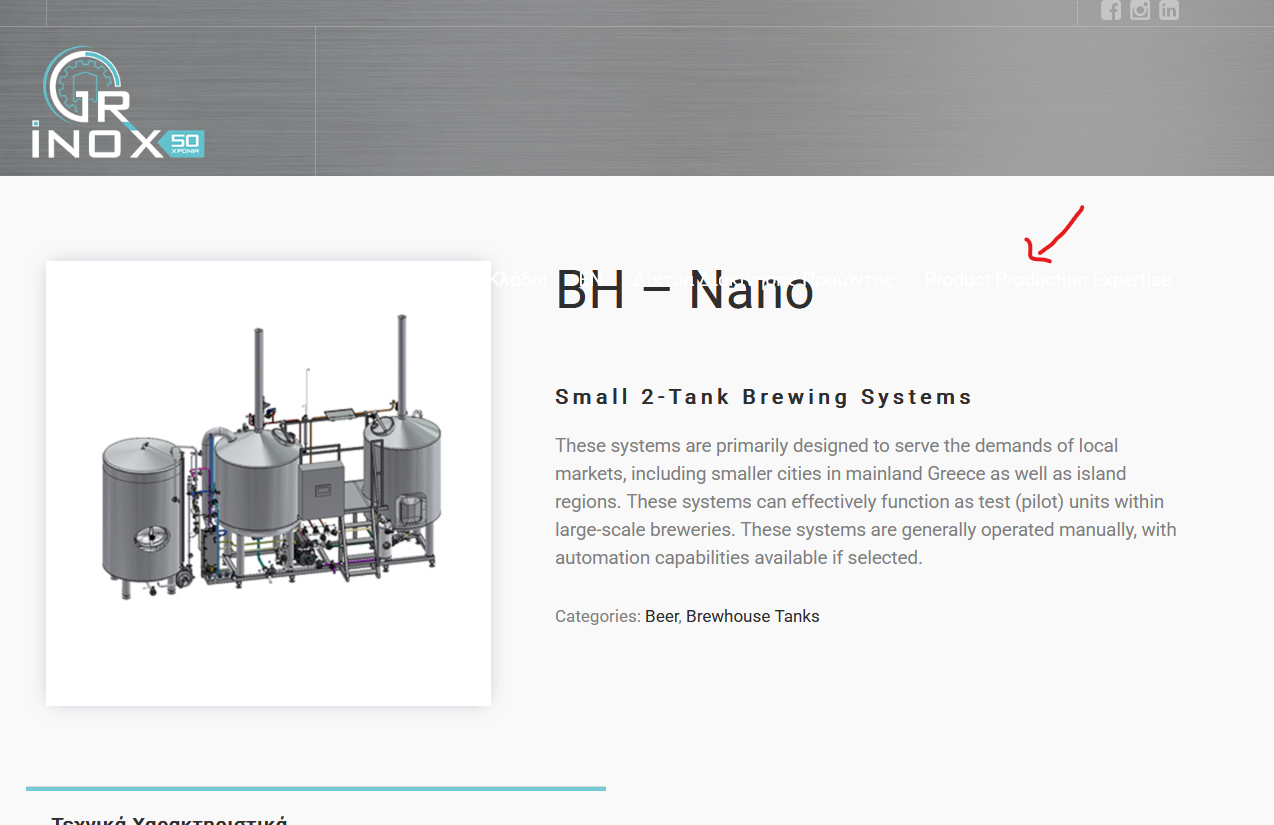
Also when I deactivated them, then I went to the edit page of the translated product and Update, as you said, the title was indeed fixed, but the menu went down at the title (see screenshots).
This plugin is mainly used for importing demo content, so unless you specifically need to import demo data, I recommend keeping it deactivated. You can always activate it temporarily if you need to import content again.
Alright, I have this plugin deactivated and tried to translate a new product. Now the translation works fine but another issue remains I mentioned before.
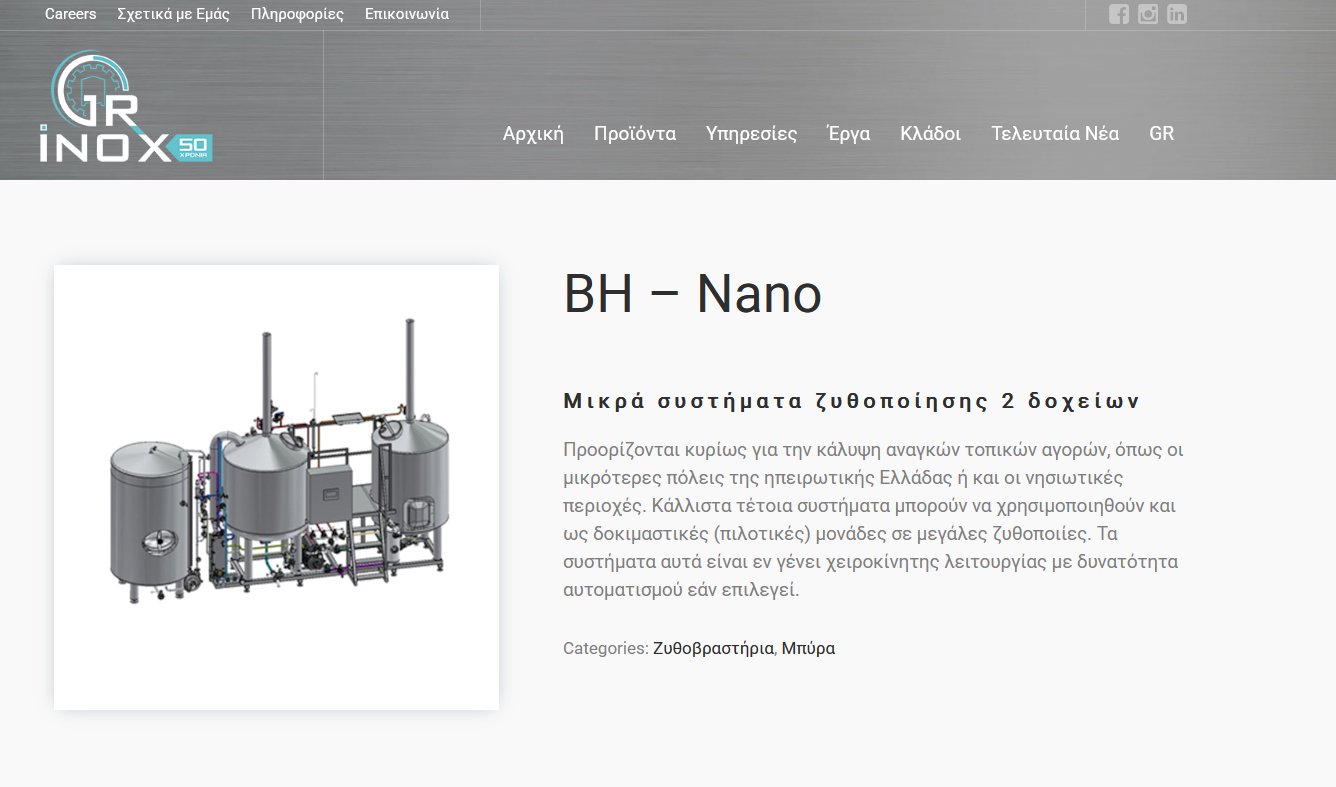
Look at this product for example
hidden link
and the translated:
hidden link
On the translated product page the menu re positions inside the title section.