Home›Support›English Support›[Resolved] Translation Service Charging for Outdated Content After Website Refresh
[Resolved] Translation Service Charging for Outdated Content After Website Refresh
This thread is resolved. Here is a description of the problem and solution.
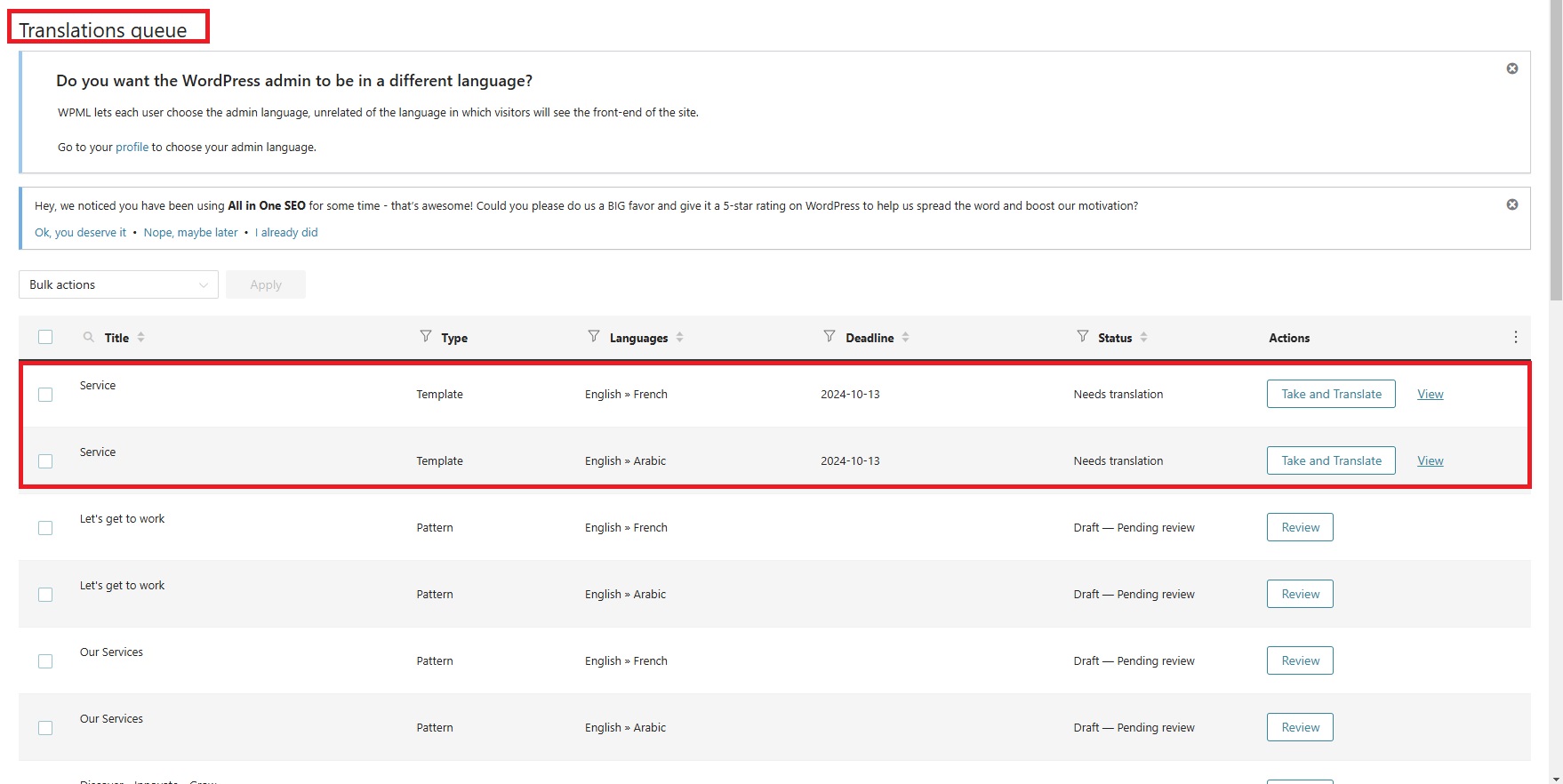
Problem: The client updated their website with a full rebranding and content refresh, using WPML for automatic translation. However, the automatic translation service was pulling old content and charging for translating content that no longer exists on the site. Solution: We recommended checking WPML > Translation Management and filtering by the template post type, then sending the 'service' for translation to see the updated text. For the issue of old text still appearing, we suggested editing the original English page, checking the page ID, and then going to WPML -> Packages to delete the package of the page. After making a minor change (like adding an empty space) and saving, the updated content should appear correctly in translations. Additionally, to maintain the titles for translations, we advised going to WPML → Settings, selecting 'Copy slug from original language', making a small change to the main language page, and then editing and saving the translation.
If this solution does not resolve your issue, or if it seems outdated or irrelevant to your case, we highly recommend checking related known issues at https://wpml.org/known-issues/, verifying the version of the permanent fix, and confirming that you have installed the latest versions of themes and plugins. If further assistance is needed, please open a new support ticket at WPML support forum.
This is the technical support forum for WPML - the multilingual WordPress plugin.
Everyone can read, but only WPML clients can post here. WPML team is replying on the forum 6 days per week, 22 hours per day.
Languages: English (English )Portuguese (Brazil) (Português )
Timezone: America/Sao_Paulo (GMT-03:00)
Hello,
I sincerely apologize for the delay with this. We've been having a temporary and unusual increase of tickets that impacted our response time.
Does this issue happens to a single items or to many pages/posts?
I would like to request temporary access (wp-admin and FTP) to your site to take better look at the issue. You will find the needed fields for this below the comment area when you log in to leave your next reply. The information you will enter is private which means only you and I can see and have access to it.
Our Debugging Procedures
I will be checking various settings in the backend to see if the issue can be resolved. Although I won't be making changes that affect the live site, it is still good practice to backup the site before providing us access. In the event that we do need to debug the site further, I will duplicate the site and work in a separate, local development environment to avoid affecting the live site.
- Please make a backup of site files and database before providing us access.
- If you do not see the wp-admin/FTP fields this means your post & website login details will be made PUBLIC. DO NOT post your website details unless you see the required wp-admin/FTP fields. If you do not, please ask me to enable the private box. The private box looks like this: hidden link
Please, let me know if you need any additional details. Have a nice day.
Languages: English (English )Portuguese (Brazil) (Português )
Timezone: America/Sao_Paulo (GMT-03:00)
Hello there,
Thank you for sharing those connection details.
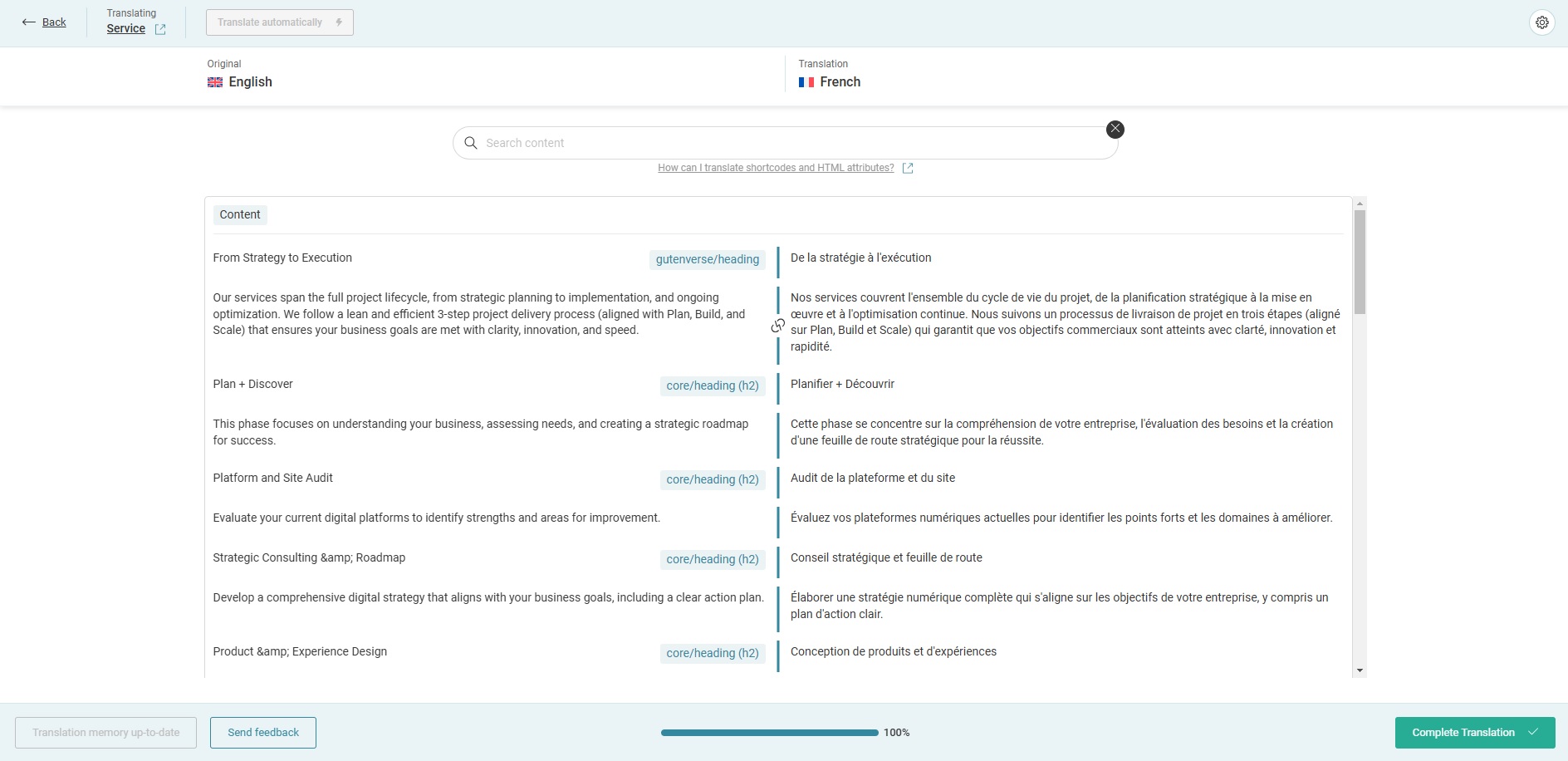
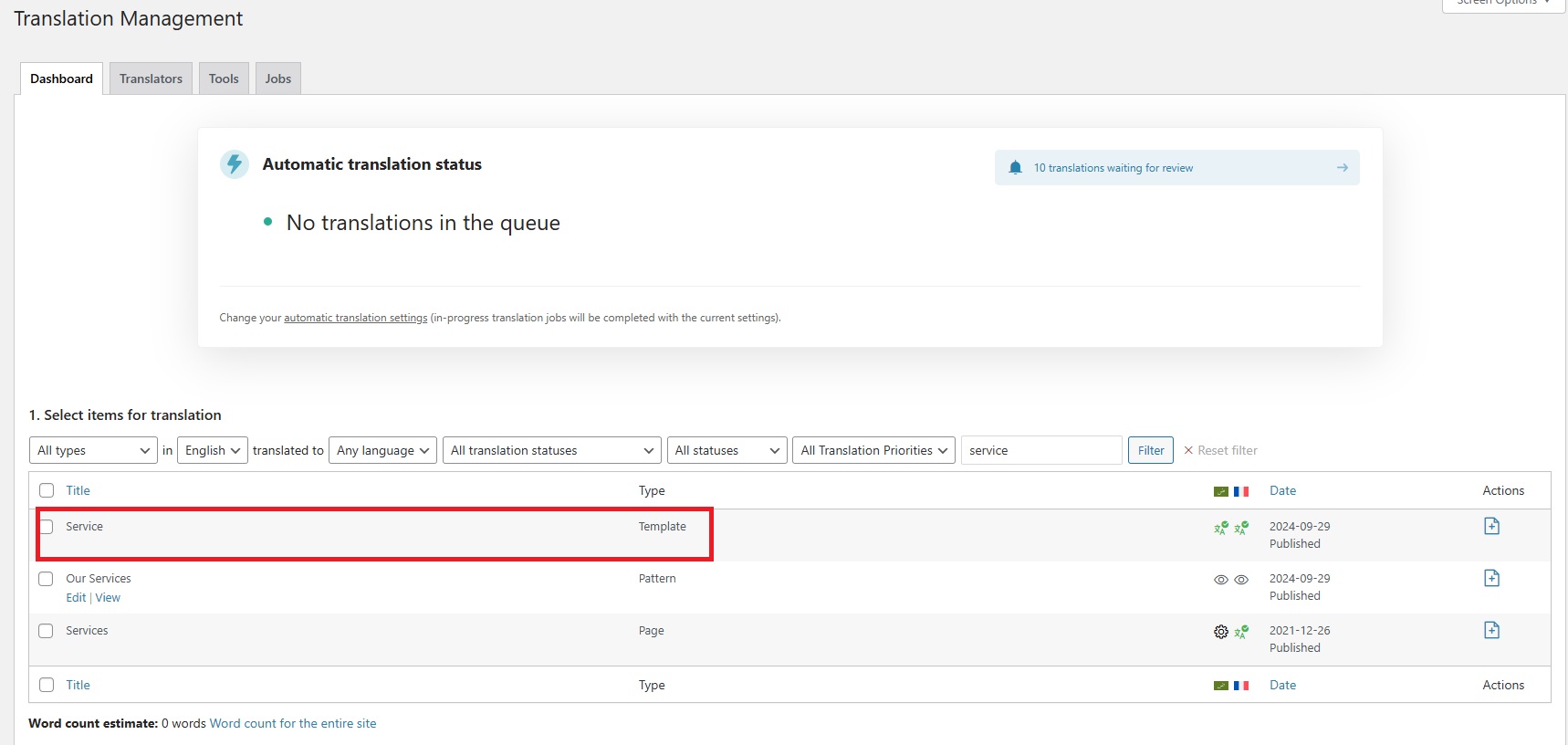
I checked it and it looks like the content has been moved from the pages 'services' to the template 'service'.
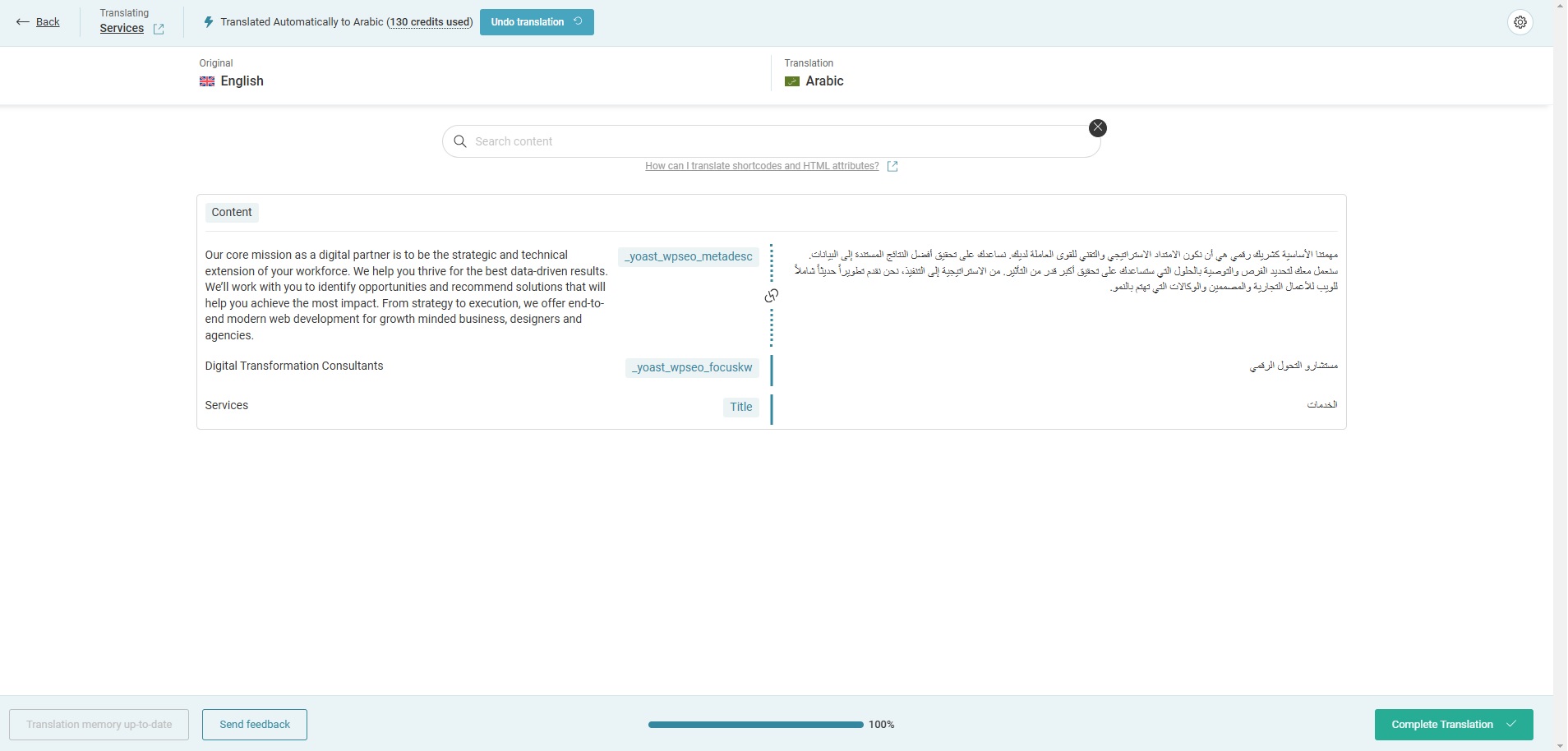
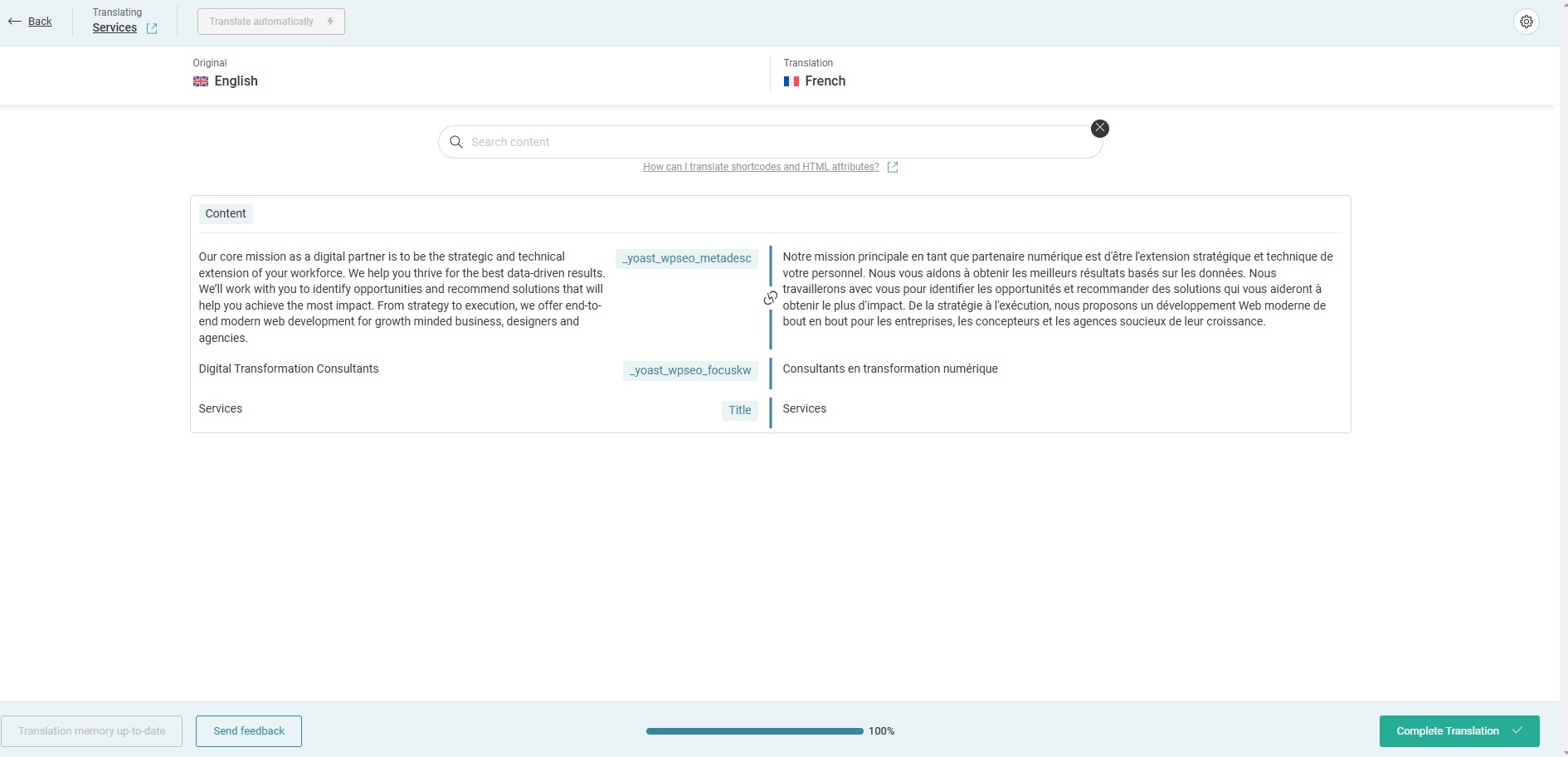
If I go to WPML > Translation Management and filter by the template post type and send the 'service' for translation I see the updated text in there, please check the screenshot.
Upon saving the translation, I can see that the translated text has been updated in the front end as well for French and Arabic. Also the header and footer has been updated and seems to be displaying correctly now.
Regarding the old text you were seeing before in the Services page, to fix it I edited the original English page, and checked the page ID in the URL bar. Then I went to WPML -> Packages, located the package of the page and deleted it. I returned to the original Services page in the WordPress editor, made a minor change(added an empty space) and saved it. Now when I edit the page and not the template I see not text other than some yoast seo data and the title, please check the screenshots.
Hi Mateus, Thank you so much for the details and support. I beleive big part of the issue is fixed now expect the main nav menu in the header, and a couple of UI element (The accordeon) in the service page here : hidden link
Also I am wondering how to prevent WPML from translating URL and keep the english version?
Languages: English (English )Portuguese (Brazil) (Português )
Timezone: America/Sao_Paulo (GMT-03:00)
Hi there,
I'm glad to know we're getting closer to find a fix.
Regarding maintaining the titles for the translations, can you please try this procedure to see if it gets it done?
- Go to WPML → Settings. Scroll to Translated documents options
- Select to Copy slug from original language
- Check if the title is already changed
- If not, make a small change to the main language page, eg.: the services page, add an empty space for example
- Edit the translation and save it as it is
After that, the title should be copied from the English version to the translations.