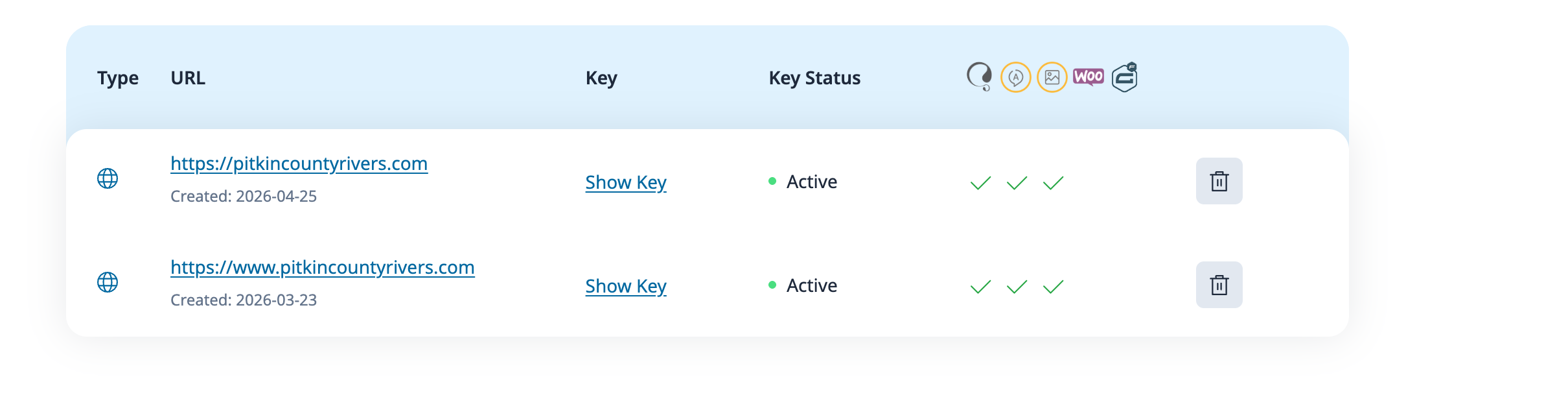
Hi! I took my site which was on pitkinrivers.wpenginepowered.com live today. When I updated to production, I made an error and included the www in the url. I am not using www so the migration didn't work. I activated a second site hidden link and it is showing the menu option, but all the translations are missing. I don't have enough credits to regenerate, can you help me get this activated correctly so I can use the translations I already made and edited?
I have now merged the old site with your new one, and you should see the available credits now. The translation memory should also work as expected now.
In case further assistance is needed, please let me know.
Awesome, thank you. I'm still not seeing all the translations we did appear when you click on the flag. The menu changes but nothing else does. The production url is hidden link, and the the staging url was hidden link. I created a second "site" which I still see listed as registered for hidden link, but I created that site trying to make it work. The most recent site add was the one I set up yesterday to try to make it work, but seems like that created problems.
Every page on my site shows that it needs translation still.
The bottom license / key is the one that I did the translations on originally. Now it is set to hidden link. That is the one that should be updated to pitkincountyrivers.com, and the license on the top should be inactivated and deleted. I think.
So that WPML can read the translation memory on the Advanced Translation Editor, I suggest you cancel the current ongoing jobs at WPML > Translation Dashboard > Jobs.
After that, send the content again to translation from WPML > Translation Dashboard. Assign the job to yourself and then access the translation at WPML > Translations.
Do you now see the old translations on the Advanced Translation Editor?
Ok, yes I see that. All the translations are appearing now. Also, I have 30some pages showing they need translated. Is there a way I can bulk mark these as complete? The Bulk Actions > Approve Translation Reviews says I have no eligible translations?
The bulk option to approve reviews only serves for the mode "Translate Everything Automatically" if you choose not to publish the translations and review them first.
You will need to send those jobs for translation from the Translation Dashboard.
You can use automatic translation if you have eligible credits or assign the jobs to yourself and then translate them yourself at WPML > Translations.