
This is the technical support forum for WPML - the multilingual WordPress plugin.
Everyone can read, but only WPML clients can post here. WPML team is replying on the forum 6 days per week, 22 hours per day.
| Sun | Mon | Tue | Wed | Thu | Fri | Sat |
|---|---|---|---|---|---|---|
| - | 12:00 – 14:00 | 12:00 – 14:00 | 12:00 – 14:00 | 12:00 – 14:00 | 12:00 – 14:00 | - |
| - | 17:00 – 21:00 | 17:00 – 21:00 | 17:00 – 21:00 | 17:00 – 21:00 | 17:00 – 21:00 | - |
Supporter timezone: Europe/Vienna (GMT+02:00)
Tagged: Bug, Large Sites, Performance
This topic contains 33 replies, has 0 voices.
Last updated by Bigul 10 months, 1 week ago.
Assisted by: Bigul.
| Author | Posts |
|---|---|
| June 12, 2025 at 3:56 pm #17130811 | |
 Bigul |
Hi Matteo, Thank you for updating the plugin. We have confirmed that the issue persists even after upgrading to the latest version of the plugins and performing the primary troubleshooting and performance optimization steps. Therefore, escalated the ticket to our second-tier team for further detailed analysis. We will update you as soon as we have more information. Please wait. -- Bigul |
| June 19, 2025 at 12:07 pm #17150532 | |
|
Bigul |
Hi Matteo, We are still working on this. But unfortunately, the Query Monitor plugin is not working on your staging site. It shows the following error. The result is the same after upgrading to the latest version and deleting and reinstalling it: hidden link PHP Fatal error: Uncaught Error: Class "ComposerAutoloaderInit45e5f16aae4f58af47a13e01b04bd02e" not found in /**/wp-content/plugins/query-monitor/vendor/autoload.php:25 So let us know if you have any specific server restrictions or custom setups that might be affecting plugin behavior. We have a few suggestions to improve your site performance 1) Normally, we recommend this article to improve the site performance: https://wpml.org/tutorials/2022/03/boosting-the-performance-of-your-multilingual-wordpress-site/ 2) To reduce backend delays when saving or duplicating products, we recommend the following: - Avoid duplicating products unless necessary. Instead, create a new translation directly. - If you do duplicate a product, break the duplication link before making changes. This helps prevent WPML from trying to sync data across all languages, which can be slow, especially for variable products with many variations. 3) Based on our experience, WP Rocket is not an object caching plugin and doesn’t offer the same level of flexibility as W3 Total Cache (W3TC). If possible, we recommend giving W3TC a try. However, using WP Rocket together with Autoptimize and Redis Object Cache can also deliver similar performance improvements when configured properly. Refer to the following articles for more details. hidden link hidden link hidden link 4) Please visit WooCommerce >> Settings >> Advanced >> Features, and disable the following option. Then check if there is any difference in the results. Enable compatibility mode (Synchronize orders between High-performance order storage and WordPress posts storage). 5) Also, please go to Products >> All Products, click on Screen Options (top right), and uncheck the *Language* column. This will help to reduce the backend loading time. Please check the attached images for more details. -- Bigul  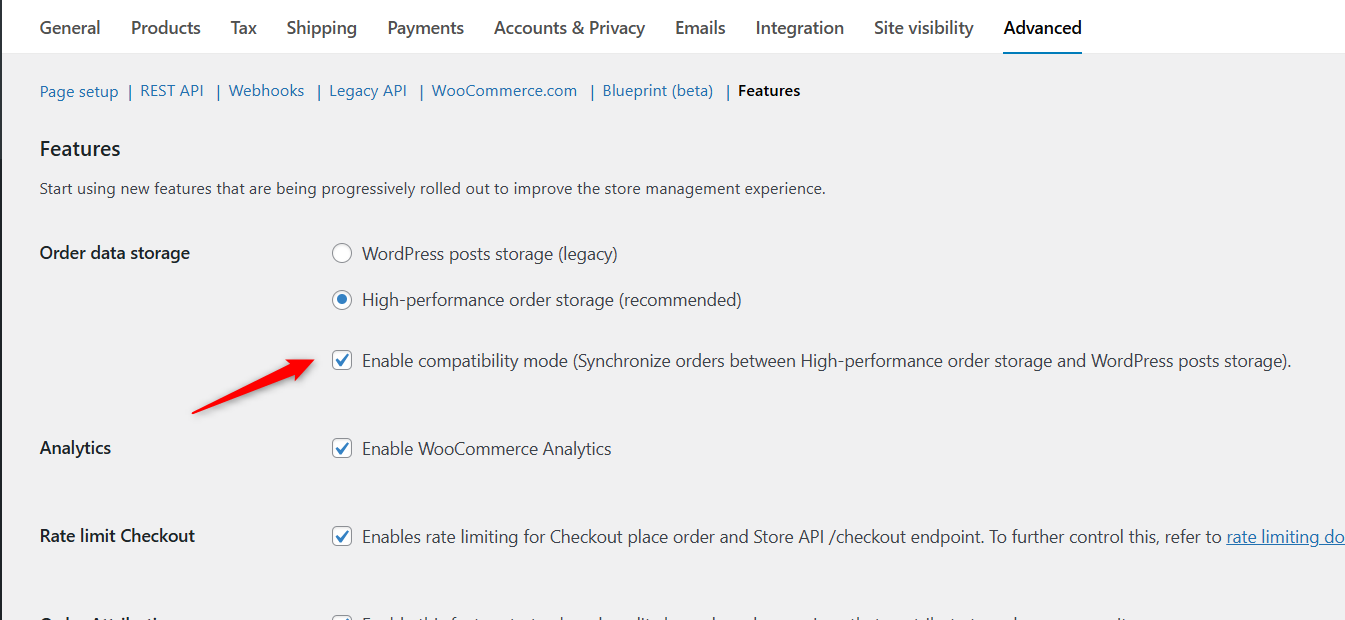  |
| June 19, 2025 at 3:08 pm #17151350 | |
 FortunyShop |
I solved the Query monitor bug, so you can still test the site. 1) already visited that page years ago 🙂 tested many different caching and CDN systems, current Cloudflare + WProcket + Redis + Varnish setup looks good for cached content (which is not a problem at all, the problem is still the non-cached content). 2) so what do you suggest to do now with the hundred of products that I may have duplicated in the site during these years? 3) As already stated, the problem is not the cache. Cached content is super fast and there're no need to change that setup. The problem of slow and duplicate queries begins when content is not cached. 4) Done, but still think that the main problem is not this one. Please find a screenshot attached, you can still find many slow and duplicate queries to the database coming from WPML and its plugins. Can I ask you, do other companies with big ecommerces with WPML have the same problem of slow queries and difficulty working (or browsing the frontend) when cache is not involved? Thank you and hope you can help us. 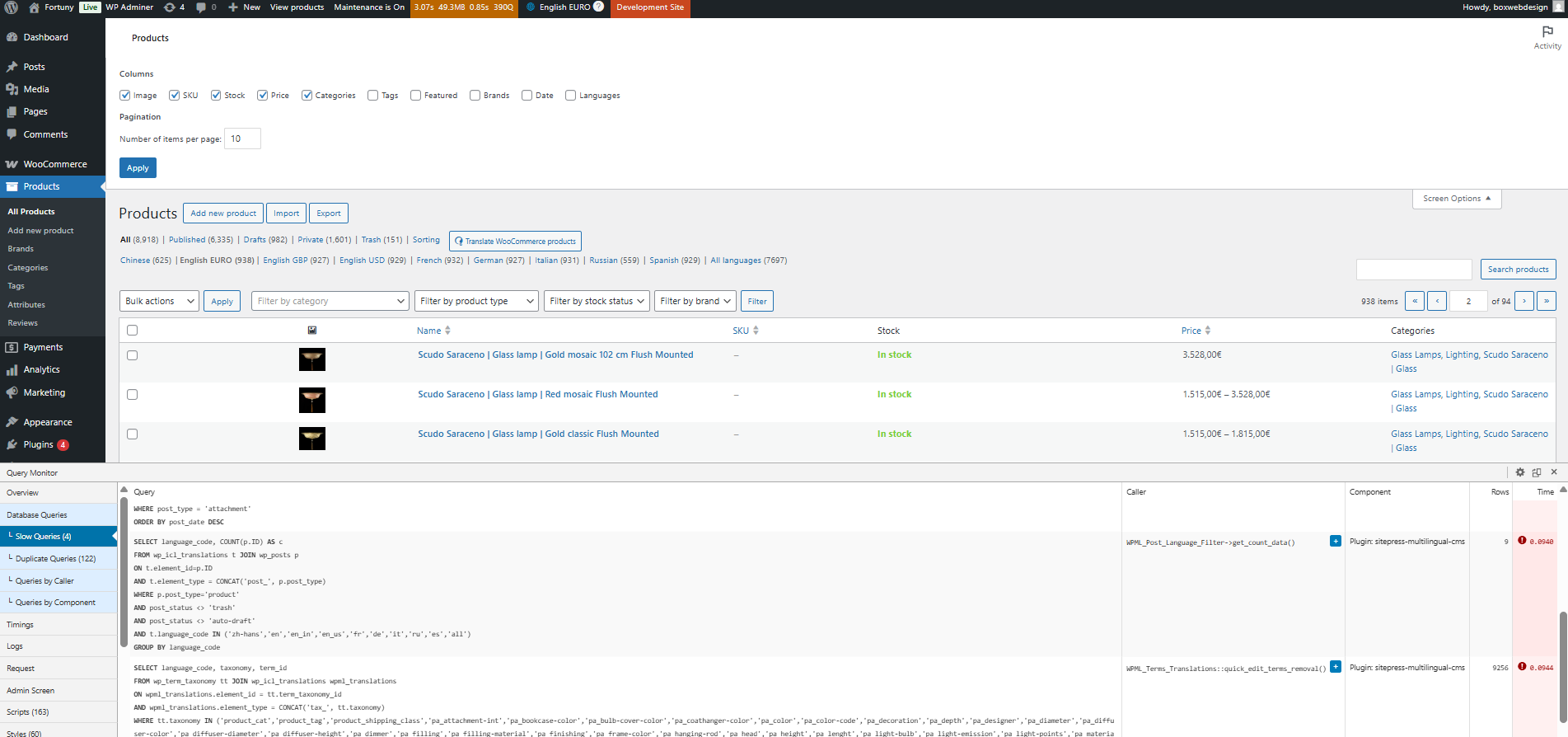 |
| June 19, 2025 at 4:02 pm #17151670 | |
|
Bigul |
Hi Matteo, Thank you for the feedback. I will check with our team on this. One more question for better clarity — could you please share more insight on the following? In what situation does this issue typically occur? This will help us understand the context better (non-cached content) and assist you more effectively. Varnish setup looks good for cached content (which is not a problem at all, the problem is still the non-cached content) The problem is not the cache. Cached content is super fast, and there's no need to change that setup. -- Bigul |
| June 20, 2025 at 9:14 am #17153487 | |
|
FortunyShop |
In the backend the slow and duplicate queries occur quite often, above all when working with products, but also with pages and other functionalities. Here are some screenshots. Thanks   |
| June 20, 2025 at 10:53 am #17153992 | |
|
FortunyShop |
I'll add another screenshot of a product edit page, 8 seconds to load (actually more ) and super slow queries here. I really thing there's something that needs to be optimized in WPML. 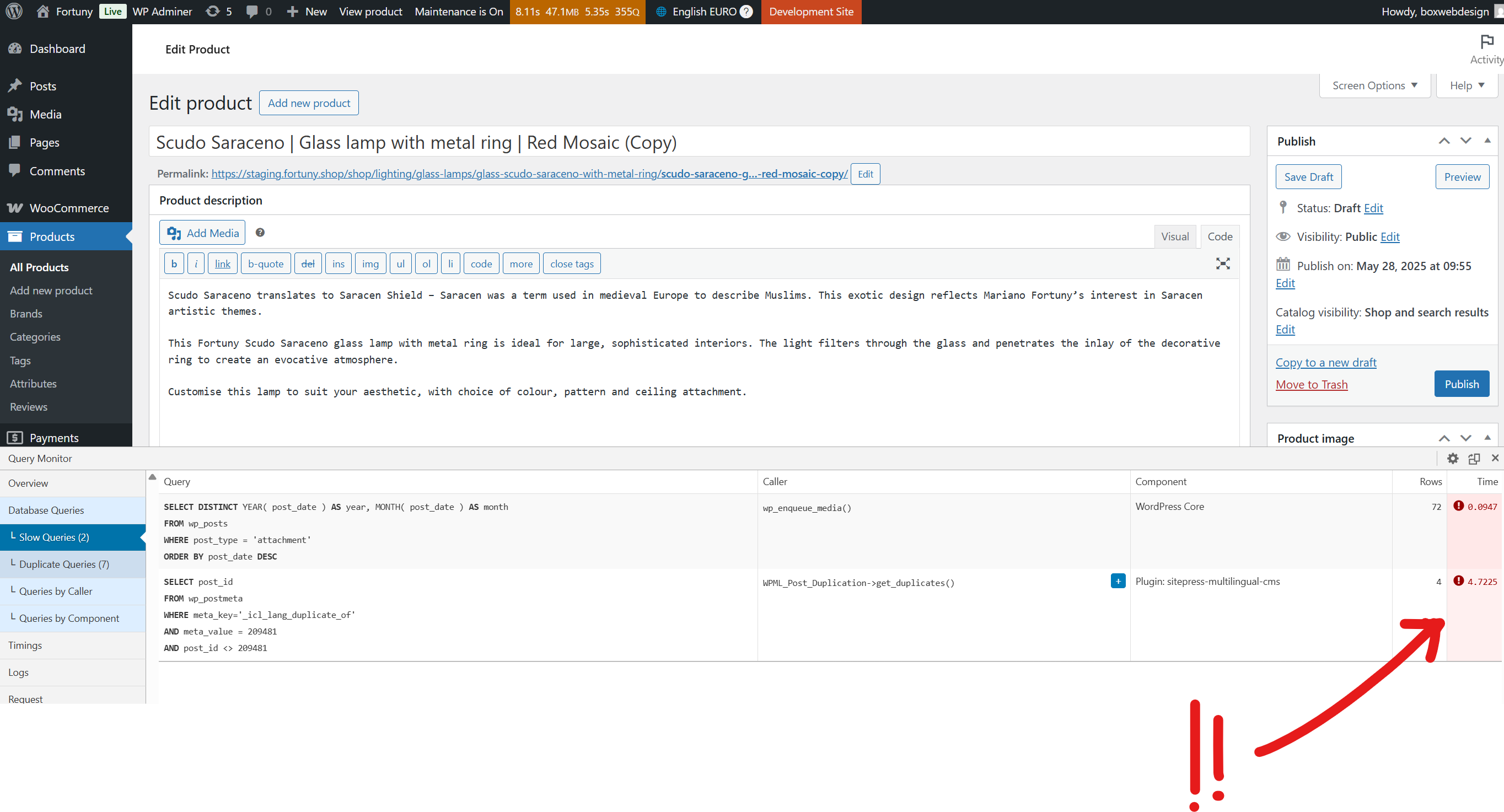 |
| June 20, 2025 at 10:55 am #17154013 | |
|
Bigul |
Hi Matteo, Thank you for the updates. I have shared it with our team, and we will get back to you soon. WPML handles post duplication using the postmeta key _icl_lang_duplicate_of. If this key is removed, the link between the original and the duplicate breaks, and the duplicate will appear as a translation. Since you have hundreds of duplicated products, you can try the workaround suggested in the following ticket, but please make sure to take a full site backup first. Hope it will help to improve the loading speed of the Product Edit page. https://wpml.org/forums/topic/how-to-trigger-translate-independently-programmatically/ -- Bigul |
| June 23, 2025 at 9:39 am #17159081 | |
|
Bigul |
Hi Matteo, Currently, the cache plugins on the staging site (Redis Object Cache and WP Rocket) are inactive. Could you please confirm if Cloudflare is enabled for the staging site? To help us troubleshoot the issue more effectively, especially regarding non-cached content, it would be very helpful if you could set up the same cache settings as on your live site. Additionally, if possible, please share a screencast explaining your cache configuration for better understanding. You can upload it via Google Drive and share the link with us. -- Bigul |
| June 23, 2025 at 12:22 pm #17160147 | |
|
FortunyShop |
Hi Bigul, thanks for your support I executed the mysql code you suggested in the staging site (DELETE FROM wp_postmeta WHERE meta_key = '_icl_lang_duplicate_of';) I can still see the same duplicate and slow queries both in the backend and in the frontend, please see screenshots. As for Cloudflare, for the staging site I excluded it completely from being cached (last screenshot) as I wanted to make the site quicker without relying on cache, being the problem the non-cached content. So you confirm that, for the staging site, you want me to: Correct? |
| June 23, 2025 at 12:27 pm #17160221 | |
|
FortunyShop |
Screens 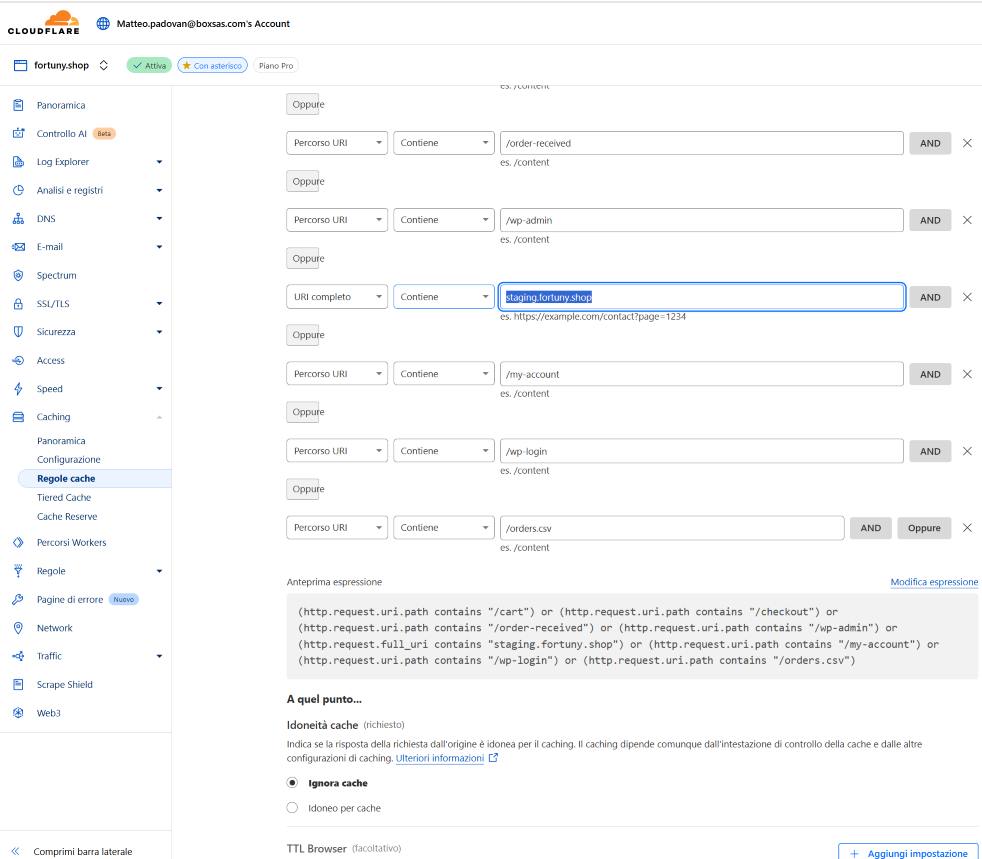 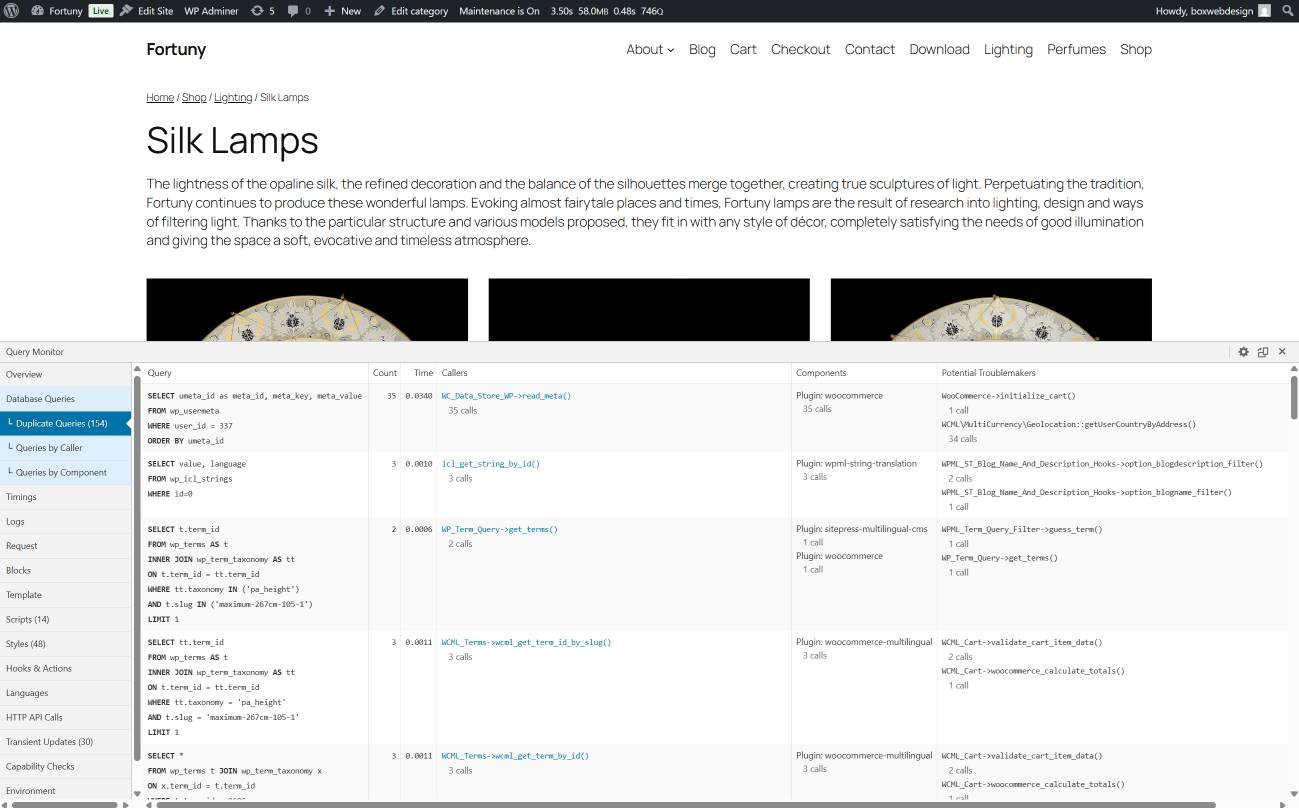 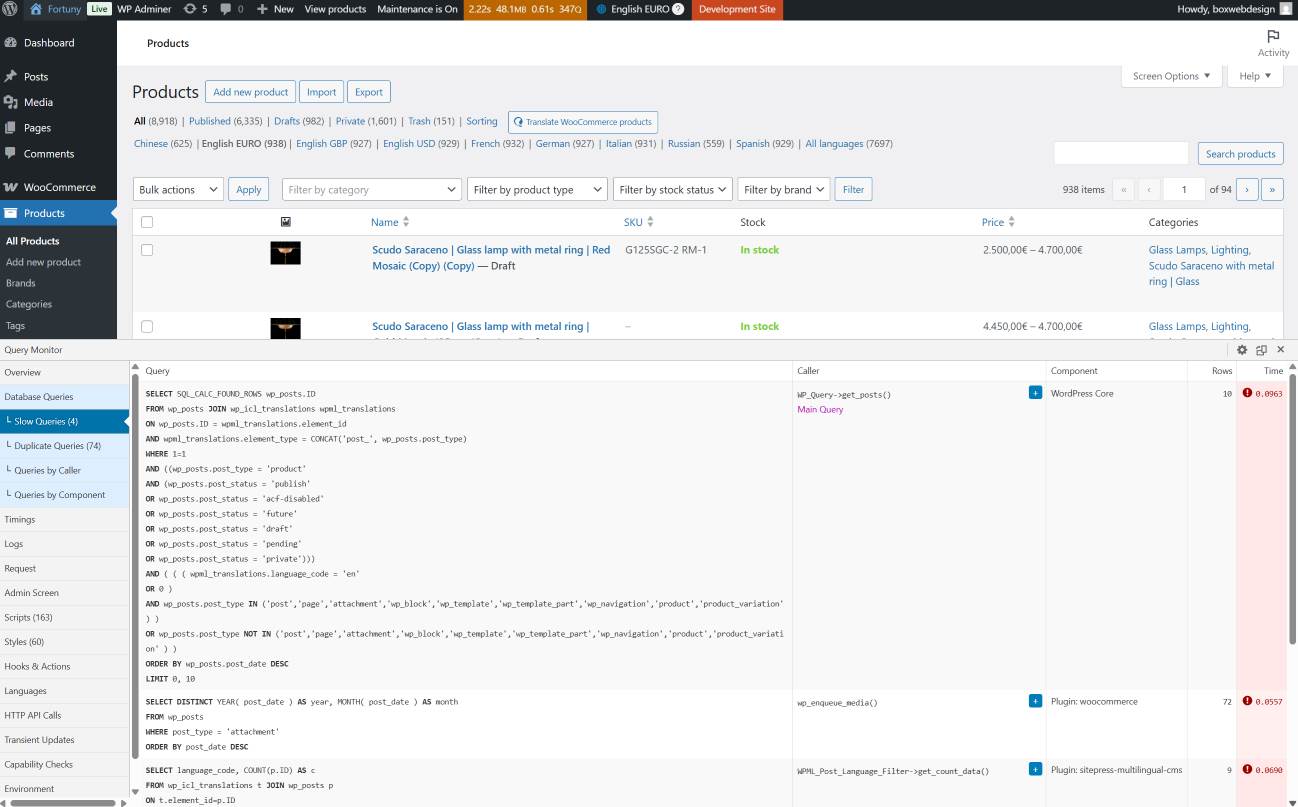 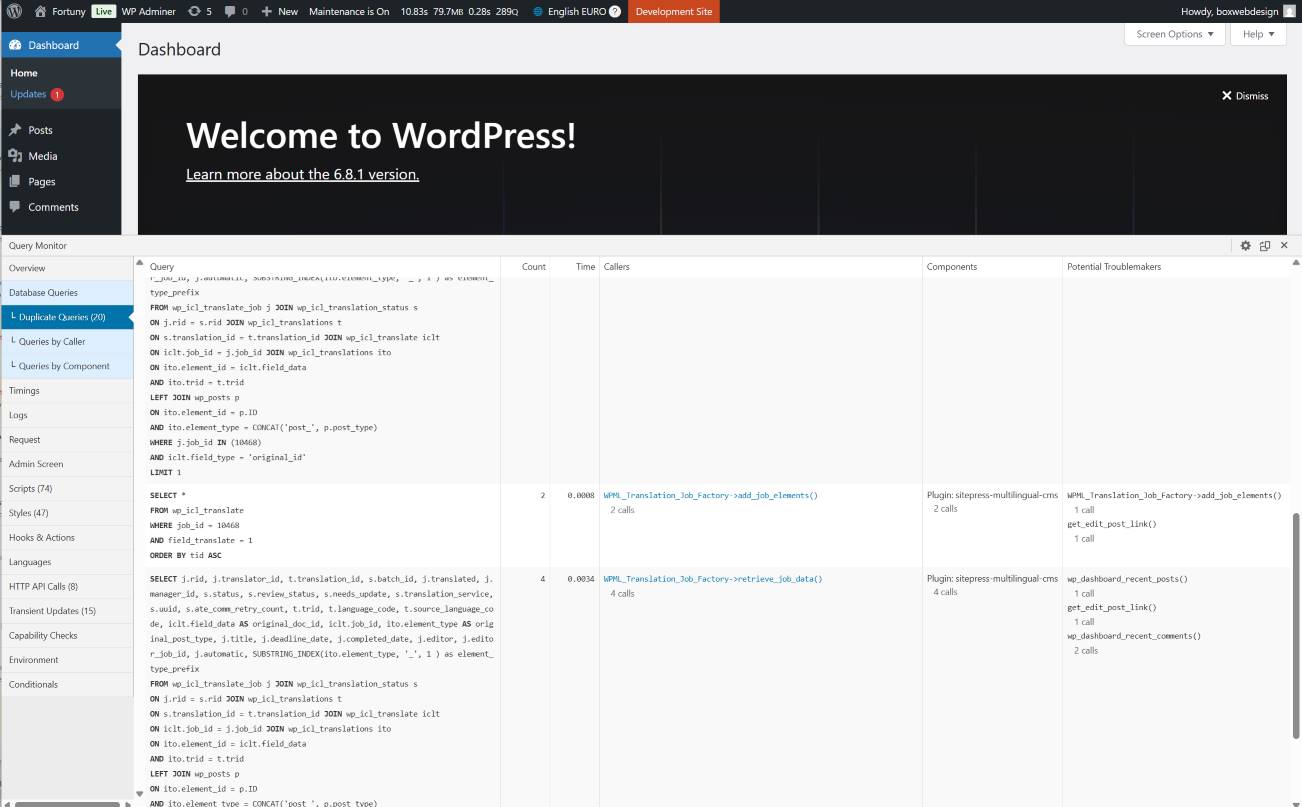 |
| June 23, 2025 at 1:00 pm #17160435 | |
|
FortunyShop |
Here's the recording on the current Cache situation in the live site: Thank you |
| June 23, 2025 at 1:55 pm #17160977 | |
|
Bigul |
Hi Matteo, Thank you very much for the details and the screencast. We will review everything carefully and get back to you as soon as possible. Please wait. -- Bigul |
| June 24, 2025 at 10:57 am #17164367 | |
|
Bigul |
Hi Matteo, We have an update on this. Our team has reviewed the queries and the screenshots you shared. Please go through the following and let us know your feedback. Please note that seeing duplicate queries does not necessarily indicate a problem. These queries are not caused by the *icl_lang_duplicate_of* postmeta or duplicated products, and in many cases, WordPress intentionally runs similar queries to retrieve the correct data. Typically, such queries only have a noticeable cost on the first run. After that, WordPress and the database server benefit from caching, so these queries are processed much faster and have minimal impact on performance. This behavior is common even in WordPress sites that don’t use WPML. Other plugins may also generate duplicate or repeated queries, and in most cases, this is not a performance concern. -- Bigul |
| June 25, 2025 at 2:50 pm #17170043 | |
|
FortunyShop |
Thank you for the update. And what about the slow queries that in our analysis are cause of performance issues in the live site too? The process which is mostly used when there's a 100% cpu usage problem is mysqld and slow queries come mainly from wpml. Do you have some information and explanation on this too? |
| June 26, 2025 at 7:07 am #17171580 | |
|
Bigul |
Hi Matteo, Thank you for the updates. We also have some news. Please update all plugins, including WooCommerce and WooCommerce Multilingual, to the latest versions on both your staging and live sites, including WooCommerce and WooCommerce Multilingual. We have released a new version of WooCommerce Multilingual (5.5), and it has a lot of improvements, including in performance. Refer to the following changelog link for more details: https://wpml.org/download/woocommerce-multilingual-multicurrency/?section=changelog Please upgrade to the latest version of the plugins after a full site backup and check if there is any difference in the result. We hope you have tried the steps suggested here in the live site also: https://wpml.org/forums/topic/how-to-trigger-translate-independently-programmatically/ You may have to visit Plugins>>Add New>>Commercial tab and click on the *Check for updates* button to get the automatic upgrade links of the latest version of the WooCommerce Multilingual plugin. This step will help us refresh the installer caches. -- Bigul 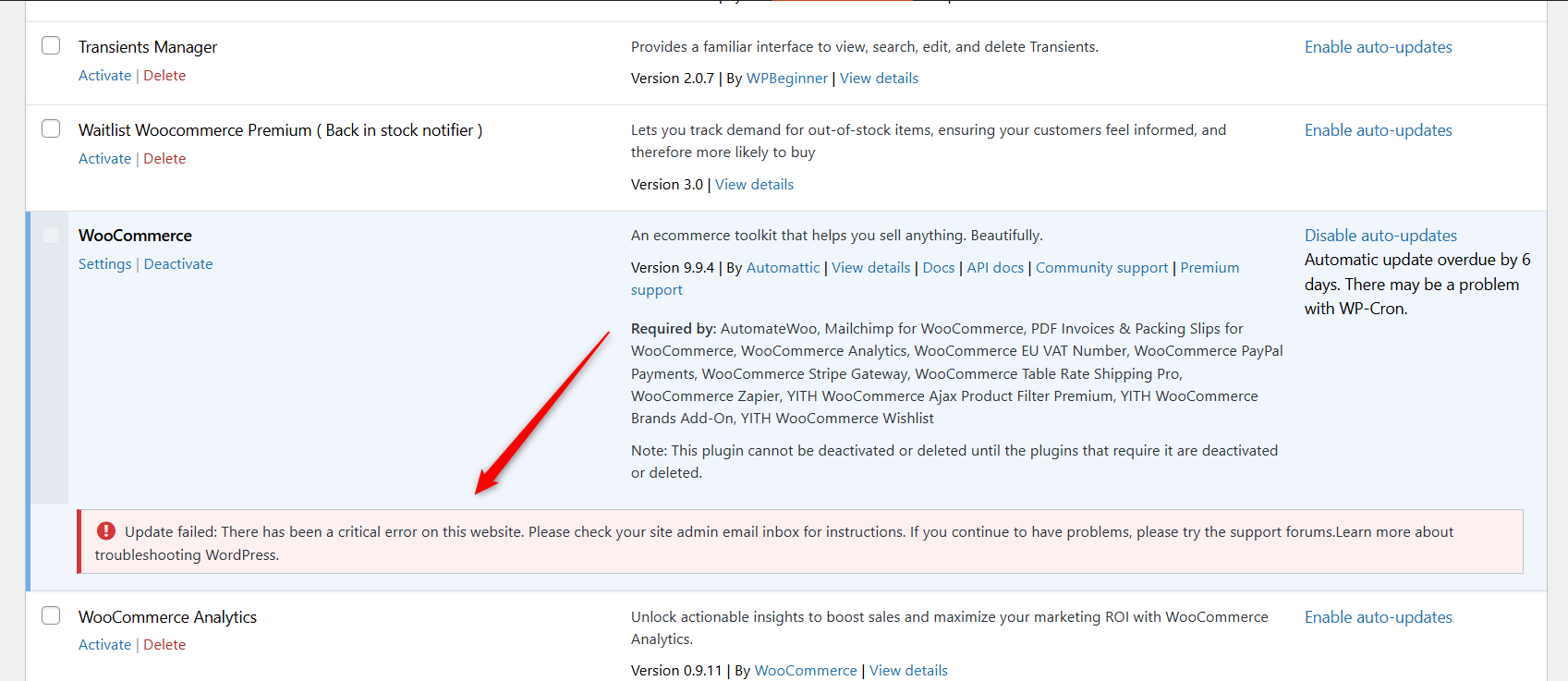 |
The topic ‘[Closed] Very low performance on backend and frontend (if pages are not cached)’ is closed to new replies.