
This is the technical support forum for WPML - the multilingual WordPress plugin.
Everyone can read, but only WPML clients can post here. WPML team is replying on the forum 6 days per week, 22 hours per day.
This topic contains 3 replies, has 2 voices.
Last updated by Subash Chandra Poudel 4 years ago.
Assisted by: Subash Chandra Poudel.
| Author | Posts |
|---|---|
| April 6, 2022 at 5:58 pm #10967173 | |
 scottM-22 |
Hi there, We are trying to get WooCommerce Bookings working on the French version of our website using WPML. We want the French version of our bookable product to use the same Resource/availability as the English. Steps we've taken: - Initially "Bookable resources (bookable_resource)" were set to "Translatable - A translated copy of our main WC Bookings Resource was mistakingly created before we switch the post type to "Not translatable". Now: - Neither the English or French WC Booking forms are working. The WC Booking Calendars are not loading, causing an error on the console which I've included below. Console error on the WC Booking form: I have no idea where to start with this. My approach was trying to get back to square one by removing the duplicated French bookings, then the French bookable product and then the French Resource. But I can't remove any of them as detailed above. So I'm currently stuck with French copies of the bookable product & resource that don't work and have broken my English bookable product, along with thousands of extra duplicate bookings in French WPML has created for reasons I don't understand. Happy to provide staging access as this need resolved promptly? Thanks, 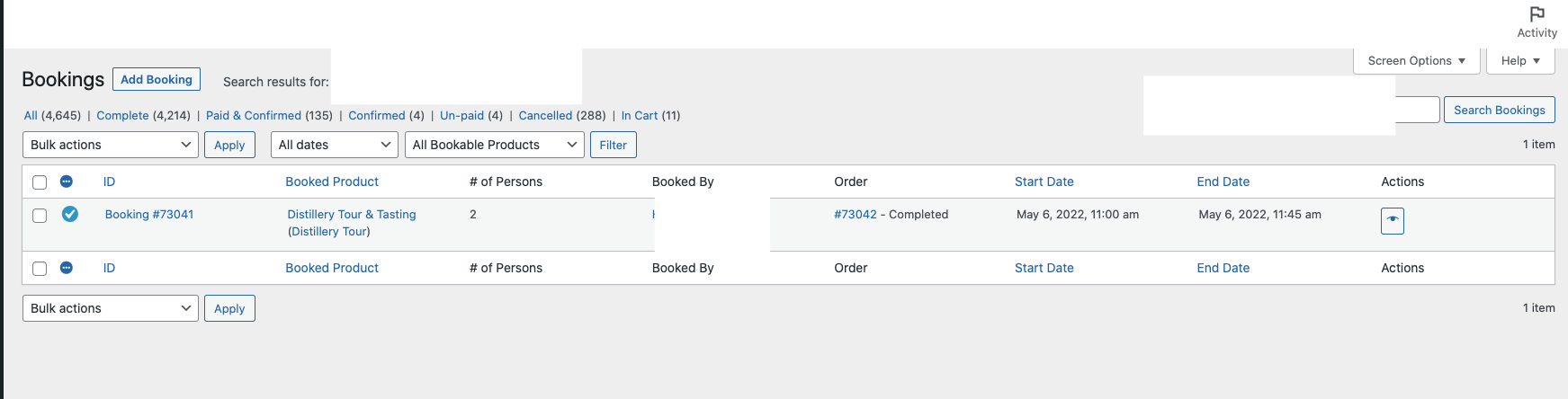 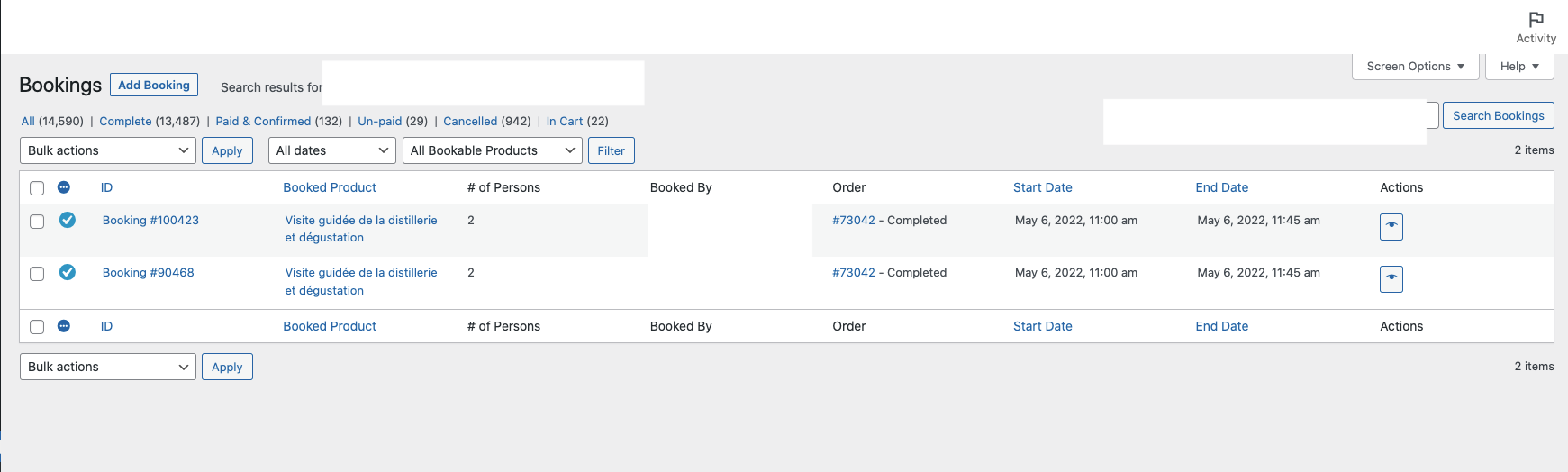 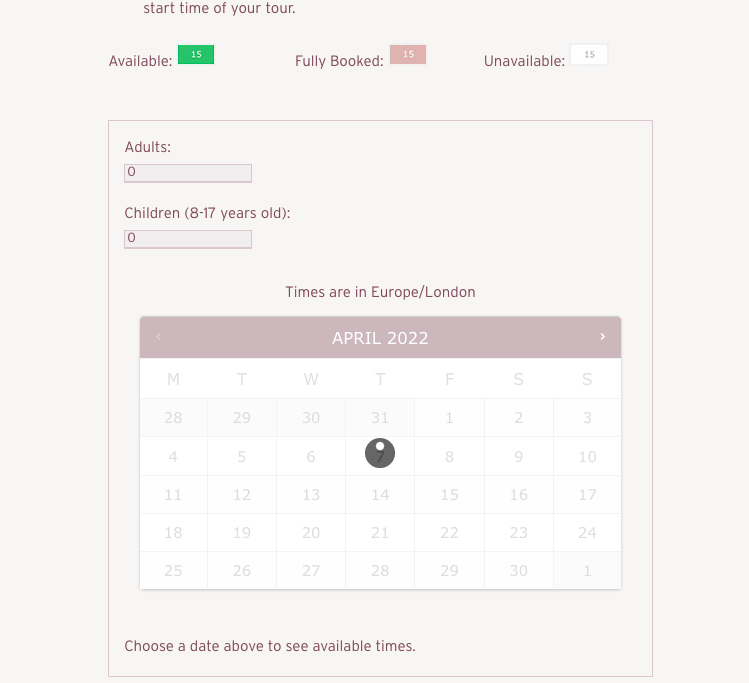  |
| April 7, 2022 at 9:38 am #10971389 | |
 Subash Chandra Poudel |
Hi there, Sorry for the issues you are having. I will try my best to help you here. A detailed guide on how to translate WooCommerce Bookings is linked next. If you don't want to translate the Bookings-related texts and options, you can set the Bookings-related post types to "Not translatable" as you did. To delete the translated Resources and Products: - Ensure there are no orders attached to the translated Resources and Products by deleting orders if any are attached to them. - Then try deleting the resources/products. As for the issue of duplicated bookings, it may or may not be related to WPML. The next test should help you find that. Also, the Booking forms not working issue may or may not be related to WPML. I can see the AJAX request to find the booked day is returning a 500 server error with a critical error on the front end. So, it looks like something on the site is interacting with WooCommerce Bookings to cause the critical error, thus breaking the booking form load. The error log on the host might have more details on what error is being caused and why the request is returning 500 errors. Please load the booking product page and check the error log. The last few lines of the error log should give more insight into what is failing and causing the issue. To confirm if the booking form not loading issue is due to WPML or not, can you please deactivate all plugins on the site except WooCommerce, WooCommerce Bookings, and activate a default theme like Twenty Twenty-One then see if the form works? If it works, you can activate other plugins and theme one by one to see which one starts the issue. Finally, you can do the same test and place test booking orders each time to find what is causing the duplicate booking orders. === Please make sure to back up the site files and database completely first to prevent any data loss === Regards, |
| April 11, 2022 at 4:16 pm #10996955 | |
|
scottM-22 |
Hi there, We have managed to fix the calendar not loading issue. This issue still is not fully resolved however, as availability of WooCommerce Booking blocks is now being incorrectly impacted by these duplicate French bookings. As it stands: Screenshots: - These duplicate bookings are having an impact on availability of WooCommerce Bookable Products on the front end calendars. Example here: hidden link of our WC Booking Resources block allows 10 x persons to be booked onto them. On my example below there is 1 x booking with 8 x persons booked on the 11am tour 2nd June 2022. On the front end calendar, I have no spaces available - I should have 2 (10 persons as defined on the WC Booking Resource less the 8 x persons booked on order 71925). So Woo Booking is counting the 2 x duplicate French bookings in addition to the original English booking when calculating what blocks are available for booking and so I have no 11am slot available for customers to book. This is incorrect.
- All new bookings being created with WPML active are creating duplicate bookings in French as I’ve stated above, though most are only created 1 x duplicate rather than the 2 x in my example above. These duplicate bookings are impacting availability as I state above. I basically have no idea what the expected behaviour here is and how WPML is supposed to work with WC Bookings. Are these duplicate bookings by design, if so why are they impacting availability. Something isn’t configure properly I suspect but really not clear what. This is directly impacting operations and revenue so we need to get resolved quickly. Happy to provide staging access to these examples. |
| April 12, 2022 at 8:26 am #11001141 | |
|
Subash Chandra Poudel |
Hi there, Thank you for the updates. I tried replicating the issue on a clean test site. Bookings were not duplicated and worked fine for me. So the problem seems to be specific to your site. Can you please do the following tests and let me know your results: 1. As I advised in the reply above, linked next, please delete all the duplicate bookings first. 2. As I advised in the same reply. Please Deactivate all the plugins except WooCommerce, and WooCommerce Bookings and activate a default theme like Twenty Twenty-one and see if any duplicates are created for new bookings. 3. Activate WPML and WooCommerce Multilingual and see if the duplicates are created for new bookings. 3. If duplicates are not created yet, activate other plugins and your theme one by one to see which one starts the issue. Please let me know the test results, and I can look into the issue further and send it to our Compatibility team for further check if required. Also, please send the credentials to your staging site to troubleshoot your test results further. I have enabled private reply for you to share the credentials safely. Please make sure to send both WP-Admin and FTP. Please make a full backup of your site (files and database) and confirm it in your next reply. I might need to enable/disable plugins, switch themes and access your website database. Regards, |