Home›Support›English Support›[Resolved] WPML Advanced Translation Editor not updating live page after multiple edits, changes saved but not ...
[Resolved] WPML Advanced Translation Editor not updating live page after multiple edits, changes saved but not ...
This thread is resolved. Here is a description of the problem and solution.
Problem: If you're experiencing issues where edits made in the WPML Advanced Translation Editor are not updating on your live site, despite the editor indicating 'Translation completed' and after clearing all caches, the live page may still display an older version. Solution: We have identified that the problem was related to the XLIFF file used by the Translation Editor. Our development team has addressed this issue with improvements to the system. If you encounter this problem, we recommend re-translating the content to see if the updates take effect on the live site. If the issue persists, it might be due to the solution being outdated or not applicable to your specific case. We highly recommend checking related known issues at https://wpml.org/known-issues/, verifying the version of the permanent fix, and confirming that you have installed the latest versions of themes and plugins.
Background of the issue:
I am trying to resolve an issue with the WPML Advanced Translation Editor. Specifically, I am experiencing problems where multiple edits to a translation are not updating on the live site. Despite the editor indicating 'Translation completed' and clearing all caches, the live page remains on an older version after several edits. Here is the link to the page where the issue can be seen: hidden link.
Symptoms:
The latest changes made in the WPML Advanced Translation Editor do not appear on the live site, even though the editor shows 'Translation completed'. The page displays an older version after multiple edits.
Questions:
What might be causing the final changes not to appear on the live site?
Is there a potential plugin conflict or another issue causing this problem?
Hello,
My name is Carlos, and I will continue working on this ticket
Please follow these steps to isolate the cause of the issue:
- Create a full site backup
- Update any outdated plugins or themes
- Flush any cache memory that might exist
- Deactivate all plugins, including the WPML ones
- Activate a default WordPress theme, like Twenty Twenty
- Activate the WPML plugins
- Edit the content with the issue in the original language -> Make a small change to the content -> Save the changes
- Go to WPML -> Translation Dashboard -> Select the content -> Assign it to yourself for translation
- Finish the translation and double-check if the issue has disappeared
- If the issue disappeared, start by activating the theme and then the rest of the plugins, one by one, until the issue appears again and you find the culprit
Can you tell me the results of the steps described above?
I’ve carefully followed each and every step you described. Between each step, I made a small change to the original content and saved the translation again, just as instructed.
After completing all the steps, the page is still stuck showing one of the previous translations, it doesn’t update anymore to the latest version from the Advanced Translation Editor.
I haven’t added any new plugins or made any other changes to the site since the last successful translation updates, so nothing else has been introduced that could affect it.
What should we do next? I still need help resolving this issue.
Hi,
Thank you very much for your message and for confirming you followed each step.
In this case, I kindly ask you to share the access credentials to the site in your next message, which I have set private. That way, I will be able to reproduce the issue and double-check the configuration.
Please confirm you have created a full site backup that you can restore if necessary.
Here are the temporary credentials as requested.
[REMOVED]
I’ve created a full backup before providing access.
Please let me know when you’re done so I can remove this account.
Hi there,
Thank you for sharing the credentials requested
Please check if the translated page is updated now.
Also, note that this page is assigned to a translator. I kindly ask you to ask the translator (maybe it is you) to cancel o finish the translation from WPML -> Translations
Unfortunately, the translated page is still not updated. In the Advanced Translation Editor, it shows that there are parts that remain untranslated, and even when I make new changes and save them, nothing happens on the live page, the translation doesn’t update.
It seems that the issue persists exactly as before, also i didn't find the page in WPML -> Translations at all.
Please provide an example of the changes you are trying to make in the page so I can use it as a reference. I need this specifically because I don't speak Greek, so I'm not quite sure of the expected result.
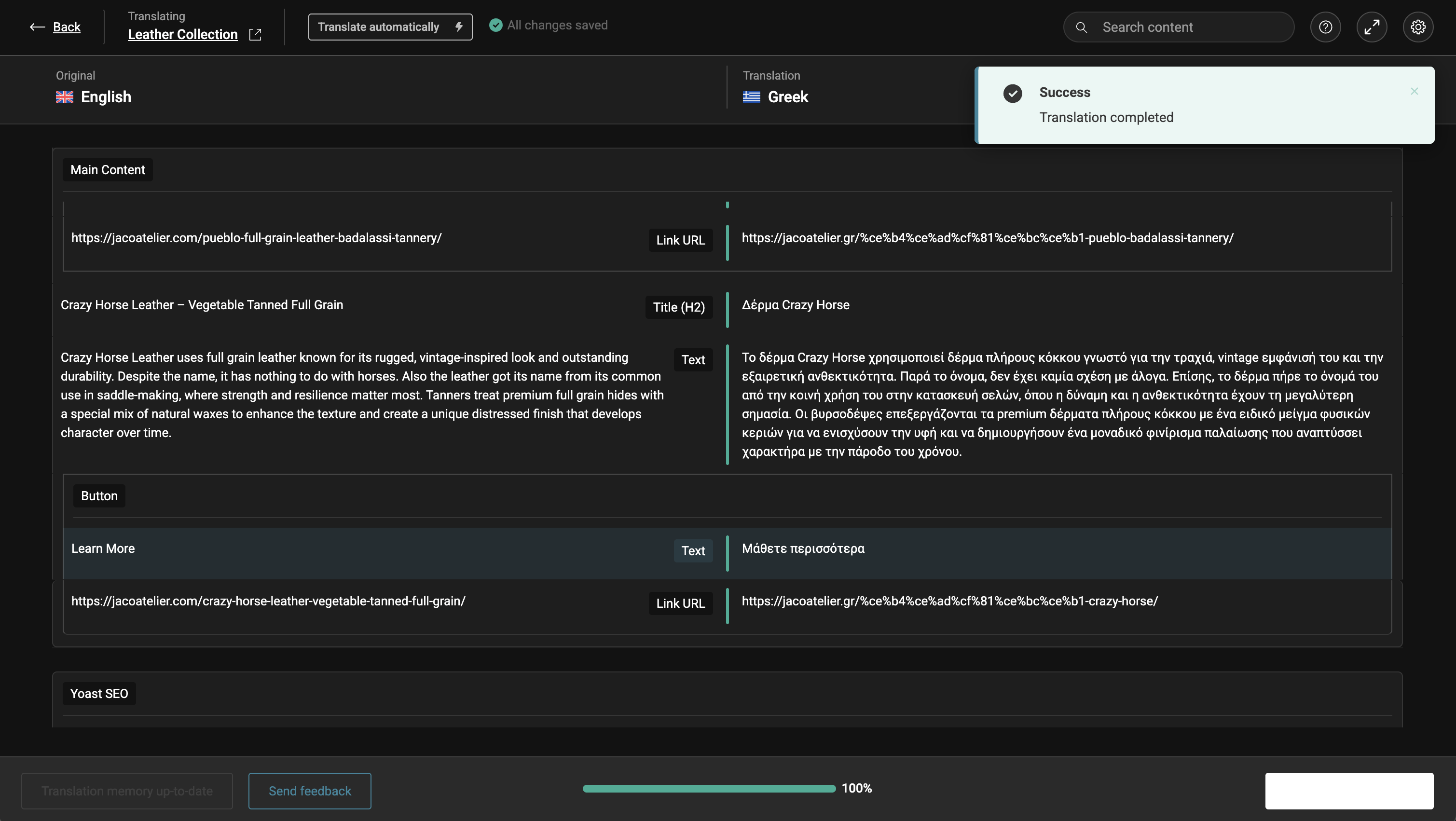
In the first one, you can see the text in the Advanced Translation Editor, it shows “Δέρμα Crazy Horse”, which is how it should appear on the live page.
In the second screenshot, you can see the same part on the actual translated page, where it instead shows “Δέρμα Crazy horse – φυτικής δέψης πλήρους κόκκου.”
This is just a small example, but the issue is consistent, the live page doesn’t reflect the most recent changes made in the editor.
Hi Constantinos,
Thank you very much for your message
I have consulted this issue with my colleagues, and after running some tests, it seems the issue is on our side, in the XLIFF file that carries the translation. I have escalated this ticket to our 2nd-tier of support, where our specialists will take a deeper look at the issue and will try to find a solution.
I will get back to you as soon as I get an answer from them.
Thank you very much for your patience and understanding!
Thank you for your last update. I completely understand that this issue might be complex to fix and may require some time, but unfortunately we can’t wait much longer, we really need the Greek version of the website to be running correctly as soon as possible.
Could you please let us know how much longer the investigation or fix is expected to take, or at least give us an estimated timeframe?
Thank you again for your help and for keeping us informed.