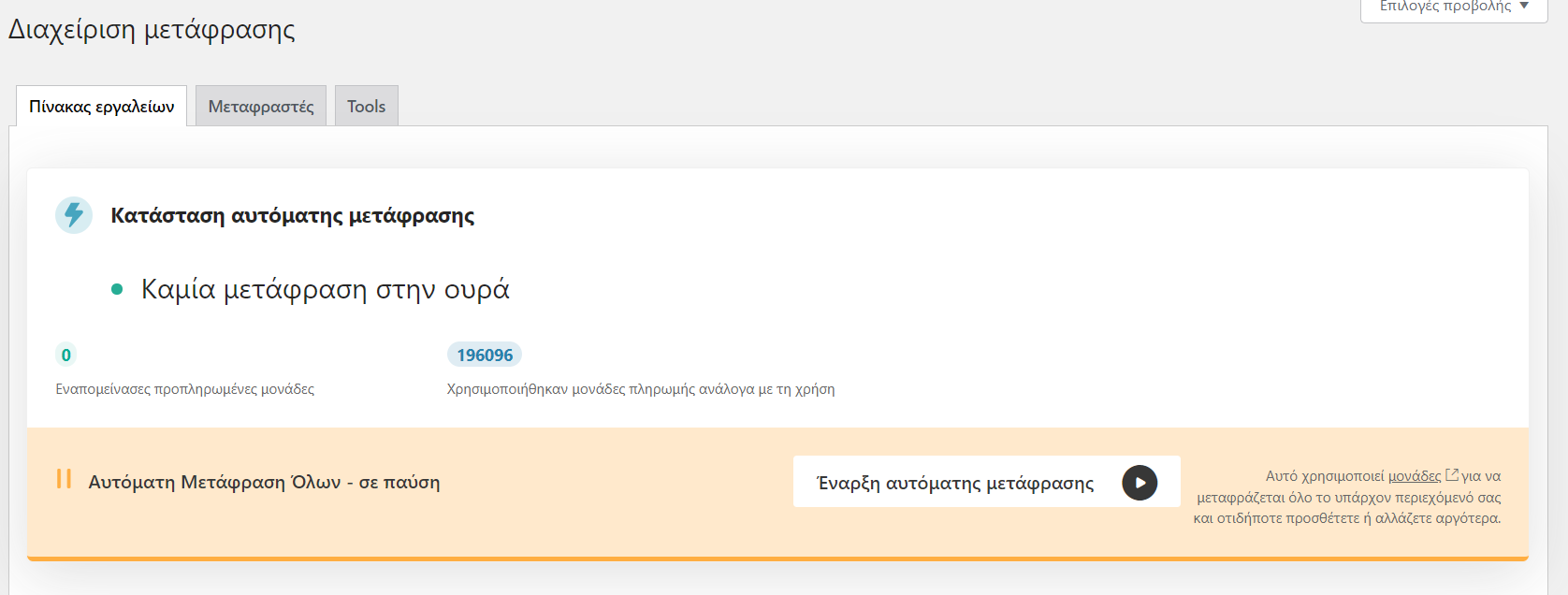
This thread is resolved. Here is a description of the problem and solution.
Problem:
You are using the pay-as-you-go auto-translation feature with WPML and have encountered an issue where it indicates that you don't have enough credits for translation. You are unsure why this message appears and how to manage your credits.
Solution:
The message about insufficient credits appears because you have reached the safety limit of €100 in a month for the Pay-As-You-Go for Automatic Translation. To resolve this, you need to pay the first €100 to resume automatic translation. You can find more details in the Safety limit charges section of our terms and conditions.
To resume automatic translation, click the pause icon on your site, which will prompt you to pay the amount and continue with the translations. Ensure you perform a full site backup before proceeding.
If this solution does not apply to your situation, or if it seems outdated, we recommend opening a new support ticket. We also advise checking related known issues at https://wpml.org/known-issues/, verifying the version of the permanent fix, and confirming that you have installed the latest versions of themes and plugins. For further assistance, please visit our support forum.
This is the technical support forum for WPML - the multilingual WordPress plugin.
Everyone can read, but only WPML clients can post here. WPML team is replying on the forum 6 days per week, 22 hours per day.
This topic contains 1 replies, has 2 voices.
Last updated by 1 year, 8 months ago.
Assisted by: Bigul.