
This is the technical support forum for WPML - the multilingual WordPress plugin.
Everyone can read, but only WPML clients can post here. WPML team is replying on the forum 6 days per week, 22 hours per day.
Tagged: Documentation request
| Author | Posts |
|---|---|
| March 23, 2026 at 12:40 pm #17918551 | |
 marinaH-5 |
Hello, I am working on a Gutenberg-based WordPress site and I need to use WPML only for language connection (hreflang, language URLs, and relationships between pages) — not as a translation editor. My requirements are: I want to disable Advanced Translation Editor (ATE) completely At the same time, I want to keep: correct hreflang implementation Even after disabling ATE and using manual editing: WPML still loads previous translation memory / segments I want a workflow like this: Create translation → empty page If this setup is not fully supported, please clarify the recommended configuration or confirm limitations. Thank you. |
| March 24, 2026 at 6:36 am #17920144 | |
 Dražen Supporter Languages: English (English ) Timezone: Europe/Zagreb (GMT+02:00) |
Hi, Thank you for the detailed explanation, I understand the workflow you’re aiming for. What you want is possible, but it requires switching away from the WPML Translation Editors and using the WordPress (Gutenberg) editor instead. Here’s how to achieve that setup: - Edit the default language page and in the right side find Language section, select WordPress editor. In popup select to make this change only for this page or all website Important notes regarding your questions: Automatic link/content synchronization happens only when using WPML editors. When using the WordPress editor, pages behave independently. WPML will still keep the language connection (URL + hreflang), but content will not be synced. Documentation for reference: Let me know if you need help switching a specific page or verifying your setup. Regards, 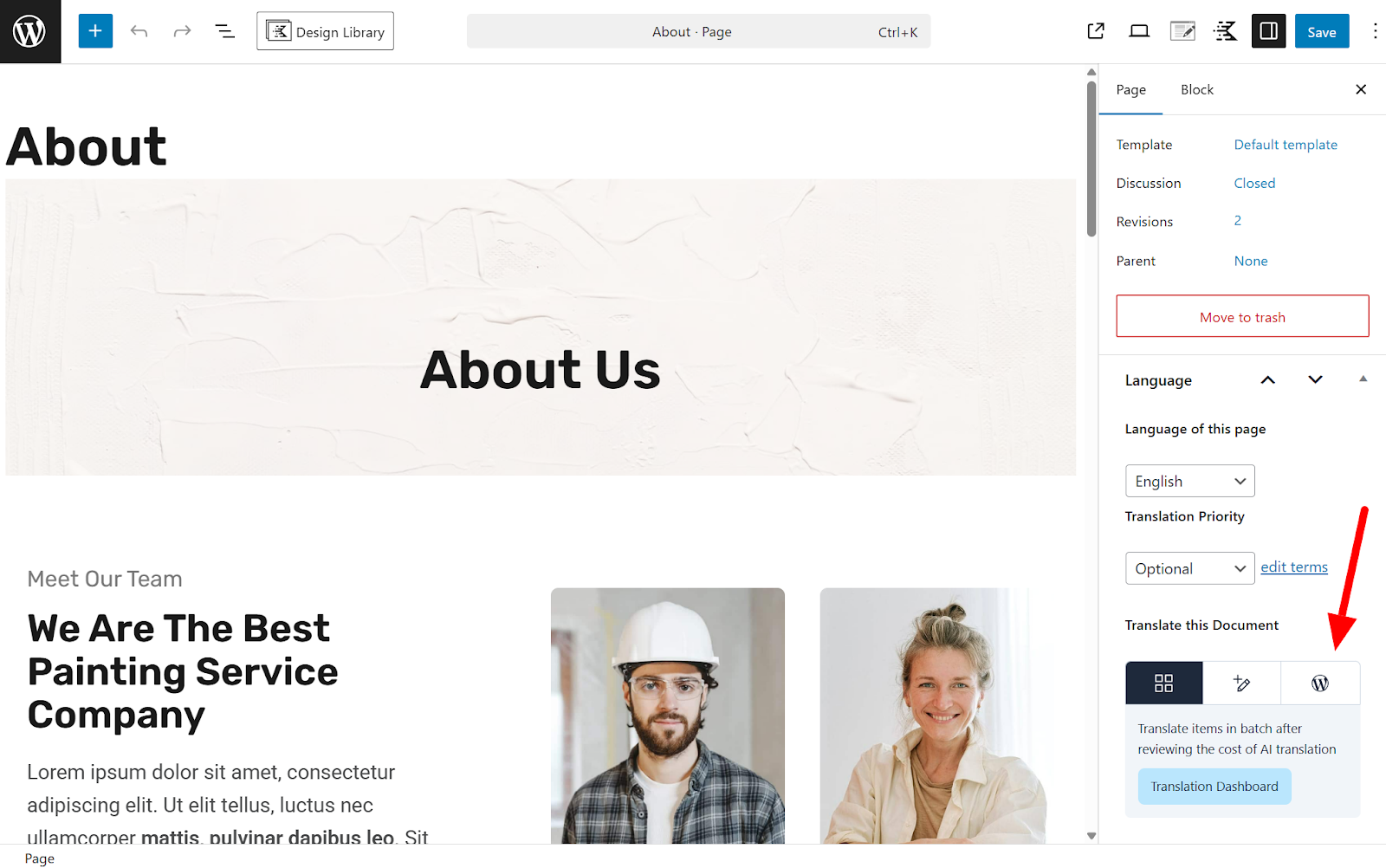 |






