Home›Support›English Support›[Resolved] WPML String Translation is displayed as a special symbol on the page after translation.
[Resolved] WPML String Translation is displayed as a special symbol on the page after translation.
This thread is resolved. Here is a description of the problem and solution.
Problem: If you're experiencing issues where translations on your Chinese page are displayed as special symbols (????), this might be due to the character encoding of your database. Solution: We recommend checking if your database uses UTF-8 encoding, which supports Chinese characters. If it's not using UTF-8, you should convert your database to UTF-8 to ensure correct display of translations. For detailed steps and solutions, please refer to our guide on handling text display issues: https://wpml.org/faq/texts-showing-as/
If this solution does not apply to your case, or if it seems outdated, we highly recommend checking related known issues at https://wpml.org/known-issues/, verifying the version of the permanent fix, and confirming that you have installed the latest versions of themes and plugins. If issues persist, please open a new support ticket at WPML support forum for further assistance.
This is the technical support forum for WPML - the multilingual WordPress plugin.
Everyone can read, but only WPML clients can post here. WPML team is replying on the forum 6 days per week, 22 hours per day.
Background of the issue:
I am translating the content of my page in string translation using WPML. The issue can be seen on this page: hidden link
Symptoms:
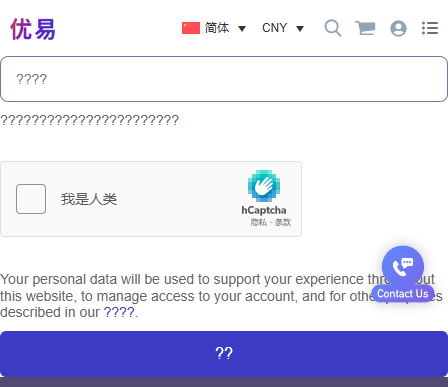
When I switch to the Chinese page, the translations are shown as ????.
Questions:
Why are the translations displayed as special symbols (????) on the Chinese page?
How can I ensure the English content is translated correctly into Chinese?
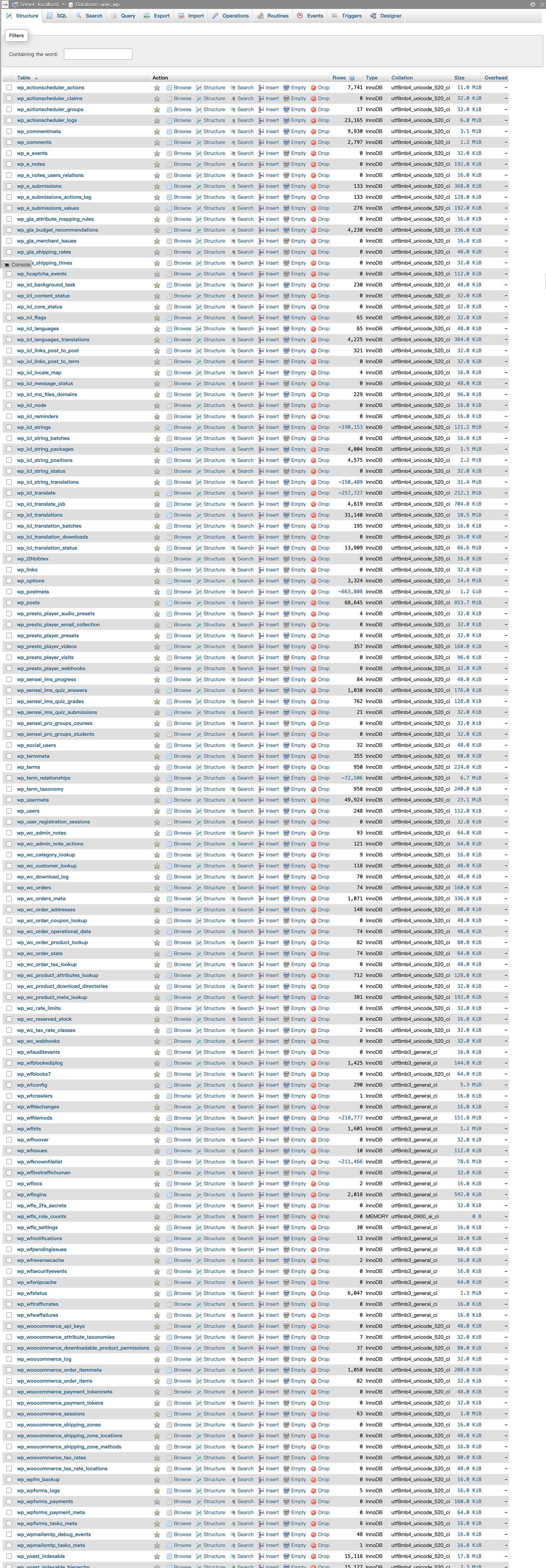
Could you share a screenshot of your database tables? If you temporarily deactivate WPML and open this page, do you see ??? or the English strings instead?
I need to request temporary access (wp-admin and FTP) to your site—preferably to a test site where the problem has been replicated if possible—in order to be of better help. When you log in to leave your next reply, you will find the needed fields below the comment area. The information you will enter is private, meaning only you and I can see and access it.
I have looked at this issue and can confirm that the Chinese strings are correctly saved in the database, so it seems to be more of an issue with the display of Chinese characters.
I still suspect that WPML does not cause this. To confirm this, please try the following steps:
1. Temporarily deactivate all WPML plugins.
2. Go to Settings → General and set Chinese as the Site Language.
3. Visit this page: hidden link.
If the issue persists, it is likely related to the theme or the plugin used to display this form, rather than WPML itself.
In that case, I recommend testing with only the essential plugins active and switching to a default theme (like Twenty Twenty-One) to check if the problem still occurs.
If you find that the issue occurs with a specific plugin that displays the form, please contact the plugin’s author to have it checked.