
This is the technical support forum for WPML - the multilingual WordPress plugin.
Everyone can read, but only WPML clients can post here. WPML team is replying on the forum 6 days per week, 22 hours per day.
| Sun | Mon | Tue | Wed | Thu | Fri | Sat |
|---|---|---|---|---|---|---|
| - | 9:00 – 13:00 | 9:00 – 13:00 | 9:00 – 13:00 | 9:00 – 13:00 | 9:00 – 13:00 | - |
| - | 14:00 – 18:00 | 14:00 – 18:00 | 14:00 – 18:00 | 14:00 – 18:00 | 14:00 – 18:00 | - |
Supporter timezone: Europe/Kyiv (GMT+02:00)
Tagged: Documentation request
This topic contains 10 replies, has 1 voice.
Last updated by Andrey 22 hours, 56 minutes ago.
Assisted by: Andrey.
| Author | Posts |
|---|---|
| November 24, 2025 at 5:33 pm #17605855 | |
 patrickW-23 |
Background of the issue: Symptoms: Questions: 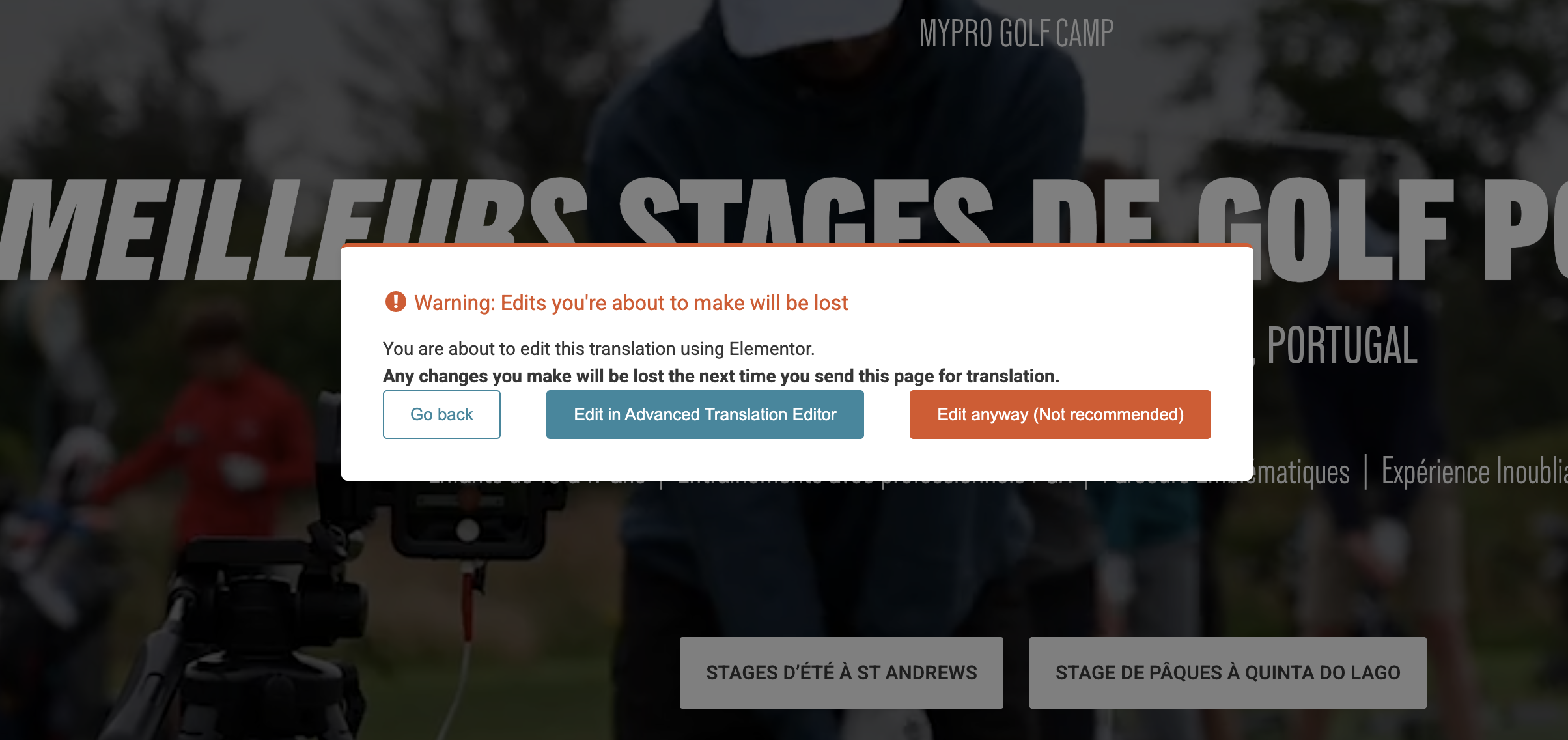 |
| November 24, 2025 at 5:51 pm #17605896 | |
|
patrickW-23 |
This is what I see at the bottom of the translated pages - I do not have any option to select between WordPress Editor or the ATE as mentioned in the AI chat 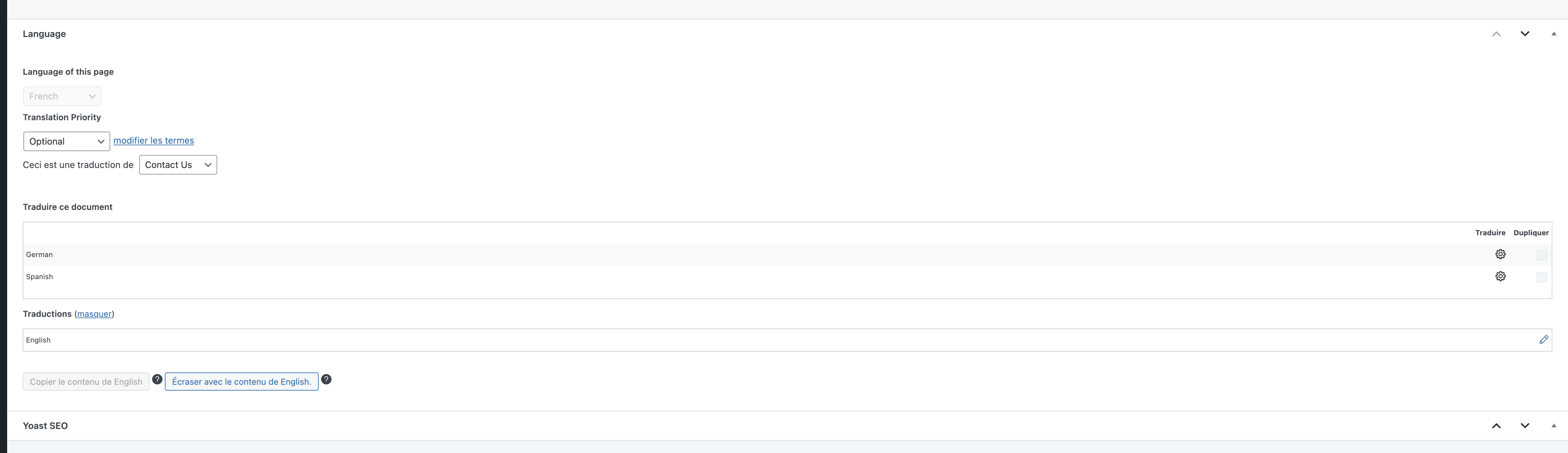 |
| November 24, 2025 at 7:44 pm #17606135 | |
 Andrey WPML Supporter since 06/2013 Languages: English (English ) Russian (Русский ) Timezone: Europe/Kyiv (GMT+02:00) |
Thank you for contacting WPML support. The behavior you’re experiencing is expected. The warning appears because you’re opening the page translation directly in the Elementor editor. It indicates that any existing translations done with the Advanced Translation Editor (ATE) will be lost if you proceed with editing the translation directly in Elementor. If you prefer to use Elementor, you can disable the Advanced Translation Editor for that specific page or post. Here’s how:
You don't see the option because you're viewing the page translation. You need to edit the page in the original language to access that option. I am attaching the screenshot. 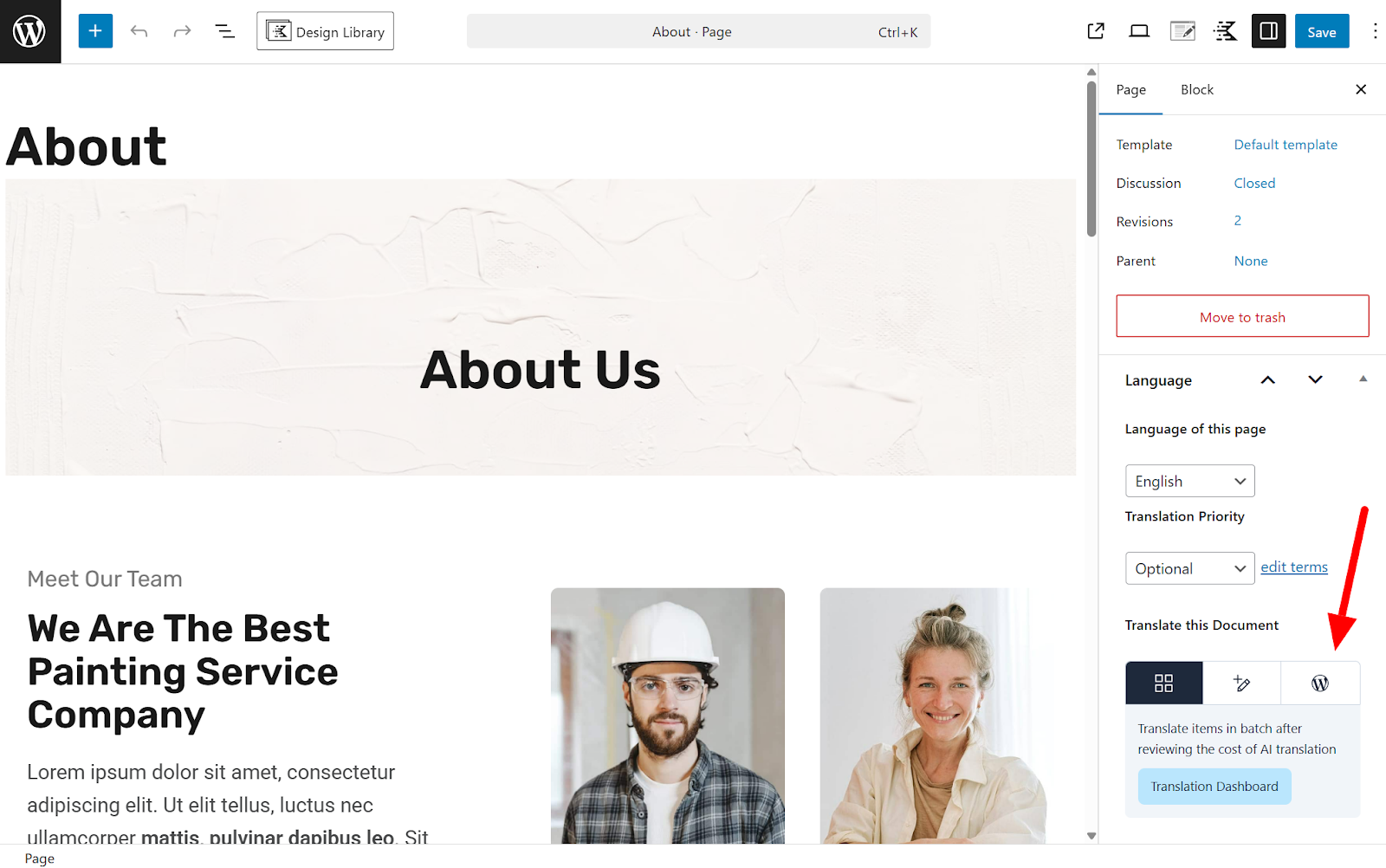 |
| November 26, 2025 at 5:15 pm #17612943 | |
|
patrickW-23 |
Hi Andrey, Thanks for the clarification. Unfortunately, I seem to still be missing something. When I go on the original page, switch to WordPress Editor and select "only this page", I do not see the "+" (see screenshot). Please advise. On another note: I’ve been using WPML for many years, and the way translations are managed and edited seems to have changed. I used to manually translate everything and edit translated pages directly in Elementor without any issues. Now, due to these changes, I spent an awful lot of time trying to sort it out and ended up completely removing and reinstalling WPML, as I thought there was an issue. Unfortunately, this wiped all of my existing translations, so I now have to rebuild everything from scratch. Given the amount of time already lost and the significant work ahead, I would like to request a refund or some form of compensation (for example, credits or additional automatic translation quota) to help offset the impact? I hope there’s something you can do in this situation. Patrick 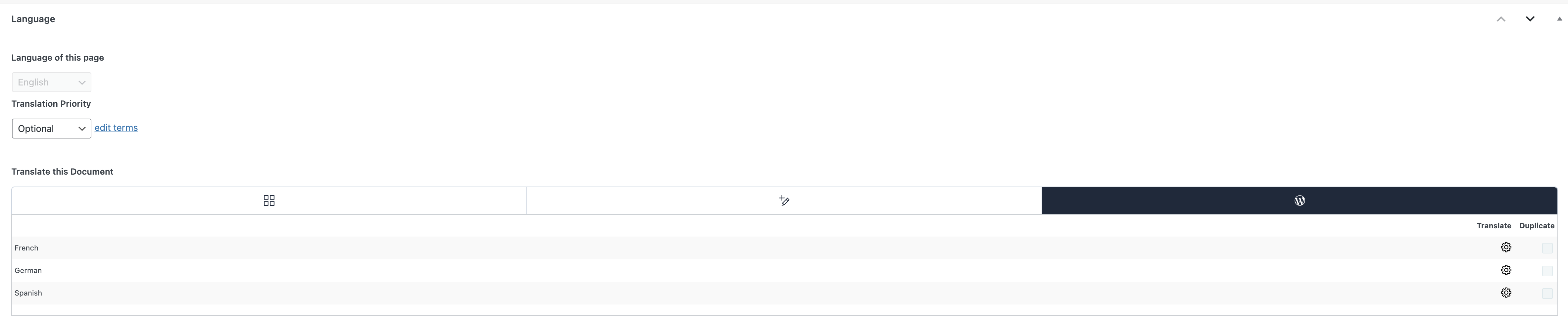 |
| November 26, 2025 at 10:01 pm #17613496 | |
|
Andrey WPML Supporter since 06/2013 Languages: English (English ) Russian (Русский ) Timezone: Europe/Kyiv (GMT+02:00) |
Hello Patrick, Thank you for sharing more details, and I am sorry that you ran into trouble with this.
It seems your translation is in progress, and that's why you see the gear icon. You can go to WPML → Translation Dashboard → Translation Jobs, find these translation jobs, and cancel them.
I have added 60,000 credits to your wpml.org account. |
| November 29, 2025 at 4:59 pm #17619794 | |
|
patrickW-23 |
Hi, thanks for your support, however I still encounter the same issue. After following exactly the steps you mentioned, deleting all the translations jobs, etc. Following the instructions for this page (https://wpml.org/documentation/translating-your-contents/using-different-translation-editors-for-different-pages/), I get the message: “This document is a duplicate of Gallery and it is maintained by WPML.” So I click on the button below saying "Translate independently"and even then, I still get the same warning message: "Edits you're about to make will be lost Wpml doesn't want to let me edit my translated pages with elementor but is forcing me to use the ATE which is seriously frustrating. Any advice? |
| December 1, 2025 at 3:44 pm #17623193 | |
|
Andrey WPML Supporter since 06/2013 Languages: English (English ) Russian (Русский ) Timezone: Europe/Kyiv (GMT+02:00) |
I’m sorry that you ran into trouble with this.
Can you show me this in the screenshot? I need to request temporary access (wp-admin and FTP) to your site—preferably to a test site where the problem has been replicated if possible—in order to be of better help. When you log in to leave your next reply, you will find the needed fields below the comment area. The information you will enter is private, meaning only you and I can see and access it. |
| December 2, 2025 at 4:19 pm #17627734 | |
|
Andrey WPML Supporter since 06/2013 Languages: English (English ) Russian (Русский ) Timezone: Europe/Kyiv (GMT+02:00) |
Hi, Thank you for sharing the access credentials. I clicked the "Translate independently" button and didn't notice the issue, meaning no warnings appeared. I made this ticket private in order to share a small screencast with you. Am I missing any step? hidden link |
| December 3, 2025 at 4:38 pm #17631794 | |
|
patrickW-23 |
Hi Andrey, |
| December 3, 2025 at 4:57 pm #17631838 | |
|
patrickW-23 |
Hi Andrey, I spoke too soon I think... I managed to work on a page without any issue, then went on to another page (called Adult/Junior Booking Page), and got the Warning message again. So it sometimes works, and it sometimes doesn't. |
| December 3, 2025 at 5:03 pm #17631845 | |
|
Andrey WPML Supporter since 06/2013 Languages: English (English ) Russian (Русский ) Timezone: Europe/Kyiv (GMT+02:00) |
Hello Camille, Thanks for the update. Please double-check that the WordPress editor is selected, that there is no pending translation job for the page. If the "Translate independently" exists, click on it. Just in case, clear the browser cache. If there is still a warning message, please provide new access details. |