Home›Support›English Support›[Resolved] I need help with WPML string translation not working correctly with WooCommerce Add-ons.
[Resolved] I need help with WPML string translation not working correctly with WooCommerce Add-ons.
This thread is resolved. Here is a description of the problem and solution.
Problem: You are using WooCommerce Add-ons with WPML string translation to display translated text on the frontend product page, but the original untranslated text still appears even after clearing both the site cache and the WPML cache. Solution: We investigated this issue and found no bug with WPML and the WooCommerce Product Add-Ons plugin. To resolve the issue, follow these steps: 1. Ensure all product categories are translated from the original language into the target language in WPML -> Taxonomy Translation. 2. Create global add-ons for the original language and add only the categories in that language. 3. In WPML -> Strings Translation, translate the add-ons labels into the target language. Following this workflow should resolve the display issues on the frontend.
If this solution does not apply to your case, or if it seems outdated, we highly recommend checking related known issues at https://wpml.org/known-issues/, verifying the version of the permanent fix, and confirming that you have installed the latest versions of themes and plugins. If issues persist, please open a new support ticket at WPML support forum.
This is the technical support forum for WPML - the multilingual WordPress plugin.
Everyone can read, but only WPML clients can post here. WPML team is replying on the forum 6 days per week, 22 hours per day.
Background of the issue:
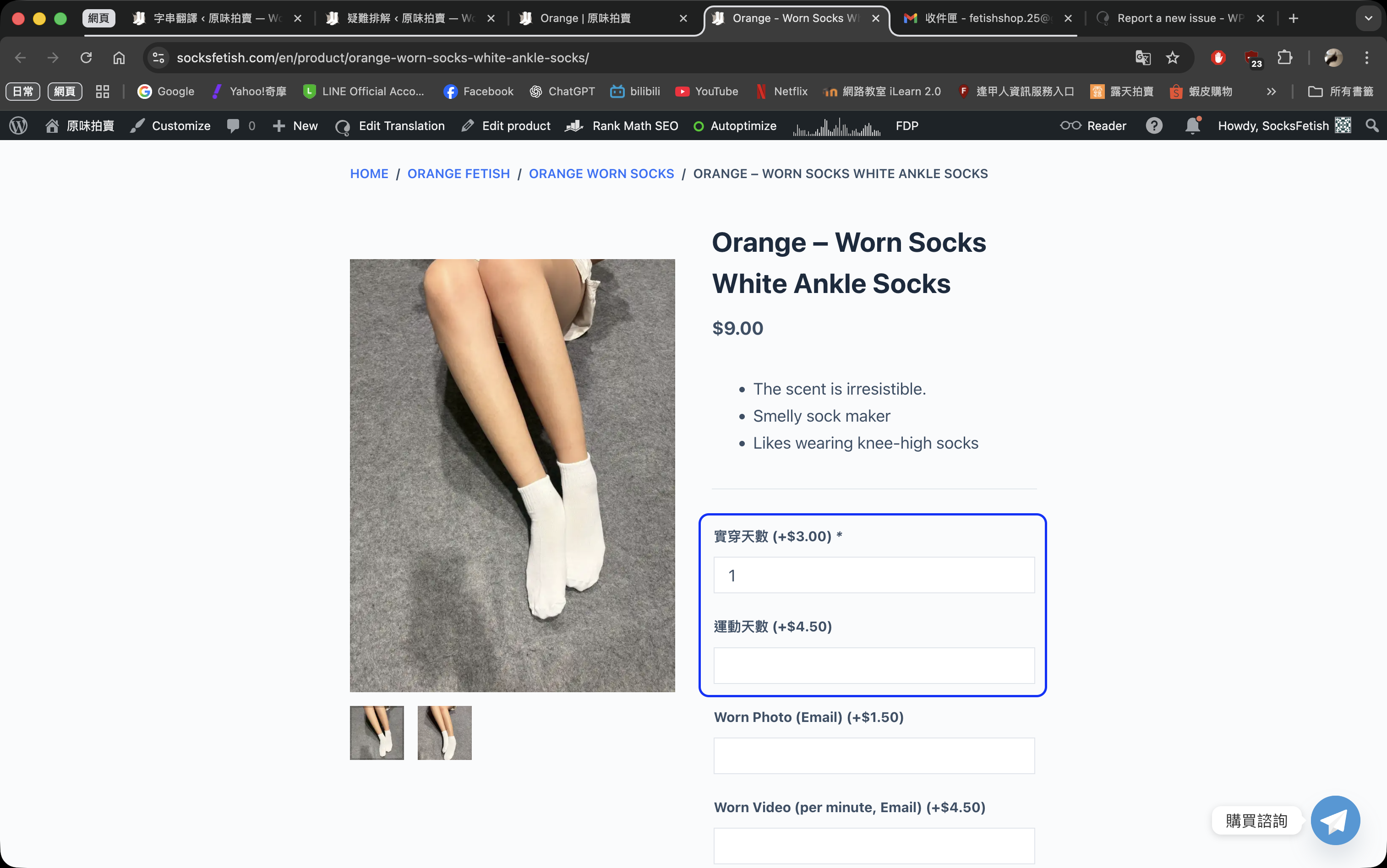
I am trying to use WooCommerce Add-ons with WPML string translation to display the translated text on the frontend product page. The issue can be seen on this page: hidden link
Symptoms:
The original untranslated text still appears on the frontend, even after clearing both the site cache and the WPML cache.
Questions:
Why is the WPML string translation not working correctly with WooCommerce Add-ons?
How can I ensure the translated text appears on the frontend after selecting add-ons?
Can you please specify whether the affected add-ons are global or per-product?
If you require additional assistance with this, please share the access details to your site with me. I'm enabling a private message for the following reply.
Privacy and Security Policy
We have strict policies regarding privacy and access to your information. Please see: https://wpml.org/purchase/support-policy/privacy-and-security-when-providing-debug-information-for-support/ **IMPORTANT**
- - Please back up the site files and database before providing us access. --
-- If you have a staging site where the problem can be reproduced, it is better to share access to the staging site.--
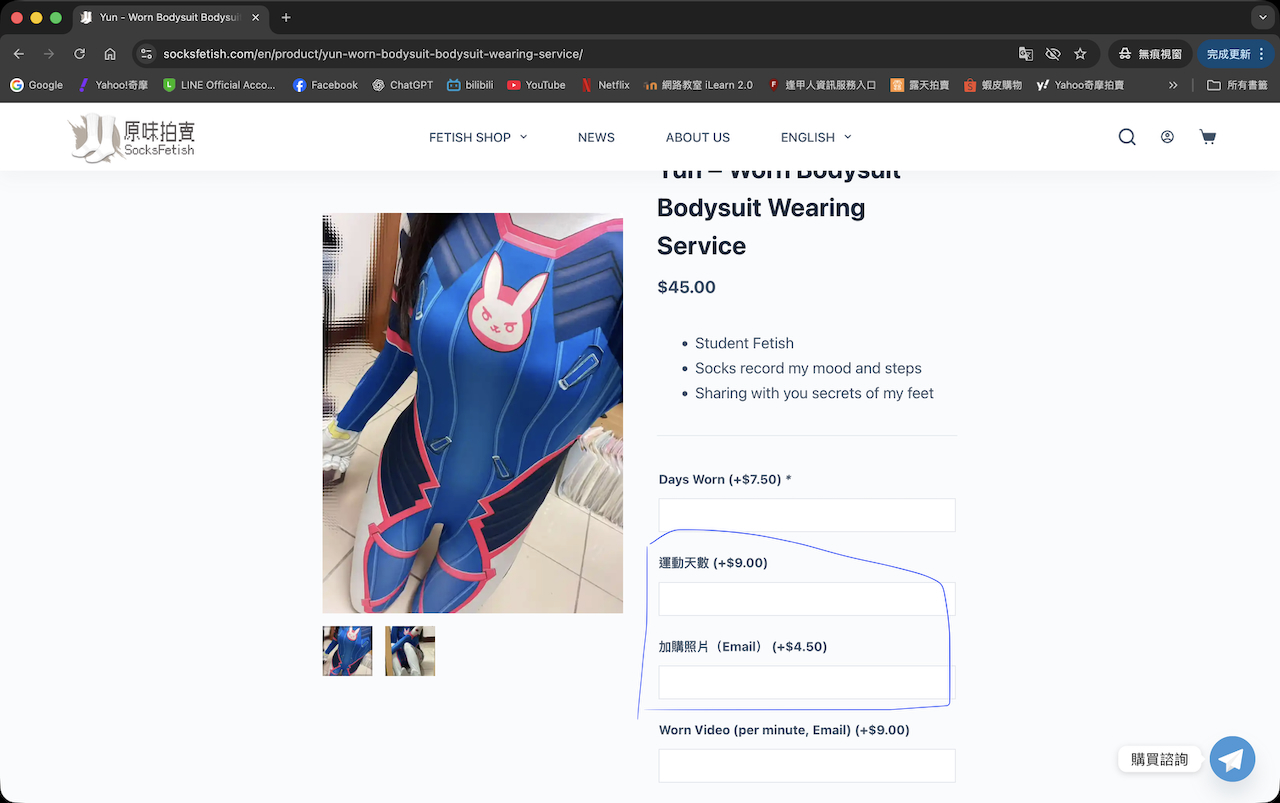
I just modified the Add-ons, and the same issue occurred again.
In the Add-ons backend page, the fields “運動天數” (Days of Exercise) and “加購照片” (Extra Photos) cannot be found in WPML’s String Translation.
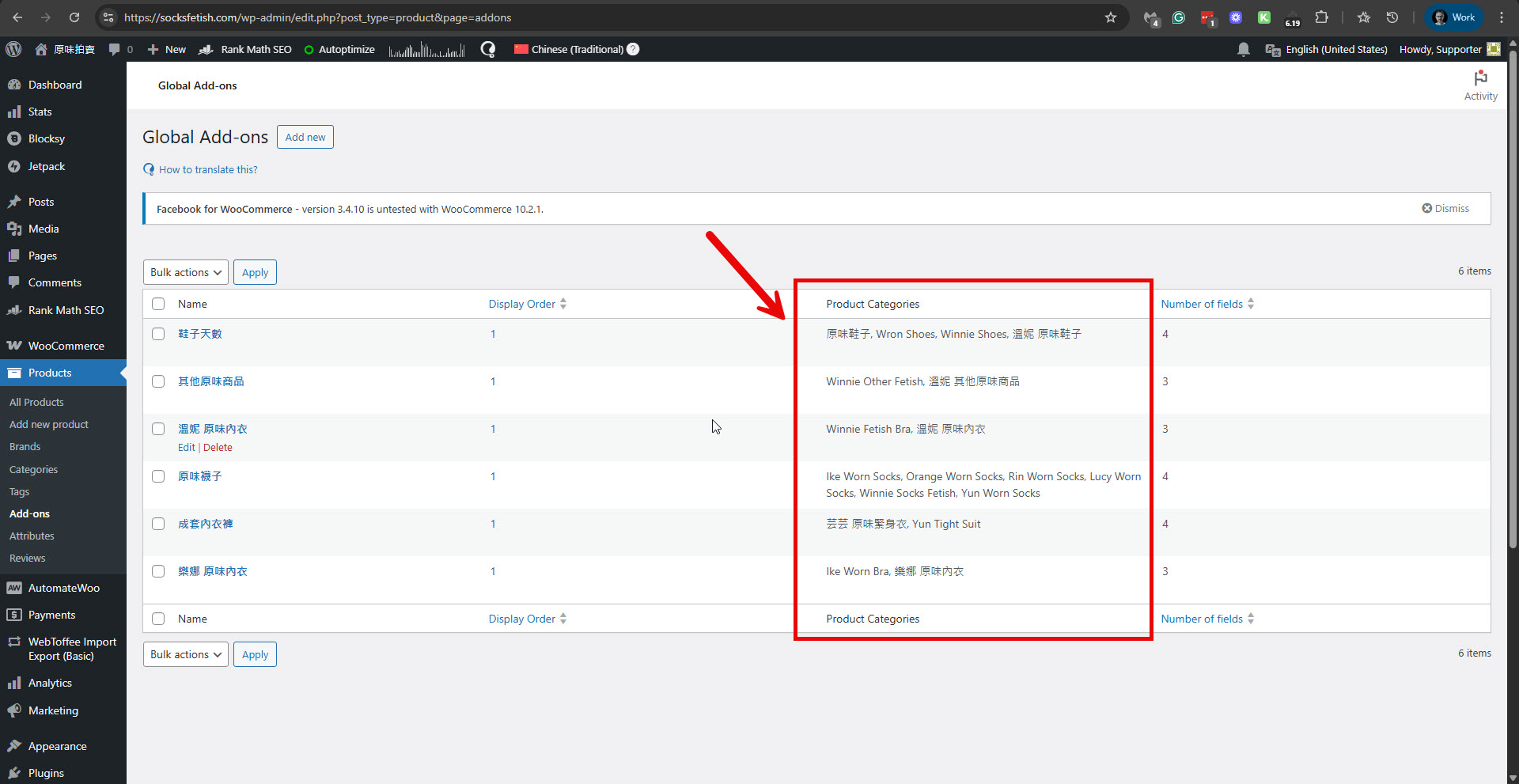
The problem must be because you mix Chinese and English product categories for the different add-ons. You can see it in the Add-ons main page here: hidden link
Please see the attached screenshot.
It seems you need to have add-ons only for Chinese with Chinese product categories. And add-ons are only available in English, with English product categories.
Can you please try it and see if it helps?
I chose this setup because it is actually one of the WPML bugs. If possible, I would also like to request that this issue be fixed.
When I configure add-ons to only use Chinese with Chinese product categories, the English product categories get overwritten when add-ons are set to English, and vice versa. That’s why, in the Add-ons page, I selected “All languages” and included both the Chinese and English categories.
I also tried your suggested approach again: “Add-ons only using Chinese with Chinese product categories, and add-ons only using English with English product categories.” However, the front-end product page still shows errors, and the same issue appears.
When the last update of the product category and add-on options is set in English, the Chinese add-on options and their linked categories get overwritten, which causes the Chinese front-end product page not to display the Add-ons options at all.
If possible, could you duplicate my website on your local environment to test, or alternatively make the changes directly on my website?
Please kindly help me check this issue. Thank you very much for your support!
I investigated this issue on a test site and was unable to replicate it.
There seems to be no bug with WPML and the Product Add-Ons plugin.
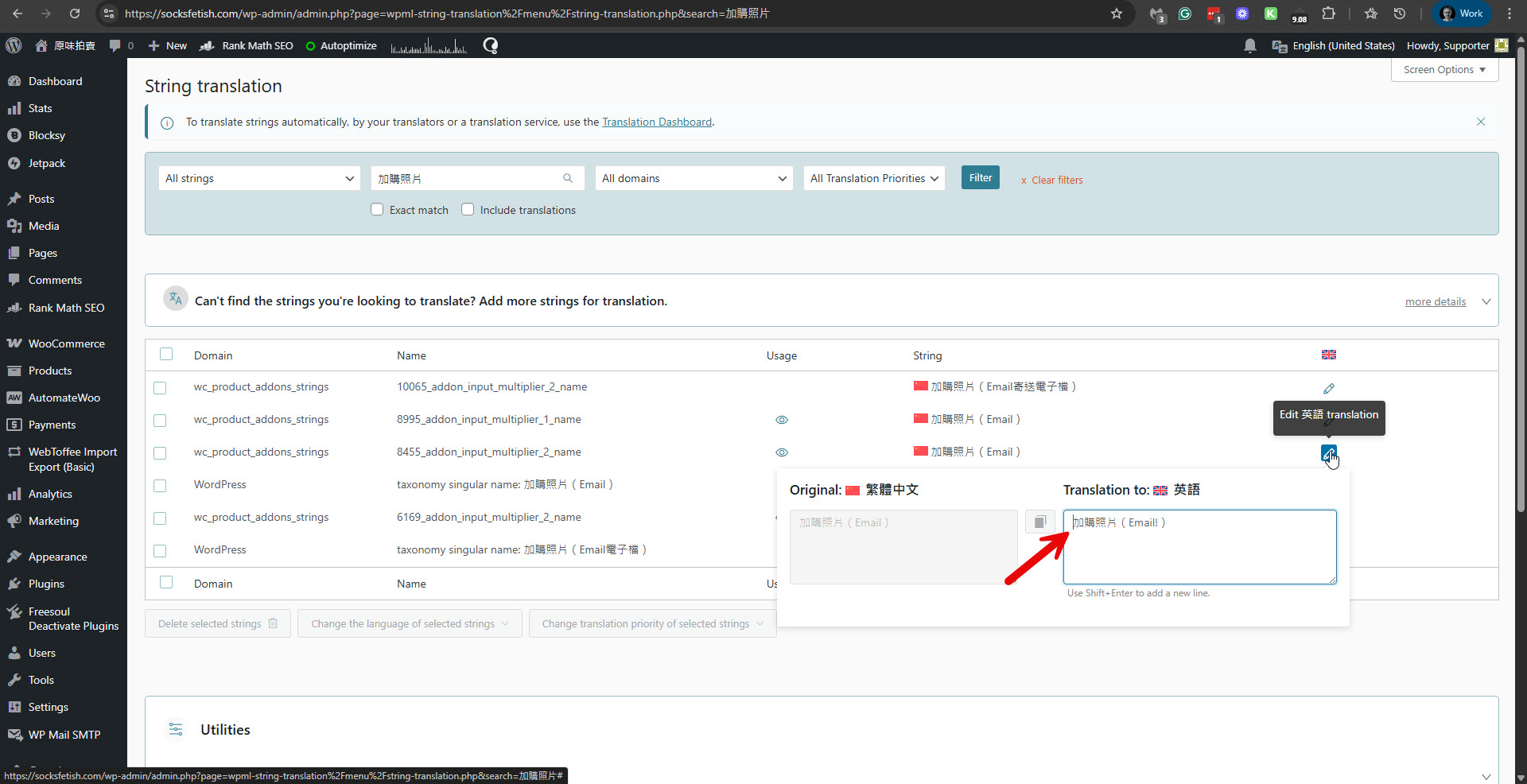
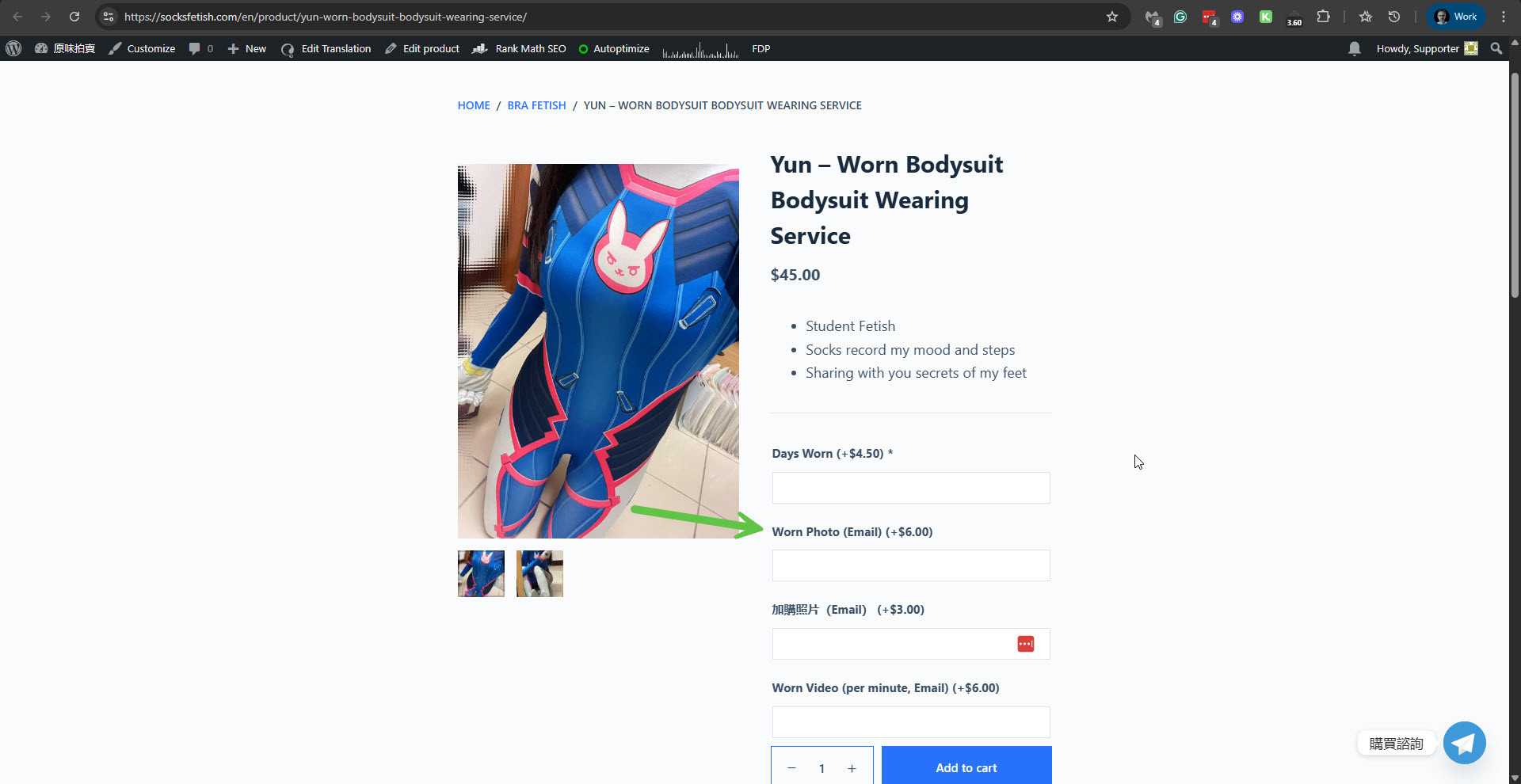
On your site, I was able to resolve the issue with one of the labels by correctly translating the add-on label in WPML -> Strings Translation. For example, I searched for 加購照片(Email)and could see that its translation into English is in Chinese. Please see the attached screenshot st-ch.jpg. I then translated it into English like this: Worn Photo (Email). After this, I could see that it is OK with the product. Please see the attached screenshot product-ok.jpg. You can search for labels that have this problem and fix them in WPML -> Strings Translation.
The correct workflow should be like this:
1. Ensure that all the product categories are translated from Chinese into English in WPML -> Taxonomy Translation.
2. Create the global add-ons for the Chinese language.
3. Add only the Chinese categories.
4. In WPML -> Strings Translation, translate the add-ons labels from Chinese into English.
If this workflow is kept, then you should have no problems.
I followed the workflow you recommended to update the add-ons and product categories, and I’m happy to confirm that all the issues have been completely resolved. I sincerely appreciate your guidance and support!