Skip to content Skip to sidebar

This thread is resolved. Here is a description of the problem and solution.

Problem:
The client had issues with their website's menu translation. After setting up a main menu and a secondary menu in Spanish and syncing them, the 'home' and 'News' items were not showing in the Spanish menu, and the menu remained in English.
Solution:
We recommended the client to first check if they had used the WP Menus Sync feature by navigating to WPML → WP Menus Sync. For more details, we provided a documentation link: Translating Menus documentation.

Next, we instructed the client to translate the menu labels into Spanish by following these steps:
1. Go to WPML → String Translation.
2. Select the Main menu under domains.
3. Translate the items to Spanish.
After completing these steps, the menu should display correctly in Spanish. We also provided a link to the documentation for further guidance: Translating Custom Links after WP Menus Sync.

If the solution provided is not relevant due to being outdated or not applicable to your case, we encourage you to open a new support ticket. We also highly recommend checking related known issues at WPML Known Issues, verifying the version of the permanent fix, and confirming that you have installed the latest versions of themes and plugins. For further assistance, please visit our support forum: WPML Support Forum.

This is the technical support forum for WPML - the multilingual WordPress plugin.

Everyone can read, but only WPML clients can post here. WPML team is replying on the forum 6 days per week, 22 hours per day.

This topic contains 6 replies, has 2 voices.

Last updated by Andrey 1 year, 11 months ago.

Assisted by: Andrey.

Author Posts
March 20, 2024 at 9:22 pm #15433847

kathleenL-4

I've been reading through your documentation and forum but for some reason an unable to figure out the solution. I had set up my main menu and then a 2nd menu and made that language spanish and then synched the menus. When I go to view the website and click on the Spanish translation, the "home" and "News" no longer show in the menu. Also the menu remains in English. So I've obviously missed something on my end or didn't set it up right the first time.

The website is hidden link.

Any assistance would be greatly appreciated it.

March 20, 2024 at 9:49 pm #15433868

Andrey
WPML Supporter since 06/2013

Languages: English (English ) Russian (Русский )

Timezone: Europe/Kyiv (GMT+02:00)

Thank you for reaching out to WPML support.

Can you please upload some screenshots showing the menu in the WordPress dashboard and its translation? Also, have you tried using WPML's WP Menus Sync feature in WPML → WP Menus Sync?

For more information, please visit https://wpml.org/documentation/getting-started-guide/translating-menus/#easy-customizable-wp-menus-sync.

March 21, 2024 at 2:59 pm #15436973

kathleenL-4

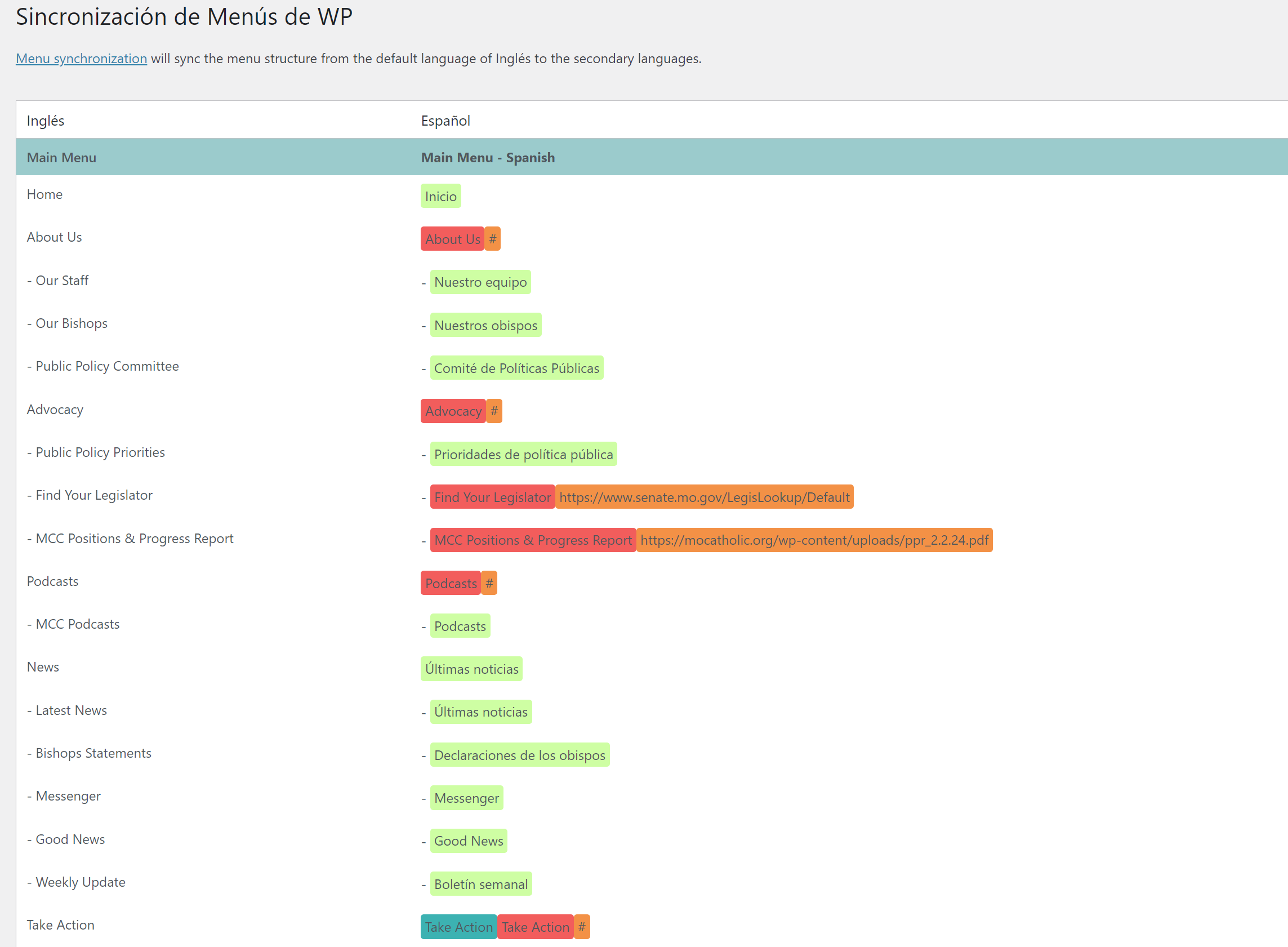
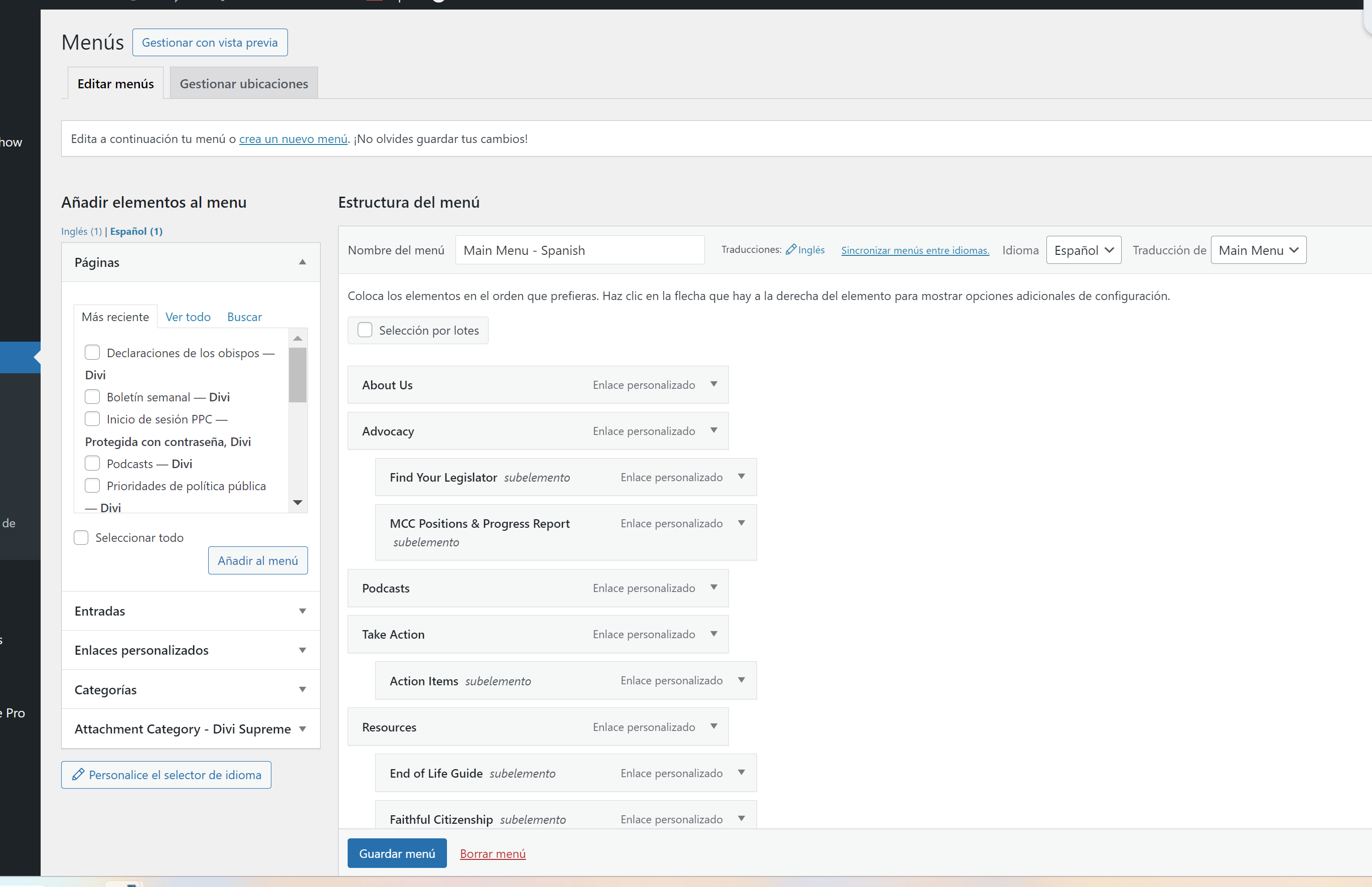
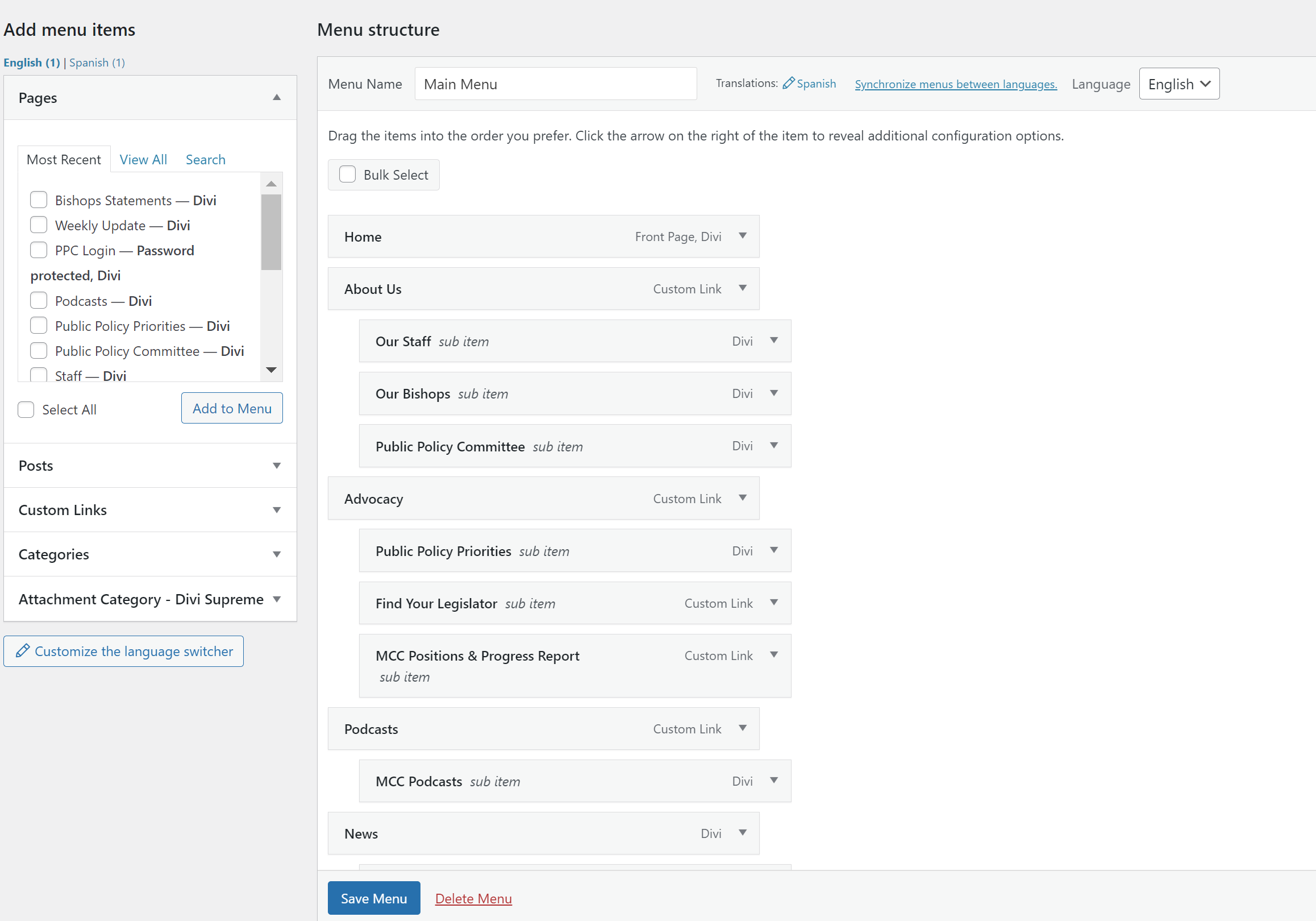
Here are the images you requested. I have read the documentation and done what is expected and am still having issues.

Menu Sync.png
Menu 2.png
Menu 1.png
March 22, 2024 at 10:08 pm #15442567

Andrey
WPML Supporter since 06/2013

Languages: English (English ) Russian (Русский )

Timezone: Europe/Kyiv (GMT+02:00)

I need to request temporary access (wp-admin and FTP) to your site – preferably to a test site where the problem has been replicated if possible – in order to be of better help. You will find the needed fields for this below the comment area when you log in to leave your next reply. The information you will enter is private which means only you and I can see and have access to it.

March 26, 2024 at 1:23 pm #15451559

Andrey
WPML Supporter since 06/2013

Languages: English (English ) Russian (Русский )

Timezone: Europe/Kyiv (GMT+02:00)

Thank you for sharing the information. I have checked your website and noticed that the menu labels have not been translated into Spanish. To translate the menu items to Spanish, please follow these steps:

1. Go to WPML → String Translation.
2. Choose the Main menu under domains.
3. Translate the items to Spanish.

Once you have completed these steps, the menu transition should appear, and you can further synchronize the menu if needed. Here is the link to the steps: https://wpml.org/documentation/getting-started-guide/translating-menus/#translating-custom-links-after-wp-menus-sync.

March 26, 2024 at 4:41 pm #15452504

kathleenL-4

Thank you for your patience and help. I finally understood what was needed and was able to translate the menu. I greatly appreciate your assistance.

March 26, 2024 at 4:43 pm #15452508

Andrey
WPML Supporter since 06/2013

Languages: English (English ) Russian (Русский )

Timezone: Europe/Kyiv (GMT+02:00)

I'm glad to hear that the issue has been resolved. Have a great day!