
Skip to content Skip to sidebar

This thread is resolved. Here is a description of the problem and solution.

Problem:
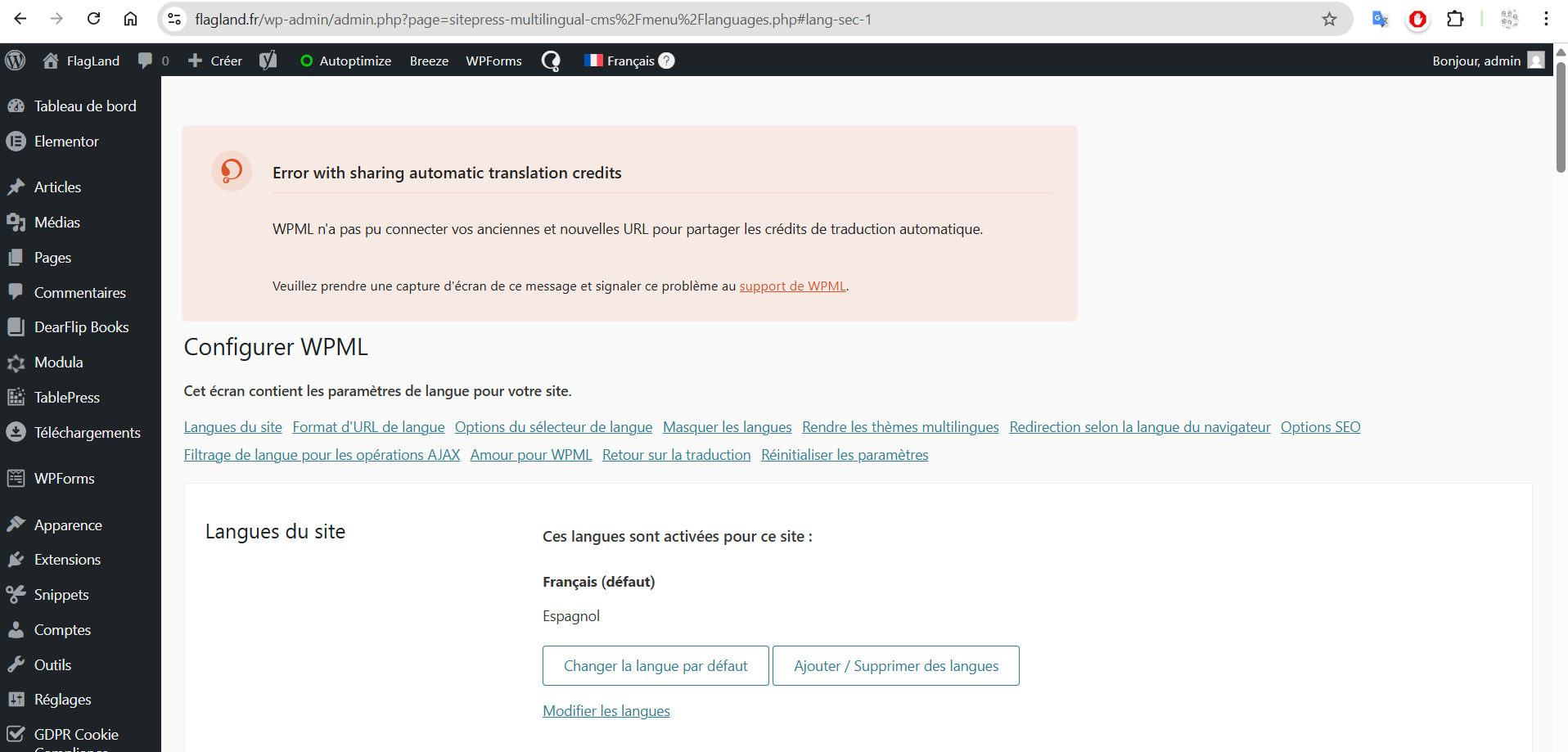
The client changed their website URL from flagland.be to flagland.fr and their WPML translation credits did not transfer to the new URL.
Solution:
We recommend following these steps to resolve the issue:
1. Go to your wpml.org account → Registered Sites and remove the existing site key for this website.
2. In your WordPress dashboard, go to Plugins → Add New → Commercial tab and click 'Unregister WPML from this site'.
3. Once the page reloads, click 'Register WPML'. When prompted, choose 'Get a key for this site'.
4. In your wpml.org account, complete the site key wizard and make sure to set the site type to Production.
5. Copy the newly generated site key and paste it into the Commercial tab in your WordPress dashboard.
6. Finally, go back to wpml.org and reassign your automatic translation credits to the new site key. The credits should be available again and can be reassigned.

If this solution does not apply to your case, or if it seems outdated, we highly recommend checking related known issues, verifying the version of the permanent fix, and confirming that you have installed the latest versions of themes and plugins. If issues persist, please open a new support ticket.

This is the technical support forum for WPML - the multilingual WordPress plugin.

Everyone can read, but only WPML clients can post here. WPML team is replying on the forum 6 days per week, 22 hours per day.

Tagged: 

This topic contains 2 replies, has 1 voice.

Last updated by Amelie Gagner 2 weeks ago.

Assisted by: Andrey.

Author Posts
January 25, 2026 at 4:03 pm #17760260

Amelie Gagner

Hello,
I changed the website url from flagland.be to flagland.fr
and my credits didnt move to flagland.fr

Can you help me please ?
thank you!

January 25, 2026 at 4:40 pm #17760300

Amelie Gagner

I cant solve the problem. I tried to add the key
b13b1273f3
which was created for flagland.fr but doesnt work.
Why ?

thank you!

January 25, 2026 at 9:51 pm #17760512

Andrey
WPML Supporter since 06/2013

Languages: English (English ) Russian (Русский )

Timezone: Europe/Kyiv (GMT+02:00)

Thank you for contacting WPML support.

Could you please confirm whether you have completed the following steps?
1. Go to your wpml.org account → Registered Sites and remove the existing site key for this website.
2. In your WordPress dashboard, go to Plugins → Add New → Commercial tab and click Unregister WPML from this site.
3. Once the page reloads, click Register WPML. When prompted, choose Get a key for this site.
4. In your wpml.org account, complete the site key wizard and make sure to set the site type to Production.
5. Copy the newly generated site key and paste it into the Commercial tab in your WordPress dashboard.
6. Finally, go back to wpml.org and reassign your automatic translation credits to the new site key. The credits should be available again and can be reassigned.

January 26, 2026 at 5:30 pm #17763820

Amelie Gagner

Thank you!
I solve the problems !

All the best!