This thread is resolved. Here is a description of the problem and solution.
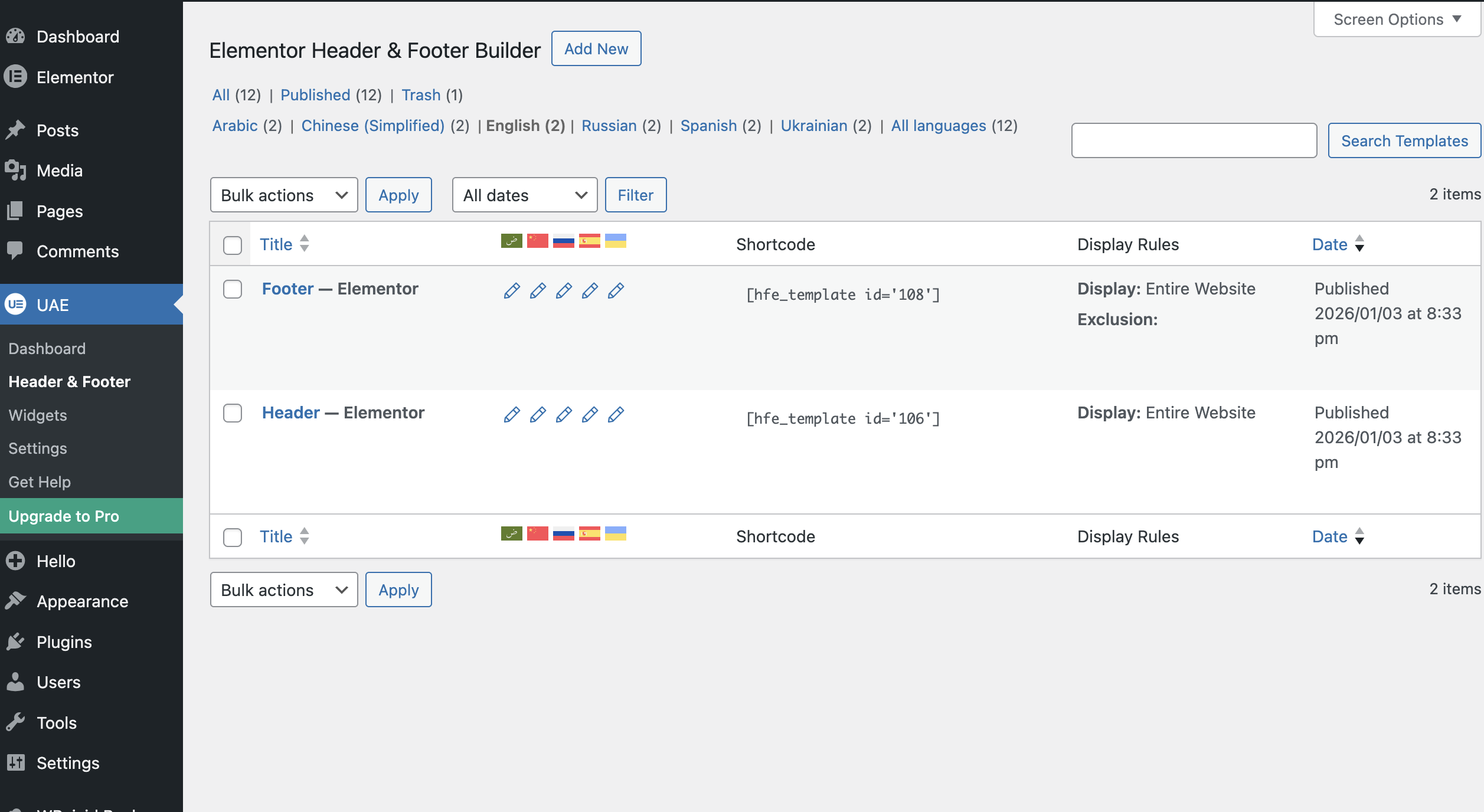
Problem: The client was facing an issue where the header and footer created with Elementor and Ultimate Addons for Elementor were not displaying for non-default languages, despite having completed translations for these elements. Solution: We identified that the "Display Rules" were missing on the translated templates. To resolve this, we: 1. Navigated to WPML > Settings > Custom Fields translation. 2. Set the following fields to "Copy":
ehf_target_include_locations
ehf_target_exclude_locations
ehf_target_user_roles
ehf_template_type
display-on-canvas-template
3. Updated the translations for the templates, which resolved the issue. For more detailed guidance, please refer to our documentation on Translating Custom Fields.
Please note that this solution might be outdated or not applicable to your specific case. We highly recommend checking related known issues at https://wpml.org/known-issues/, verifying the version of the permanent fix, and confirming that you have installed the latest versions of themes and plugins. If the issue persists, please open a new support ticket.
This is the technical support forum for WPML - the multilingual WordPress plugin.
Everyone can read, but only WPML clients can post here. WPML team is replying on the forum 6 days per week, 22 hours per day.
header footer not showing for non default languages
i am using elementor page builder and Ultimate Addons for Elementor for creating header and footer
also i have translated header footer and menu to all languages already still not showing for non English languages
Could you please increase the WordPress memory limit (WP Memory Limit) to at least 256 MB? WPML requires at least 128 MB.
Your current values are:
PHP Memory Limit 2G
WP Memory Limit 40M
To do this, you need to connect to your website's server and open the wp-config.php file in a text editor. The file is located in the WordPress root directory.
Add this code to the wp-config.php file to increase WordPress's memory:
define ('WP_MEMORY_LIMIT', '256M');
Add this just before this comment:
// That's all, stop editing! Happy blogging.
The current values can be viewed under WPML > Support > WordPress.
These settings can be restricted directly by your hosting provider. Therefore, I recommend contacting them and asking them to change them directly if the changes are not applied automatically.
If adjusting the limit does not solve the issue, please let me know.
i have updated it ,but the issue is not that header and footer updated for all other languages except english not even showing both header footer not even showing it's hidden
i have already mentioned that translation part is completed for both header and footer also for menu in appearance
Ultimate Addons for Elementor is the plugin i used for creating header and footer
for english only header and footer is visible all other languages it is hidden
Languages: English (English )Spanish (Español )German (Deutsch )
Timezone: America/Lima (GMT-05:00)
I'd like to request temporary access (wp-admin and FTP) to the website to investigate the issue further.
You'll find the necessary fields below the comment section if you log in to leave the next reply. The information you provide will be private, meaning only you and I will be able to see and access it.
IMPORTANT
Please be sure to create a backup of the website and database before granting us access.
If you don't see the "wp-admin / FTP" fields, your login credentials for the post and website will be set to "PUBLIC." Do NOT publish the information unless you see the required wp-admin / FTP fields.
The private reply form looks like this: hidden link
When replying again, click "I still need assistance".
Video: hidden link
Please note that we are required to request this information individually on each ticket. We are not permitted to access any login information that was not specifically provided in the private reply form for this ticket.