
This is the technical support forum for WPML - the multilingual WordPress plugin.
Everyone can read, but only WPML clients can post here. WPML team is replying on the forum 6 days per week, 22 hours per day.
| Sun | Mon | Tue | Wed | Thu | Fri | Sat |
|---|---|---|---|---|---|---|
| - | - | 9:00 – 18:00 | 9:00 – 18:00 | 9:00 – 18:00 | 9:00 – 18:00 | 9:00 – 18:00 |
| - | - | - | - | - | - | - |
Supporter timezone: America/Lima (GMT-05:00)
Tagged: Exception
This topic contains 16 replies, has 1 voice.
Last updated by Andreas W. 14 hours, 8 minutes ago.
Assisted by: Andreas W..
| Author | Posts |
|---|---|
| January 24, 2026 at 5:24 pm #17759207 | |
 nicoS-28 |
Hello, I have a live website in 3 languages (NL/FR/ENG) and I added some local landing pages with a Custom Post Type. All pages under hidden link are not accessible anymore, for example: In NL & FR all my pages are shown correctly. Thank you for your assistance! Nico 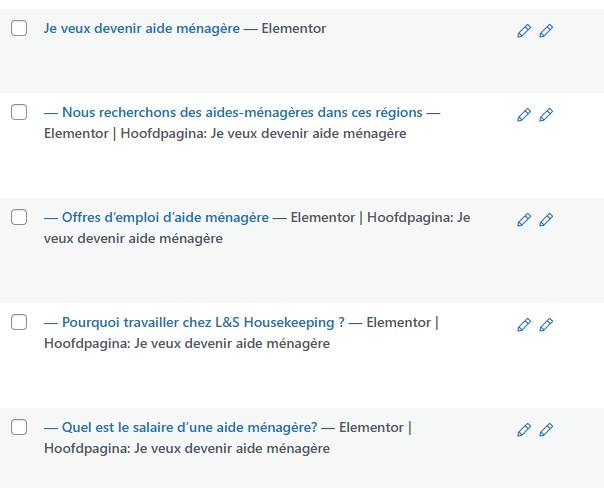 |
| January 24, 2026 at 5:52 pm #17759251 | |
|
nicoS-28 |
This is an example of the custom post type: hidden link Maybe the problem is linked with it? |
| January 24, 2026 at 7:49 pm #17759489 | |
 Andreas W. WPML Supporter since 12/2018 Languages: English (English ) Spanish (Español ) German (Deutsch ) Timezone: America/Lima (GMT-05:00) |
Hello, Thank you for reaching out! Have you tried to re-save permalinks in Settings → Permalinks to flush rewrite rules? Also, please revise Yoast SEO Premium, as redirection rules are interfering with French URLs. Disable temporarily to test. Please revise those steps, and if this does not solve the issue, please let me know. Best regards |
| January 26, 2026 at 6:29 pm #17764013 | |
|
nicoS-28 |
Hi Andreas, Re-saving permalinks didn't make any change. Nico |
| January 27, 2026 at 7:30 am #17765131 | |
|
Andreas W. WPML Supporter since 12/2018 Languages: English (English ) Spanish (Español ) German (Deutsch ) Timezone: America/Lima (GMT-05:00) |
Hello, I'd like to request temporary access (wp-admin and FTP) to the website to investigate the issue further. You'll find the necessary fields below the comment section if you log in to leave the next reply. The information you provide will be private, meaning only you and I will be able to see and access it. IMPORTANT If you don't see the "wp-admin / FTP" fields, your login credentials for the post and website will be set to "PUBLIC." Do NOT publish the information unless you see the required wp-admin / FTP fields. I may need to install a plugin called "All In One WP Migration" to create a copy of the website on which I can investigate the problem more thoroughly. I would also be very grateful if you could provide a staging site on your server for this purpose. If you have any questions about creating such a staging site, please contact your hosting provider. Please ensure that WPML is also registered on this staging site at https://wpml.org/de/account/websites/. If you are unable to provide such a copy of the website for testing, please let me know on this ticket. The private reply form looks like this: When replying again, click "I still need assistance". Video: Please note that we are required to request this information individually on each ticket. We are not permitted to access any login information that was not specifically provided in the private reply form for this ticket. Best regards |
| January 28, 2026 at 9:58 am #17769965 | |
|
Andreas W. WPML Supporter since 12/2018 Languages: English (English ) Spanish (Español ) German (Deutsch ) Timezone: America/Lima (GMT-05:00) |
Updraft Plus is not an ideal option as we do not have access to their Premium version. I have tried to create a local copy using the plugin "All in One WP Migration", but the export fails: Export mislukt This usually means that the plugin attempted to open a new file in its storage folder but was blocked. Please ensure /wp-content/plugins/all-in-one-wp-migration/storage/ is writable by the web server. Typical permissions: 755 for directories, 644 for files. Also, make sure that there is enough free space on the server for creating a package. |
| January 28, 2026 at 4:46 pm #17771454 | |
|
nicoS-28 |
Hi Andreas, let me try to setup the test environment for you. Nico |
| January 28, 2026 at 5:32 pm #17771533 | |
|
Andreas W. WPML Supporter since 12/2018 Languages: English (English ) Spanish (Español ) German (Deutsch ) Timezone: America/Lima (GMT-05:00) |
Thank you very much for your cooperation! The private reply form is enabled again. |
| January 28, 2026 at 5:32 pm #17771536 | |
|
Andreas W. WPML Supporter since 12/2018 Languages: English (English ) Spanish (Español ) German (Deutsch ) Timezone: America/Lima (GMT-05:00) |
Thank you very much for your cooperation! The private reply form is enabled again. |
| January 28, 2026 at 6:21 pm #17771608 | |
|
nicoS-28 |
Hi Andreas, I managed to download a backup with aio wp migration: To be able to do that I had to: I wasn't able to setup the test environment yet, so I hope you are able to proceed without? Thanks, Nico |
| January 28, 2026 at 6:32 pm #17771656 | |
|
Andreas W. WPML Supporter since 12/2018 Languages: English (English ) Spanish (Español ) German (Deutsch ) Timezone: America/Lima (GMT-05:00) |
Thank you very much for your cooperation! Sure, let me try to set up a local copy and run some tests, and I will get back to you! |
| January 29, 2026 at 8:24 pm #17775184 | |
|
Andreas W. WPML Supporter since 12/2018 Languages: English (English ) Spanish (Español ) German (Deutsch ) Timezone: America/Lima (GMT-05:00) |
On a local copy, I was able to identify that the 404s disappear once I disable one of these plugins: - WPML String Translation If I delete the strings that are registered inside WPML > String Translation with the text domain "WP" it solves the issue. Please give this a test and let me know if you run into any further issues. |
| January 30, 2026 at 7:54 am #17775977 | |
|
nicoS-28 |
Hi Andreas, thanks a lot! |
| January 30, 2026 at 8:16 am #17776068 | |
|
Andreas W. WPML Supporter since 12/2018 Languages: English (English ) Spanish (Español ) German (Deutsch ) Timezone: America/Lima (GMT-05:00) |
You do need WPML String Translation to run your site. there isnot any issue with deleting strings from WPML > String Translation. The worst thing that could happen is that a translation will be missing on the frontend. The strings can get registered again anytime. On your site, the "WP" domain at the moment has only 2 strings, which are the title and tagline of your website. It seems the strings in question were already removed. In my case, they related to the CPT UI slugs. Sadly, I do still see a 404 on hidden link. There might be another string, causing an issue. I will keep investigating and then get back to you. |
| January 30, 2026 at 8:20 am #17776074 | |
|
Andreas W. WPML Supporter since 12/2018 Languages: English (English ) Spanish (Español ) German (Deutsch ) Timezone: America/Lima (GMT-05:00) |
If I delete this string, it solves the issue: Domain: WordPress It seems you are using the slug for your CPT and for a page. This is a page: The translation for the URL slug of your CPT was also "devenir-aide-menagere". This creates a conflict. The same slug can only be used once. |