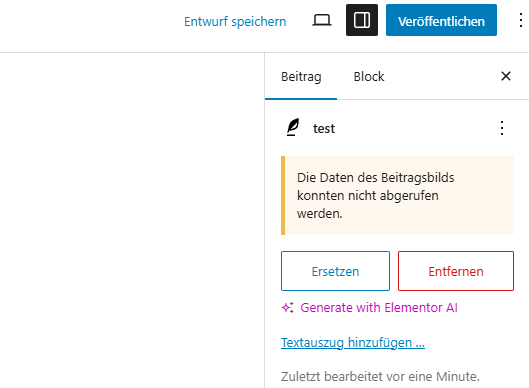
[Resolved] Translated Post has wrong Featured Image in translated Version
This thread is resolved. Here is a description of the problem and solution.
Problem: When creating a post with a featured image in German and translating it to English, the featured image is missing, despite having the Media Translation plugin activated. Solution: If you do not require different images for different languages, you can deactivate the WPML Media Translation plugin as it is only necessary for language-specific media. By default, the same image should automatically synchronize when you translate a post or page. To further investigate the issue: 1. Edit and update the original post, then check if the featured image is still missing in the translation. 2. Confirm how you are translating the page: directly in the WordPress editor or using WPML’s Advanced Translation Editor. 3. Upload a screenshot of your settings from WPML → Settings → Media Translation to help us better understand your current media configuration.
The issue was fixed with the following steps:
1. Go to WPML → Support → Troubleshooting
2. Run the following options:
- Clear the cache in WPML
If this solution does not resolve your issue or seems outdated, we recommend checking related known issues at https://wpml.org/known-issues/, verifying the version of the permanent fix, and confirming that you have installed the latest versions of themes and plugins. If the problem persists, please open a new support ticket.
This is the technical support forum for WPML - the multilingual WordPress plugin.
Everyone can read, but only WPML clients can post here. WPML team is replying on the forum 6 days per week, 22 hours per day.
Hi,
when i create a post with featured Image in German, and create Translation to English, Featured Image is missing.
I have Media Translation Plugin activated
The WPML Media Translation plugin is only required if you want to use different images for different languages. If you don’t need language-specific media, you can safely deactivate this plugin. By default, the same image should be automatically synchronized when you translate a post or page.
To help narrow this down, could you please check the following:
• If you edit the original post, update it, and then complete the translation, is the featured image still missing in the translation?
• How are you translating the page: directly in the WordPress editor or using WPML’s Advanced Translation Editor?
Also, please upload a screenshot of your settings from:
WPML → Settings → Media Translation
This will help me better understand how media is currently configured on your site.
It’s possible that one of the other plugins is affecting this behavior. Have you had a chance to temporarily disable all plugins except WPML and test whether the issue still occurs?
If the problem persists, I’ll need to request temporary access to your site (WP Admin and FTP), preferably to a staging or test site where the issue can be reliably reproduced. This will allow me to investigate the issue more effectively.
When you submit your next reply, you’ll find the fields for providing access details below the comment area. Please note that this information is private and will only be visible to you and me.
This is interesting, as the Staging is a 1:1 clone of my production, only difference is that WP-Rocket is disabled on Staging.
As I said, on Production, I have the same issue. if you want, i can share prod-login with you for debugging, you can create a post there but then delete afterwards please. No disabling of plugins on Production please.
I just tested it and i can confirm: 1) On Staging: No Issue 2) On Prod: Issue persists