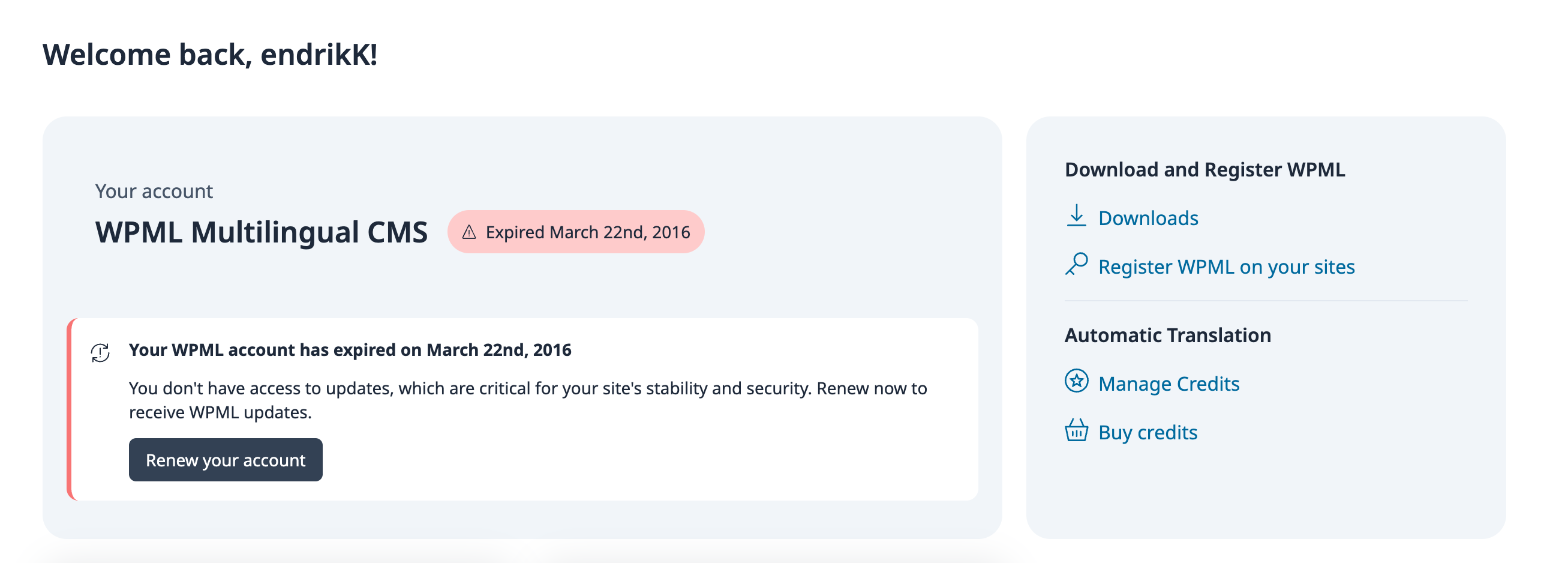
This thread is resolved. Here is a description of the problem and solution.
Problem:
The client reported that their account, which should have lifetime access, is showing as expired.
Solution:
We first asked the client to visit https://wpml.org/account/sites/ to check if they could add a new license key, to identify any discrepancies. After further investigation with our system team, we confirmed that the expiration message was an error and assured the client that it would be resolved soon. The client can continue using their lifetime subscription without any issues.
If this solution does not apply to your case, or if it seems outdated, we highly recommend checking related known issues at https://wpml.org/known-issues/, verifying the version of the permanent fix, and confirming that you have installed the latest versions of themes and plugins. Should you need further assistance, please open a new support ticket at WPML support forum.
This is the technical support forum for WPML - the multilingual WordPress plugin.
Everyone can read, but only WPML clients can post here. WPML team is replying on the forum 6 days per week, 22 hours per day.
This topic contains 3 replies, has 0 voices.
Last updated by 2 weeks, 6 days ago.
Assisted by: Christopher Amirian.