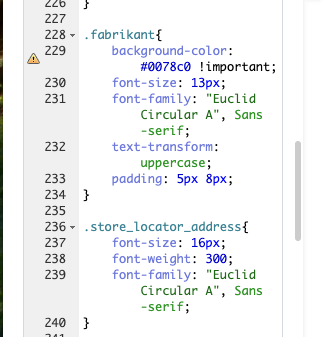
We are experiencing an issue on the French version of a page where it is impossible to save CSS changes.
The page where the issue occurs is: hidden link
Issue:
- On the FR page, I modify the CSS and click save.
- After refreshing the page, the CSS returns to its previous state, as if the changes were never saved.
This behavior seems to occur only on the French version of the page.
Could you please help us investigate what might be causing this and how we can resolve it?
Thank you in advance.
Thanks for reaching out. I’ve tried the steps you suggested, but I’m still unable to apply different CSS to the French page.
When I edit the French page in Elementor and change the page CSS, I’m able to make the changes. However, once I save and refresh the page, those changes disappear, so the CSS is still not applied correctly.
I’m wondering whether a specific setting might be causing this issue, but I’m not sure which one.
If you need backend acces: hidden link
You can find the affected page on: hidden link
Languages: English (English )Spanish (Español )German (Deutsch )
Timezone: America/Lima (GMT-05:00)
Thank you!
I was able to confirm this behavior on a sandbox running the latest versions of Elementor PRO and WPML.
The CSS is saved in the custom field _elementor_page_settings which WPML by default is only copying once when translating the page for the first time. After that you should be able to save manual edits in Elementor in second languages.
It is unclear at this point if WPML is actually continuing to copy the original value over again or if Elementor is not publishing the meta information for the translated content.
We will be debugging this issue and then get back to you.