[Resolved] divi header layout translation not working
This thread is resolved. Here is a description of the problem and solution.
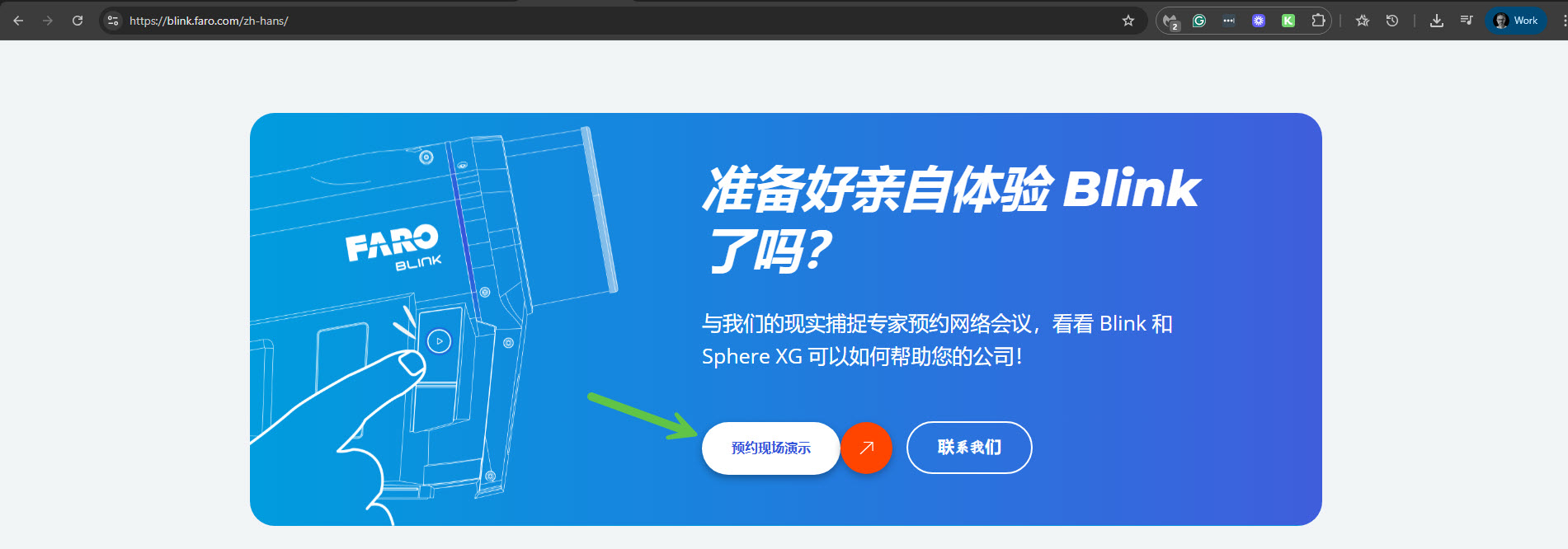
Problem: You are trying to translate a split test CTA button text on a Header layout using WPML, but the translation is not reflecting on your site. The issue is that the Divi header layout translation is not working, and the text remains in English instead of Chinese. Solution: Our second-tier support team has identified that there are multiple et_header_layout and et_footer_layout posts in the database that are not displaying in the Divi > Theme Builder page but appear on the WPML > Translation Management page. These layouts seem to be corrupted and are likely not in use. We recommend that you delete these from the database after confirming they are not needed. The post IDs of these ghost header layouts are: 4957, 135, 134, 132, 130, and the ghost footer layouts are 4958, 131. You should focus on translating the correct header template with ID 29, which includes the CTA button texts: "REQUEST A DEMO" and "CONTACT US". This action should resolve the issue.
Please note that this solution might be irrelevant if it's outdated or not applicable to your case. We highly recommend checking related known issues at https://wpml.org/known-issues/, verifying the version of the permanent fix, and confirming that you have installed the latest versions of themes and plugins. If the problem persists, please open a new support ticket.
This is the technical support forum for WPML - the multilingual WordPress plugin.
Everyone can read, but only WPML clients can post here. WPML team is replying on the forum 6 days per week, 22 hours per day.
Yes, a copy of your site with the All-in-One Migration plugin is also a good option. You can upload it to a service like Google Drive or Dropbox and share the link with me. For this, I'll enable private messages for the following reply.
I checked the copy of your site on my local server, but unfortunately, I was unable to resolve the issue with the button text in the header. By the way, I can see that in another section you solved this issue. Please see the attached screenshot. Can you try the same method that helped there also on the header?
In any case, I've escalated this issue to our second-tier supporters.
The method used in the screenshot section cannot be applied to the header CTA button, as the button is currently part of an A/B test (Divi Split Test).
Thank you for escalated this issue to second-tier supporters.
Our second-tier supporter has identified the issue and found the following. This is what he wrote about your case:
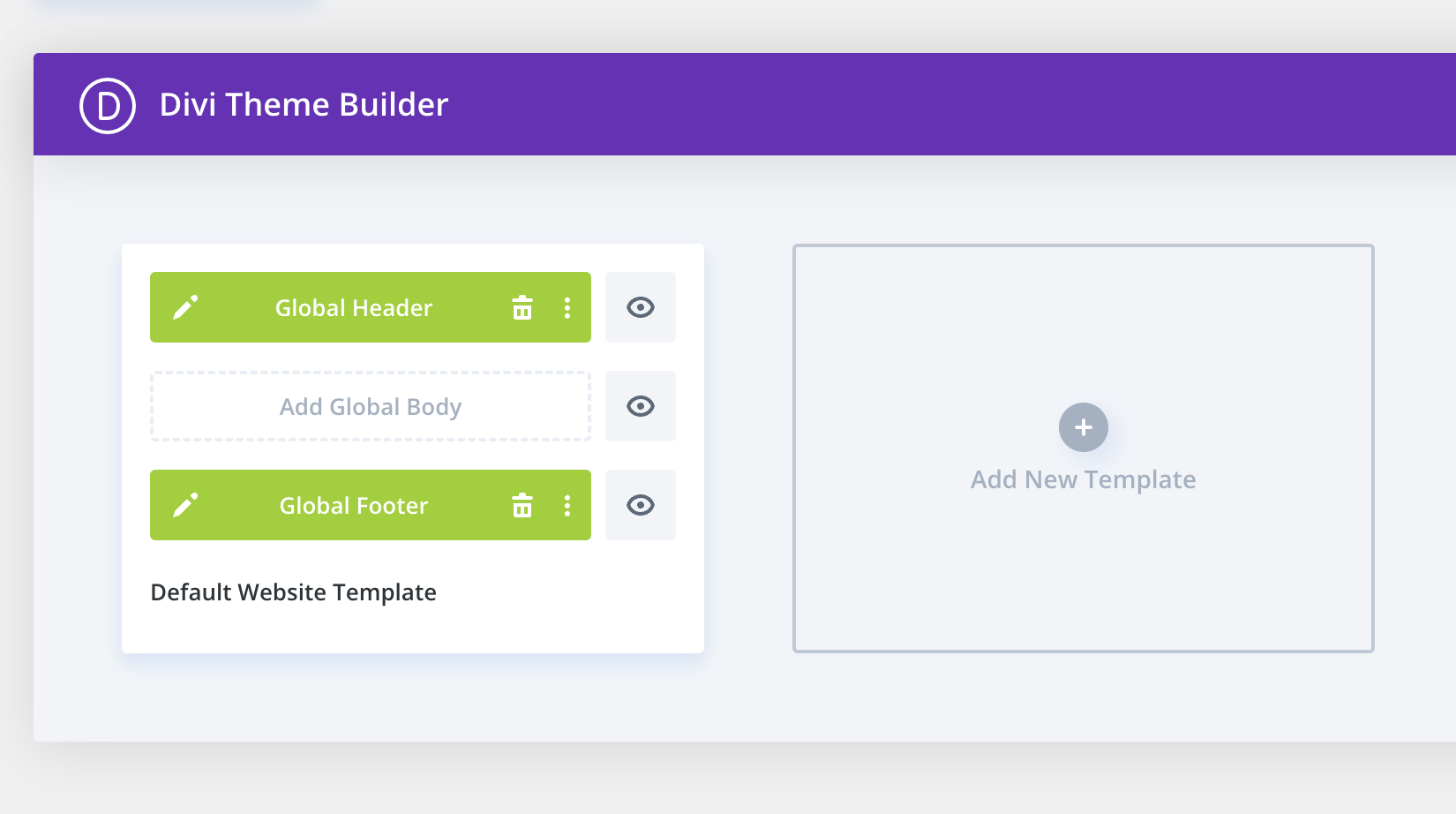
First, there is an issue with the client site, as when you navigate to Divi > Theme Builder, you will only see the Global Header and Global Footer layouts. Please see the attached screenshot global-layout.png.
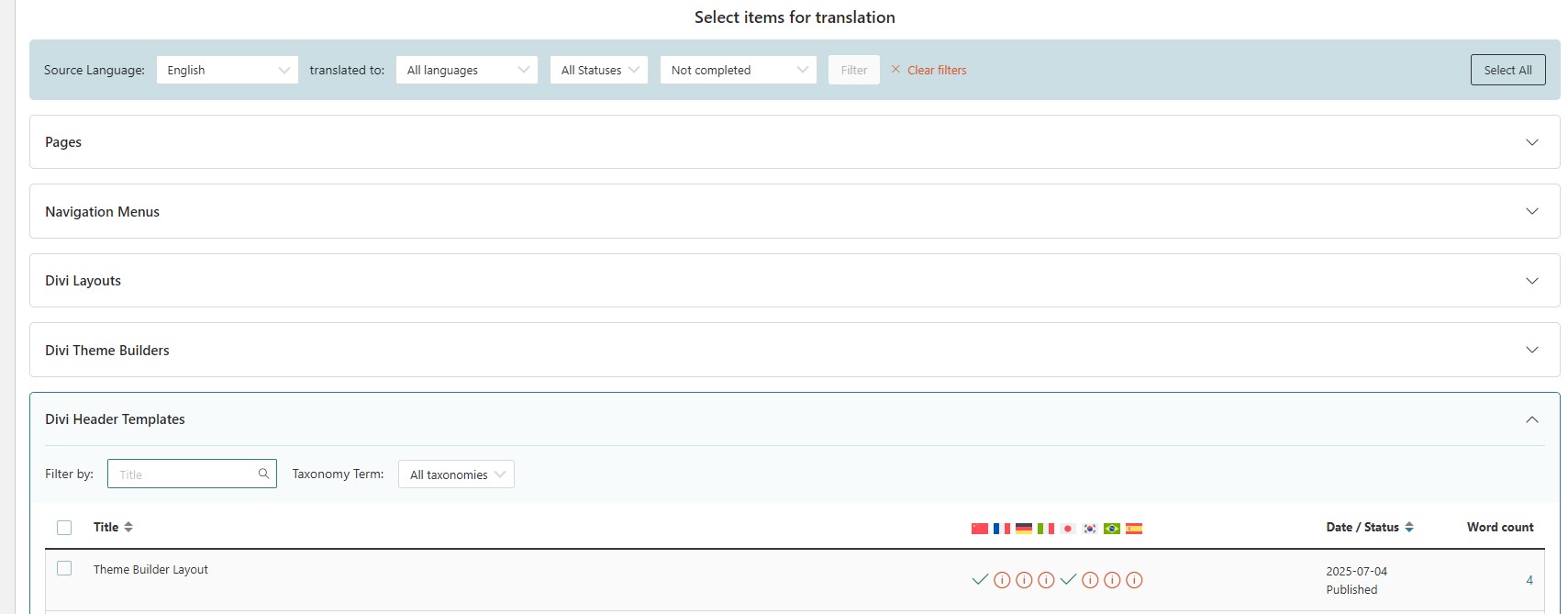
However, upon checking the database, wp_posts includes multiple et_header_layout and et_footer_layout posts that are not displaying on the Divi > Theme Builder page.
As they are present in the database, they do show up on the WPML > Translation Management page, though.
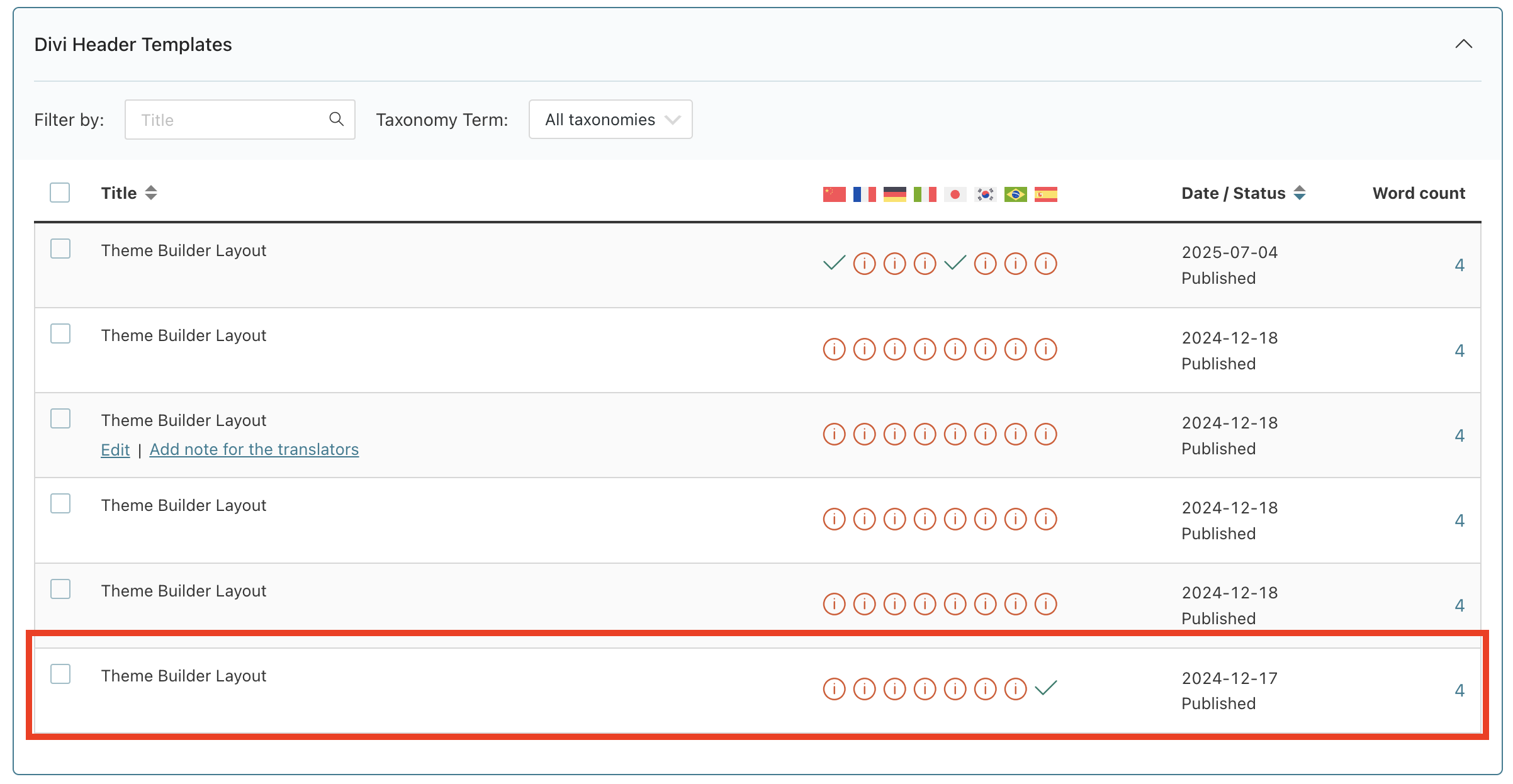
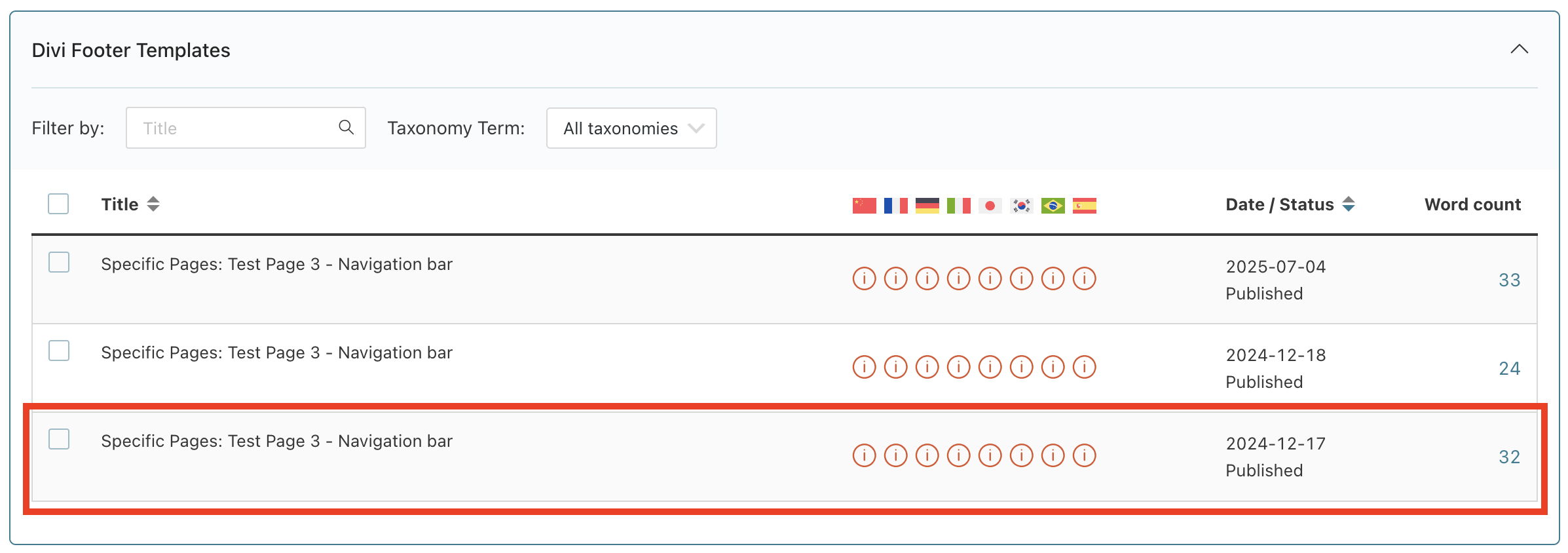
I suggest that the client delete them from the database because they appear to be corrupted and are likely not in use. (Please double check this.) The post IDs of the ghost header layouts are: 4957, 135, 134, 132, 130. The IDs of the ghost footer layouts are 4958, 131.
The actual header and footer layouts have IDs 29 and 30 respectively.
From the Translation Management page, hovering over the edit links confirms which ones actually work and need translation. Please see the attached screenshot divi-header-template.png and divi-footer-template.png.
Translating other templates won't have any effect because they are not in use.
You can see in the screenshot of the Header templates that I have translated that one to Spanish.
And on the front end, I can confirm that it has worked.
I'm unsure why the other templates don't appear in Divi > Theme Builder. It doesn't seem to be related to WPML, as disabling all WPML plugins has no effect.
Speaking of all WPML plugins, the client appears to have installed all WPML plugins. They probably don't need CMS Navigation, and surely don't need Sticky Links, which will soon be dropped. Please advise the client only to install the necessary plugins (e.g., WPML Media, possibly another one).
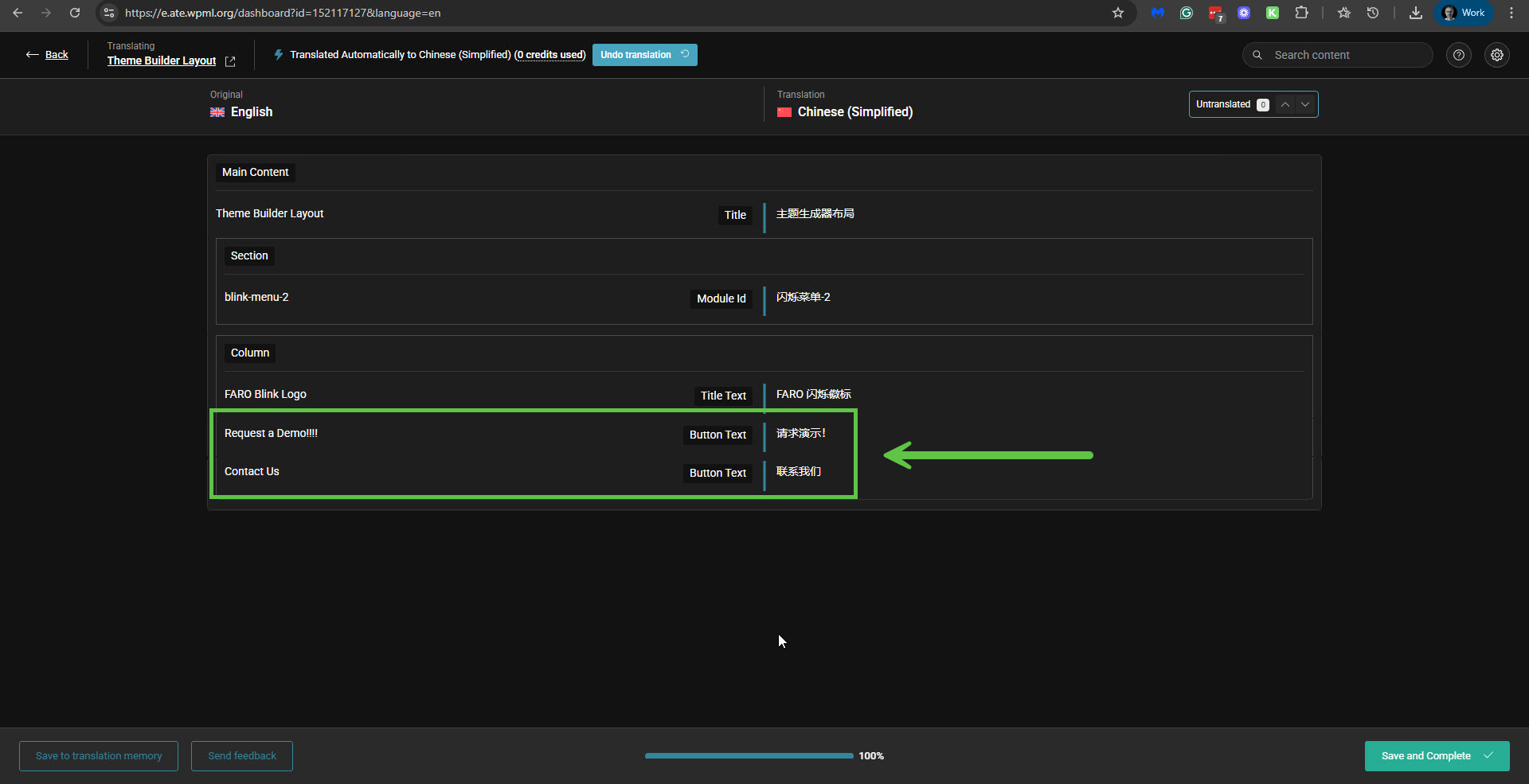
In summary: You must translate the correct header template (with ID 29), and you will have the option to translate the CTA button text: "REQUEST A DEMO" and "CONTACT US". Please see the attached screenshot ok-in-ate.jpg.