This thread is resolved. Here is a description of the problem and solution.
Problem:
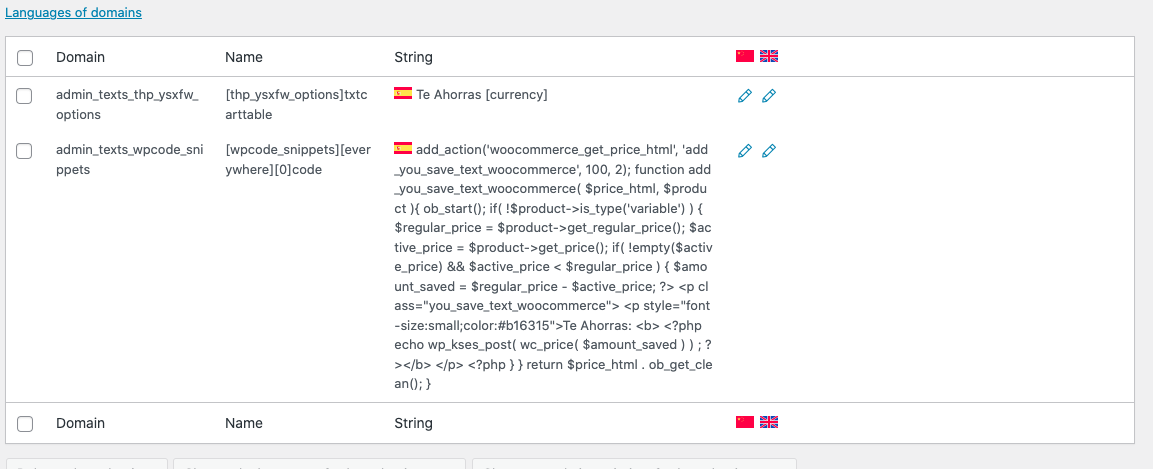
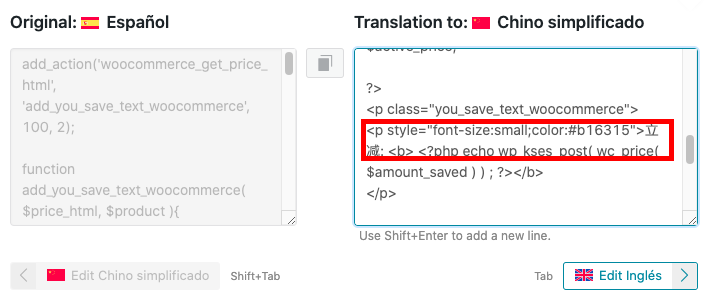
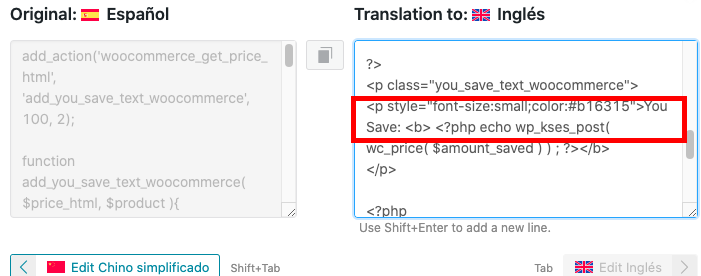
The client needed help with translating strings in PHP code that were not properly wrapped for translation.
Solution:
First, we guided the client to wrap all texts in gettext calls as per our documentation on translating WordPress themes and plugins. Specifically, we advised checking step number 2.
Next, we replaced the client's original PHP code:
<p class="you_save_text_woocommerce"></p><p style="font-size:small;color:#b16315">Te Ahorras: <b> <?php echo wp_kses_post( wc_price( $amount_saved ) ) ; ?></b></p>
with:
<p class="you_save_text_woocommerce" style="font-size:small;color:#b16315"><?php _e( 'Te Ahorras:', 'wpml-fix' ); ?> <b><?php echo wp_kses_post( wc_price( $amount_saved ) ); ?></b></p>
After modifying the code, we instructed the client to use the String Translation feature in WPML to translate the modified string. The steps included enabling the "Look for strings while pages are rendered" option, visiting the front end to render the string, and then searching for the string in the String Translation interface.
If this solution does not apply to your case, or if it seems outdated, we highly recommend checking related known issues at https://wpml.org/known-issues/, verifying the version of the permanent fix, and confirming that you have installed the latest versions of themes and plugins. If you’d like a complete overview of both gettext wrapping and AI-powered translation with PTC, see our full WordPress theme and plugin translation guide. If issues persist, please open a new support ticket.
This is the technical support forum for WPML - the multilingual WordPress plugin.
Everyone can read, but only WPML clients can post here. WPML team is replying on the forum 6 days per week, 22 hours per day.
This topic contains 4 replies, has 0 voices.
Last updated by 10 months, 1 week ago.
Assisted by: Osama Mersal.