
This is the technical support forum for WPML - the multilingual WordPress plugin.
Everyone can read, but only WPML clients can post here. WPML team is replying on the forum 6 days per week, 22 hours per day.
| Sun | Mon | Tue | Wed | Thu | Fri | Sat |
|---|---|---|---|---|---|---|
| - | - | 9:00 – 18:00 | 9:00 – 18:00 | 9:00 – 18:00 | 9:00 – 18:00 | 9:00 – 18:00 |
| - | - | - | - | - | - | - |
Supporter timezone: America/Lima (GMT-05:00)
Tagged: Not WPML issue
This topic contains 14 replies, has 1 voice.
Last updated by Andreas W. 3 days, 1 hour ago.
Assisted by: Andreas W..
| Author | Posts |
|---|---|
| October 11, 2025 at 7:13 pm #17476734 | |
 shuaiH |
Background of the issue: Symptoms: Questions: 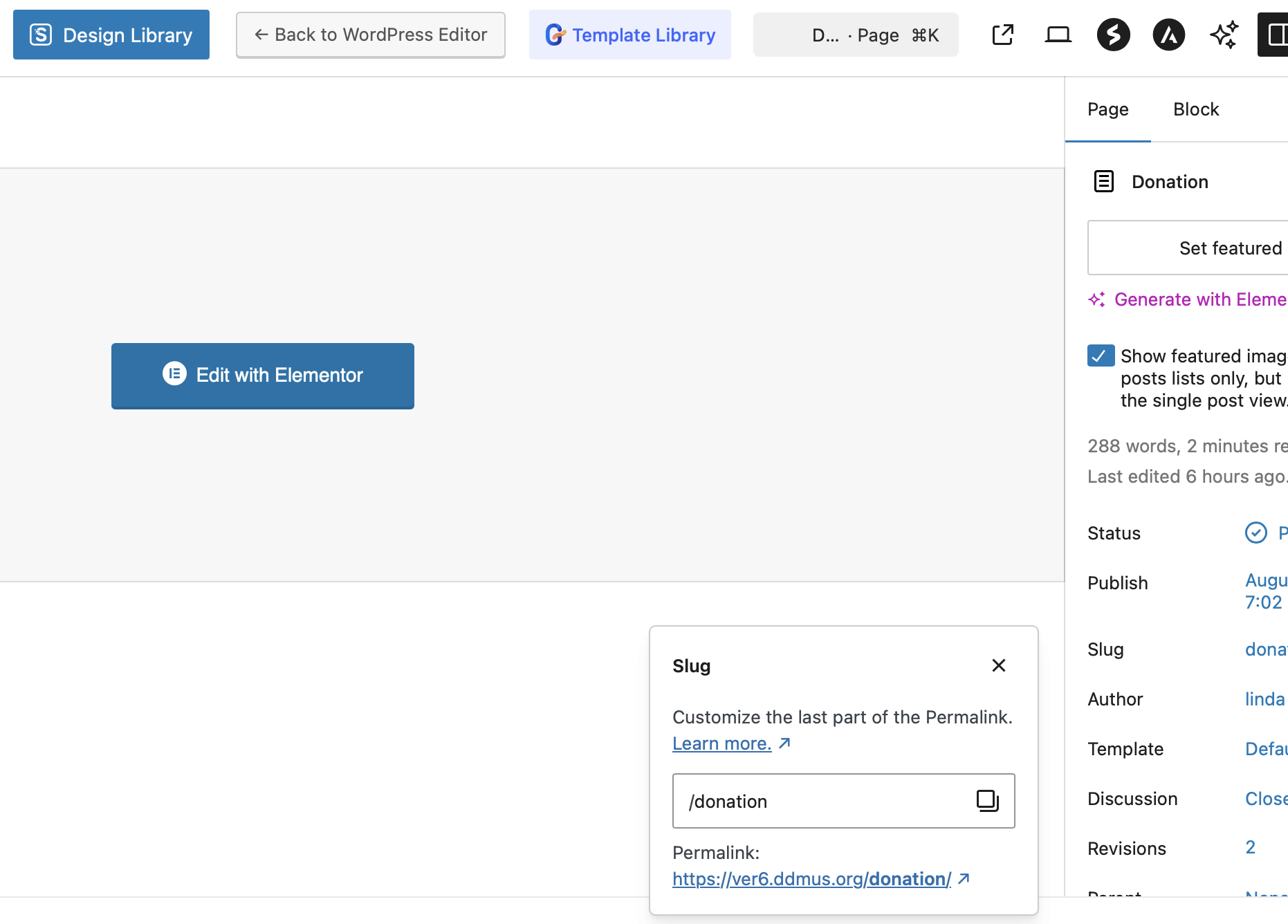 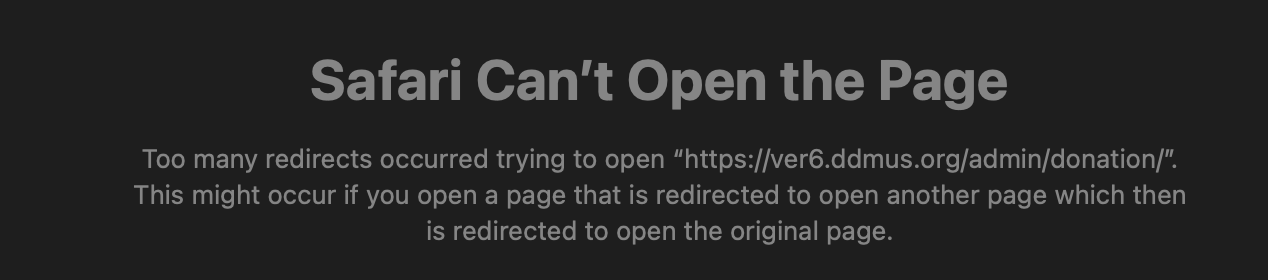 |
| October 11, 2025 at 7:48 pm #17476792 | |
|
shuaiH |
your AI tool suggested few steps to do and I'm at the last step to clear the cache in LiteSpeed, but not sure how to do it even though I'm in LiteSpeed dashboard now. |
| October 11, 2025 at 9:23 pm #17476911 | |
 Andreas W. WPML Supporter since 12/2018 Languages: English (English ) Spanish (Español ) German (Deutsch ) Timezone: America/Lima (GMT-05:00) |
Hello, Thank you for reaching out! Based on the original URL structure you shared (hidden link), it appears that the donation page was initially nested under an “admin” parent page—likely due to how it was created or assigned in WordPress. As long as “admin” remains set as the parent page, WordPress will continue to generate the URL as /admin/donation/, regardless of the slug you assign. This behavior is expected and not related to WPML—it’s simply how WordPress handles hierarchical page structures. If you'd like the donation page to appear at /donation/, you'll need to remove the parent page assignment. Best regards, |
| October 13, 2025 at 10:01 pm #17481522 | |
|
shuaiH |
Hi, Andreas, Yes, I understood that. I deleted the admin parent page but it didn't solve the issue, that's why I sent in the support ticket. I have two more issues. 2. The images for banner or posts in WordPress would disappear randomly from translated pages even after we fixed the issue by going to WPML -> Media translation and added back those files to the folder from media library. But the same problem would repeat in the next couple days. WPML seems to make WordPress unstable. How can we fix it? Thank you for your help! |
| October 14, 2025 at 10:00 am #17482819 | |
|
Andreas W. WPML Supporter since 12/2018 Languages: English (English ) Spanish (Español ) German (Deutsch ) Timezone: America/Lima (GMT-05:00) |
Hello, I would like to request temporary access (wp-admin and FTP) to the website to investigate the issue further. You can find the required fields below the comments section when you log in to leave the next reply. The information you provide is private, meaning only you and I can see and access it. IMPORTANT The private reply form looks like this: Click "I still need assistance" the next time you reply. Video: Please note that we are required to request this information individually on each ticket. We are not permitted to access any credentials that were not specifically submitted on this ticket using the private response form. Best regards, |
| October 16, 2025 at 5:39 pm #17491968 | |
|
Andreas W. WPML Supporter since 12/2018 Languages: English (English ) Spanish (Español ) German (Deutsch ) Timezone: America/Lima (GMT-05:00) |
I am sorry, but I do not really see any issue at the moment. The English page is here: The Chinese page is here: Could you please explain how I can see the issue? |
| October 16, 2025 at 8:16 pm #17492344 | |
|
shuaiH |
Hi Andreas, The donation page looks fine now because I deleted the first manual translated version and re-treanslated the page again using PTC. At this point, could you please help fix other issues that haven't been solved since we gave you access now. 1. The message for media translation installation unfinished. When I clicked the message, it only took me to the translation media list, not giving instructions to install it further, so not sure if it's an error message or truly, the plugin wasn't installed completely. 2. The translation jobs would appear completed (indeed the page content is translated) and display properly initially, then in the next two weeks, they would show "in progress, resign, needs translation, take and translate" in the status column even though nobody did any changes in both the original and translated pages?! Because of this observation, my teammates suspect that WPML slows down WordPress and delay our overall website construction work. Is that normal? 3. The images for banner or posts in WordPress would disappear randomly from translated pages even after we fixed the issue by going to WPML -> Media translation and added back those files to the folder from media library. WPML appears unstable. We would like to know how to fix that. 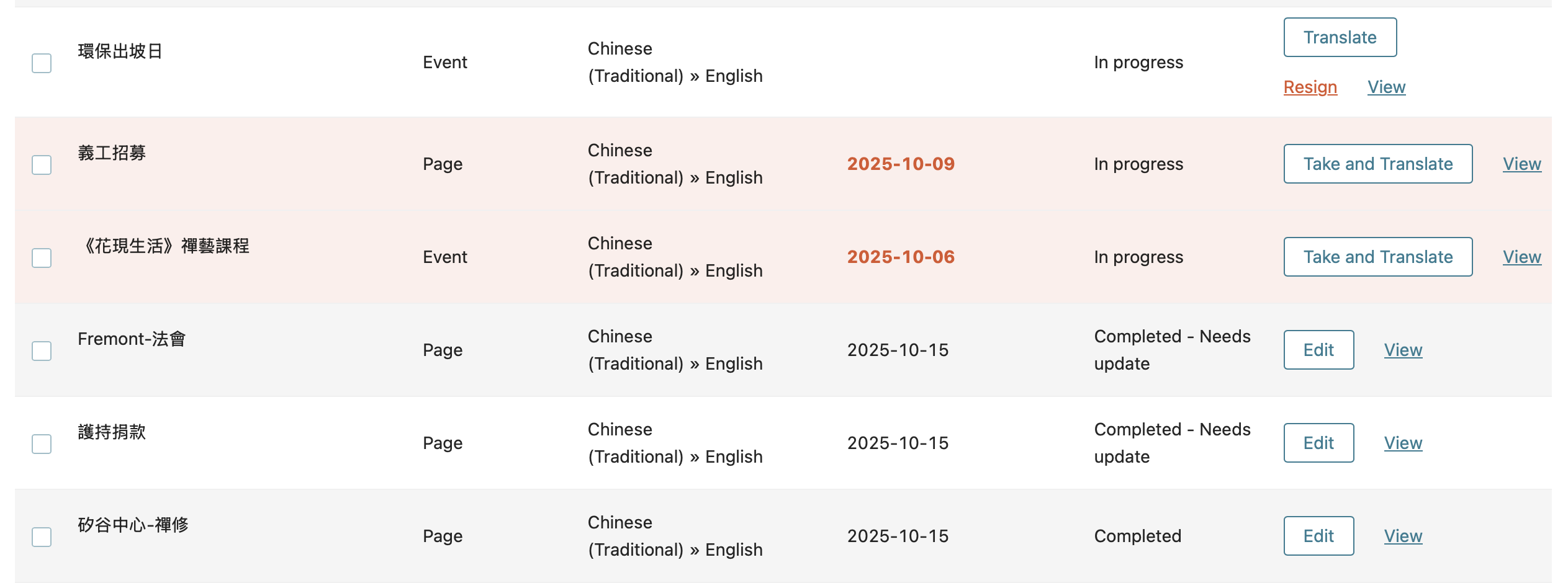 |
| October 16, 2025 at 8:28 pm #17492375 | |
|
Andreas W. WPML Supporter since 12/2018 Languages: English (English ) Spanish (Español ) German (Deutsch ) Timezone: America/Lima (GMT-05:00) |
Hello, It seems the minimum requirements on your server are not met: Could you please increase the WordPress memory limit (WP Memory Limit) to at least 256 MB? WPML requires at least 128 MB. PHP Memory Limit 2048 MB To do this, connect to your website's server and open the wp-config.php file in a text editor. The file is located in the WordPress root directory. Add this code to the wp-config.php file to increase WordPress memory:
define ('WP_MEMORY_LIMIT', '256M');
Add this just before this comment: // That's all, stop editing! Happy blogging. The current values can be viewed under WPML > Support > WordPress. These settings can be restricted directly by your hosting provider. Therefore, I recommend contacting them and asking them to change it. After changing the limit, please test again and let me know if further assistance is needed. Best regards, 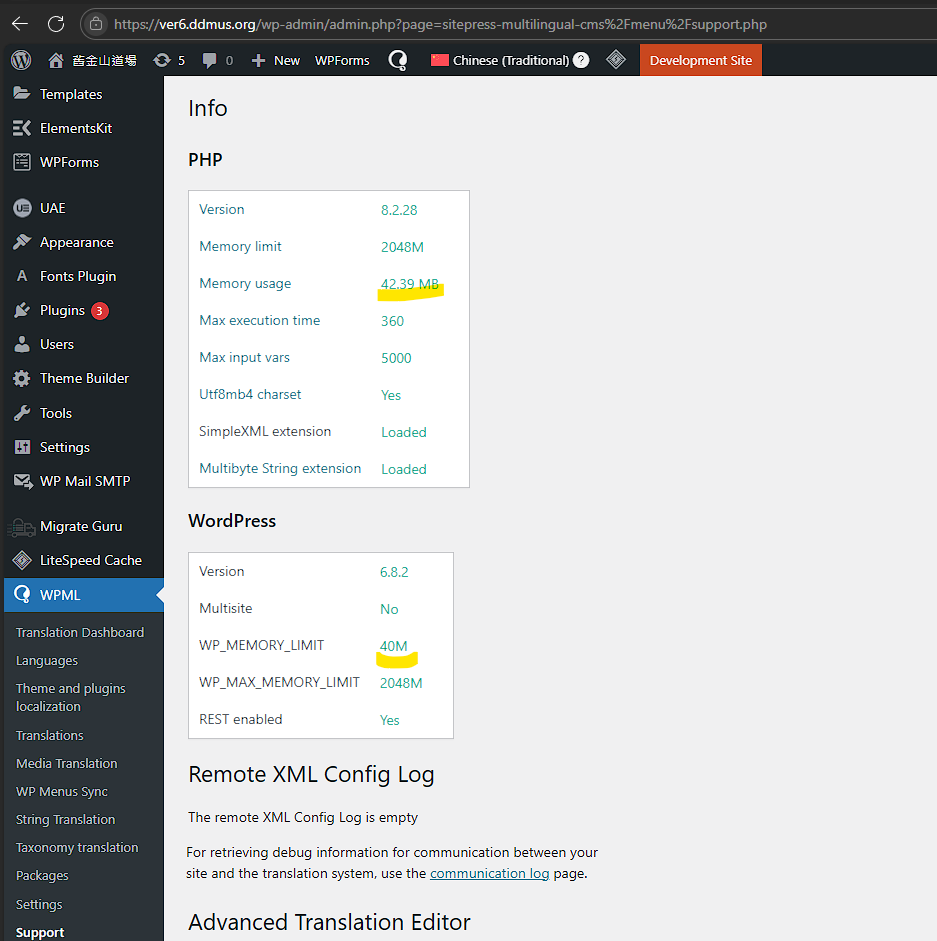 |
| October 19, 2025 at 9:20 am #17496631 | |
|
shuaiH |
Hi Andreas, Thanks for pointing out the difference, apparently my teammate adjusted the wrong part- the PHP memory to 2048M >.< Although now the WP memory limit has been increased to 256 MB, my previous questions remain valid since I still see the same messages as shown in the screenshots as examples. 1. The message for media translation installation unfinished. When I clicked the message, it only took me to the translation media list, not giving instructions to install it further, so not sure if it's an error message or truly, the plugin wasn't installed completely. 2. The translation jobs would appear completed (indeed the page content is translated) and display properly initially, then in the next two weeks, they would show "in progress, resign, needs translation, take and translate" in the status column even though nobody did any changes in both the original and translated pages?! Because of this observation, my teammates suspect that WPML slows down WordPress and delay our overall website construction work. Is that normal? Thank you for your help! 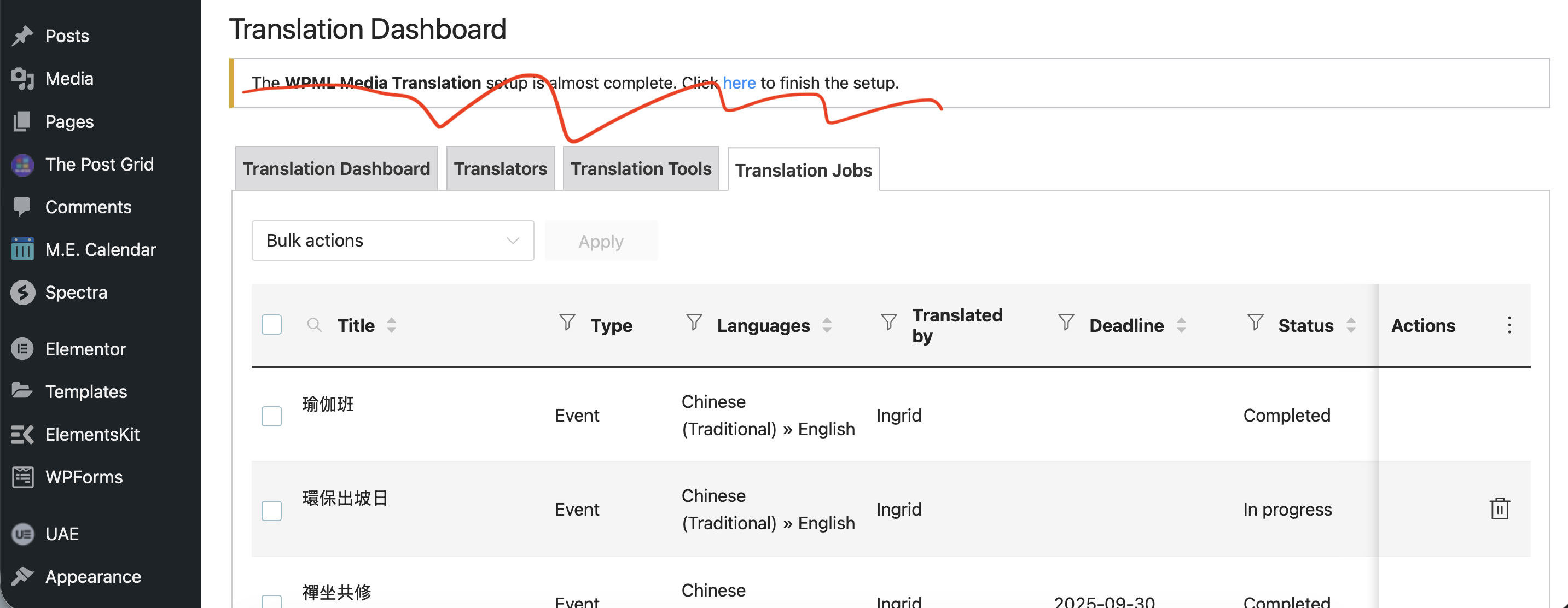 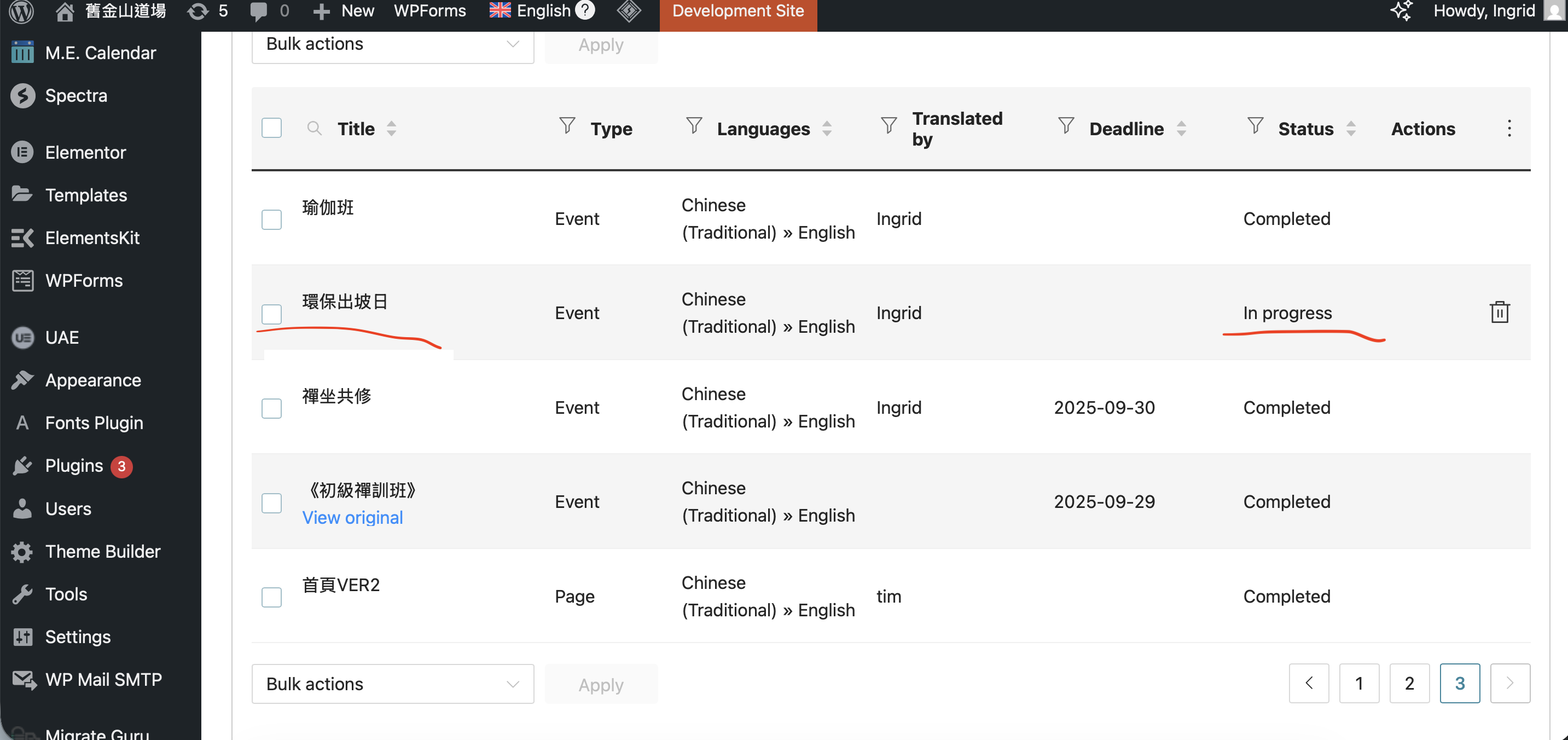 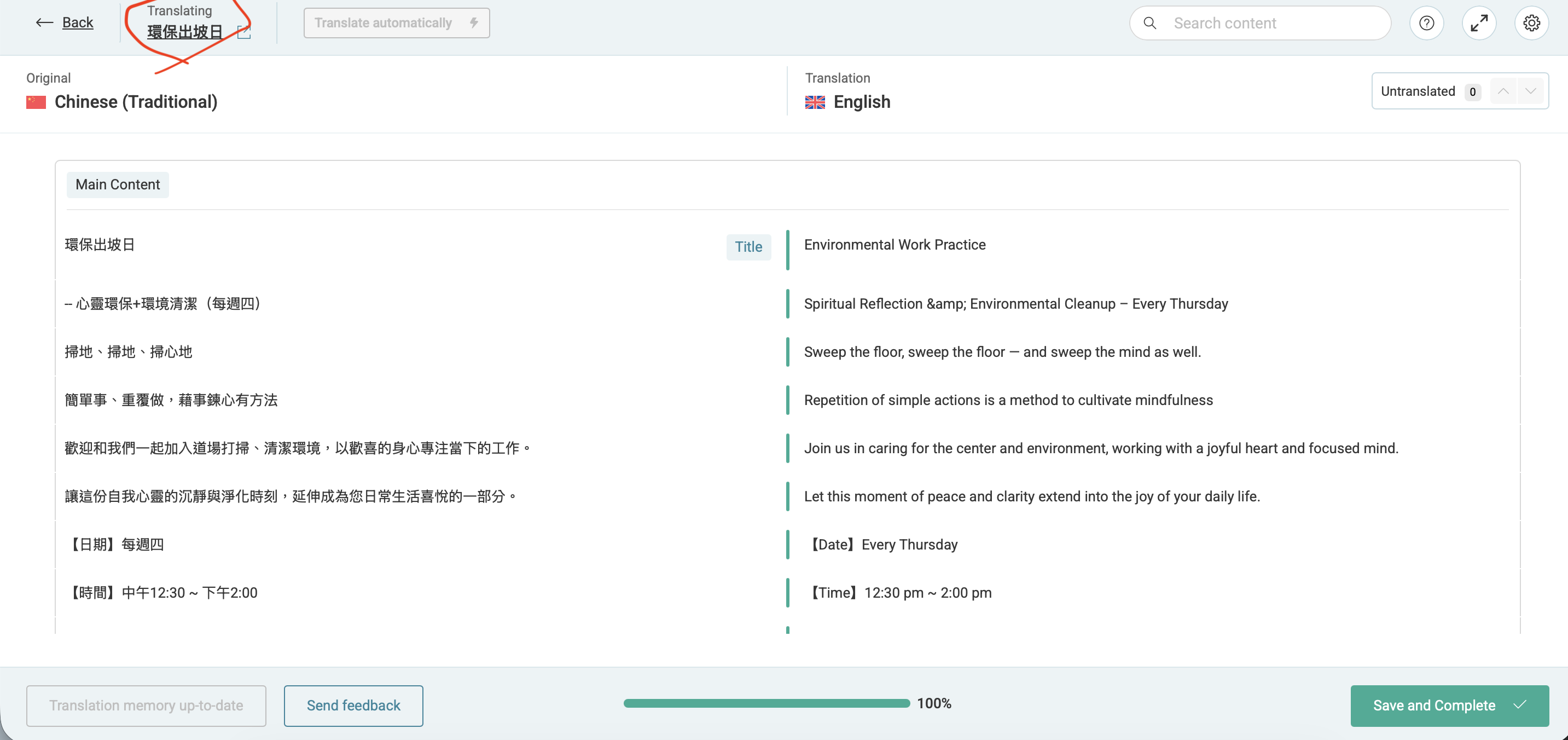 |
| October 21, 2025 at 3:39 pm #17503730 | |
|
Andreas W. WPML Supporter since 12/2018 Languages: English (English ) Spanish (Español ) German (Deutsch ) Timezone: America/Lima (GMT-05:00) |
Disabling the plugin "WPML Media Translation" and enabling it again solved the issue with the installation notification banner. About the translation job: It looks like the deadline has passed for this job. Note that WPML will always change the translation job after changes have been made to the original content. Have you tried to edit the original event, save it again, and then create a new translation job? |
| October 29, 2025 at 2:27 pm #17529894 | |
|
shuaiH |
Thanks for the reply, but we didn't edit the original event or create a new translation job, the translation queue still demonstrates the same issue. For example, the event of 念佛共修 in the print-screen shows "in progress" but when I clicked "translate", it shows nothing needs to be done as shown in the 2nd print-screen, in which it shows 100% completed in the bar, or no untranslated lines on the top right. This seems to be a bug in the app and it happens randomly to various events or pages on our website since we didn't edit the original copy in those incidents. Thanks for your help! 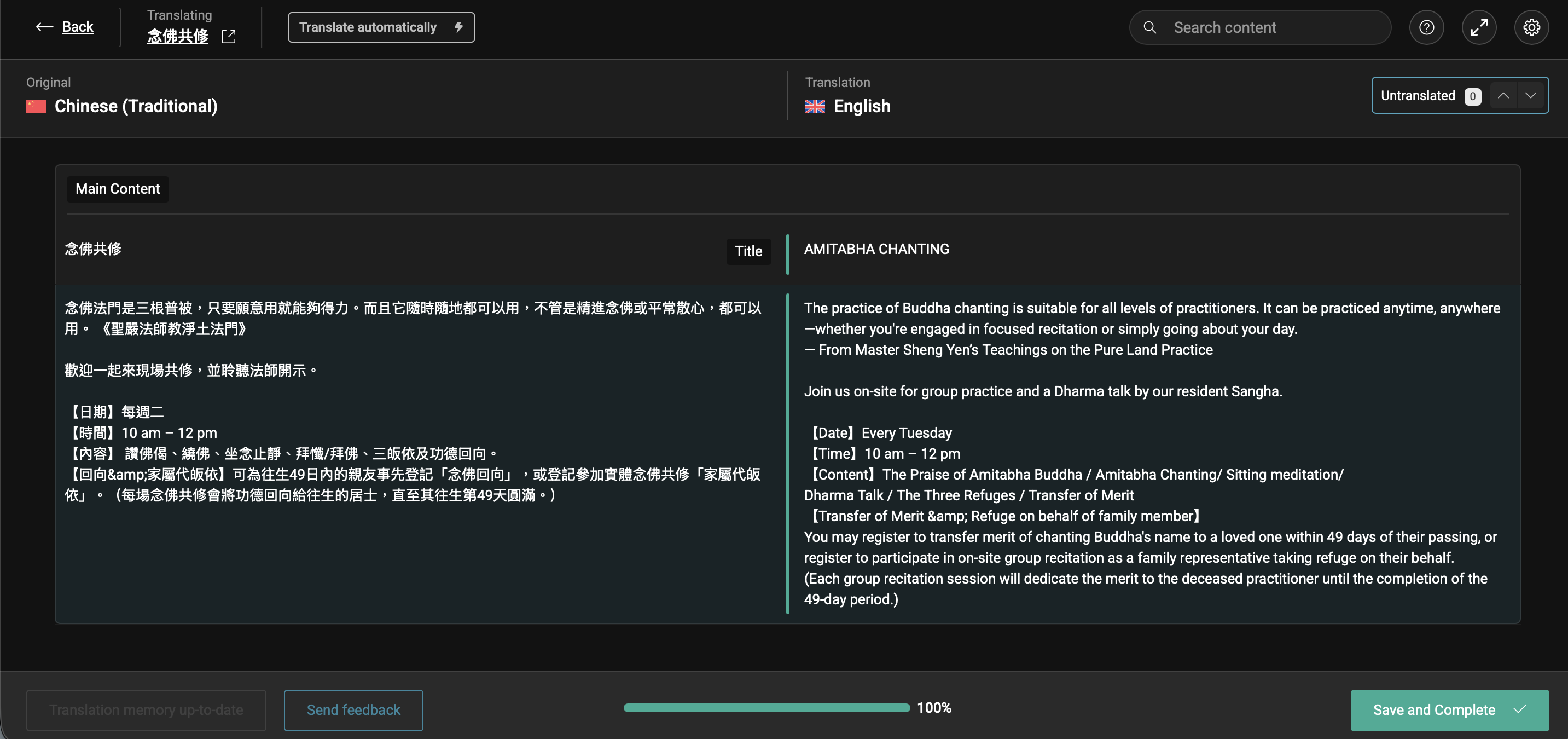 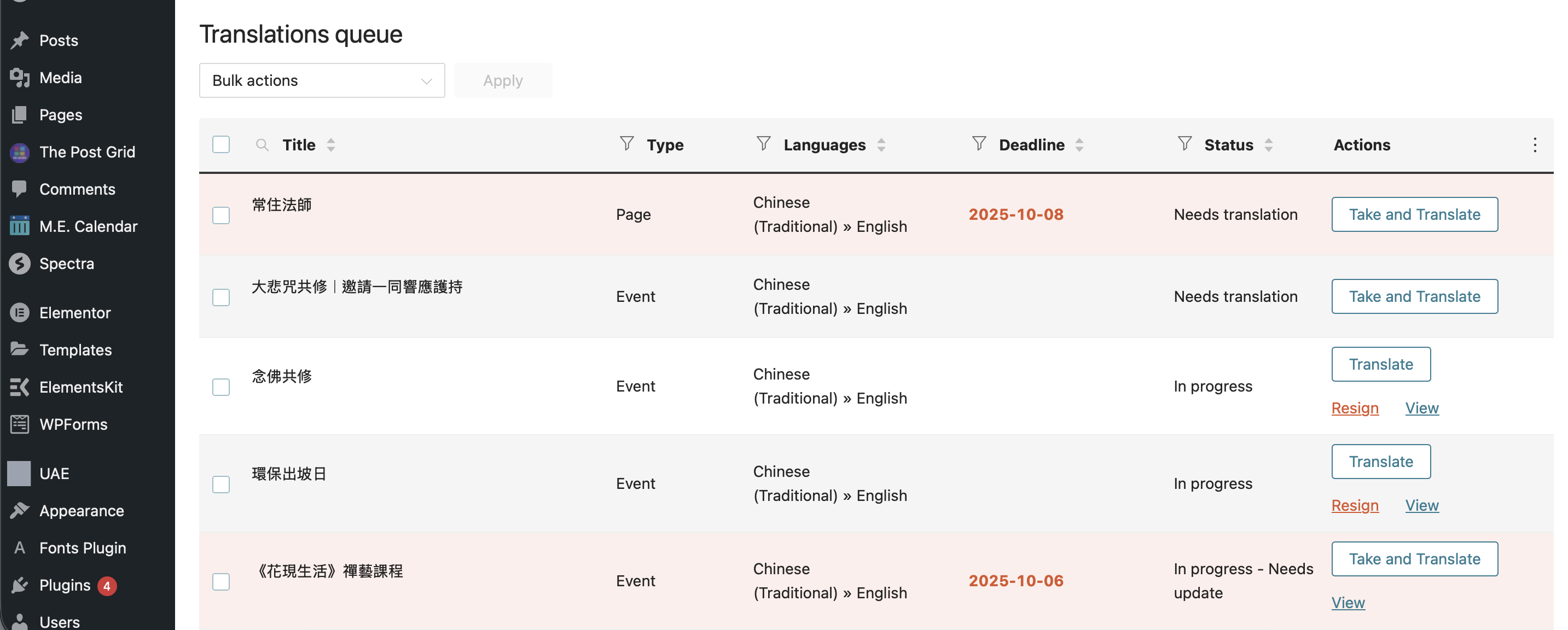 |
| October 29, 2025 at 6:06 pm #17530534 | |
|
Andreas W. WPML Supporter since 12/2018 Languages: English (English ) Spanish (Español ) German (Deutsch ) Timezone: America/Lima (GMT-05:00) |
There exist two Chinese events called 念佛共修, of which one is not translated. See screenshot. Could you please complete the translation and then confirm if the issue persists? As I mentioned, I can not see this job with my user account. If the issue persists, it would be ideal if you could provide me access to your account or any account that has this job visible inside the translation queue. The private reply form is enabled again. 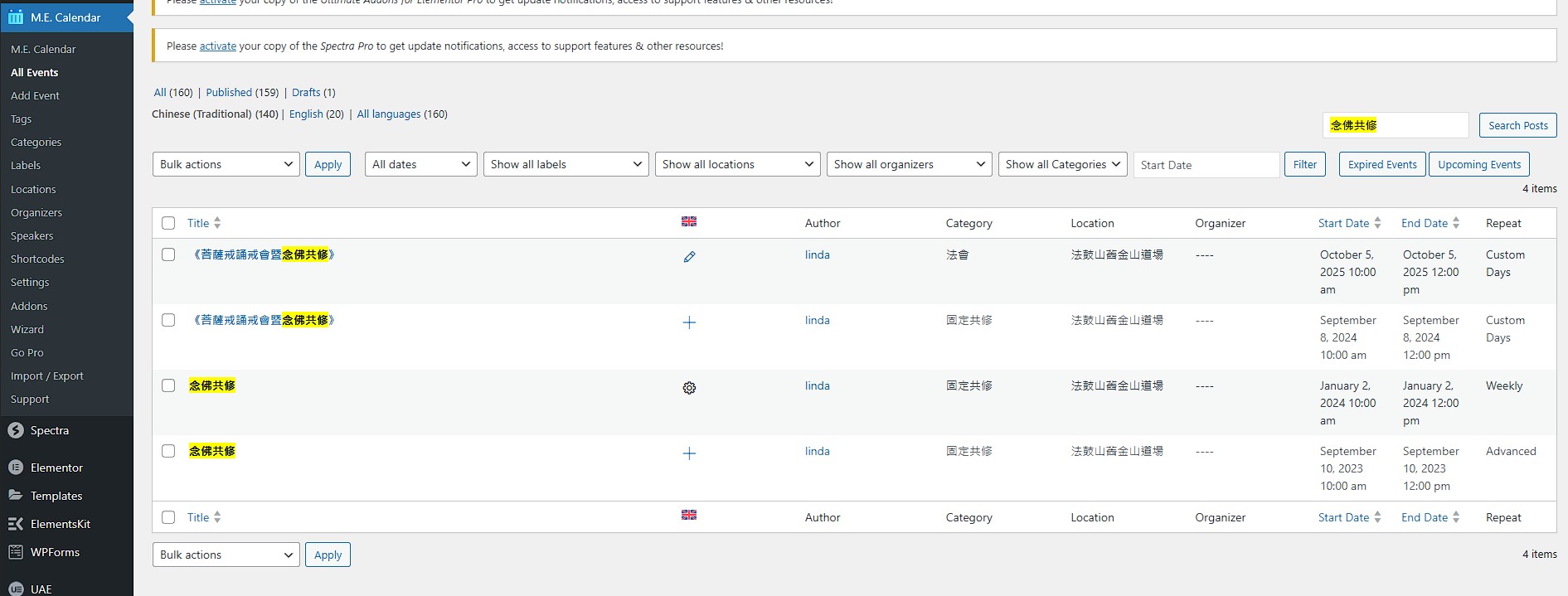 |
| November 4, 2025 at 11:30 am #17545081 | |
|
Andreas W. WPML Supporter since 12/2018 Languages: English (English ) Spanish (Español ) German (Deutsch ) Timezone: America/Lima (GMT-05:00) |
I have now translated the event "念佛共修" using the WPML Translation Editor. The translation is not yet completed to 100%. Changes will only show up on Frontend, if the translation was completed to 100% if translating a post for the first time. Here you can see the translated event: For "菩薩戒誦戒會暨念佛共修": There are two events with this title. One of them is translated and the translation is visible here: The second version of this event is not yet translated. |
| November 7, 2025 at 12:00 pm #17556994 | |
|
shuaiH |
Hi Andreas, We could fix individual event such as 念佛共修 and 菩薩戒誦戒會暨念佛共修 ourselves by repeating the translation step as you did, but the point to ask for WPML support is to find a solution to fix all the same issues systematically. I mentioned those two events as examples for communication purpose. Our question (The issue) is to ask why WPML dashboard/translation job/translation queue keeps showing "completed- needs update" or "in- progress" in status column when the translation was completed in reality regardless who was the author. The status change seems to be a bug or system error because it happens to almost every translation job if not all. Hope now I have made my request clear and you can provide a solution to fix the issue for all affected events and future translation jobs. Thanks for your help. |
| November 7, 2025 at 5:32 pm #17558171 | |
|
Andreas W. WPML Supporter since 12/2018 Languages: English (English ) Spanish (Español ) German (Deutsch ) Timezone: America/Lima (GMT-05:00) |
It looks to me that this is simply a confusion due to duplicated content. For both of your examples, there were two events with the same title. This leads to two entries for each event on the Translation Dashboard. If one event is translated and the other is not, it would be expected to still see an untranslated event with the same name in the Translation Dashboard. If this does not clarify it, please name another example. |