This thread is resolved. Here is a description of the problem and solution.
Problem:
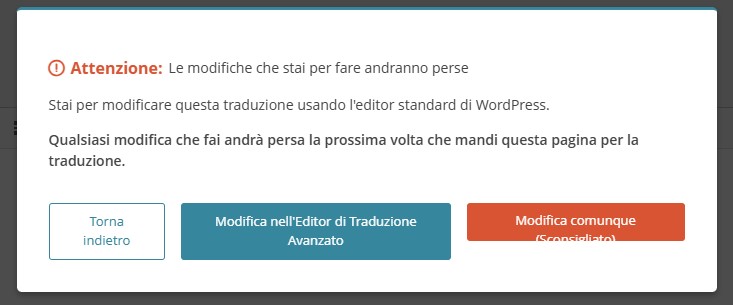
You are using the classic translation editor in WPML to translate a manually created custom post type (CPT). After duplicating and separating the CPT, a persistent pop-up alert appears every time you make changes or save, warning that changes will be lost using the WordPress editor, although they are not.
Solution:
This issue occurs because the translation editor is still active for the post or the entire CPT. To resolve this, you can disable the translation editor for the specific post or the entire CPT. For detailed instructions on how to switch to manual translation and disable the translation editor, please visit the following link:
Using Different Translation Editors for Different Pages.
If this solution does not apply to your situation, or if it seems outdated, we recommend opening a new support ticket. Additionally, please check related known issues at https://wpml.org/known-issues/, verify the version of the permanent fix, and confirm that you have installed the latest versions of themes and plugins. For further assistance, you can also visit our support forum at WPML Support Forum.
This is the technical support forum for WPML - the multilingual WordPress plugin.
Everyone can read, but only WPML clients can post here. WPML team is replying on the forum 6 days per week, 22 hours per day.
This topic contains 1 reply, has 0 voices.
Last updated by 7 months, 3 weeks ago.
Assisted by: Bruno Kos.