Background of the issue:
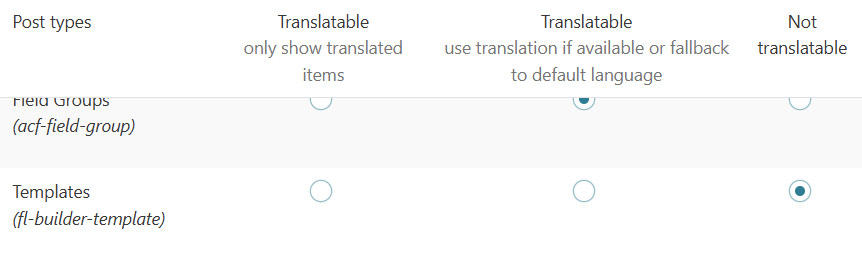
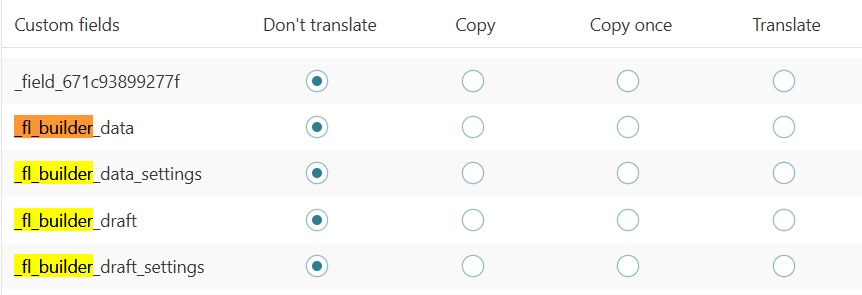
I am working on a site under development and using Beaver Builder. In the Beaver Builder -> Saved Rows, I have made one row and set it as global. In WPML, all the fl_builder_data or fl_builder_template is set as 'Not as Translate'. The same applies to the post type of Template. I found a hotfix release 2.8.6.2 - 04/18/2025 in the WPML change log, which includes fixes for editing global rows not working when fl-builder-template post type is translatable and fixes for translation warnings due to translation being triggered too early.
Symptoms:
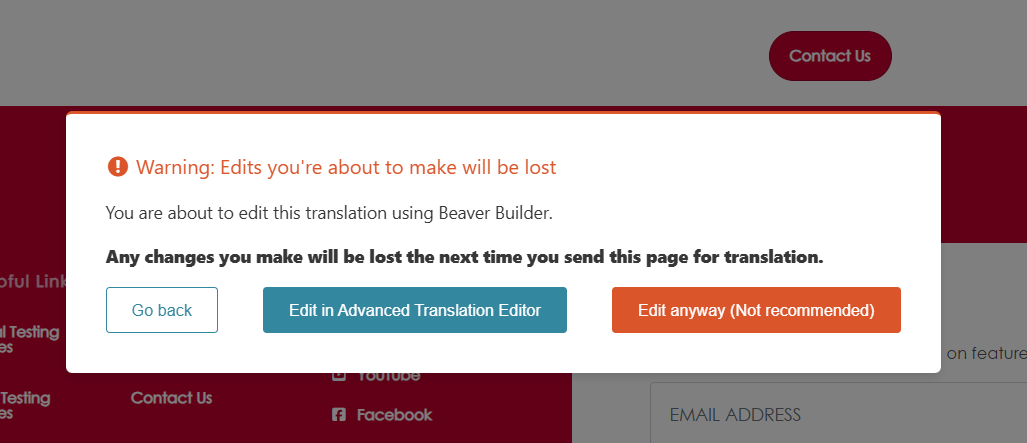
When I edit with Beaver Builder, it gives me a warning from WPML: 'Warning: Edits you're about to make will be lost. You are about to edit this translation using Beaver Builder. Any changes you make will be lost the next time you send this page for translation.'
Questions:
Is this issue created by the hotfix?
What is the solution for this issue?
This ticket has been inactive for some time. I didn't get a reply from you. I've converted this chat into a support ticket because you may still require our assistance. If you do, please reply to this ticket, and one of our supporters will be happy to continue helping you.
Please give me access to your site and tell me the steps I should take to see this problem.
If you need further help with this, please share the access details to your site with me. I'm enabling a private message for the following reply.
Privacy and Security Policy
We have strict policies regarding privacy and access to your information. Please see: https://wpml.org/purchase/support-policy/privacy-and-security-when-providing-debug-information-for-support/ **IMPORTANT**
- - Please back up the site files and database before providing us access. --
-- If you have a staging site where the problem can be reproduced, it is better to share access to the staging site.--
Regards,
Itamar.
The topic ‘[Closed] Headers throw WPML Warning Error’ is closed to new replies.