Skip to content Skip to sidebar

This is the technical support forum for WPML - the multilingual WordPress plugin.

Everyone can read, but only WPML clients can post here. WPML team is replying on the forum 6 days per week, 22 hours per day.

Sun Mon Tue Wed Thu Fri Sat
- 9:00 – 13:00 9:00 – 13:00 9:00 – 13:00 9:00 – 13:00 9:00 – 13:00 -
- 14:00 – 18:00 14:00 – 18:00 14:00 – 18:00 14:00 – 18:00 14:00 – 18:00 -

Supporter timezone: Europe/Kyiv (GMT+02:00)

This topic contains 1 replies, has 0 voices.

Last updated by Andrey 3 days, 6 hours ago.

Assisted by: Andrey.

Author Posts
February 20, 2026 at 3:32 pm #17838935

tfR

If I turn on hide language X it does indeed hide the language in the frontend, but it also hides the language for me as an admin when I watch the frontend while logged in. That makes it hard to check on the completeness of translations. Is this the way it should work or does something go wrong here?

February 20, 2026 at 5:02 pm #17839097

Andrey
WPML Supporter since 06/2013

Languages: English (English ) Russian (Русский )

Timezone: Europe/Kyiv (GMT+02:00)

Thank you for contacting WPML support.

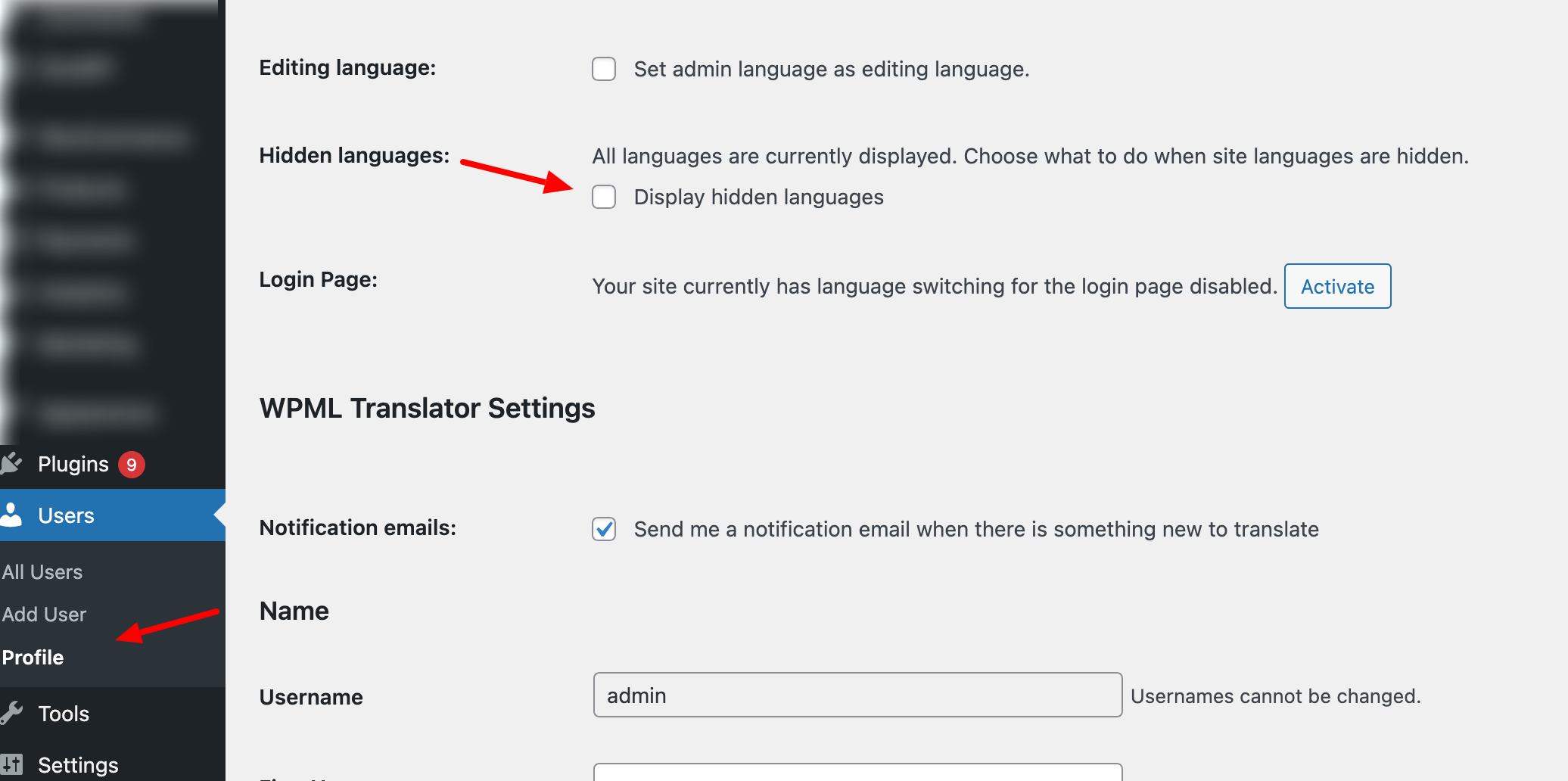
You can add enafled to display hidden languages in your profile settings. I have attached the screenshot for your review.

Once it is done, you should see the hidden languages on the frontend.

https://wpml.org/documentation/getting-started-guide/language-setup/hiding-languages-on-the-front-end/

If this is still the issue, please provide more details and screenshots. I've also enabled debug information for this support ticket. Please refer to this link for instructions on how to retrieve this information from your site and provide it to us: http://wpml.org/faq/provide-debug-information-faster-support/

Profile-‹-woosite-—-WordPress.png