
This is the technical support forum for WPML - the multilingual WordPress plugin.
Everyone can read, but only WPML clients can post here. WPML team is replying on the forum 6 days per week, 22 hours per day.
Tagged: Compatibility, Not WPML issue
This topic contains 9 replies, has 0 voices.
Last updated by Itamar 2 months ago.
Assisted by: Itamar.
| Author | Posts |
|---|---|
| October 23, 2025 at 11:37 am #17512277 | |
 N V |
Background of the issue: Symptoms: Questions: |
| October 23, 2025 at 12:47 pm #17512525 | |
 Itamar WPML Supporter since 02/2016 Languages: English (English ) Timezone: Asia/Jerusalem (GMT+02:00) |
Hi, We need to replicate this issue on a fresh WordPress installation. Then I'll be able to escalate it to our compatibility team. For this, I created a test website with a clean WordPress install. You can access it through this link: hidden link With this link, you'll be directly logged in. Could you please install the Traveler theme and see if the issue is replicable on a clean WordPress installation? I already configured WPML to have English as the default language and French as the second language. Please also make sure that you are installing the latest version of the theme. Important! Do not import your site to the test site. We must replicate the problem on a fresh, clean WordPress installation. |
| October 24, 2025 at 10:49 am #17515930 | |
|
N V |
it does not have the same issue on your staging, but it does not change the fact that there is an issue on our website with WPML |
| October 24, 2025 at 6:01 pm #17517746 | |
|
Itamar WPML Supporter since 02/2016 Languages: English (English ) Timezone: Asia/Jerusalem (GMT+02:00) |
Hi, and thanks for trying to replicate the issue on the sandbox site. Please give me access to your site. It would be better if you could provide me with access to the staging site (a copy of your site on the same server) where the problem occurs. If you don't have a staging site, please allow me to take a copy of your site. For this, I must install a plugin such as Duplicator or All-in-One Migration. Please let me know if you agree. If you need further help with this, please share the access details to your site with me. I'm enabling a private message for the following reply. |
| October 28, 2025 at 7:05 pm #17527355 | |
|
Itamar WPML Supporter since 02/2016 Languages: English (English ) Timezone: Asia/Jerusalem (GMT+02:00) |
Hi, Thanks for sharing access to your staging site. I can see that the layout of the search option in the header breaks when WPML is active. Please see the attached screenshot. I can also see that you are using a customized child theme for the Traveler theme. Please see the attached screenshot. In general, custom code is out of the scope of our support forum. We can try to help further, but we need more information from you, please. A. Is this search option coded in your custom theme? B. If it is not a custom code, please switch to the parent theme. If the parent theme has an update, please update it. Then please see if the problem persists. Regards, 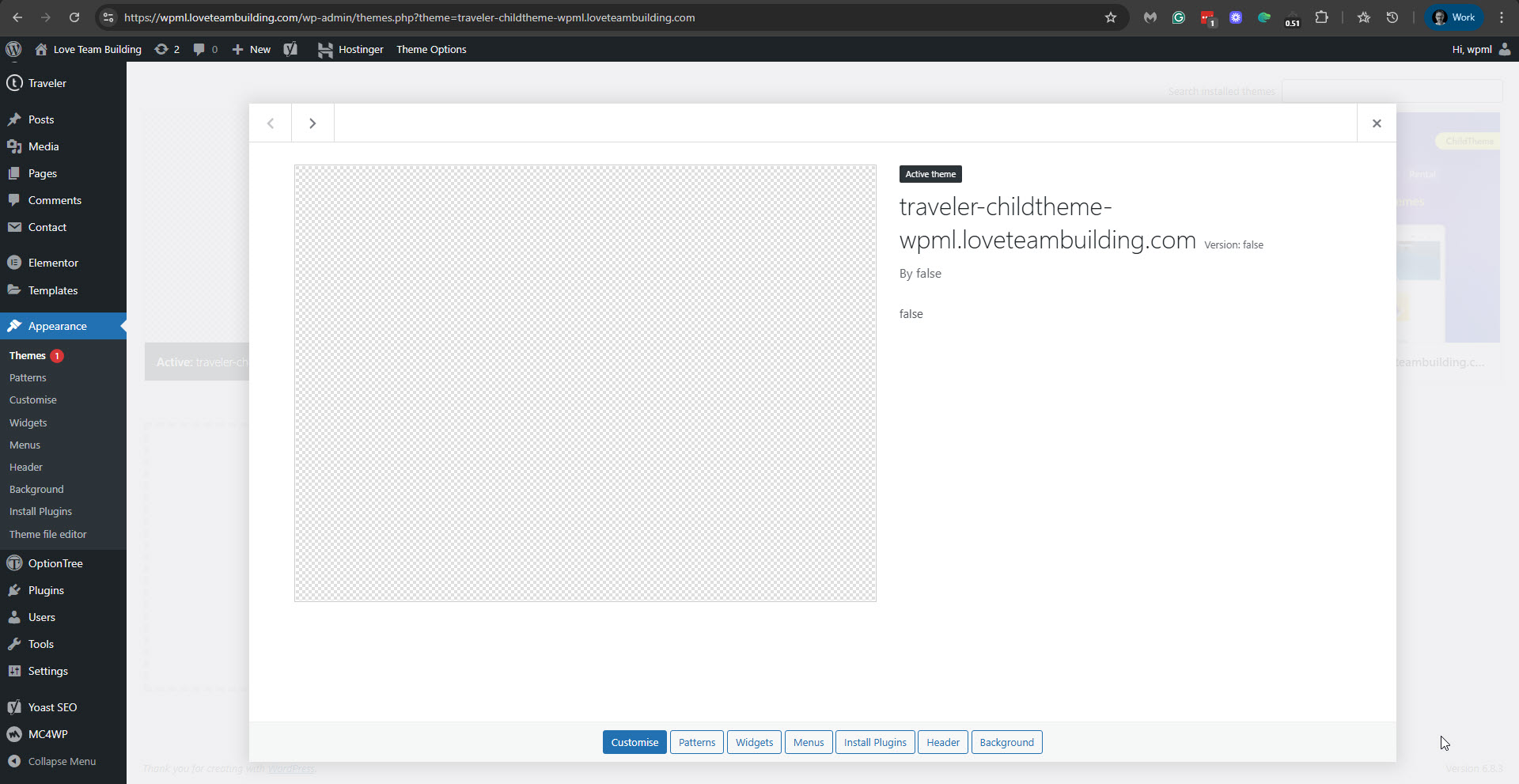 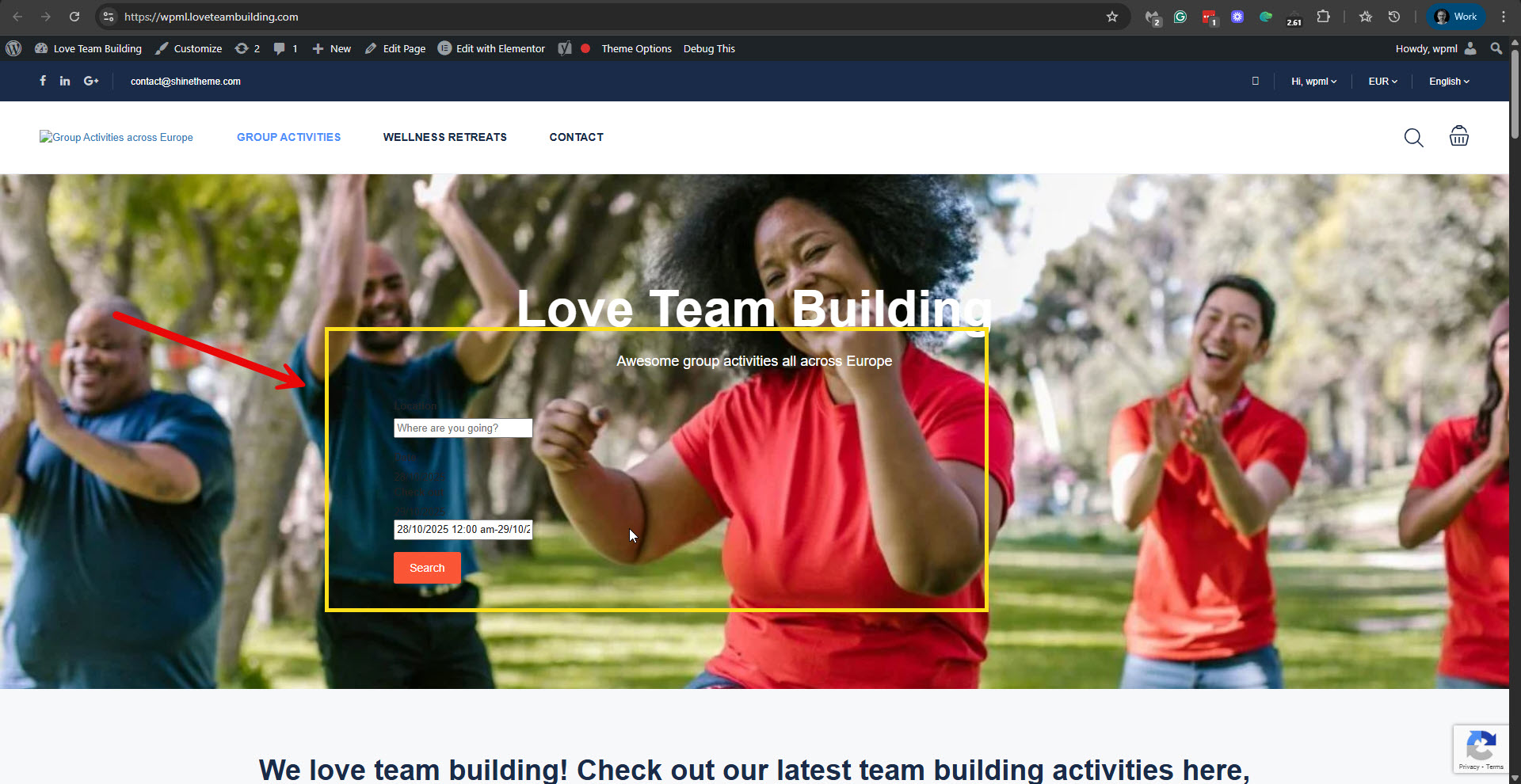 |
| October 29, 2025 at 11:14 am #17529003 | |
|
N V |
search is not the only thing that breaks, search is part of the parent theme not the child. It breaks on both. |
| October 29, 2025 at 12:35 pm #17529415 | |
|
N V |
Can you give me guydance on WPML database structure on how settings for themes are saved. I think the issue might be that WPML was installed on this website very long time ago and has some default tables created and does not initiate setup/install process. I do not know the internal workings of WPML, but hope you understand where I'm pointing at |
| October 30, 2025 at 11:47 am #17532410 | |
|
Itamar WPML Supporter since 02/2016 Languages: English (English ) Timezone: Asia/Jerusalem (GMT+02:00) |
Hi, Since, as you confirmed, the problem does not occur on a fresh WordPress installation with WPML and the Traveler theme, it seems to be a specific case on your site. You asked: "Can you give me guydance on WPML database structure on how settings for themes are saved." You can learn about the specifics of WPML's database tables at this link: https://wpml.org/documentation/support/wpml-tables/. In general, please note that we have extensive developer resources, and the best place to start is here: https://wpml.org/documentation/support/. Regarding settings for themes. If I understand your question correctly, then WPML does not have a DB table for theme settings. All theme and plugin settings are being saved in the wp_options table. You might also be interested in checking WPML's troubleshooting section. You can read about it here: https://wpml.org/documentation/support/wpml-troubleshooting-options/. Please check if any of the troubleshooting options help in your case. If the above information does not help you solve the problem on your site, please proceed as follows. 1. Switch to the parent Traveler theme. 2. Update the theme to its latest version, if it is not updated. 3. Deactivate all the third-party plugins except WPML, Strings Translation, and the required Traveler plugins, if there are any. 4. Check if at this state of the site the problem still occurs. 5. If it does, start activating the third-party plugins one by one while checking when the problem returns. 6. Report to us which was the culprit plugin. |
| November 3, 2025 at 1:13 pm #17541211 | |
|
N V |
So no thanks to you I was able to find the issue. From what i understand on new installation WPML would create an entry in wp_options table copying the Traveler theme settings from "option_tree" to like "option_tree_en", "option_tree_all", etc. Because WPML was installed 5 years ago, those tables were already present with improper configuration creating this issue of mine where it appeared that settings would be reset when WPML is activated. The main problem is that even when doing complete wipe/uninstall using your debug page, those tables would be left behind. WPML does not clean up after itself well. You should probably look into fixing that... |
| November 4, 2025 at 8:54 am #17544272 | |
|
Itamar WPML Supporter since 02/2016 Languages: English (English ) Timezone: Asia/Jerusalem (GMT+02:00) |
Hi, Thanks for updating us on the situation and the reason this problem occurred. Those options that you see in the wp_options DB table come from the Traveler Option Tree plugin. Please see the attached screenshot. WPML did not create them; therefore, it cannot remove them when you reset WPML from the troubleshooting section. You should contact the authors of the Traveler Option Tree plugin and ask for their help with this issue. I also want to mention that the Traveler Option Tree is not officially compatible with WPML. Please let me know if we can consider this ticket as resolved. Regards, 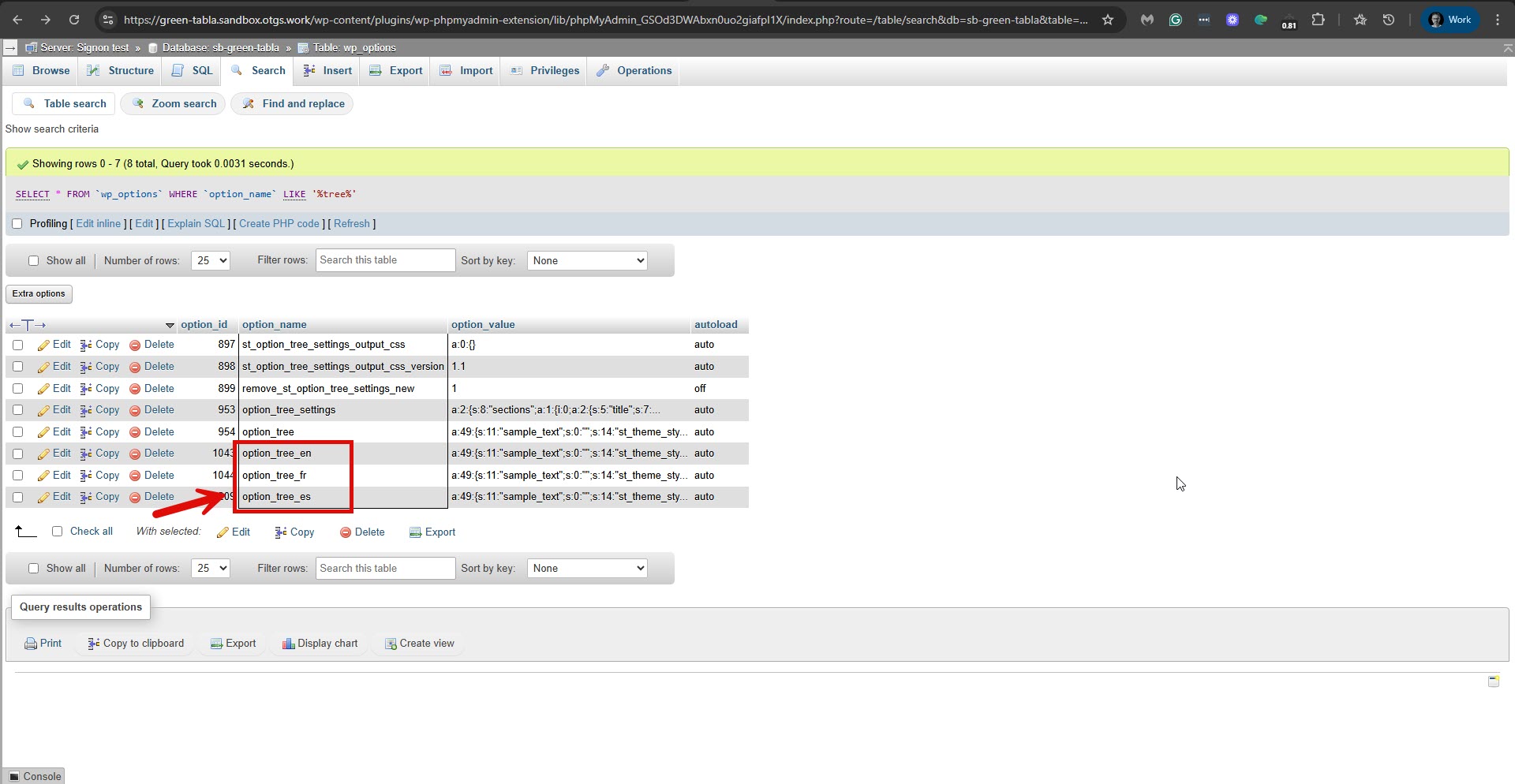 |






