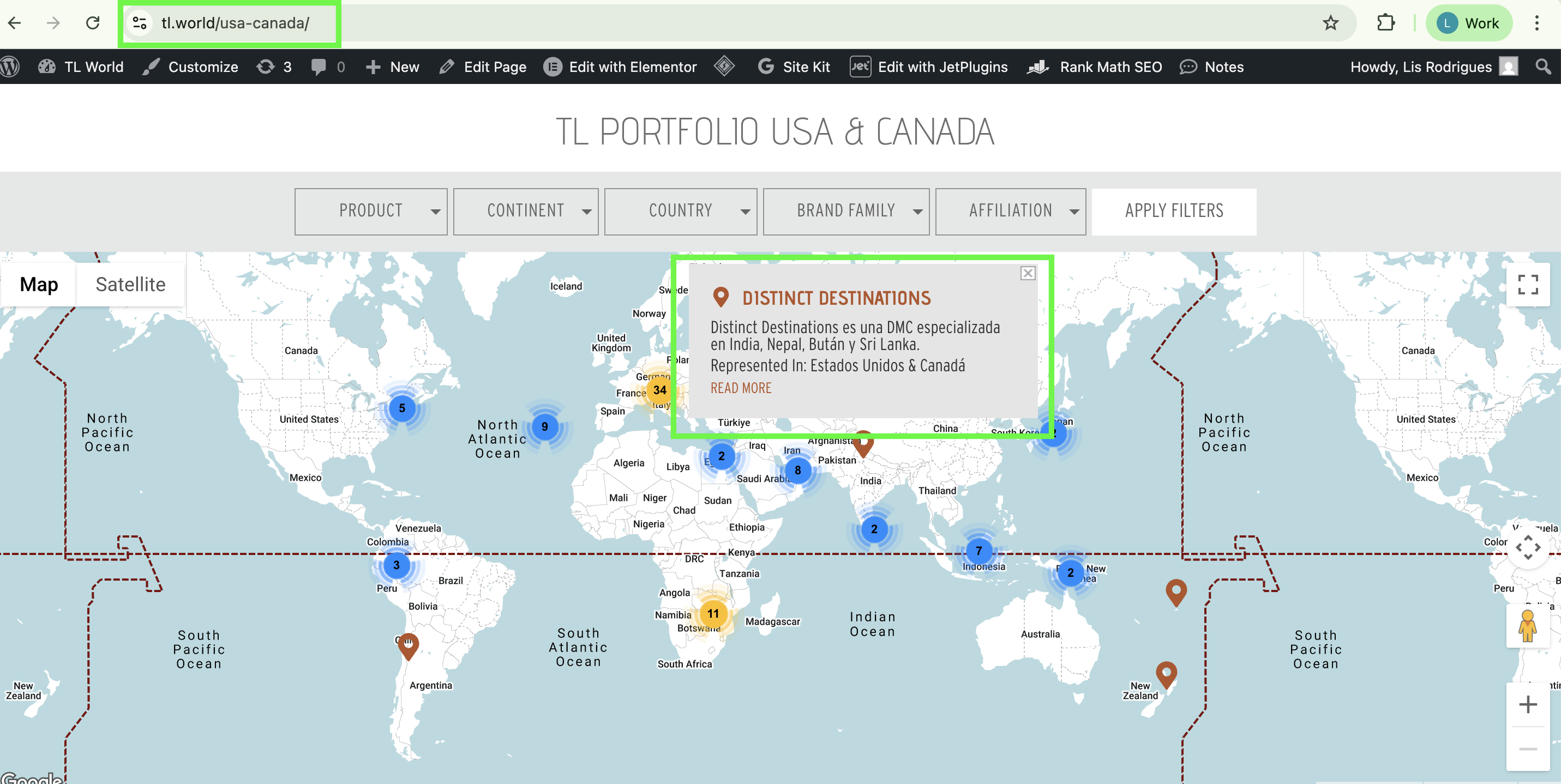
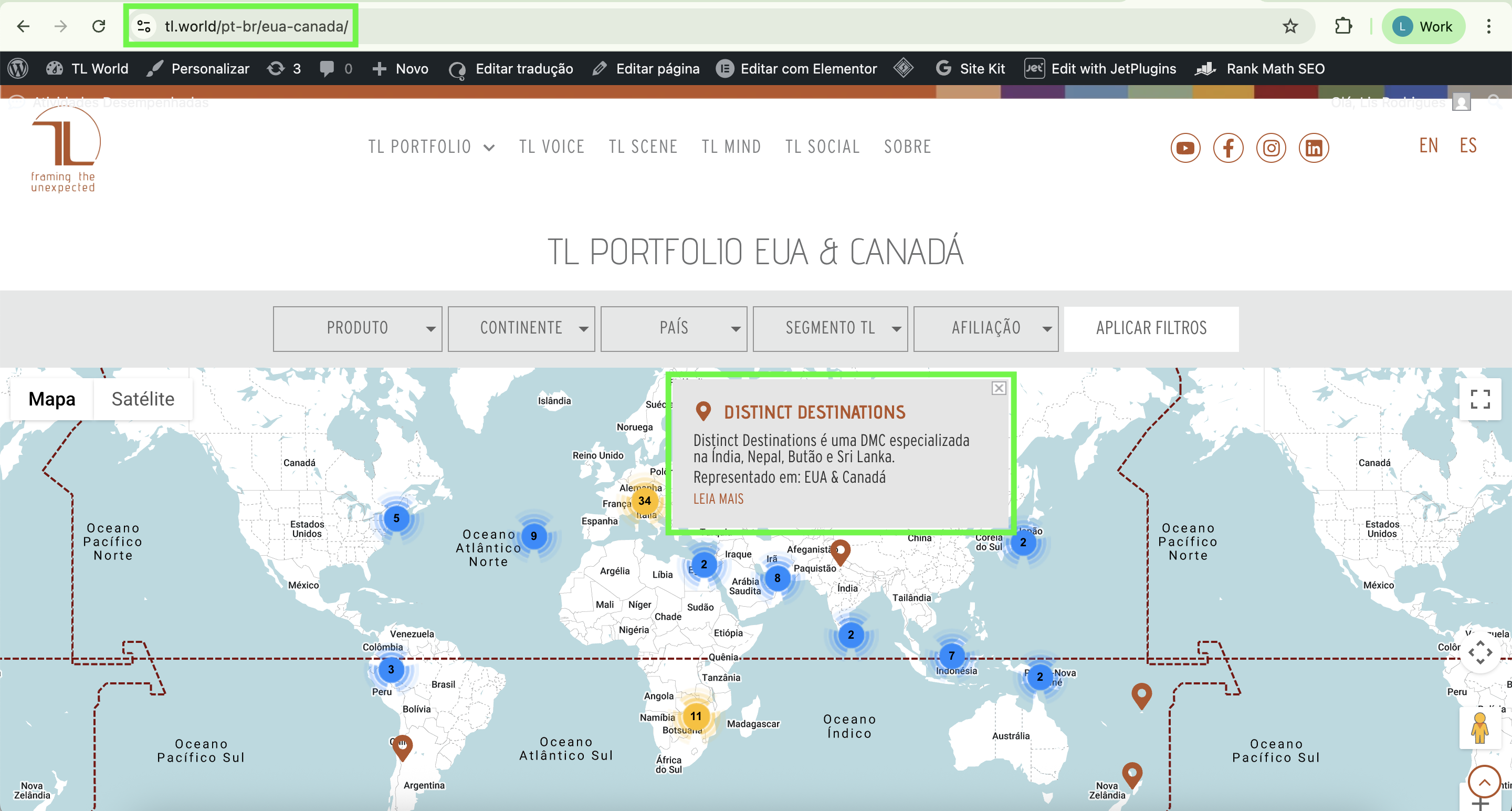
The pop-ups within the maps are not being translated correctly. For example, in the English version, it displays the text in Spanish. In the Portuguese and Spanish versions it displays the results correctly. The main language is English.
I translated the listing and also the posts.
* The content of the pop-ups is the result of a relation in Jet Engine: CPT Products vs CPT Products Location.
After analyzing your website more thoroughly, I noticed that inside the Elementor editor for the listing item (List Products Location MAP), the information is already being pulled in Spanish, when it should be in English. This indicates to me, that the issue arises from the JetEngine Relation.
I've explained it in more detail below. Please check the video: hidden link
To confirm that, I need you to please test if pulling the information for the Listing directly from the Post Types, instead of the relation, will change the behavior. Make sure to have a full website backup before testing anything, and let me know how it goes. Thanks in advance for your cooperation.
Yes, when I change the meta fields to match the current post, the behavior changes and the English language is displayed in the listing (in the Elementor editor). However, this doesn't work correctly on the front-end. The fields appear empty or in the wrong language.
* The question here is the Pin on the map comes from Products Location CPT and Excerpt field comes from Products CPT, because many times I do have more than one address to each Product. That is the reason of using Jet Engine Relation. It worked well before translation.
I'm also facing other issues that I believe are related to the integration between Jet Engine and WPML.
For example:
_ the dynamic image in the header of individual post pages doesn't behave as expected, displaying repeated images even when it's not configured to behave this way.
_ even when I set the single post pages as "translation required", if I update the English version, the Spanish version is overwritten in English.
Since the site is online, you can imagine I have some urgency in resolving these issues.
Can I check all of them with you or should open another ticket?
Hello, Lucas.
Sorry for the delay in responding. I was dealing with other urgent matters.
I've been speaking with my boss and, due to the difficulty in resolving this quickly, we decided to remove the pop-up description. This issue is no longer relevant at the moment. Thank you for your help.
I still need help understanding why, when I update some pages in English, the Spanish version is rewritten in English, even though I have set it to "translation required".
This is happening especially on single post pages. The post content remains in Spanish, but the Jet Engine dynamic fields are rewritten. It's impractical to have to update all 3 translations every time I make a design update in the English version, for example.
Thanks again and waiting to hear from you..
New threads created by Lucas Vidal de Andrade and linked to this one are listed below: