I am experiencing an issue when translating products using WPML.
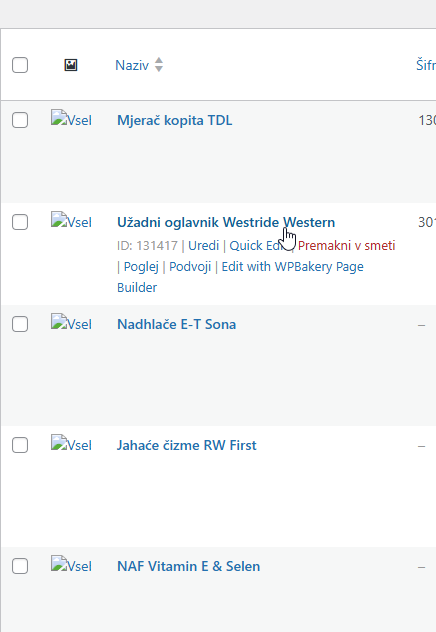
When I translate a product with WPML, the product is successfully copied and everything appears to be properly linked. However, in the product list view, the images are not visible between the products.
When I click on an individual product, the image displays correctly inside the product page. So the images seem to exist and be properly connected, but they are not showing in the product overview/list.
Could you please check what might be causing this?
As a first step, please update our plugins to their latest stable versions. You currently have the beta versions installed on your site.
- WPML Multilingual CMS 4.9.0-b.3
- Strings Translation 3.5.0-b.3
- WPML Multilingual & Multicurrency for WooCommerce 5.5.4-b.1
- Media translation 3.1.0-b.2.
Please go here: hidden link
And update our plugins to their latest stable versions. Then check if the problem persists.
**** Important! Please make a full site backup (files and DB) before you proceed with those steps****
If the problem persists, please get back to us, and we'll help further.
I have updated all WPML plugins to their latest stable (official) versions as suggested, and I made a full backup of the website (files and database) before proceeding.
Unfortunately, the issue still persists. When translating new products, the same problem occurs.
Additionally, I am now experiencing another issue: all translated products no longer display images at all. The images are missing on the translated versions of the products.