
This is the technical support forum for WPML - the multilingual WordPress plugin.
Everyone can read, but only WPML clients can post here. WPML team is replying on the forum 6 days per week, 22 hours per day.
Tagged: Known issue, WCML
Related documentation:
This topic contains 7 replies, has 2 voices.
Last updated by Mohamed Sayed 1 year, 11 months ago.
Assisted by: Mohamed Sayed.
| Author | Posts |
|---|---|
| January 9, 2024 at 2:35 pm #15165225 | |
 farithciaK |
Hello, For some reason, I cannot easily translate Woocommerce products with WPML Advanced translation Editor anymore. Whenever I open a product in Woocommerce, and I click on the icon next to the language I would like to translate to, with "WPML Translation Editor selected"(see picture), it no longer takes me to the WPML Advanced translation Editor screen. Instead, it's taking me to WordPress Editor. I have found out that the only way to translate with WPML Advanced translation Editor, is by following the steps below: I never had to do this many steps before. It would always immediately open in WPML Advanced translation Editor when I clicked on the icon next to the language I want to translate to. This work around is raking such a long time to translate a single product. Is there anyway this can be changed back to how it was? 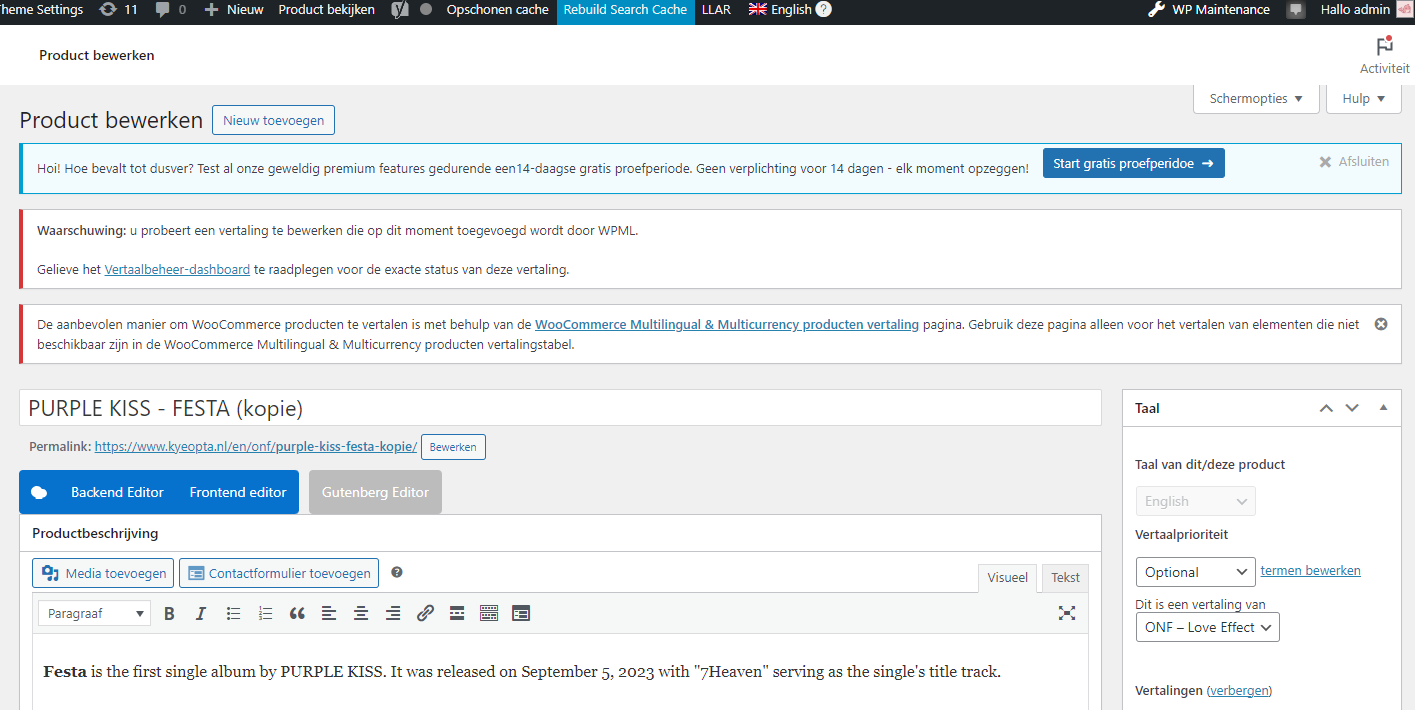 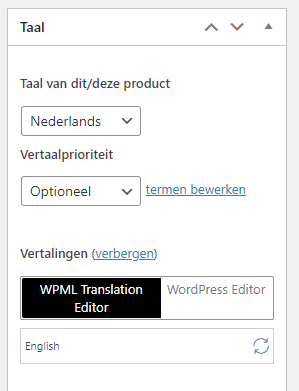 |
| January 9, 2024 at 5:44 pm #15166068 | |
 Mohamed Sayed |
Hi there, Please create a full backup of the database and website then go to WPML > Support > Troubleshooting page, and click the following: - Clear the Cache in WPML Then check if the issue is resolved. Kind regards, |
| January 9, 2024 at 7:08 pm #15166265 | |
|
farithciaK |
Dear Mohamed, Thank you for your quick reply! I have done as instructred but still facing the issue. I have always copied products to save time and have not experienced this issue in the past, so I am not sure what exactly has changed. |
| January 9, 2024 at 9:04 pm #15166611 | |
|
Mohamed Sayed |
I see the "Yoast Duplicate Post" plugin installed so I used the same plugin to test this on a clean installation. I see the same and I think this is expected because the translation of the product copy is created as a draft. To fix this you can edit the product copy, switch to the second language from the top admin bar and publish the translation. Then you should be able to update the translation with the WPML Advanced editor. Kindly check this recording: hidden link |
| January 10, 2024 at 11:37 am #15168447 | |
|
farithciaK |
Dear Mohamed, Thank you for looking at the issue. It's so strange that suddenly it's not possible to translate a copy directly anymore. I have always duplicated products and was always able to enter WPML Advanced Translation Editor straigh away without switching to the second language. It has stopped working since end December/start January I think as I have copied products and translated before Christmas the old way. |
| January 10, 2024 at 3:33 pm #15169784 | |
|
Mohamed Sayed |
I see that Yoast Duplicate Post plugin was last updated 5 days ago, maybe something was changed with their code. Could you please install the previous version of Yoast Duplicate Post and check if you see the same behavior? |
| January 17, 2024 at 6:27 am #15192722 | |
|
farithciaK |
Unfortunately, that didn’t solve the issue. I also deactivated it completely, but that plugin doesn’t seem to be the issue. For now I’ll just make new products instead of copying. This does not give me any issues. |
| January 17, 2024 at 12:39 pm #15194844 | |
|
Mohamed Sayed |
Hi, Our developers found that the issue happens when using the WooCommerce duplicate functionality. Please create a full backup then try the workaround provided here: https://wpml.org/errata/duplicating-translated-products-in-woocommerce-leads-to-using-the-native-editor/ Please check and let us know if that helps. |