I am experiencing an issue with WPML on my website and I cannot use automatic translation despite having sufficient credits.
Context:
Website URL: hidden link
Environment: Preproduction (will be migrated later to final URL)
WPML Multilingual CMS version: 4.9.2
Theme: Avada
Key plugins: WPML String Translation, Avada Builder, Avada Core, The Events Calendar, Wordfence
Problem:
I purchased 100k credits and already had ~80k credits. I assigned around 160k credits to this site.
WPML estimates that ~124k credits are needed for translation, but when I try to launch automatic translation, WPML says I do not have enough credits.
On wpml.org:
The site key is marked as inactive
Credits are correctly visible there
On my WordPress:
-The site key is registered
-But credits are not retrieved
Errors observed:
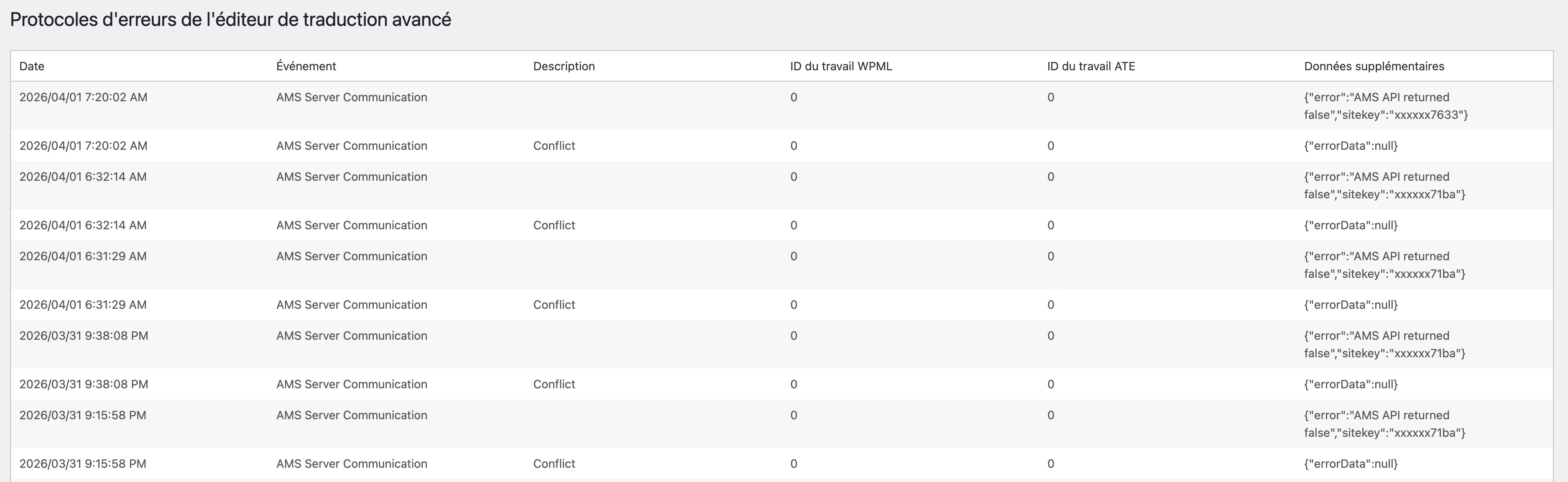
ATE / AMS communication errors:
"AMS API returned false"
"Conflict"
"Api error missing resource: No sitekey found for this website"
What I already tried:
-Re-registering the site key
-Verifying REST API availability
-Checking plugins and configuration
-Reviewing debug information and logs
Current situation:
It looks like WPML is unable to properly associate the site key with my website, which prevents:
-Credit synchronization
-Automatic translation (ATE)
-Proper AMS communication
Why is my site key considered inactive on WPML.org while it is registered on my site?
I can provide additional debug information if needed.
Thank you for your help.
My client is currently waiting for the multilingual version of the website, and the inability to use automatic translation is blocking the project entirely. Despite having sufficient credits and completing all the necessary configuration steps, WPML still does not recognize the credits and prevents any progress.
This situation is causing delays and increasing pressure on the project delivery.
Languages: English (English )Spanish (Español )Italian (Italiano )
Timezone: Europe/Rome (GMT+02:00)
Hello,
You don't need to just "re-register" the sitekey but actually delete it and create it again.
- Go here: https://wpml.org/account/sites/
- Delete your site from here
- Return to your website and go to plugins > Add New > Commercial
- Remove the sitekey
- Create a new one (from the link below the sitekey input field)
- Now try to send the credits again
This time it should work.
--------------
Why did it happen? our system detected that this sitekey was already in use somewhere else, maybe on a production site? since it was already assigned somewhere else, it couldn't be reassigned, thus creating the issue you have now.
Unfortunately, I have already performed this procedure multiple times, and the issue still persists. When I said "re-registering", I meant that I followed the full procedure, including deleting the old site key and generating a completely new one.
I have also gone through multiple support threads regarding similar issues and tried all the suggested solutions, but none of them resolved the problem.
The site was previously behind a proxy. We disabled it yesterday to eliminate any potential connectivity or API communication issues, but this did not resolve the problem.
At this point, I’m wondering if there might be a desynchronization issue, possibly related to my automatic translation account.
Unfortunately, I cannot provide direct access to the website, as it belongs to a university research laboratory and we have strict access restrictions for external parties.
However, I would be open to scheduling a video call or screen-sharing session if that works for your team, so we can investigate the issue together.
Regarding your proposal, I would appreciate it if you could send the credits to the site so I can continue working in the meantime. I currently have 160k credits available, which should allow me to translate the entire site using automatic translation while we work on resolving this issue.
I am also attaching a screenshot of the AMS server conflict error for your reference.
Languages: English (English )Spanish (Español )Italian (Italiano )
Timezone: Europe/Rome (GMT+02:00)
Hello,
The problem should be solved now and we also added the credits to the site this morning.
The problem is the domain you used. that "www-" actually made it so our systems which usually filter out the protocols and the "www." got confused and filtered out part of your site which made it so the sitekey would never be correctly assigned.
We should have a permanent fix for this in a few days but you should be able to do everything right now.