Background of the issue:
I’m having an issue with the translated version of my website. On the translated pages, several links are incorrect and point to the wrong pages. I want to fix these manually using Elementor, but WPML shows a warning. I did not activate the Advanced Translation Editor — I want to translate manually and be able to edit all translated pages directly in Elementor, just like the main language. However, even with ATE disabled, WPML still blocks me from editing the translated page with Elementor. I have now removed the translated version of my website.
Symptoms:
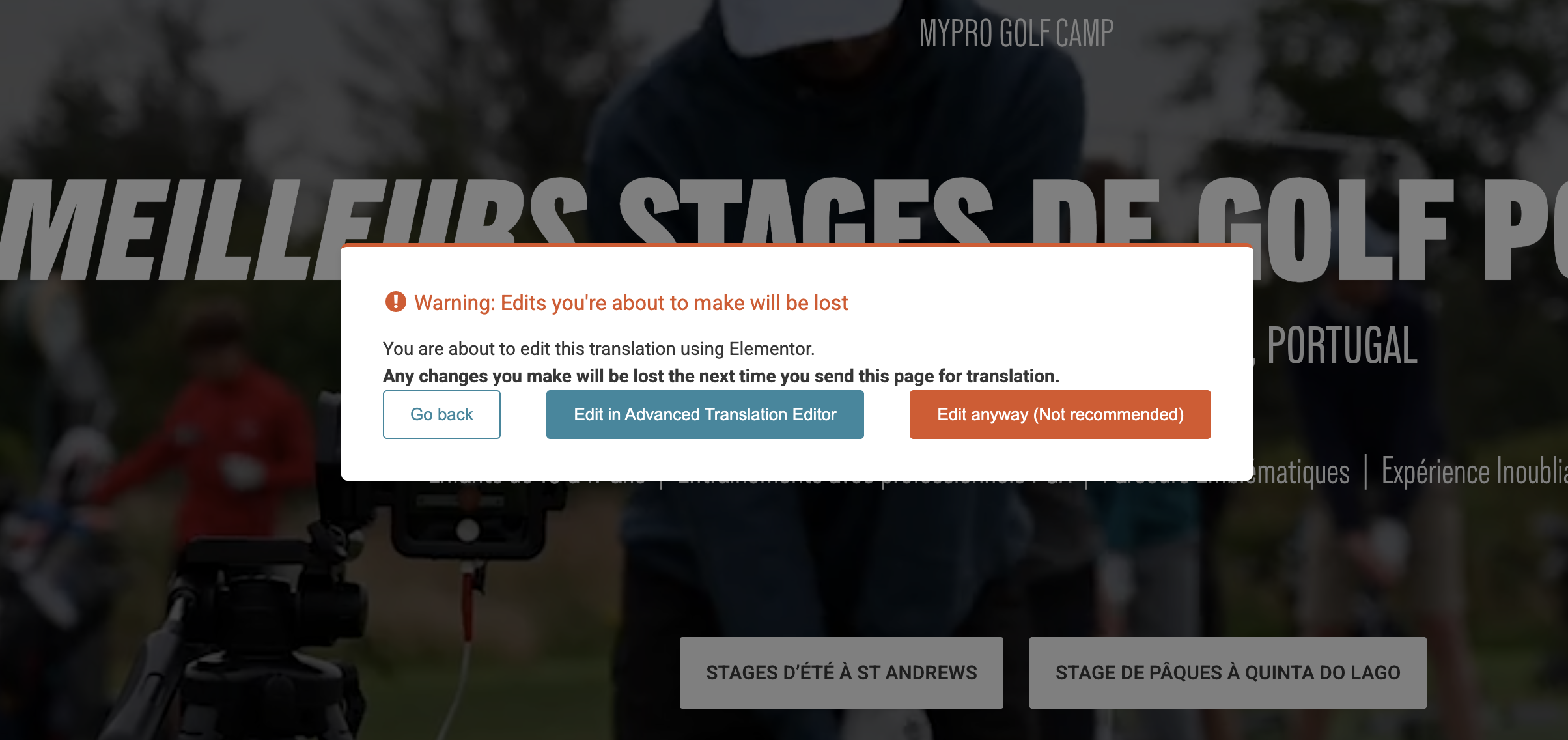
Warning: Edits you're about to make will be lost – You are about to edit this translation using Elementor. Any changes you make will be lost the next time you send this page for translation.
Questions:
How can I manually edit translated pages in Elementor without losing changes?
Why does WPML block me from editing translated pages with Elementor even when ATE is disabled?
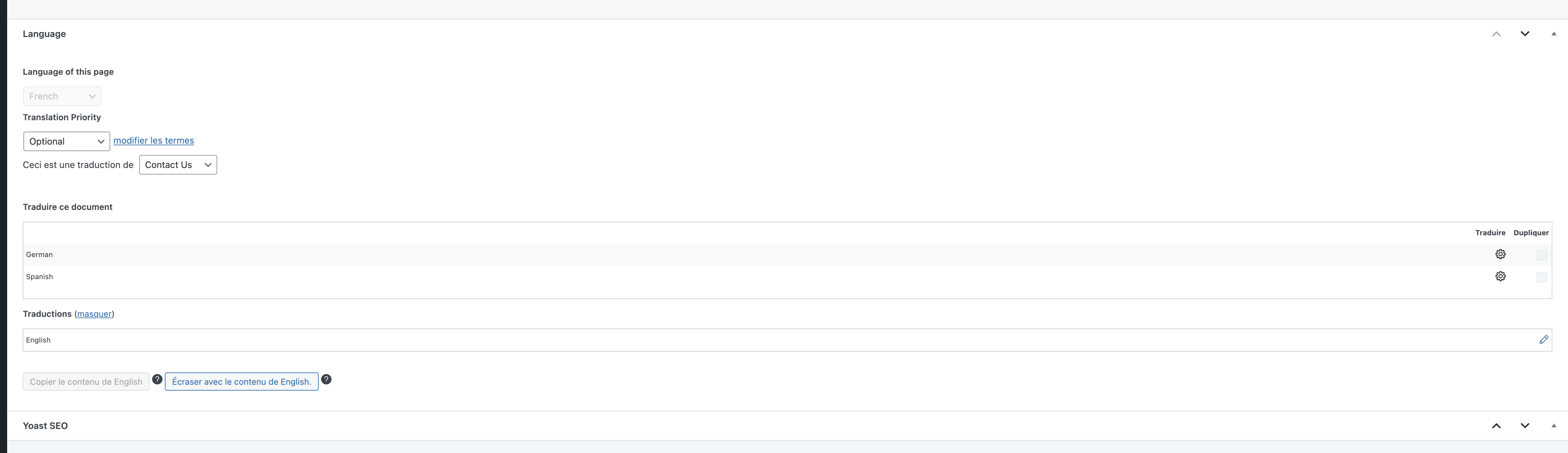
This is what I see at the bottom of the translated pages - I do not have any option to select between WordPress Editor or the ATE as mentioned in the AI chat
The behavior you’re experiencing is expected. The warning appears because you’re opening the page translation directly in the Elementor editor. It indicates that any existing translations done with the Advanced Translation Editor (ATE) will be lost if you proceed with editing the translation directly in Elementor.
This is what I see at the bottom of the translated pages - I do not have any option to select between WordPress Editor or the ATE as mentioned in the AI chat
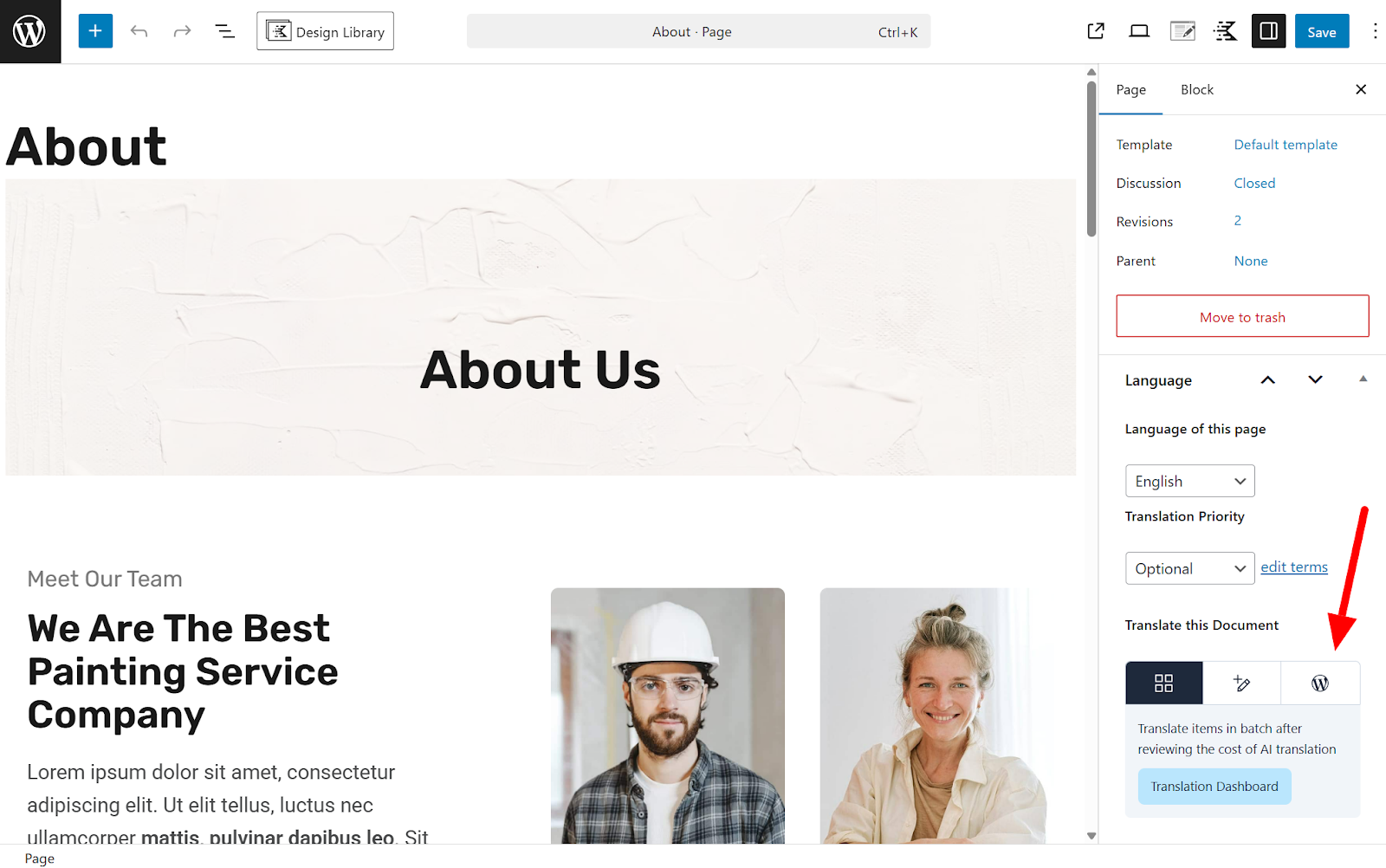
You don't see the option because you're viewing the page translation. You need to edit the page in the original language to access that option. I am attaching the screenshot.
Unfortunately, I seem to still be missing something. When I go on the original page, switch to WordPress Editor and select "only this page", I do not see the "+" (see screenshot). Please advise.
On another note:
I’ve been using WPML for many years, and the way translations are managed and edited seems to have changed. I used to manually translate everything and edit translated pages directly in Elementor without any issues.
Now, due to these changes, I spent an awful lot of time trying to sort it out and ended up completely removing and reinstalling WPML, as I thought there was an issue. Unfortunately, this wiped all of my existing translations, so I now have to rebuild everything from scratch.
Given the amount of time already lost and the significant work ahead, I would like to request a refund or some form of compensation (for example, credits or additional automatic translation quota) to help offset the impact?
I hope there’s something you can do in this situation.
Thanks again for your help,
Thank you for sharing more details, and I am sorry that you ran into trouble with this.
Unfortunately, I seem to still be missing something. When I go on the original page, switch to WordPress Editor and select "only this page", I do not see the "+" (see screenshot). Please advise.
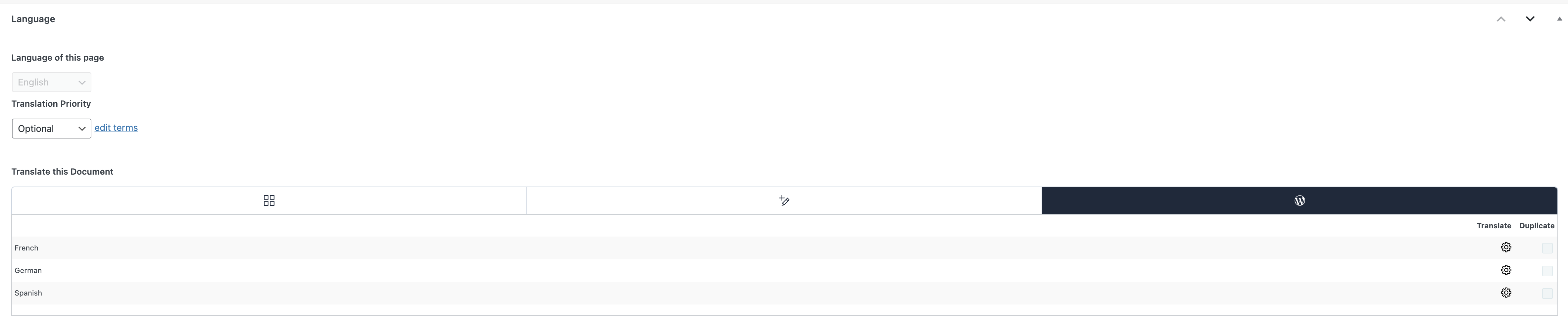
It seems your translation is in progress, and that's why you see the gear icon. You can go to WPML → Translation Dashboard → Translation Jobs, find these translation jobs, and cancel them.
However, I would first try clicking the gear icon, and I think you will be redirected correctly to the WordPress editor. If not, then cancel the translation jobs first.
I’ve been using WPML for many years, and the way translations are managed and edited seems to have changed. I used to manually translate everything and edit translated pages directly in Elementor without any issues.
Now, due to these changes, I spent an awful lot of time trying to sort it out and ended up completely removing and reinstalling WPML, as I thought there was an issue. Unfortunately, this wiped all of my existing translations, so I now have to rebuild everything from scratch.
Given the amount of time already lost and the significant work ahead, I would like to request a refund or some form of compensation (for example, credits or additional automatic translation quota) to help offset the impact?
I hope there’s something you can do in this situation.
I have added 60,000 credits to your wpml.org account.
So I click on the button below saying "Translate independently"and even then, I still get the same warning message: "Edits you're about to make will be lost
You are about to edit this translation using Elementor. Any changes you make will be lost the next time you send this page for translation."
Wpml doesn't want to let me edit my translated pages with elementor but is forcing me to use the ATE which is seriously frustrating.