Skip to content Skip to sidebar

This is the technical support forum for WPML - the multilingual WordPress plugin.

Everyone can read, but only WPML clients can post here. WPML team is replying on the forum 6 days per week, 22 hours per day.

Sun Mon Tue Wed Thu Fri Sat
9:00 – 18:00 9:00 – 18:00 9:00 – 18:00 9:00 – 18:00 9:00 – 18:00 - -
- - - - - - -

Supporter timezone: Africa/Cairo (GMT+02:00)

Tagged: 

This topic contains 3 replies, has 0 voices.

Last updated by Osama Mersal 1 week, 4 days ago.

Assisted by: Osama Mersal.

Author Posts
December 11, 2025 at 6:35 am #17654337

jesperS-11

Okay seems like this is working now...

Now the next problem is? how do i make the menu work with divi - see the video... i have a global header? how do i make this work?

hidden link in here you can see i only have 3 layouts?

But i can't select like a langue for the global header...

loom.com/share/951ef00ca1ea4f4a9a06aa48e00c02d6?focus_title=1&muted=1&from_recorder=1

Please help me with this ASAP - so my header menu will be shown in the correct langue also...

And please also let me know why the images are not working? hidden link i have like hidden link 562 pages, can it be true i have to translate them manual? if you would send me a video on how i do it automatic, or if you would set it so its translating it manual - it would help me a lot, so i could put the website live, as soon as possible....

December 11, 2025 at 8:47 am #17654779

Osama Mersal
WPML Supporter since 02/2020

Languages: English (English ) Arabic (العربية )

Timezone: Africa/Cairo (GMT+02:00)

Hi,

I'm Osama from the WPML forums support team. I'll be glad to help you today.

I checked your previous ticket, checked the site, and the video. From what I understood, you want to change the menu for all headers.

In order to add the menu and translate the global header, please check the following steps:

1- Go to Divi-> Theme Builder
2- Edit the global header in Danish
3- Select the menu and update the header
4- Go to WPML-> Translation Management
5- Select the header template and send it to translation

To translate the menu, please refer to this guide.

Please let me know if I missed something, and if you want to achieve something else.

Best regards,
Osama

December 12, 2025 at 11:50 pm #17660924

jesperS-11

Go to WPML-> Translation Management? how do i find the management thing?

I need like a different logo and different link on logo, from skier.dk to snowkom.se.... please let me know how to do this in a short video

December 14, 2025 at 10:55 am #17661984

Osama Mersal
WPML Supporter since 02/2020

Languages: English (English ) Arabic (العربية )

Timezone: Africa/Cairo (GMT+02:00)

Hi,

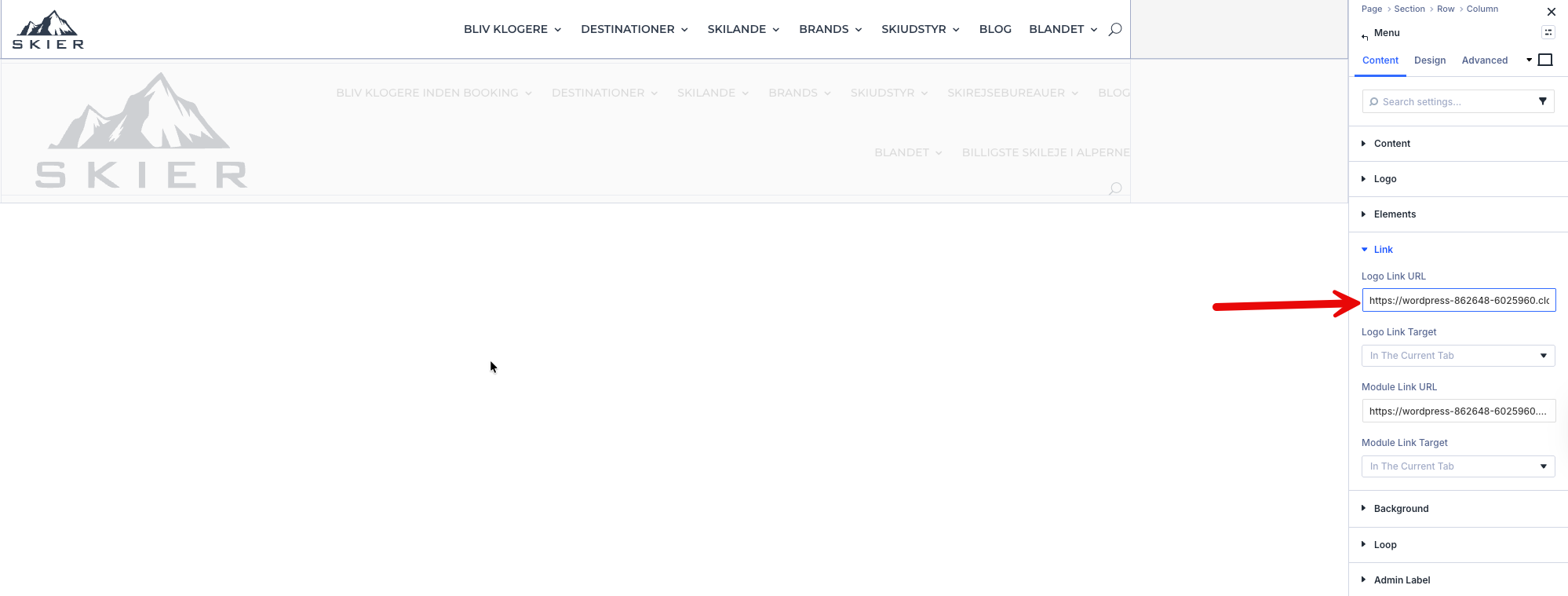
The logo and its link are added inside a menu module using Divi. (Kindly check the attached screenshot)

We have some known issues with Divi5, but this menu module is not one of them, so I created a sandbox site to debug and escalate the issue to our compatibility team.

Please log in to this hidden link">sandbox site and install Divi. After that, please create a test header with the same menu module to replicate the issue.

If the issue is reproducible, please let me know so I can escalate it.

Best regards,
Osama

3.png