Skip to content Skip to sidebar

This thread is resolved. Here is a description of the problem and solution.

Problem:
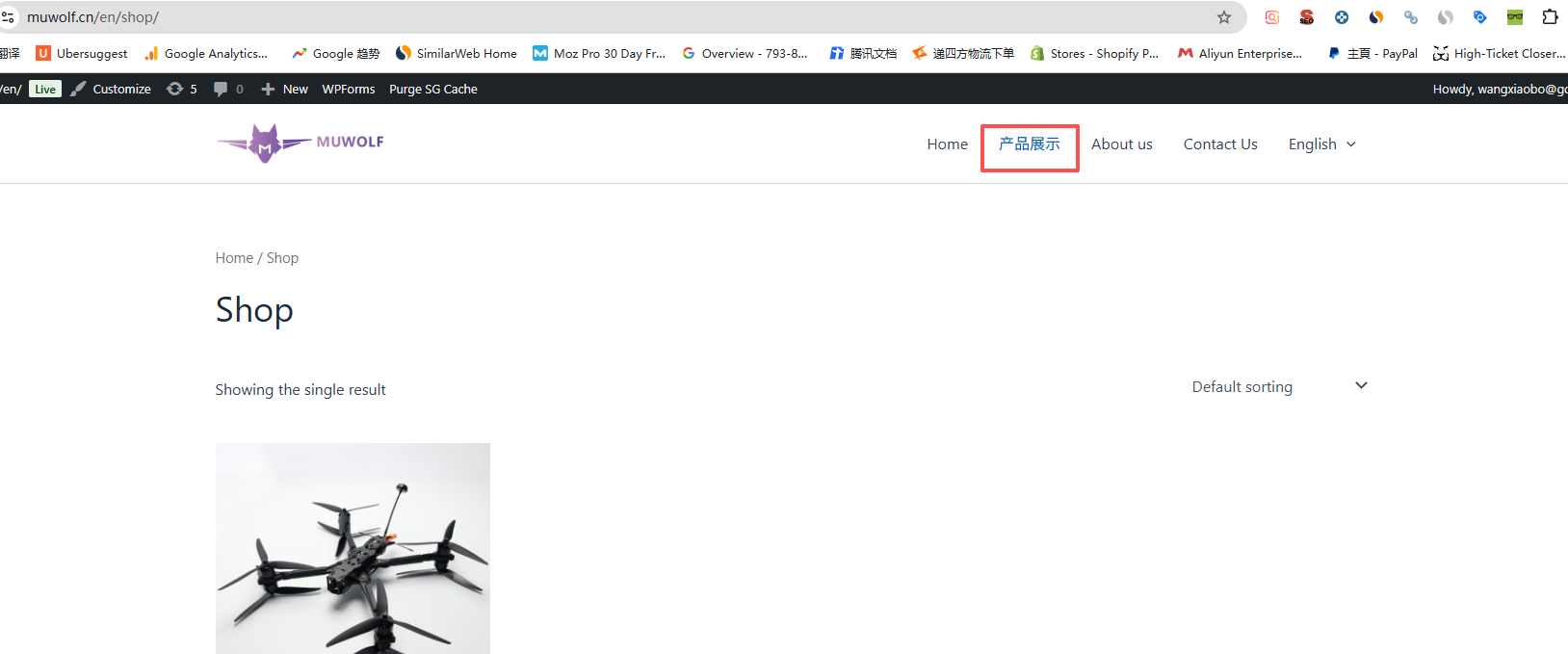
One item in the main menu, specifically for the 'product section', was not translated.
Solution:
We resolved this issue by syncing the menus correctly using the WPML > WP Menu Sync option. If you're experiencing this issue, we recommend you try the same steps. For detailed guidance, follow the steps in the WPML menu translation documentation.

Please note that this solution might be outdated or not applicable to your specific case. We highly recommend checking related known issues at https://wpml.org/known-issues/, verifying the version of the permanent fix, and confirming that you have installed the latest versions of themes and plugins. If the issue persists, please open a new support ticket.

This is the technical support forum for WPML - the multilingual WordPress plugin.

Everyone can read, but only WPML clients can post here. WPML team is replying on the forum 6 days per week, 22 hours per day.

This topic contains 4 replies, has 0 voices.

Last updated by Christopher Amirian 1 week, 4 days ago.

Assisted by: Christopher Amirian.

Author Posts
March 5, 2026 at 2:33 am #17873500

Daniel Wang

There are 4 items on main menu, 1 item for 'product section' not translated. How to resolve it.

March 5, 2026 at 9:02 am #17874049

Christopher Amirian
WPML Supporter since 07/2020

Languages: English (English )

Timezone: Asia/Yerevan (GMT+04:00)

Hello,

Welcome to WPML support. May I ask you to go to WordPress Dashboard > Appearance > Menus and find the menu in question?

From the top right section, select the English flag so you will see the menu in English.

Manually change the Chinese word there to English and save the menu.

See if it fixes the issue.

If not, I'd appreciate it if you could give me the URL/User/Pass of your WordPress dashboard after you make sure that you have a backup of your website.
It is absolutely important that you give us a guarantee that you have a backup so if something happens you will have a point of restore.

Make sure you set the next reply as private.

Thanks.

March 8, 2026 at 2:42 pm #17880228

Christopher Amirian
WPML Supporter since 07/2020

Languages: English (English )

Timezone: Asia/Yerevan (GMT+04:00)

Hello,

Sure thing, I tried to login using the URL you provided for the WordPress Dashboard but unfortunately it goes to a 404 (not found) pape.

Would you please check the attached screenshot?

May I ask you to check the URL you gave in the private information?

Thanks.

Screenshot 2026-03-08 at 6.40.28 PM.png
March 9, 2026 at 1:20 am #17880459

Daniel Wang

Here is the login link you will be able to login: hidden link

March 9, 2026 at 12:21 pm #17881843

Christopher Amirian
WPML Supporter since 07/2020

Languages: English (English )

Timezone: Asia/Yerevan (GMT+04:00)

Hello,

Thank you for the login information. The Menus were not synced correctly and I synced them from WPML > WP Menu sync option.

Now the issue is fixed.

I followed the steps mentioen din the documentation below:

https://wpml.org/documentation/getting-started-guide/translating-menus/

Thanks.