
This is the technical support forum for WPML - the multilingual WordPress plugin.
Everyone can read, but only WPML clients can post here. WPML team is replying on the forum 6 days per week, 22 hours per day.
This topic is split from https://wpml.org/forums/topic/translated-page-url-generated-but-cannot-be-viewed-and-other-error/
Tagged: Known issue
This topic contains 4 replies, has 0 voices.
Last updated by williamC-38 2 months ago.
Assisted by: Itamar.
| Author | Posts |
|---|---|
| October 17, 2025 at 3:19 pm #17494609 | |
 williamC-38 |
Hi Itakar in the midst of waiting for the reply, we'd like to report another issue: Issue #3 Page categorization error after translation There are category pages with NO products after being translated to both traditional and simplified Chinese. It appears that instead of translating the pages, WordPress created new category pages where the original products of the categories are no longer available. The links to the error pages are listed below: *Brooches* hidden link *Bridal and Engagement* hidden link hidden link hidden link hidden link And here are examples of normal translated pages: *Bracelets* hidden link *Bridal and Engagement* hidden link Please also look into this problem, and could you tell us what the reason behind this error is? Thank you very much. |
| October 17, 2025 at 3:41 pm #17494708 | |
 Itamar WPML Supporter since 02/2016 Languages: English (English ) Timezone: Asia/Jerusalem (GMT+02:00) |
Hi, In this ticket, we will address the issue of translated category pages displaying no products. Please notice the following admin message:
It displays in the backend of your site. To resolve the issue, please follow the steps below. 1. Go to WPML -> Taxonomy Translation. Please let me know if it helps. Regards, 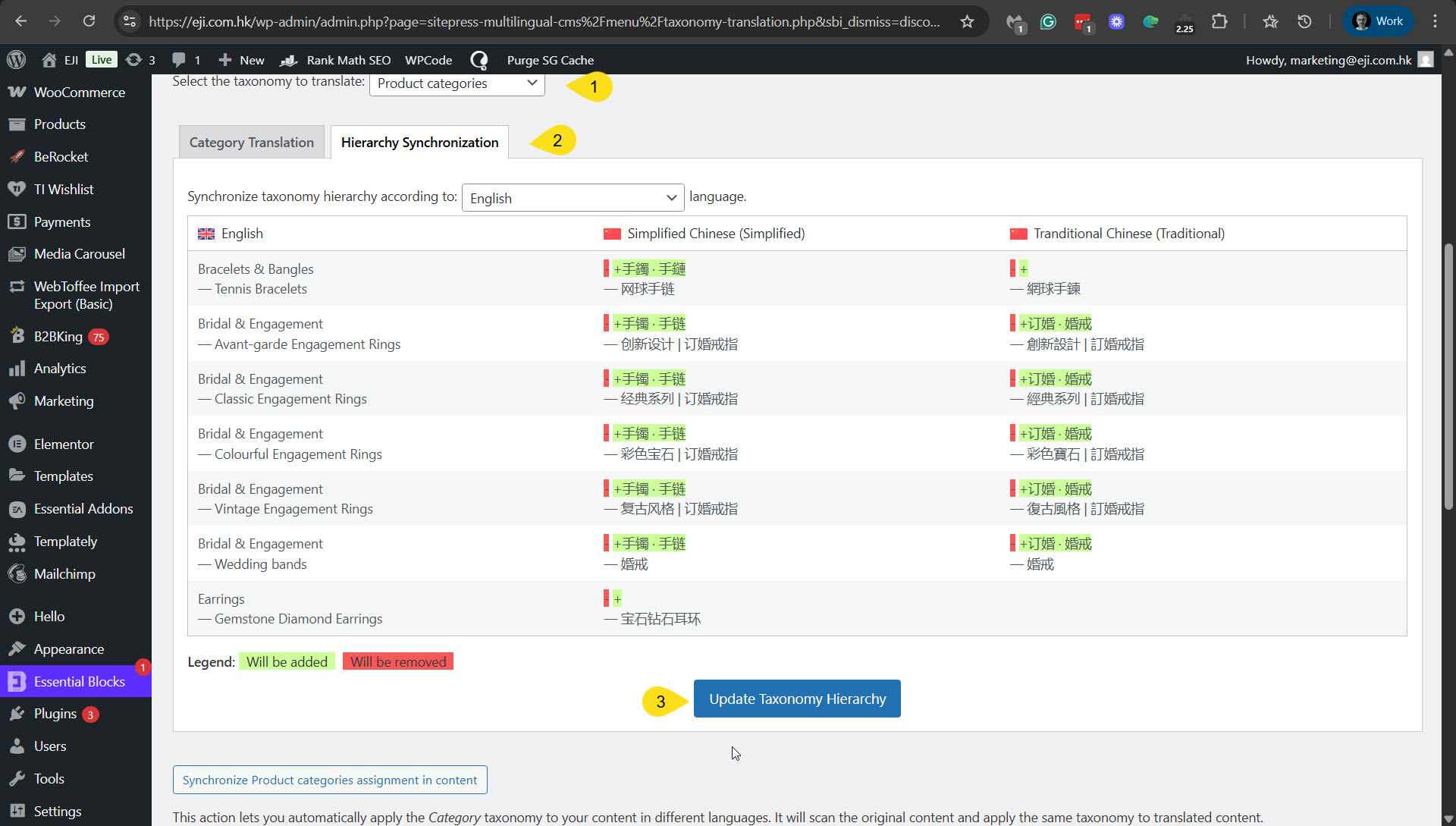 |
| October 20, 2025 at 2:48 am #17497399 | |
|
williamC-38 |
Hi Itamar, Thanks for following up. Yet the issue persists after updating the Taxonomy Hierarchy. Could you please let us know if there's any way to resolve the problem? New Category encountering the issue: Bracelets and bangles Thank you! 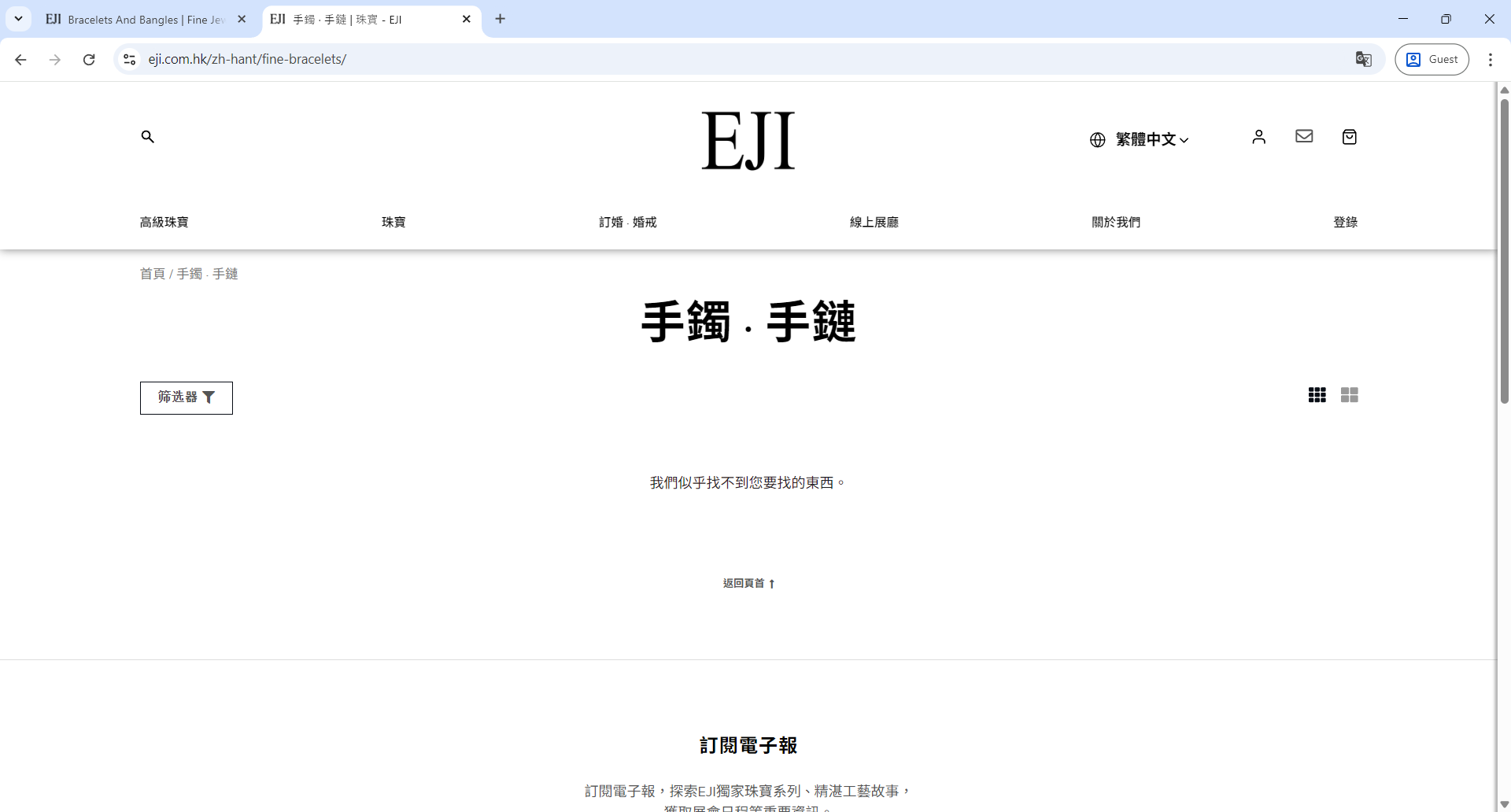 |
| October 21, 2025 at 6:43 pm #17504316 | |
|
Itamar WPML Supporter since 02/2016 Languages: English (English ) Timezone: Asia/Jerusalem (GMT+02:00) |
Hi, As I wrote in the other ticket, I've created a copy of your site and will debug it on my local server. I'll update you here. I appreciate your patience. |
| October 23, 2025 at 7:51 pm #17513874 | |
|
Itamar WPML Supporter since 02/2016 Languages: English (English ) Timezone: Asia/Jerusalem (GMT+02:00) |
Hi, This problem is the same as in the other ticket. It is the problem with the B2BKing plugin. The solution I described in the other ticket will also fix this ticket's problem. You only need to set the b2bking_group_ fields once to Copy. And then go to WPML -> Taxonomy Translation, and re-save the Product Categories with this problem. Please let me know how it goes. Regards, |
| October 24, 2025 at 7:42 am #17515088 | |
|
williamC-38 |
Thank you Itamar, the issue is now resolved! |






