Hello,
each time I update my translations the HTML Elementor widget gets back to it's original language. How can I translate this code once and for all?
Thank you in advance!
While you wait for my colleague to take over the ticket, let me try to help you with the issue quickly.
As I understand it, you are most likely editing the second language page manually and adjusting the HTML code there. If that is the case, this will not work correctly because you cannot mix translation methods and on save it will overwrite your manually added changes.
You need to use either the WPML Translation Editor or the manual translation method, but not both at the same time.
Also, HTML code itself is not expected to be translated through the WPML editor, since in most cases the code structure is the same for both languages and only the text content changes / page is translated.
If you need the HTML code to be different between languages, then you should switch to the manual translation method and edit each language page separately or implement code in different way for different languages, for example via functions.php.
thank u for ur answer! I think i just don't get smth when it comes to your plugin :))
I have content on my page which must be visible on a single language, the Romanian one, my websites has 6 languages (www.casa-metalica.ro).
If i want to upload a photo, it does not show on all languages until i complete the translation in WPML editor. In this case, the section that should be only on my Romanian version translates to all other languages. I need to use Elementor editor to remove it. If i access the Elementor editor, the HTML widget (which contains links and text that need translation) goes back to the original language.
How can i handle all this in the simplest way?
Hope this makes sense to u, thanks for ur patience!
You shared that "I have content on my page which must be visible on a single language, the Romanian one, my websites has 6 languages (www.casa-metalica.ro)."
When you have content that must show only in one page, that means that you are using different content per language, not the same content but translated. In those cases, you need to use the WordPress Editor option, that allows you to create translations without the WPML editor, directly in WordPress or Elementor, in any way you want.
It's explained how to switch to the WordPress Editor here:
Make sure to have a backup and just follow the steps above. Please read the instructions carefully.
Please note that you should NOT edit translations that were created with the WPML Editor, using Elementor. They will cause issues and get reverted. There's a big notice stating this, everytime you edit translations created with WPML using Elementor or WordPress.
Ok, what about the HTML widget. How can i translate it and keep it's translation when editing?
It contains text and links that should be different for Romanian and other languages.
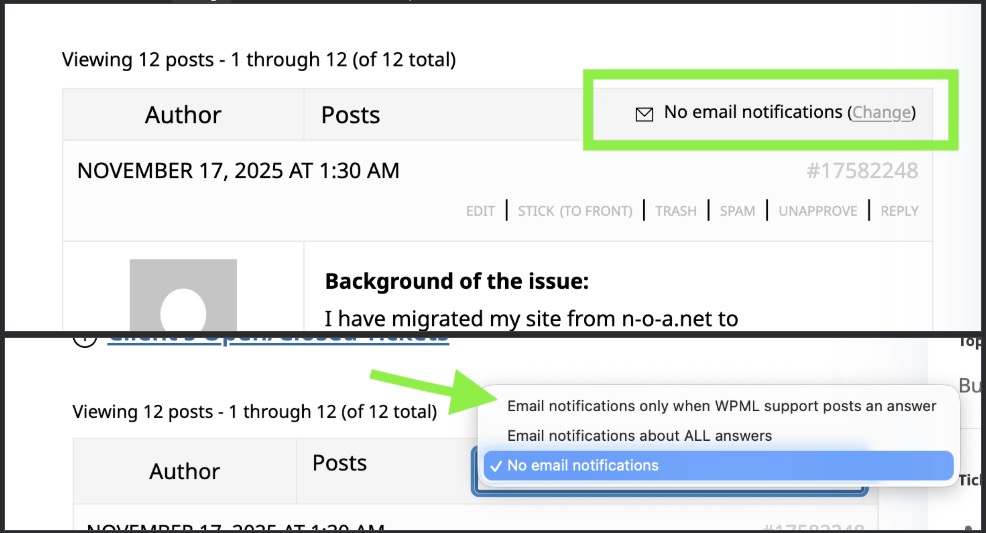
To receive emails, make sure you are subscribed to the ticket. Check the attached image.
About the HTML widget. The WPML Translation Editor does not translate HTML code, it's a tool made for text translation, primarily. In this case, the solution is the same: you can use the WordPress Editor, as explained previously. There you can insert the HTML you want for any language regardless of the original page.