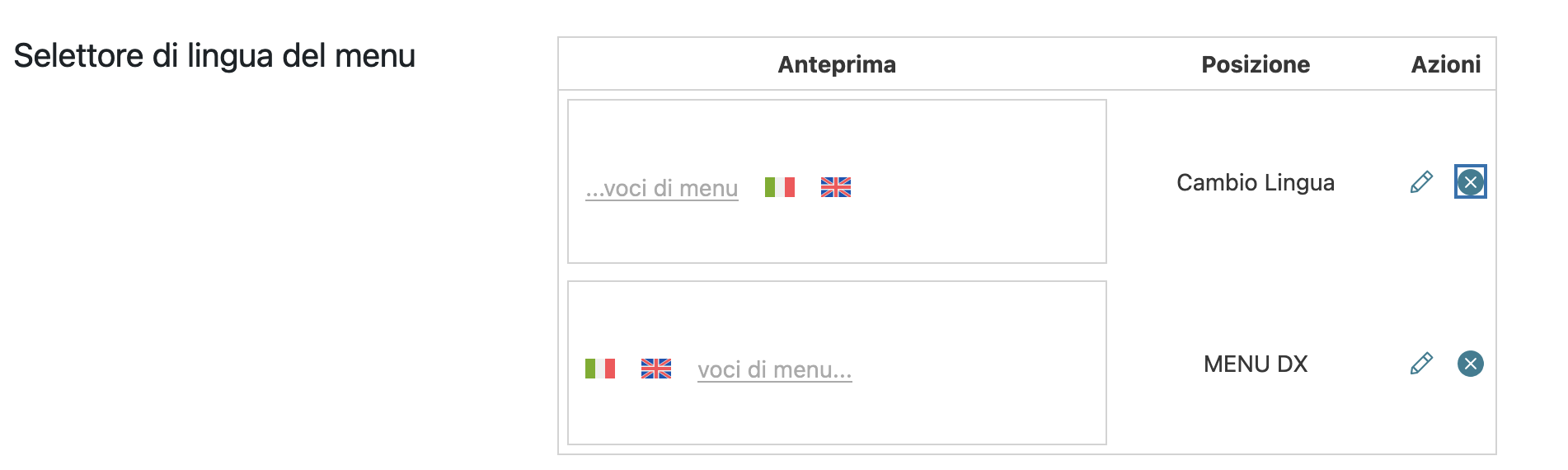
This thread is resolved. Here is a description of the problem and solution.
Problem:
The client is unable to display language switcher flags in the top menu and cannot remove an option by clicking the 'X' button.
Solution:
1. **Increase WordPress Memory Limit:**
- Access the `wp-config.php` file and add the following line above the `/* That's all, stop editing! Happy publishing. */` line:
define('WP_MEMORY_LIMIT', '256M');2. **Verify Language Switcher Settings for Flags:**
- Navigate to **WPML → Languages**.
- In the **Menu language switcher** section, click the **Customize** button for the relevant menu switcher.
- Ensure the **Flag** option is checked and click **Save**.
3. **Check if the 'X' button now works:**
- After updating the memory limit and re-saving the language switcher settings, attempt to click the 'X' button again.
If these steps do not resolve the issue, we recommend checking for JavaScript errors in the browser console, inspecting the menu language switcher configuration in the database, and assessing for conflicts with other plugins. If the problem persists, please contact our support team for further assistance. We also highly recommend checking related known issues at https://wpml.org/known-issues/, verifying the version of the permanent fix, and confirming that you have installed the latest versions of themes and plugins.
This is the technical support forum for WPML - the multilingual WordPress plugin.
Everyone can read, but only WPML clients can post here. WPML team is replying on the forum 6 days per week, 22 hours per day.
This topic contains 2 replies, has 1 voice.
Last updated by 4 months, 1 week ago.
Assisted by: Carlos Rojas.