Skip to content Skip to sidebar

This thread is resolved. Here is a description of the problem and solution.

Problem:
You are using Crocoblock to create a custom post type with meta fields such as select and checkbox fields, and you need to translate the options for these fields without using glossaries. However, you cannot find the field options in the WPML String Translation section.
Solution:
We have reviewed the JetEngine documentation and found that the only method to translate these fields is by using the Glossaries provided by Crocoblock. This is a compatibility solution from Crocoblock, and unfortunately, we cannot alter this method.

If this solution does not apply to your case, or if it seems outdated, we recommend checking the related known issues, verifying the version of the permanent fix, and confirming that you have installed the latest versions of themes and plugins. Should you need further assistance, please open a new support ticket.

This is the technical support forum for WPML - the multilingual WordPress plugin.

Everyone can read, but only WPML clients can post here. WPML team is replying on the forum 6 days per week, 22 hours per day.

This topic contains 8 replies, has 1 voice.

Last updated by Laura 3 months, 2 weeks ago.

Assisted by: Laura.

Author Posts
August 13, 2025 at 12:00 pm #17317294

jamalA-8

Background of the issue:
I am using Crocoblock and have created a custom post type with several meta fields, including select and checkbox fields. I need to translate the options for these fields — only the labels that appear on the frontend — without using the glossaries.

Symptoms:
When I searched for the field options in the String Translation section, I couldn’t find them.

Questions:
How can I make the field options available for translation in WPML without relying on the glossary?

August 13, 2025 at 10:16 pm #17319282

Andrey
WPML Supporter since 06/2013

Languages: English (English ) Russian (Русский )

Timezone: Europe/Kyiv (GMT+02:00)

While one of my teammates works on your ticket, I’d like to give you the first debugging steps.

I suspect your meta fields are custom fields that are not yet configured for translation. You’ll need to prepare them for translation by following this guide:
https://wpml.org/documentation/getting-started-guide/translating-custom-fields/

August 14, 2025 at 6:30 am #17319824

jamalA-8

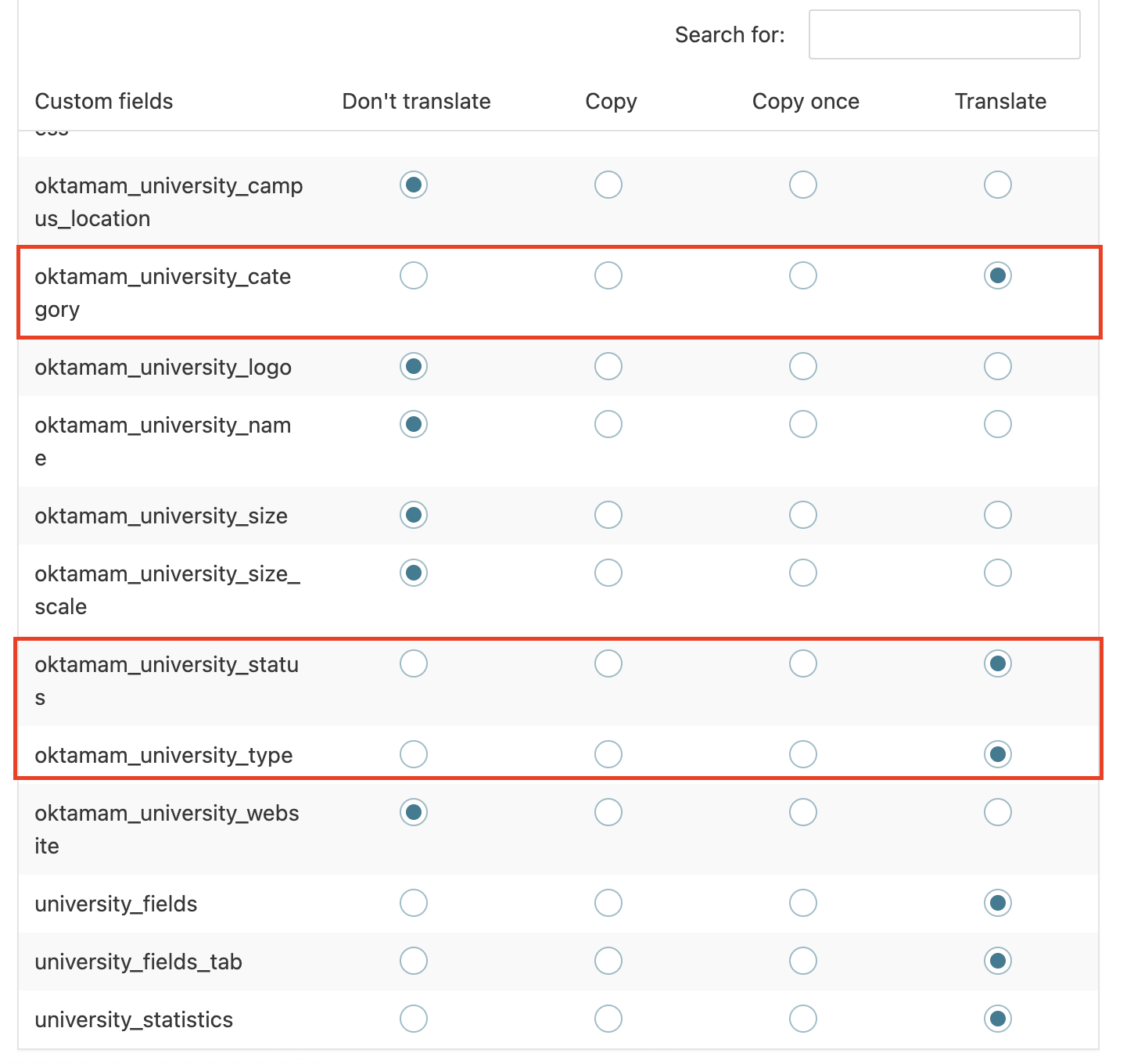
The meta fields contain data, such as select fields and checkboxes, already have the translation settings configured, as shown in the screenshot.

Screenshot 2025-08-14 at 9.18.49 AM.png
August 17, 2025 at 10:43 am #17325359

jamalA-8

Just following up to see if there are any updates on this. appreciate your support!

August 18, 2025 at 8:25 am #17326560

Laura
WPML Supporter since 05/2018

Languages: English (English ) Italian (Italiano )

Timezone: Europe/Rome (GMT+01:00)

Hello,

I'll keep continuing working on this ticket.

Did you check if you can find the strings following any of the steps described in this page?

August 18, 2025 at 11:55 am #17327617

jamalA-8

Thank you for the information. This page seems related to data concerning the admin theme, plugins, and profile settings. However, it doesn't appear to include anything that would help me translate the select field options inside the post type created with Crocoblock.

August 18, 2025 at 1:27 pm #17328053

Laura
WPML Supporter since 05/2018

Languages: English (English ) Italian (Italiano )

Timezone: Europe/Rome (GMT+01:00)

Please provide me with your debug information.

August 18, 2025 at 1:34 pm #17328070

jamalA-8

[removed]

August 18, 2025 at 3:00 pm #17328346

Laura
WPML Supporter since 05/2018

Languages: English (English ) Italian (Italiano )

Timezone: Europe/Rome (GMT+01:00)

I checked the JetEngine documentation, and it seems the only way to translate is using the hidden link">Glossaries (I thought you meant WPML glossaries).

This is a compatibility solution coming from their side, so we don't have the possibility to change it.