
This thread is resolved. Here is a description of the problem and solution.
Problem:
If you're experiencing blank or white pages on product pages using WoodMart custom layouts when WPML is active, and this only occurs with products having many variations (10-15+), while products with fewer variations display correctly, we can help.
Solution:
We recommend updating a specific function in your WPML plugin files. Please locate the file
sitepress-multilingual-cms/addons/wpml-page-builders/classes/Integrations/Elementor/class-wpml-elementor-adjust-global-widget-id.php
and modify the function
duplicate_css_class_with_original_id
around line 132 to the following:
public function duplicate_css_class_with_original_id( $content ) {<br /> $classPrefixes = implode( '|', [ 'elementor-', 'elementor-global-' ] );<br /> $pattern = '/(class="[^"]*?((?:' . $classPrefixes . ')))(\d+)/';<br /> $result = preg_replace_callback( $pattern, [ $this, 'convert_id_to_original' ], $content );<br /><br /> if ( null === $result ) {<br /> return $content;<br /> }<br /><br /> return $result;<br />}After applying this change, please clear any caches on your site to see if the issue resolves. This modification addresses template display failures due to the PHP setting
pcre.backtrack_limit
being exhausted. A permanent fix is anticipated in WPML 4.9.
If this solution does not apply to your case, or if it becomes outdated, we highly recommend checking related known issues at https://wpml.org/known-issues/, verifying the version of the permanent fix, and confirming that you have installed the latest versions of themes and plugins. Should you need further assistance, please open a new support ticket at WPML support forum.
This is the technical support forum for WPML - the multilingual WordPress plugin.
Everyone can read, but only WPML clients can post here. WPML team is replying on the forum 6 days per week, 22 hours per day.
Tagged: Known issue
This topic contains 21 replies, has 1 voice.
Last updated by Юрій Воробйов 1 week, 6 days ago.
Assisted by: Bruno Kos.
| Author | Posts |
|---|---|
| December 5, 2025 at 12:58 pm #17638545 | |
 Юрій Воробйов |
PROBLEM: BEHAVIOR: TESTING DONE: ENVIRONMENT: EXAMPLE URLS: NOTE: Please advise how to resolve this compatibility issue. |
| December 6, 2025 at 10:56 pm #17640929 | |
 Andreas W. WPML Supporter since 12/2018 Languages: English (English ) Spanish (Español ) German (Deutsch ) Timezone: America/Lima (GMT-05:00) |
Hello, Thank you for reaching out! This unexpected behavior could be related to the following known issue: Please revise the link above and try the suggested workaround. In case you need our assistance with applying the workaround, please let us know. Best regards |
| December 8, 2025 at 8:54 am #17643079 | |
| Юрій Воробйов |
I checked the WPML errata page for WoodMart: This fix is already applied in my WoodMart version (class-single-product.php lines 17-19 have the product_type condition check). My issue is DIFFERENT - it's not about product_type conditions fallback. The same product renders fine with: New threads created by Marcel and linked to this one are listed below: https://wpml.org/forums/topic/woodmart-variation-swatches-gone-on-translated-product/ |
| December 9, 2025 at 3:23 pm #17648386 | |
 Marcel Supporter Languages: English (English ) Spanish (Español ) German (Deutsch ) Timezone: Europe/Madrid (GMT+02:00) |
Hi, do you have a staging environment where we can take a look? I would eventually also need to request temporary access (WP-Admin and FTP) to your site Your next answer will be private which means only you and I have access to it. ❌ Please backup your database and website ❌ ✙ I would additionally need your permission to de-activate and re-activate Plugins and the Theme, and to change configurations on the site. This is also a reason the backup is really important. ✙ Please add the Links to the […] Edit Screen, the Page/Post where you insert the […] and the corresponding Front End Page/Screen Best Regards, |
| December 11, 2025 at 12:47 pm #17655942 | |
|
Юрій Воробйов |
Hi, Just following up on this ticket. We're currently unable to proceed with our work while waiting for a resolution on this issue. It's blocking our development progress. Could you please prioritize this or let me know when I can expect an update? Thanks. |
| December 12, 2025 at 3:52 pm #17659991 | |
|
Marcel Supporter Languages: English (English ) Spanish (Español ) German (Deutsch ) Timezone: Europe/Madrid (GMT+02:00) |
Hi, Thanks for your patience. The component responsible for the issue is not the theme itself, but the Woodmart Core plugin, which extends the theme’s functionality. When the plugin is disabled, everything loads correctly. It also works if Elementor is disabled, though for testing I kept the free version of Elementor active. I reduced the variations to 18—matching the product you shared where everything worked—and the issue disappeared. I then manually added two more variations, and it still worked. After that, I regenerated all 48 variations using “Generate variations”, and the issue is now gone: Could you please try regenerating your variations as well and let me know if that resolves the issue on your end? Regarding your second question, I created a separate ticket and we’ll check it there. Best regards, |
| December 15, 2025 at 9:14 am #17663188 | |
|
Юрій Воробйов |
Hi Marcel, 1. WoodMart Core is essential, not optional 2. Regenerating variations is not a solution So the real issue appears when variation pricing data is populated, not with the variations themselves. 3. Timeline concern Add new products with full variation pricing This is a compatibility issue between WPML and WoodMart Core that needs proper technical investigation, not workarounds that break core functionality. Could you please escalate this to your development team? We need an actual fix, not suggestions to disable essential plugins or leave product pricing incomplete. Best regards |
| December 15, 2025 at 9:33 am #17663264 | |
|
Юрій Воробйов |
Also, please let me know the specific time windows when you will be actively working on the site to investigate this issue. This way we can plan our work around it and avoid conflicts. |
| December 15, 2025 at 2:23 pm #17664598 | |
|
Marcel Supporter Languages: English (English ) Spanish (Español ) German (Deutsch ) Timezone: Europe/Madrid (GMT+02:00) |
Hi, I did not suggest keeping the Woodmart Core Add-On deactivated. I mentioned deactivating it only as a temporary step I did to isolate the issue, identify the root cause, and determine exactly what component is responsible. This was for testing purposes, and nothing in my previous message implies that permanently deactivating the add-on is a workaround. Our compatibility team can investigate this further only if the issue can be clearly reproduced in an isolated environment using the latest versions. To assist with this, I have prepared a sandbox where you can try to reproduce the issue by installing Woodmart and adding a sample product from scratch : If you are unable to fully reproduce the issue in the sandbox (for example, if the issue does not occur there), please provide a Duplicator package so our developers can debug the site package locally. Testing in the sandbox will help determine whether this is a reproducible compatibility issue or something specific to your installation. Either approach will allow us to identify a proper code workaround or, if necessary, contact the theme authors. Best regards, |
| December 15, 2025 at 3:07 pm #17664850 | |
|
Юрій Воробйов |
Hi Marcel, Logged in, initially installed UpdraftPlus (misunderstood the purpose), then saw the warning and removed it So I successfully reproduced a critical issue in your sandbox — but it's a complete site crash, not just the blank page on variations.  |
| December 15, 2025 at 3:27 pm #17664942 | |
|
Marcel Supporter Languages: English (English ) Spanish (Español ) German (Deutsch ) Timezone: Europe/Madrid (GMT+02:00) |
Hi, Updraft is not usable for our local debugging workflow, as a changed URL is not part of the free functionality. While I can create a copy of your site myself, we first need to confirm whether this is a compatibility issue. Please note that FTP is not giving my access to your DB, therefore we use Duplicator or "All in One Migration", as this create also a deployable site package including the database. I’ve created a new sandbox environment here: Everything is already configured; you only need to install Woodmart. This setup should not trigger any fatal errors, as we use this workflow and theme here regularly without issues. Did you previously start importing your site package into this sandbox? That could have caused the problem. Please do not import any existing installation. Instead, reproduce the issue from scratch in this clean environment. Best regards, |
| December 15, 2025 at 5:15 pm #17665461 | |
|
Юрій Воробйов |
Hi Marcel, |
| December 16, 2025 at 8:13 am #17666359 | |
|
Marcel Supporter Languages: English (English ) Spanish (Español ) German (Deutsch ) Timezone: Europe/Madrid (GMT+02:00) |
Hi, The last time I used Woodmart on this sandbox, my team and I didn’t experience any crashes, so it’s likely that your file is broken or incomplete (possibly missing files). I’ve prepared a fresh sandbox here specifically to upload the theme again for testing: hidden link Once the theme is uploaded, I’ll proceed with the configuration. Best regards, |
| December 16, 2025 at 9:10 am #17666584 | |
|
Юрій Воробйов |
Hi Marcel, Downloaded the latest WoodMart version from ThemeForest (renewed support today) The theme archive is working — I updated my development site from the same archive without any issues. 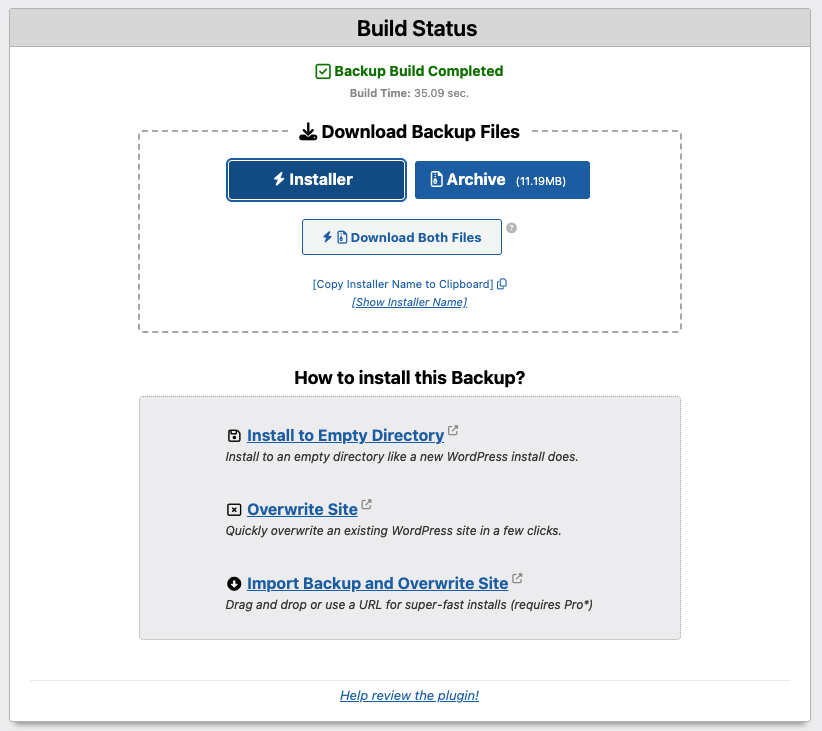 |
| December 16, 2025 at 9:13 am #17666601 | |
|
Юрій Воробйов |
Also, if you have any technical details or error logs from your investigation that I can pass to WoodMart support, please share them. I will contact WoodMart as well to speed up the resolution from both sides. |







